

OVS-DOCA is designed on top of NVIDIA's networking API to preserve the same OpenFlow, CLI, and data interfaces (e.g., vdpa, VF passthrough), as well as OVS-Kernel. While all OVS flavors make use of flow offloads for hardware acceleration, due to its architecture and use of DOCA libraries, the OVS-DOCA mode provides the most efficient performance and feature set among them, making the most out of NVIDA NICs and DPUs.
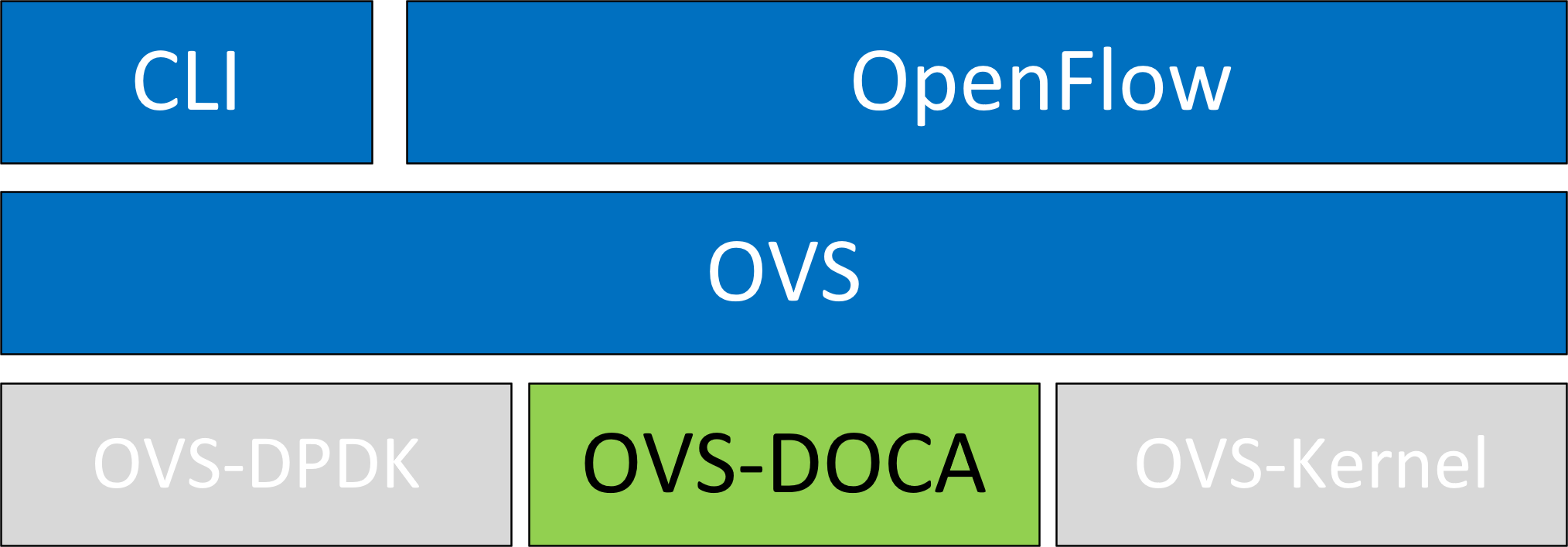
The following subsections provide the necessary steps to launch/deploy OVS DOCA.
Configuring OVS-DOCA
To configure OVS DOCA HW offloads:
-
Unbind the VFs:
echo 0000:04:00.2 > /sys/bus/pci/drivers/mlx5_core/unbind
echo 0000:04:00.3 > /sys/bus/pci/drivers/mlx5_core/unbind
VMs with attached VFs must be powered off to be able to unbind the VFs.
-
Change the e-switch mode from
legacytoswitchdevon the PF device (make sure all VFs are unbound):echo switchdev > /sys/class/net/enp4s0f0/compat/devlink/modeThis command also creates the VF representor netdevices in the host OS.
To revert to SR-IOV
legacymode:echo legacy > /sys/class/net/enp4s0f0/compat/devlink/mode
-
Bind the VFs:
echo 0000:04:00.2 > /sys/bus/pci/drivers/mlx5_core/bind
echo 0000:04:00.3 > /sys/bus/pci/drivers/mlx5_core/bind
-
Configure huge pages:
mkdir -p /hugepages
mount -t hugetlbfs hugetlbfs /hugepages
echo 4096 > /sys/devices/system/node/node0/hugepages/hugepages-2048kB/nr_hugepages
-
Run the Open vSwitch service:
systemctl start openvswitch
-
Enable DOCA mode and hardware offload (disabled by default):
ovs-vsctl --no-wait set Open_vSwitch . other_config:doca-init=true
ovs-vsctl set Open_vSwitch . other_config:hw-offload=true
-
For hardware offload changes to take effect, restart the Open vSwitch service:
-
For Debian-based systems:
systemctl restart openvswitch-switch
-
For RPM-based systems:
systemctl restart openvswitch
-
-
Create OVS-DOCA bridge:
ovs-vsctl --no-wait add-br br0-ovs -- set bridge br0-ovs datapath_type=doca
-
Add PF to OVS:
ovs-vsctl add-port br0-ovs enp4s0f0 -- set Interface enp4s0f0 type=doca
-
Add representor to OVS:
ovs-vsctl add-port br0-ovs enp4s0f0_0 -- set Interface enp4s0f0_0 type=doca
-
Optional configuration:
-
To set port MTU, run:
ovs-vsctl set interface enp4s0f0 mtu_request=9000Representors inherit their configuration from the ESW manager.
-
To set VF/SF MAC, run:
ovs-vsctl add-port br0-ovs enp4s0f0 -- set Interface enp4s0f0 type=doca options:dpdk-vf-mac=00:11:22:33:44:55Unbinding and rebinding the VFs/SFs is required for the change to take effect.
-
Setting Default Datapath
OVS commands can be simplified by configuring a default datapath type, which minimizes repetitive configurations and streamlines the OVS setup process for hardware-accelerated deployments.
To set a default datapath type, use the following command:
ovs-vsctl set Open_vSwitch . other_config:default-datapath-type=<type>
For example, to set the default datapath type to doca:
ovs-vsctl set Open_vSwitch . other_config:default-datapath-type=doca
This configuration allows bridges and interfaces to be created without specifying the datapath type explicitly for each command. For example:
ovs-vsctl --no-wait add-br br0-ovs
ovs-vsctl add-port br0-ovs enp4s0f0
This is equivalent to the following commands where the datapath type is explicitly set:
ovs-vsctl --no-wait add-br br0-ovs -- set bridge br0-ovs datapath_type=doca
ovs-vsctl add-port br0-ovs enp4s0f0 -- set Interface enp4s0f0 type=doca
If a non-supported datapath type is specified, OVS will automatically fall back to the default "system" type.
OVS-DOCA Design Considerations
OVS-DOCA is engineered to maximize the benefits of the DOCA offload architecture. To achieve this, specific behaviors of the userland datapath and ports have been modified from legacy OVS designs.
Eswitch Dependency
When configured in switchdev mode, the physical port and all supported functions share a single general domain (i.e., the eswitch) to execute offloaded flows.
Because all ports on the same eswitch are intrinsically linked to its main Physical Function (PF), their operational states are coupled. If the main PF is deactivated (e.g., administratively removed from OVS or its link state goes down), all dependent ports on that eswitch are automatically disabled as well.
Pre-allocated Offload Tables
To guarantee maximum flow insertion speeds, DOCA offloads utilize pre-allocated offload structures (entries and containers).
When the vSwitch daemon starts, these offloads are initialized with sensible, performance-optimized defaults. If your specific environment requires a different scale or number of offloads, you must adjust the OVS-DOCA specific configuration entries.
These configuration parameters are detailed in the next section.
Unsupported CT-CT-NAT
The specialized ct-ct-nat (Connection Tracking to Connection Tracking with Network Address Translation) mode, which is configurable in the standard OVS-kernel datapath, is not supported by OVS-DOCA.
OVS-DOCA Specific vSwitch Configuration
The following configuration is particularly useful or specific to OVS-DOCA mode.
The full list of OVS vSwitch configuration is documented in man ovs-vswitchd.conf.db.
other_config
The following table provides other_config configurations which are global to the vSwitch (non-exhaustive list, check manpage for more):
|
Configuration |
Description |
|---|---|
|
|
|
|
|
|
|
|
|
|
|
|
|
|
|
|
|
|
|
|
|
|
|
|
|
|
|
|
|
With PMD multi-threading support, OVS creates one PMD thread for each NUMA node by default if there is at least one DPDK interface added to OVS from that NUMA node. However, in cases where there are multiple ports/rxqs producing traffic, performance can be improved by creating multiple PMD threads running on separate cores. These PMD threads can share the workload by each being responsible for different ports/rxqs. Assignment of ports/rxqs to PMD threads is done automatically. A set bit in the mask means a PMD thread is created and pinned to the corresponding CPU core. For example, to run PMD threads on cores 1 and 2, run: |
|
|
|
Offloading VXLAN Encapsulation/Decapsulation Actions
vSwitch in userspace rather than kernel-based Open vSwitch requires an additional bridge. The purpose of this bridge is to allow use of the kernel network stack for routing and ARP resolution.
The datapath must look up the routing table and ARP table to prepare the tunnel header and transmit data to the output port.
VXLAN encapsulation/decapsulation offload configuration is done with:
-
PF on
0000:03:00.0PCIe -
Local IP
56.56.67.1– thebr-phyinterface is configured to this IP -
Remote IP
56.56.68.1
To configure OVS DOCA VXLAN:
-
Create a
br-phybridge:ovs-vsctl add-br br-phy -- set Bridge br-phy datapath_type=doca -- br-set-external-id br-phy bridge-id br-phy -- set bridge br-phy fail-mode=standalone
-
Attach PF interface to
br-phybridge:ovs-vsctl add-port br-phy enp4s0f0 -- set Interface enp4s0f0 type=doca
-
Configure IP to the bridge:
ip addr add 56.56.67.1/24 dev br-phy
-
Create a
br-ovsbridge:ovs-vsctl add-br br-ovs -- set Bridge br-ovs datapath_type=doca -- br-set-external-id br-ovs bridge-id br-ovs -- set bridge br-ovs fail-mode=standalone
-
Attach representor to
br-ovs:ovs-vsctl add-port br-ovs enp4s0f0_0 -- set Interface enp4s0f0_0 type=doca
-
Add a port for the VXLAN tunnel:
ovs-vsctl add-port br-ovs vxlan0 -- set interface vxlan0 type=vxlan options:local_ip=56.56.67.1 options:remote_ip=56.56.68.1 options:key=45 options:dst_port=4789
VXLAN GBP Extension
The VXLAN group-based policy (GBP) model outlines an application-focused policy framework that specifies connectivity requirements for applications, independent of the network's physical layout.
Setting GBP extension for a VXLAN port allows for matching on and setting a GBP ID per flow. To enable GBP extension when port vxlan0 is first added:
ovs-vsctl add-port br-int vxlan0 -- set interface vxlan0 type=vxlan options:key=30 options:remote_ip=10.0.30.1 options:exts=gbp
It is also possible to enable GBP extension for an existing VXLAN port:
ovs-vsctl set interface vxlan1 options:exts=gbp
This approach has a limitation that it does not take effect until after the OVS vswitchd service is restarted. In cases where there are multiple VXLAN ports, they must all share the same GBP extension configuration in their port options. A mixed configuration with some VXLAN ports having the GBP extension enabled and others disabled is not supported.
When GBP extension is enabled, the following OpenFlow rules which match on a GBP ID 32 or set a GBP ID 64 in the actions, can be offloaded:
ovs-ofctl add-flow br-int table=0,priority=100,in_port=vxlan0,tun_gbp_id=32 actions=output:pf0vf0
ovs-ofctl add-flow br-int table=0,priority=100,in_port=pf0vf0 actions=load:64->NXM_NX_TUN_GBP_ID[],output:vxlan0
VF-Tunnel Configuration
To offload underlay traffic effectively, configuring the underlay IP directly on the bridge port is insufficient. Instead, a dedicated VF or SF should be allocated, and its representor added to the br-phy bridge. This setup allows for proper offloading of underlay traffic.
To add the representor to the bridge, use the following command:
ovs-vsctl add-port br-phy <REP> -- set interface <REP> type=doca
Configure the underlay IP address directly on the VF or SF device.
Restrictions:
-
<REP>refers to the Linux interface name of the representor -
The VF or SF must be bound to its driver before attaching the representor to OVS
-
The VF or SF must reside in the same namespace as OVS
-
The underlay IP address should be configured after the representor is attached to OVS. It is acceptable to restart OVS while the underlay IP is configured.
Offloading Connection Tracking
Connection tracking enables stateful packet processing by keeping a record of currently open connections.
OVS flows utilizing connection tracking can be accelerated using advanced NICs by offloading established connections.
To view offload statistics, run:
ovs-appctl dpctl/offload-stats-show
SR-IOV VF LAG
To configure OVS-DOCA SR-IOV VF LAG:
-
Enable SR-IOV on the NICs:
// It is recommended to query the parameters first to determine if a change is needed, to save potentially unnecessary reboot.
mst start
mlxconfig -d <mst device> -y set PF_NUM_OF_VF_VALID=0   SRIOV_EN=1 NUM_OF_VFS=8
If configuration did change, perform a BlueField system reboot for the
mlxconfigsettings to take effect.
-
To be able to move to VF LAG mode while VFs/SFs exist, set the nvconig parameter
LAG_RESOURCE_ALLOCATION=1in the BlueField Arm OS or on the host for ConnectX:mst start mlxconfig -d /dev/mst/mt*conf0 -y s LAG_RESOURCE_ALLOCATION=1
-
Allocate the desired number of VFs per port:
echo $n > /sys/class/net/<net name>/device/sriov_numvfs
-
Unbind all VFs:
echo <VF PCI> >/sys/bus/pci/drivers/mlx5_core/unbind
-
Change both NICs' mode to SwitchDev:
devlink dev eswitch set pci/<PCI> mode switchdev
-
Create Linux bonding using kernel modules:
modprobe bonding mode=<desired mode>
Other bonding parameters can be added here. The supported bond modes are Active-Backup, XOR, and LACP.
-
Bring all PFs and VFs down:
ip link set <PF/VF> down
-
Attach both PFs to the bond:
ip link set <PF> master bond0
-
Bring PFs and bond link up:
ip link set <PF0> up
ip link set <PF1> up
ip link set bond0 up
-
Add the bond interface to the bridge as
type=doca:ovs-vsctl add-port br-phy bond0 -- set Interface bond0 type=doca options:dpdk-lsc-interrupt=true
-
Add the VF representors of PF0 or PF1 to a bridge:
ovs-vsctl add-port br-phy enp4s0f0_0 -- set Interface enp4s0f0_0 type=docaOr:
ovs-vsctl add-port br-phy enp4s0f1_0 -- set Interface enp4s0f1_0 type=doca
Multiport eSwitch Mode
In multiport eswitch mode, all uplinks and VFs/SFs representors of all physical ports are managed by the same hardware switch. This allows forwarding from the physical port entity to the physical port two entity.
-
To configure multiport eswitch mode, the nvconig parameter
LAG_RESOURCE_ALLOCATION=1must be set in the BlueField Arm OS, according to the following instructions:mst start mlxconfig -d /dev/mst/mt*conf0 -y s LAG_RESOURCE_ALLOCATION=1
-
Perform a BlueField system reboot for the
mlxconfigsettings to take effect. -
After the driver loads, and after moving to switchdev mode, configure multiport eswitch for each PF where p0 and p1 represent the netdevices for the PFs:
devlink dev param set pci/0000:03:00.0 name esw_multiport value 1 cmode runtime
devlink dev param set pci/0000:03:00.1 name esw_multiport value 1 cmode runtime
The mode becomes operational after entering switchdev mode on both PFs.
-
This mode can be activated by default in BlueField by adding the following line into
/etc/mellanox/mlnx-bf.conf:ENABLE_ESWITCH_MULTIPORT="yes"
While in this mode, the second port is not an eswitch manager, and should be add to OVS using this command:
ovs-vsctl add-port br-phy enp4s0f1 -- set interface enp4s0f1 type=doca
VFs for the second port can be added using this command:
ovs-vsctl add-port br-phy enp4s0f1_0 -- set interface enp4s0f1_0 type=doca
Offloading Geneve Encapsulation/Decapsulation
Geneve tunneling offload support includes matching on extension header.
OVS-DOCA Geneve option limitations:
-
Only 1 Geneve option is supported
-
Max option len is 7
-
To change the Geneve option currently being matched and encapsulated, users must remove all ports or restart OVS and configure the new option
-
Matching on Geneve options can work with
FLEX_PARSERprofile 0 (the default profile). Working withFLEX_PARSERprofile 8 is also supported as well. To configure it, run:Bashmst start mlxconfig -d <mst device> s FLEX_PARSER_PROFILE_ENABLE=8
Perform a BlueField system reboot for the
mlxconfigsettings to take effect.
To configure OVS-DOCA Geneve encapsulation/decapsulation:
-
Create a
br-phybridge:ovs-vsctl --may-exist add-br br-phy -- set Bridge br-phy datapath_type=doca -- br-set-external-id br-phy bridge-id br-phy -- set bridge br-phy fail-mode=standalone
-
Attach a PF interface to
br-phybridge:ovs-vsctl add-port br-phy enp4s0f0 -- set Interface enp4s0f0 type=doca
-
Configure an IP to the bridge:
ifconfig br-phy <$local_ip_1> up
-
Create a
br-intbridge:ovs-vsctl --may-exist add-br br-int -- set Bridge br-int datapath_type=doca -- br-set-external-id br-int bridge-id br-int -- set bridge br-int fail-mode=standalone
-
Attach a representor to
br-int:ovs-vsctl add-port br-int rep$x -- set Interface rep$x type=doca
-
Add a port for the Geneve tunnel:
ovs-vsctl add-port br-int geneve0 -- set interface geneve0 type=geneve options:key=<VNI> options:remote_ip=<$remote_ip_1> options:local_ip=<$local_ip_1>
GRE Tunnel Offloads
To configure OVS-DOCA GRE encapsulation/decapsulation:
-
Create a
br-phybridge:ovs-vsctl --may-exist add-br br-phy -- set Bridge br-phy datapath_type=doca -- br-set-external-id br-phy bridge-id br-phy -- set bridge br-phy fail-mode=standalone
-
Attach a PF interface to
br-phybridge:ovs-vsctl add-port br-phy enp4s0f0 -- set Interface enp4s0f0 type=doca
-
Configure an IP to the bridge:
ifconfig br-phy <$local_ip_1> up
-
Create a
br-intbridge:ovs-vsctl --may-exist add-br br-int -- set Bridge br-int datapath_type=doca -- br-set-external-id br-int bridge-id br-int -- set bridge br-int fail-mode=standalone
-
Attach a representor to
br-int:ovs-vsctl add-port br-int enp4s0f0_0 -- set Interface enp4s0f0_0 type=doca -
Add a port for the GRE tunnel:
ovs-vsctl add-port br-int gre0 -- set interface gre0 type=gre options:key=<VNI> options:remote_ip=<$remote_ip_1> options:local_ip=<$local_ip_1>
Slow Path Rate Limiting/SW-Meter
Slow path rate limiting allows controlling the rate of traffic that bypasses hardware offload rules and is subsequently processed by software.
To configure slow path rate limiting:
-
Create a
br-phybridge:ovs-vsctl --may-exist add-br br-phy -- set Bridge br-phy datapath_type=doca -- br-set-external-id br-phy bridge-id br-phy -- set bridge br-phy fail-mode=standalone
-
Attach a PF interface to
br-phybridge:ovs-vsctl add-port br-phy enp4s0f0 -- set Interface enp4s0f0 type=doca
-
Rate limit
enp4s0f0to 10Kpps with 6K burst size:ovs-vsctl set interface enp4s0f0 options:sw-meter=pps:10k:6k
A dry-run option is also supported to allow testing different software meter configurations in a production environment. This allows gathering statistics without impacting the actual traffic flow. These statistics can then be analyzed to determine appropriate rate limiting thresholds. When the dry-run option is enabled, traffic is not dropped or rate-limited, allowing normal operations to continue without disruption. However, the system simulates the rate limiting process and increment counters as though packets are being dropped.
To enable slow path rate limiting dry-run:
-
Create a
br-phybridge:ovs-vsctl --may-exist add-br br-phy -- set Bridge br-phy datapath_type=doca -- br-set-external-id br-phy bridge-id br-phy -- set bridge br-phy fail-mode=standalone
-
Attach a PF interface to
br-phybridge:ovs-vsctl add-port br-phy enp4s0f0 -- set Interface enp4s0f0 type=doca
-
Rate limit
enp4s0f0to 10Kpps with 6K burst size:ovs-vsctl set interface enp4s0f0 options:sw-meter=pps:10k:6k
-
Set the
sw-meter-dry-runoption:ovs-vsctl set interface enp4s0f0 options:sw-meter-dry-run=true
Hairpin
Hairpin allows forwarding packets from wire to wire.
To configure hairpin :
-
Create a
br-phybridge:ovs-vsctl --may-exist add-br br-phy -- set Bridge br-phy datapath_type=doca -- br-set-external-id br-phy bridge-id br-phy -- set bridge br-phy fail-mode=standalone
-
Attach a PF interface to
br-phybridge:ovs-vsctl add-port br-phy enp4s0f0 -- set Interface enp4s0f0 type=doca
-
Add hairpin OpenFlow rule:
ovs-ofctl add-flow br-phy"in_port=enp4s0f0,ip,actions=in_port"
OpenFlow Meters
OVS-DOCA supports OpenFlow meter action as covered in this document in section "OVS-DOCA Hardware Acceleration | OpenFlow Meters". In addition, OVS-DOCA supports chaining multiple meter actions together in a single datapth rule.
The following is an example configuration of such OpenFlow rules:
ovs-ofctl add-flow br-phy -O OpenFlow13 "table=0,priority=1,in_port=enp4s0f0_0,ip actions=meter=1,resubmit(,1)"
ovs-ofctl add-flow br-phy -O OpenFlow13 "table=1,priority=1,in_port=enp4s0f0_0,ip actions=meter=2,normal"
Meter actions are applied sequentially, first using meter ID 1 and then using meter ID 2.
Use case examples for such a configuration:
-
Rate limiting the same logical flow with different meter types—bytes per second and packets per second
-
Metering a group of flows. As meter IDs can be used by multiple flows, it is possible to re-use meter ID 2 from this example with other logical flows; thus, making sure that their cumulative bandwidth is limited by the meter.
DP-HASH Offloads
OVS supports group configuration. The "select" type executes one bucket in the group, balancing across the buckets according to their weights. To select a bucket, for each live bucket, OVS hashes flow data with the bucket ID and multiplies that by the bucket weight to obtain a "score". The bucket with the highest score is selected.
For more details, refer to the ovs-ofctl man.
For example:
-
ovs-ofctl add-group br-int 'group_id=1,type=select,bucket=<port1>' -
ovs-ofctl add-flow br-int in_port=<port0>,actions=group=1
Limitations:
-
Offloads are supported on IP traffic only (IPv4 or IPv6)
sFlow
The sFlow standard outlines a method for capturing traffic data in switched or routed networks. It employs sampling technology to gather statistics from the device, making it suitable for high-speed networks.
With a predetermined sampling rate, one out of every N packets is captured. While this sampling method does not yield completely accurate results, it does offer acceptable accuracy.
To activate sampling for 0.2% of all traffic traversing an OVS bridge named br-int, run:
ovs-vsctl -- --id=@sflow create sflow agent=lo target=127.0.0.1:6343 header=96 sampling=512 -- set bridge br-int sflow=@sflow
With this sFlow configuration on the bridge, captured packets are mirrored to an sFlow collector application that listens on the default sFlow port, 6343, on localhost.
sFlow collector applications fall outside the scope of this guide.
It is possible to set the sampling rate to 1 while configuring sFlow on a bridge, which effectively mirrors all traffic to the sFlow collector.
Mirroring
Mirroring can be used to duplicate packets from one port to another besides the original packet destination. This can be done using either an OpenFlow output action or an ovs-vsctl create mirror command.
For example, to configure mirror all traffic from port enp4s0f0_0 to port enp4s0f0_1 on OVS bridge br-int, run:
ovs-vsctl -- --id=@p1 get port enp4s0f0_0 -- --id=@p2 get port enp4s0f0_1 -- --id=@m create mirror name=m1 select_dst_port=@p1 select_src_port=@p1 output-port=@p2 -- set bridge br-int mirrors=@m
This produces datapath rules with multiple output ports. Each output port permutation requires a different mirror configuration. By default, only 128 different such configurations can be supported. To change this number, use the doca-mirror-max other_config. For example, set other_config:doca-mirror-max to 2048 by running the following:
ovs-vsctl set Open_vSwitch . other_config:doca-mirror-max=2048
Guaranteed Packet Rate
Guaranteed Packet Rate (GPR) is a traffic control feature designed to mitigate noisy neighbor scenarios, in which one port transmits at a significantly higher rate than others—potentially causing starvation for other ports sharing the same queue.
GPR helps ensure fair access to resources by exposing per-core and per-port metering. These meters allow administrators to configure limits on:
-
The number of packets per second (PPS) each port can transmit
-
The total number of packets reaching the software layer
Benefits of GPR:
-
Prevents traffic starvation caused by aggressive ports
-
Enables fair scheduling across representors and PFs
-
Can be dynamically configured—no service restart required
Enabling and configuring GPR:
-
To set the desired GPR mode:
Whereovs-vsctl set o . other_config:gpr-mode=<mode>
<mode>can be one of the following:ModeDescriptiondisabledDefault. GPR is turned offrep-onlyGPR applies only to representor portsall-portsGPR applies to all ports, including PFs -
To set metering rates:
ovs-vsctl set o . other_config:per-core-meter-rate=<rate-in-pps> ovs-vsctl set o . other_config:per-port-meter-rate=<rate-in-pps>-
per-core-meter-rate– Sets the maximum PPS allowed per core -
per-port-meter-rate– Sets the maximum PPS allowed per portIf
per-port-meter-rateis not explicitly set, it is calculated automatically using the formula:per-port-meter-rate = (per-core-meter-rate * number_of_cores) / number_of_attached_ports
-
Configuring OVS-DOCA Pre-Miss Rules (Kernel Punting)
The OVS-DOCA pre-miss feature allows administrators to match specific Ethernet types (EtherTypes) and route them directly to the OS kernel. By punting these specific protocols to the kernel, they bypass the Software OVS datapath entirely, saving processing overhead for control-plane or specific L2 traffic.
Constraints and Default Behavior
-
Port Restriction: This configuration applies strictly to Physical Function (PF) ports.
-
Rule Limit: You can configure a maximum of 16 distinct EtherTypes to be sent to the kernel.
-
Default Rules: If no
doca-pre-miss-rulesare explicitly configured, OVS-DOCA defaults to sending LACP, LLDP, and 802.1X packets to the kernel.
Configuration Commands
-
Set custom pre-miss rules: To punt specific EtherTypes to the kernel, provide a comma-separated list of hexadecimal EtherType values.
# Syntax
ovs-vsctl set interface <pf_port> options:doca-pre-miss-rules="<comma-separated-list-of-ethertypes>"

# Example: Punt IPv4 (0x800) and custom EtherType (0x8899) on port p0
ovs-vsctl set interface p0 options:doca-pre-miss-rules="0x800,0x8899"
Packets matching these EtherTypes will be sent to the kernel and will not be processed by OVS.
-
Clear all pre-miss rules (drop defaults): To clear the default rules and prevent any pre-miss punting to the kernel, you must set the list to an empty value containing at least one whitespace character.
# Clear default rules by passing a whitespace string
ovs-vsctl set interface <pf_port> options:doca-pre-miss-rules=" "
-
Restore default pre-miss rules: To restore the default behavior (punting LACP, LLDP, and 802.1X to the kernel), completely remove the
doca-pre-miss-rulesoption from the interface configuration.# Remove the configuration key to restore defaults ovs-vsctl remove interface <pf_port> options doca-pre-miss-rules
OVS-DOCA Known Limitations
-
When using two PFs with 127 VFs each and adding their representors to OVS bridge, the user must configure
dpdk-memzones:ovs-vsctl set o . other_config:dpdk-max-memzones=6500 restart ovs
-
In an OVS topology that includes both physical and internal bridges, sFlow offloads are only supported on the internal bridge when employing a VXLAN tunnel. Utilizing sFlow on the physical bridge leads to only partial offload of flows in this scenario.
OVS-DOCA Debugging
Additional debugging information can be enabled in the vSwitch log file using the dbg log level:
    (
        topics='netdev|ofproto|ofp|odp|doca'
        IFS=$'\n'; for topic in $(ovs-appctl vlog/list | grep -E "$topics" | cut -d' ' -f1)
        do
            printf "$topic:file:dbg "
        done
    ) | xargs ovs-appctl vlog/set
The listed topics are relevant to DOCA offload operations.
Coverage counters specific to the DOCA offload provider have been added. The following command should be used to check them:
ovs-appctl coverage/show # Print the current non-zero coverage counters
The following table provides the meaning behind these DOCA-specific counters:
|
Counter |
Description |
|---|---|
|
|
The asynchronous offload insertion queue was full while the daemon attempted to insert a new offload. The queue will have been flushed and insertion attempted again. This is not a fatal error but is the sign of a slowed down hardware. |
|
|
The asynchronous offload insertion queue has remained full even after several attempts to flush its currently enqueued requests.
|
|
|
An asynchronous insertion failed specifically due to its asynchronous nature. This is not expected to happen and should be considered a bug. |
|
|
The number of time a DOCA pipe has been resized. This is normal and expected as DOCA pipes receives more entries. |
|
|
A DOCA pipe resize took longer than 10ms to complete. It can happen infrequently. If a sudden drop in insertion rate is measured, this counter could help identify the root cause. |
Scaling Megaflows
Megaflows aggregate multiple microflows into a single flow entry, reduce the load on the flow table, and improve packet processing efficiency. Scaling megaflows in OVS is crucial for optimizing network performance and ensuring efficient handling of high traffic volumes. By default, OVS-DOCA can handle up to 200k megaflows.
To effectively manage and scale megaflows, several key configurations in the other_config section of OVS can be adjusted:
-
The
flow-limitparameter sets the maximum number of flows that can be stored in the flow table, helping to control memory usage and prevent overflow. -
The
max-revalidatorparameter defines the longest duration (in milliseconds) that re-validator threads will wait before initiating flow revalidation. It is crucial to understand that this represents the upper limit, and the actual timeout employed by OVS is the lesser of themax-idleandmax-revalidatorvalues. Modifying this parameter is generally not recommended without a thorough understanding of its effects. For systems with less powerful CPUs, setting a highermax-revalidatorvalue is suggested to compensate for reduced computational capacity and ensure revalidation completes.
Fine-tuning these settings can improve the scalability and performance of an OVS deployment, allowing it to manage a greater number of megaflows efficiently.
-
To set
flow-limit(default is 200k):$ ovs-vsctl set o . other_config:flow-limit=<desired_value> -
To set
max-revalidator(default is 250ms).$ ovs-vsctl set o . other_config:max-revalidator=<desired_value>
Software Datapath Packet Capture (ovs-doca-tcpdump)
This tool is intended exclusively for debugging and flow verification, and is not recommended for production environments. Enabling packet capture incurs a performance penalty and affects datapath throughput. Additionally, only one instance of ovs-doca-tcpdump can run at a time; attempting to launch a concurrent instance will result in an error.
The ovs-doca-tcpdump utility captures and displays packets processed by the OVS software datapath. It utilizes the Scapy Python library for packet parsing and display, providing enhanced packet analysis capabilities with metadata detailing interface and hook information.
Prerequisites
ovs-doca-tcpdump requires the Scapy Python library. If Scapy is not already installed on your system, install it using one of the following methods:
# Using pip
pip3 install scapy

# Debian/Ubuntu
apt-get install python3-scapy

# RHEL/Fedora/CentOS
dnf install python3-scapy
Tool Capabilities
|
Capability |
Description |
|---|---|
|
Configurable capture hooks |
Determines when the packet is captured in the datapath:
Use |
|
Target scope |
Capture traffic on specific interfaces or globally using Use |
|
Filter support |
Supports standard Berkeley Packet Filter (BPF) expressions (e.g., |
|
Display options |
|
|
PCAP export |
Use |
|
Control |
Managed internally via UnixCtl commands:
|
Example Usage
# Capture all software datapath traffic in verbose mode
ovs-doca-tcpdump -v

# Capture from a specific interface with TX hook
ovs-doca-tcpdump -i pf0vf0:tx

# Capture from multiple interfaces with different hooks
ovs-doca-tcpdump -i pf0vf0:rx_pre_restore,rx,tx+pf0vf1:tx

# Save capture to a PCAP file
ovs-doca-tcpdump -w capture.pcap

# Capture only ICMP packets
ovs-doca-tcpdump icmp

# Capture 100 packets with timestamps
ovs-doca-tcpdump -c 100 -t

# Verbose output with hex dump
ovs-doca-tcpdump -v -x

# Filter for HTTP traffic on a specific interface and save to file
ovs-doca-tcpdump -i pf0vf0 -w http_traffic.pcap "tcp port 80"

# List available interfaces
ovs-doca-tcpdump --list-interfaces

# List available hooks
ovs-doca-tcpdump --list-hooks
Last updated: