

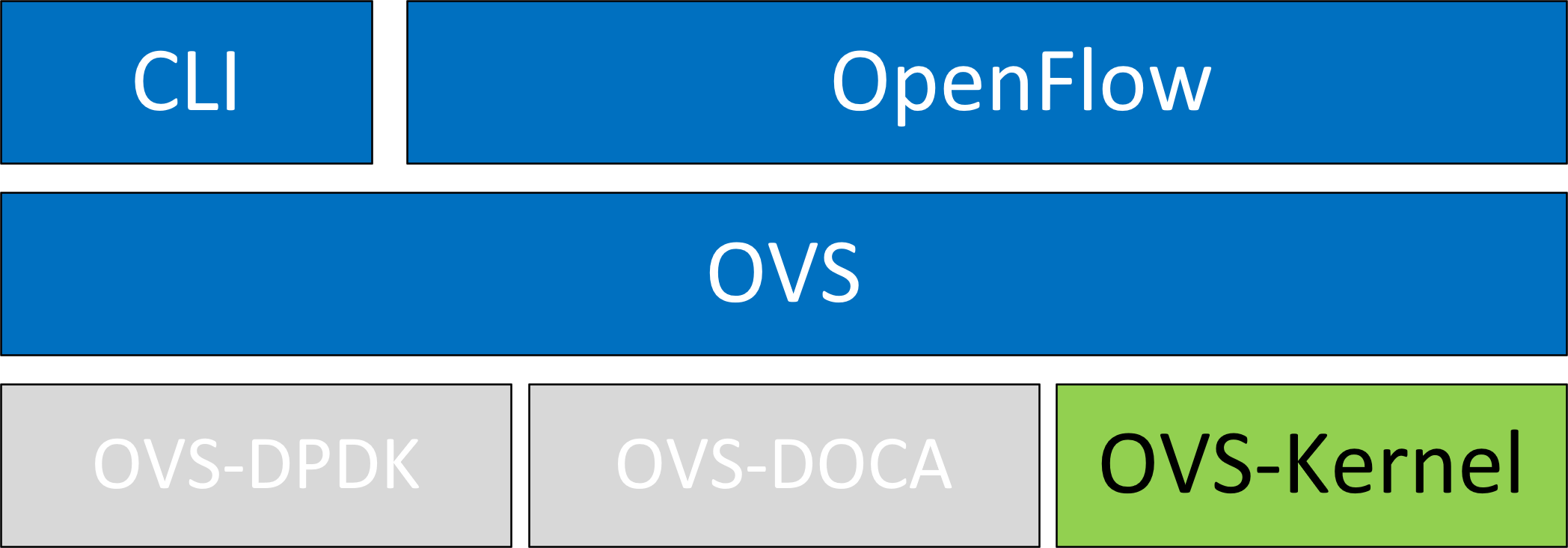
OVS-Kernel is enabled by default on your NVIDIA device.
Switchdev Configuration
-
Make sure no VFs exists:
# echo 0 > /sys/class/net/enp4s0f0/device/sriov_numvfsVMs with attached VFs must be powered off to unbind the VFs.
-
Ensure that all VFs are unbound. Then change the eSwitch mode from
legacytoswitchdevon the PF device:# devlink dev eswitch set pci/0000:3b:00.0 mode switchdevThis also creates the VF representor netdevices in the host OS.
To return to SR-IOV legacy mode, run:
# devlink dev eswitch set pci/0000:3b:00.0 mode legacyThis also removes the VF representor netdevices.
For operating systems or kernels that do not support devlink, you can move to switchdev mode using sysfs:
# echo switchdev > /sys/class/net/enp4s0f0/compat/devlink/mode
-
Turn on SR-IOV on the PF device:
# echo 2 > /sys/class/net/enp4s0f0/device/sriov_numvfs
-
At this stage, VFs and VF representors have been created. To map a representor to its VF, obtain the representor's
switchidandportname:# ip -d link show eth4 41: enp0s8f0_1: <BROADCAST,MULTICAST,UP,LOWER_UP> mtu 1500 qdisc mq state UP mode DEFAULT group default qlen 1000 link/ether ba:e6:21:37:bc:d4 brd ff:ff:ff:ff:ff:ff promiscuity 0 addrgenmode eui64 numtxqueues 10 numrxqueues 10 gso_max_size 65536 gso_max_segs 65535 portname pf0vf1 switchid f4ab580003a1420cWhere:
-
switchidis used to map a representor to a device. Both device PFs have the sameswitchid. -
portnameis used to map a representor to PF and VF. The returned value ispf<X>vf<Y>, whereXis the PF number andYis the VF number.
-
Switchdev Performance Tuning
Switchdev tuning improves its performance.
Steering Mode
OVS-kernel supports two steering modes for rule insertion into hardware:
-
SMFS (software-managed flow steering) is the default mode; rules are inserted directly to the hardware by the software (driver). This mode is optimized for rule insertion.
-
DMFS (device-managed flow steering) rule are inserted using firmware commands. This mode is optimized for throughput with a small number of rules in the system.
The steering mode can be configured via sysfs or devlink API in kernels that support it:
-
For
sysfs:echo <smfs|dmfs> > /sys/class/net/<pf-netdev>/compat/devlink/steering_mode
-
For
devlink:devlink dev param set pci/0000:00:08.0 name flow_steering_mode value "<smfs|dmfs>" cmode runtime
Notes:
-
The mode should be set prior to moving to
switchdev, by echoing to thesysfsor invoking thedevlinkcommand. -
Only when moving to
switchdevwill the driver use the mode configured. -
The mode cannot be changed after moving to
switchdev. -
The steering mode is applicable for
switchdevmode only (it does not affect legacy SR-IOV or other configurations).
Troubleshooting SMFS
mlx5 debugfs displays software steering resources. dr_domain including its tables, matchers, and rules. The interface is read-only.
New steering rules cannot be inserted or deleted while the dump is being created,
The steering information is dumped in CSV form in the following format: <object_type>,<object_ID>, <object_info>,...,<object_info>.
This data can be read at the following path: /sys/kernel/debug/mlx5/<BDF>/steering/fdb/<domain_handle>.
Example:
# cat /sys/kernel/debug/mlx5/0000:82:00.0/steering/fdb/dmn_000018644
3100,0x55caa4621c50,0xee802,4,65533
3101,0x55caa4621c50,0xe0100008
You can then use the steering dump parser to make the output human-readable. The parser can be found in this GitHub repository.
vPort Match Mode
OVS-kernel supports two modes that define how the rules match on vPort.
|
Mode |
Description |
|---|---|
|
Metadata |
Rules match on metadata instead of vPort number (default mode). This mode is required to support SR-IOV live migration and dual-port RoCE. Metadata matching might impact performance.
|
|
Legacy |
Rules match on vPort number. Legacy matching does not affect performance to the extent that metadata matching does. It can be used only if SR-IOV live migration or dual port RoCE are enabled/used.
|
vPort match mode can be controlled via sysfs:
-
Set legacy:
echo legacy > /sys/class/net/<PF netdev>/compat/devlink/vport_match_mode
-
Set metadata:
echo metadata > /sys/class/net/<PF netdev>/compat/devlink/vport_match_mode
This mode must be set prior to moving to switchdev.
Flow Table Large Group Number
Offloaded flows, including connection tracking (CT), are added to the virtual switch forwarding data base (FDB) flow tables. FDB tables have a set of flow groups, where each flow group saves the same traffic pattern flows. For example, for CT offloaded flow, TCP and UDP are different traffic patterns which end up in two different flow groups.
A flow group is limited in size to save flow entries. By default, the driver has 15 big FDB flow groups. Each of these big flow groups can save 4M/(15+1)=256k different 5-tuple flow entries at most. For scenarios with more than 15 traffic patterns, the driver provides a module parameter (num_of_groups) to allow customization and performance tuning.
The mode can be controlled via module param or devlink API for kernels that support it:
-
Module param:
echo <num_of_groups> > /sys/module/mlx5_core/parameters/num_of_groups
-
Devlink:
devlink dev param set pci/0000:82:00.0 name fdb_large_groups cmode driverinit value 20
The change takes effect immediately if the FDB table is empty (no traffic and all offloaded flows have aged out). You can switch this dynamically without reloading the driver. However, if there are still offloaded flows when you change this parameter, the change will take effect only after all flows have aged out.
Open vSwitch Configuration
OVS configuration is a simple OVS bridge configuration with switchdev.
-
Run the OVS service:
systemctl start openvswitch
-
Create an OVS bridge (named
ovs-sriovhere):ovs-vsctl add-br ovs-sriov
-
Enable hardware offload (disabled by default):
ovs-vsctl set Open_vSwitch . other_config:hw-offload=true
-
Restart the OVS service:
systemctl restart openvswitchThis step is required for hardware offload changes to take effect.
-
Add the PF and the VF representor netdevices as OVS ports:
ovs-vsctl add-port ovs-sriov enp4s0f0
ovs-vsctl add-port ovs-sriov enp4s0f0_0
ovs-vsctl add-port ovs-sriov enp4s0f0_1
Make sure to bring up the PF and representor netdevices:
ip link set dev enp4s0f0 up
ip link set dev enp4s0f0_0 up
ip link set dev enp4s0f0_1 up
The PF represents the uplink (wire):
# ovs-dpctl show
system@ovs-system:
        lookups: hit:0 missed:192 lost:1
        flows: 2
        masks: hit:384 total:2 hit/pkt:2.00
        port 0: ovs-system (internal)
        port 1: ovs-sriov (internal)
        port 2: enp4s0f0
        port 3: enp4s0f0_0
        port 4: enp4s0f0_1
-
Run traffic from the VFs and observe the rules added to the OVS data-path:
# ovs-dpctl dump-flows

recirc_id(0),in_port(3),eth(src=e4:11:22:33:44:50,dst=e4:1d:2d:a5:f3:9d),
eth_type(0x0800),ipv4(frag=no), packets:33, bytes:3234, used:1.196s, actions:2

recirc_id(0),in_port(2),eth(src=e4:1d:2d:a5:f3:9d,dst=e4:11:22:33:44:50),
eth_type(0x0800),ipv4(frag=no), packets:34, bytes:3332, used:1.196s, actions:3
In this example, the ping is initiated from VF0 (OVS port 3) to the outer node (OVS port 2), where the VF MAC is
e4:11:22:33:44:50and the outer node MAC ise4:1d:2d:a5:f3:9d. As previously shown, two OVS rules are added, one in each direction.Users can also verify offloaded packets by adding
type=offloadedto the command. For example:ovs-appctl dpctl/dump-flows type=offloaded
OVS Performance Tuning
Flow Aging
The aging timeout of OVS is displayed in milliseconds and can be controlled by running:
ovs-vsctl set Open_vSwitch . other_config:max-idle=30000
TC Policy
TC policy specifies the policy used with hardware offloading:
-
none– adds a TC rule to both the software and the hardware (default) -
skip_sw– adds a TC rule only to the hardware -
skip_hw– adds a TC rule only to the software
Example:
ovs-vsctl set Open_vSwitch . other_config:tc-policy=skip_sw
TC policy should only be used for debugging purposes.
max-revalidator
Specifies the maximum time (in milliseconds) for the revalidator threads to wait for kernel statistics before executing flow revalidation.
ovs-vsctl set Open_vSwitch . other_config:max-revalidator=10000
n-handler-threads
Specifies the number of threads for software datapaths to use to handle new flows.
ovs-vsctl set Open_vSwitch . other_config:n-handler-threads=4
The default value is the number of online CPU cores minus the number of revalidators.
n-revalidator-threads
Specifies the number of threads for software datapaths to use to revalidate flows in the datapath.
ovs-vsctl set Open_vSwitch . other_config:n-revalidator-threads=4
vlan-limit
Limits the number of VLAN headers that can be matched to the specified number.
ovs-vsctl set Open_vSwitch . other_config:vlan-limit=2
Basic TC Rules Configuration
Offloading rules can also be added directly---not only through OVS---using the tc utility.
To create an offloading rule using TC:
-
Create an ingress
qdisc(queueing discipline) for each interface that you wish to add rules into:tc qdisc add dev enp4s0f0 ingress tc qdisc add dev enp4s0f0_0 ingress tc qdisc add dev enp4s0f0_1 ingress
-
Add TC rules using flower classifier in the following format:
tc filter add dev NETDEVICE ingress protocol PROTOCOL prio PRIORITY [chain CHAIN] flower [MATCH_LIST] [action ACTION_SPEC]
A list of supported matches (specifications) and actions can be found in OVS-Kernel Hardware Acceleration | Classification Fields (Matches).
-
Dump the existing
tcrules using flower classifier in the following format:tc [-s] filter show dev NETDEVICE ingress
SR-IOV VF LAG
SR-IOV VF LAG allows the NIC's physical functions (PFs) to receive the rules that the OVS attempts to offload to the bond net-device, and then offloads them to the hardware e-switch.
The supported bond modes are as follows:
-
Active-backup
-
XOR
-
LACP
SR-IOV VF LAG enables complete offload of the LAG functionality to the hardware. The bonding creates a single bonded PF port. Packets from the up-link can arrive from any of the physical ports and are forwarded to the bond device.
When hardware offload is used, packets from both ports can be forwarded to any of the VFs. Traffic from the VF can be forwarded to both ports according to the bonding state. This means that when in active-backup mode, only one PF is up, and traffic from any VF goes through this PF. When in XOR or LACP mode, if both PFs are up, traffic from any VF is split between these two PFs.
SR-IOV VF LAG Configuration on ASAP2
To enable SR-IOV VF LAG, both physical functions of the NIC must first be configured to SR-IOV switchdev mode, and only afterwards bond the up-link representors.
The following example shows the creation of a bond interface over two PFs:
-
Switch the eSwitch mode from Legacy to SwitchDev on the PF devices.:
# devlink dev eswitch set pci/0000:3b:00.0 mode switchdev # devlink dev eswitch set pci/0000:3b:00.1 mode switchdev -
Load the bonding device and attach the uplink representor (currently the PF) network devices as as members of the bond.
# modprobe bonding mode=802.3ad # Ifup bond0 (make sure ifcfg file is present with desired bond configuration) # ip link set enp4s0f0 master bond0 # ip link set enp4s0f1 master bond0 -
Create the VFs:
# echo 2 > /sys/class/net/enp4s0f0/device/sriov_numvfs -
Add the representor network devices as OVS ports. If tunneling is not used, include the bond device as well:
# ovs-vsctl add-port ovs-sriov bond0
# ovs-vsctl add-port ovs-sriov enp4s0f0_0
# ovs-vsctl add-port ovs-sriov enp4s0f1_0
-
Ensure that both the PF and the representor network devices are brought up:
# ip link set dev bond0 up
# ip link set dev enp4s0f0_0 up
# ip link set dev enp4s0f1_0 up
Scalable/Sub-Function (SF) LAG Configuration on ASAP2
-
Switch the eSwitch mode from Legacy to SwitchDev on the PF devices.:
# devlink dev eswitch set pci/0000:3b:00.0 mode switchdev # devlink dev eswitch set pci/0000:3b:00.1 mode switchdev -
Load the bonding device and attach the uplink representor (currently the PF) network devices as as members of the bond.
# modprobe bonding mode=802.3ad # Ifup bond0 (make sure ifcfg file is present with desired bond configuration) # ip link set enp4s0f0 master bond0 # ip link set enp4s0f1 master bond0 -
Create the VFs:
# mlxdevm port add pci/0000:3b:00.0 flavour pcisf pfnum 0 sfnum 1000 # mlxdevm port function set pci/0000:3b:00.0/32768 state active -
Add the representor network devices as OVS ports. If tunneling is not used, include the bond device as well:
# ovs-vsctl add-port ovs-sriov bond0
# ovs-vsctl add-port ovs-sriov en8f0pf0sf1000
-
Ensure that both the PF and the representor network devices are brought up:
# ip link set dev bond0 up
# ip link set dev en8f0pf0sf1000 up
For more information about SFs, refer to the BlueField Scalable Function User Guide or the scalable functions GitHub wiki.
Using TC with VF LAG
Both rules can be added either with or without shared block:
-
With shared block (supported from kernel 4.16 and RHEL/CentOS 7.7 and above):
tc qdisc add dev bond0 ingress_block 22 ingress tc qdisc add dev ens4p0 ingress_block 22 ingress tc qdisc add dev ens4p1 ingress_block 22 ingress-
Add drop rule:
# tc filter add block 22 protocol arp parent ffff: prio 3 \
    flower \
        dst_mac e4:11:22:11:4a:51 \
        action drop
-
Add redirect rule from bond to representor:
# tc filter add block 22 protocol arp parent ffff: prio 3 \
        flower \
        dst_mac e4:11:22:11:4a:50 \
        action mirred egress redirect dev ens4f0_0
-
Add redirect rule from representor to bond:
# tc filter add dev ens4f0_0 protocol arp parent ffff: prio 3 \
    flower \
        dst_mac ec:0d:9a:8a:28:42 \
        action mirred egress redirect dev bond0
-
-
Without shared block (supported from kernel 4.15 and below):
-
Add redirect rule from bond to representor:
# tc filter add dev bond0 protocol arp parent ffff: prio 1 \
        flower \
        dst_mac e4:11:22:11:4a:50 \
        action mirred egress redirect dev ens4f0_0
-
Add redirect rule from representor to bond:
# tc filter add dev ens4f0_0 protocol arp parent ffff: prio 3 \
        flower \
        dst_mac ec:0d:9a:8a:28:42 \
        action mirred egress redirect dev bond0
-
Classification Fields (Matches)
OVS-Kernel supports multiple classification fields which packets can fully or partially match.
Ethernet Layer 2
-
Destination MAC
-
Source MAC
-
Ethertype
Supported on all kernels.
In OVS dump flows:
skb_priority(0/0),skb_mark(0/0),in_port(eth6),eth(src=00:02:10:40:10:0d,dst=68:54:ed:00:af:de),eth_type(0x8100), packets:1981, bytes:206024, used:0.440s, dp:tc, actions:eth7
Using TC rules:
tc filter add dev $rep parent ffff: protocol arp pref 1 \
flower \
dst_mac e4:1d:2d:5d:25:35 \
src_mac e4:1d:2d:5d:25:34 \
action mirred egress redirect dev $NIC
IPv4/IPv6
-
Source address
-
Destination address
-
Protocol
-
TCP/UDP/ICMP/ICMPv6
-
-
TOS
-
TTL (HLIMIT)
Supported on all kernels.
In OVS dump flows:
Ipv4:
ipv4(src=0.0.0.0/0.0.0.0,dst=0.0.0.0/0.0.0.0,proto=17,tos=0/0,ttl=0/0,frag=no)
Ipv6:
ipv6(src=::/::,dst=1:1:1::3:1040:1008,label=0/0,proto=58,tclass=0/0x3,hlimit=64),
Using TC rules:
IPv4:
tc filter add dev $rep parent ffff: protocol ip pref 1 \
flower \
dst_ip 1.1.1.1 \
src_ip 1.1.1.2 \
ip_proto TCP \
ip_tos 0x3 \
ip_ttl 63 \
action mirred egress redirect dev $NIC


IPv6:
tc filter add dev $rep parent ffff: protocol ipv6 pref 1 \
flower \
dst_ip 1:1:1::3:1040:1009 \
src_ip 1:1:1::3:1040:1008 \
ip_proto TCP \
ip_tos 0x3 \
ip_ttl 63\
action mirred egress redirect dev $NIC
TCP/UDP Source and Destination Ports and TCP Flags
-
TCP/UDP source and destinations ports
-
TCP flags
Supported on kernel >4.13 and RHEL >7.5.
In OVS dump flows:
TCP: tcp(src=0/0,dst=32768/0x8000),
UDP: udp(src=0/0,dst=32768/0x8000),
TCP flags: tcp_flags(0/0)
Using TC rules:
tc filter add dev $rep parent ffff: protocol ip pref 1 \
flower \
ip_proto TCP \
dst_port 100 \
src_port 500 \
tcp_flags 0x4/0x7 \
action mirred egress redirect dev $NIC
VLAN
-
ID
-
Priority
-
Inner vlan ID and Priority
Supported kernels: All (QinQ: kernel 4.19 and higher, and RHEL 7.7 and higher).
In OVS dump flows:
eth_type(0x8100),vlan(vid=2347,pcp=0),
Using TC rules:
tc filter add dev $rep parent ffff: protocol 802.1Q pref 1 \
                    flower \
                    vlan_ethtype 0x800 \
                    vlan_id 100 \
                    vlan_prio 0 \
                    action mirred egress redirect dev $NIC
QinQ:
tc filter add dev $rep parent ffff: protocol 802.1Q pref 1 \
                    flower \
                    vlan_ethtype 0x8100	 \
                    vlan_id 100 \
                    vlan_prio 0 \
                    cvlan_id 20 \
                    cvlan_prio 0 \
                    cvlan_ethtype 0x800 \
                    action mirred egress redirect dev $NIC
Tunnel
-
ID (Key)
-
Source IP address
-
Destination IP address
-
Destination port
-
TOS (supported from kernel 4.19 and above & RHEL 7.7 and above)
-
TTL (support from kernel 4.19 and above & RHEL 7.7 and above)
-
Tunnel options (Geneve)
Supported kernels:
-
VXLAN: All
-
GRE: Kernel >5.0, RHEL 7.7 and above
-
Geneve: Kernel >5.0, RHEL 7.7 and above
In OVS dump flows:
tunnel(tun_id=0x5,src=121.9.1.1,dst=131.10.1.1,ttl=0/0,tp_dst=4789,flags(+key))
Using TC rules:
# tc filter add dev $rep protocol 802.1Q parent ffff: pref 1
flower \
vlan_ethtype 0x800 \
vlan_id 100 \
vlan_prio 0 \
action mirred egress redirect dev $NIC
QinQ:
# tc filter add dev vxlan100 protocol ip parent ffff: \
                flower \
                         skip_sw \
                         dst_mac e4:11:22:11:4a:51 \
                         src_mac e4+:11:22:11:4a:50 \
                         enc_src_ip 20.1.11.1 \
                         enc_dst_ip 20.1.12.1 \
                         enc_key_id 100 \
                         enc_dst_port 4789 \
                         action tunnel_key unset \
                         action mirred egress redirect dev ens4f0_0
Supported Actions
Forward
Forward action allows for packet redirection:
-
From VF to wire
-
Wire to VF
-
VF to VF
Supported on all kernels.
In OVS dump flows:
skb_priority(0/0),skb_mark(0/0),in_port(eth6),eth(src=00:02:10:40:10:0d,dst=68:54:ed:00:af:de),eth_type(0x8100), packets:1981, bytes:206024, used:0.440s, dp:tc, actions:eth7
Using TC rules:
tc filter add dev $rep parent ffff: protocol arp pref 1 \
						flower \
						dst_mac e4:1d:2d:5d:25:35 \
						src_mac e4:1d:2d:5d:25:34 \
				    	action mirred egress redirect dev $NIC
Drop
Drop action allows to drop incoming packets.
Supported on all kernels.
In OVS dump flows:
skb_priority(0/0),skb_mark(0/0),in_port(eth6),eth(src=00:02:10:40:10:0d,dst=68:54:ed:00:af:de),eth_type(0x8100), packets:1981, bytes:206024, used:0.440s, dp:tc, actions:drop
Using TC rules:
tc filter add dev $rep parent ffff: protocol arp pref 1 \
                            flower \
                            dst_mac e4:1d:2d:5d:25:35 \
                            src_mac e4:1d:2d:5d:25:34 \
                            action drop
Statistics
By default, each flow collects the following statistics:
-
Packets – number of packets which hit the flow
-
Bytes – total number of bytes which hit the flow
-
Last used – the amount of time passed since last packet hit the flow
Supported on all kernels.
In OVS dump flows:
skb_priority(0/0),skb_mark(0/0),in_port(eth6),eth(src=00:02:10:40:10:0d,dst=68:54:ed:00:af:de),eth_type(0x8100), packets:1981, bytes:206024, used:0.440s, dp:tc, actions:drop
Using TC rules:
#tc -s filter show dev $rep ingress

filter protocol ip pref 2 flower chain 0
filter protocol ip pref 2 flower chain 0 handle 0x2
eth_type ipv4
ip_proto tcp
src_ip 192.168.140.100
src_port 80
skip_sw
in_hw
    action order 1: mirred (Egress Redirect to device p0v11_r) stolen
    index 34 ref 1 bind 1 installed 144 sec used 0 sec
    Action statistics:
    Sent 388344 bytes 2942 pkt (dropped 0, overlimits 0 requeues 0)
    backlog 0b 0p requeues 0
Tunnels: Encapsulation/Decapsulation
OVS-kernel supports offload of tunnels using encapsulation and decapsulation actions.
-
Encapsulation – pushing of tunnel header is supported on Tx
-
Decapsulation – popping of tunnel header is supported on Rx
Supported Tunnels:
-
VXLAN (IPv4/IPv6) – supported on all Kernels
-
GRE (IPv4/IPv6) – supported on kernel 5.0 and above & RHEL 7.6 and above
-
Geneve (IPv4/IPv6) – supported on kernel 5.0 and above & RHEL 7.6 and above
OVS configuration:
In case of offloading tunnel, the PF/bond should not be added as a port in the OVS datapath. It should rather be assigned with the IP address to be used for encapsulation.
The following example shows two hosts (PFs) with IPs 1.1.1.177 and 1.1.1.75, where the PF device on both hosts is enp4s0f0, and the VXLAN tunnel is set with VNID 98:
-
On the first host:
# ip addr add 1.1.1.177/24 dev enp4s0f1
# ovs-vsctl add-port ovs-sriov vxlan0 -- set interface vxlan0 type=vxlan options:local_ip=1.1.1.177 options:remote_ip=1.1.1.75 options:key=98
-
On the second host:
# ip addr add 1.1.1.75/24 dev enp4s0f1
# ovs-vsctl add-port ovs-sriov vxlan0 -- set interface vxlan0 type=vxlan options:local_ip=1.1.1.75 options:remote_ip=1.1.1.177 options:key=98
For a GRE IPv4 tunnel, use
type=gre. For a GRE IPv6 tunnel, usetype=ip6gre. For a Geneve tunnel, usetype=geneve.
When encapsulating guest traffic, the VF's device MTU must be reduced to allow the host/hardware to add the encap headers without fragmenting the resulted packet. As such, the VF's MTU must be lowered by 50 bytes from the uplink MTU for IPv4 and 70 bytes for IPv6.
Tunnel offload using TC rules:
Encapsulation:
# tc filter add dev ens4f0_0 protocol 0x806 parent ffff: \
                flower \
                        skip_sw \
                        dst_mac e4:11:22:11:4a:51 \
                        src_mac e4:11:22:11:4a:50 \
                action tunnel_key set \
                src_ip 20.1.12.1 \
                dst_ip 20.1.11.1 \
                id 100 \
                action mirred egress redirect dev vxlan100

Decapsulation:
# tc filter add dev vxlan100 protocol 0x806 parent ffff: \
                flower \
                         skip_sw \
                         dst_mac e4:11:22:11:4a:51 \
                         src_mac e4:11:22:11:4a:50 \
                         enc_src_ip 20.1.11.1 \
                         enc_dst_ip 20.1.12.1 \
                         enc_key_id 100 \
                         enc_dst_port 4789 \
                action tunnel_key unset \
                action mirred egress redirect dev ens4f0_0
VLAN Push/Pop
OVS-kernel supports offload of VLAN header push/pop actions:
-
Push – pushing of VLAN header is supported on Tx
-
Pop – popping of tunnel header is supported on Rx
OVS Configuration
Add a tag=$TAG section for the OVS command line that adds the representor ports. For example, VLAN ID 52 is being used here.
# ovs-vsctl add-port ovs-sriov enp4s0f0
# ovs-vsctl add-port ovs-sriov enp4s0f0_0 tag=52
# ovs-vsctl add-port ovs-sriov enp4s0f0_1 tag=52
The PF port should not have a VLAN attached. This will cause OVS to add VLAN push/pop actions when managing traffic for these VFs.
Dump Flow Example
recirc_id(0),in_port(3),eth(src=e4:11:22:33:44:50,dst=00:02:c9:e9:bb:b2),eth_type(0x0800),ipv4(frag=no), \
packets:0, bytes:0, used:never, actions:push_vlan(vid=52,pcp=0),2

recirc_id(0),in_port(2),eth(src=00:02:c9:e9:bb:b2,dst=e4:11:22:33:44:50),eth_type(0x8100), \
vlan(vid=52,pcp=0),encap(eth_type(0x0800),ipv4(frag=no)), packets:0, bytes:0, used:never, actions:pop_vlan,3
VLAN Offload Using TC Rules Example
# tc filter add dev ens4f0_0 protocol ip parent ffff: \
                flower \
                        skip_sw \
                        dst_mac e4:11:22:11:4a:51 \
                        src_mac e4:11:22:11:4a:50 \
                action vlan push id 100 \
                action mirred egress redirect dev ens4f0

# tc filter add dev ens4f0 protocol 802.1Q parent ffff: \
                flower \
                        skip_sw \
                        dst_mac e4:11:22:11:4a:51 \
                        src_mac e4:11:22:11:4a:50 \
                        vlan_ethtype 0x800 \
                        vlan_id 100 \
                        vlan_prio 0 \
                action vlan pop \
                action mirred egress redirect dev ens4f0_0
TC Configuration
Example of VLAN Offloading with popping header on Tx and pushing on Rx using TC rules:
# tc filter add dev ens4f0_0 ingress protocol 802.1Q parent ffff: \
        flower \
                vlan_id 100 \
        action vlan pop \
        action tunnel_key set \
                src_ip 4.4.4.1 \
                dst_ip 4.4.4.2 \
                dst_port 4789 \
                id 42 \
        action mirred egress redirect dev vxlan0

# tc filter add dev vxlan0 ingress protocol all parent ffff: \
        flower \
                enc_dst_ip 4.4.4.1 \
                enc_src_ip 4.4.4.2 \
                enc_dst_port 4789 \
                enc_key_id 42 \
        action tunnel_key unset \
        action vlan push id 100 \
        action mirred egress redirect dev ens4f0_0
Header Rewrite
This action allows for modifying packet fields.
Ethernet Layer 2
-
Destination MAC
-
Source MAC
Supported kernels:
-
Kernel 4.14 and above
-
RHEL 7.5 and above
In OVS dump flows:
skb_priority(0/0),skb_mark(0/0),in_port(eth6),eth(src=00:02:10:40:10:0d,dst=68:54:ed:00:af:de),eth_type(0x8100), packets:1981, bytes:206024, used:0.440s, dp:tc, actions: set(eth(src=68:54:ed:00:f4:ab,dst=fa:16:3e:dd:69:c4)),eth7
Using TC rules:
tc filter add dev $rep parent ffff: protocol arp pref 1 \
							flower \
							dst_mac e4:1d:2d:5d:25:35 \
							src_mac e4:1d:2d:5d:25:34 \
					action pedit ex \
					munge eth dst set 20:22:33:44:55:66 \
					munge eth src set aa:ba:cc:dd:ee:fe \
					action mirred egress redirect dev $NIC
IPv4/IPv6
-
Source address
-
Destination address
-
Protocol
-
TOS
-
TTL (HLIMIT)
Supported kernels:
-
Kernel 4.14 and above
-
RHEL 7.5 and above
In OVS dump flows:
Ipv4:
    set(eth(src=de:e8:ef:27:5e:45,dst=00:00:01:01:01:01)),
    set(ipv4(src=10.10.0.111,dst=10.20.0.122,ttl=63))
Ipv6:
    set(ipv6(dst=2001:1:6::92eb:fcbe:f1c8,hlimit=63)),
Using TC rules:
IPv4:
tc filter add dev $rep parent ffff: protocol ip pref 1 \
							flower \
							dst_ip 1.1.1.1 \
							src_ip 1.1.1.2 \
							ip_proto TCP \
							ip_tos 0x3 \
							ip_ttl 63 \
					pedit ex \
					munge ip src set 2.2.2.1 \
					munge ip dst set 2.2.2.2 \
					munge ip tos set 0 \
					munge ip ttl dec \
					action mirred egress redirect dev $NIC


IPv6:
tc filter add dev $rep parent ffff: protocol ipv6 pref 1 \
							flower \
							dst_ip 1:1:1::3:1040:1009 \
							src_ip 1:1:1::3:1040:1008 \
							ip_proto tcp \
							ip_tos 0x3 \
							ip_ttl 63\
					pedit ex \
					munge ipv6 src set 2:2:2::3:1040:1009 \
					munge ipv6 dst set 2:2:2::3:1040:1008 \
					munge ipv6 hlimit dec \
					action mirred egress redirect dev $NIC
IPv4 and IPv6 header rewrite is only supported with match on UDP/TCP/ICMP protocols.
TCP/UDP Source and Destination Ports
-
TCP/UDP source and destinations ports
Supported kernels:
-
Kernel 4.16 and above
-
RHEL 7.6 and above
In OVS dump flows:
TCP:

        set(tcp(src= 32768/0xffff,dst=32768/0xffff)),
UDP:

        set(udp(src= 32768/0xffff,dst=32768/0xffff)),
Using TC rules:
TCP:

        tc filter add dev $rep parent ffff: protocol ip pref 1 \
                            flower \
                            dst_ip 1.1.1.1 \
                            src_ip 1.1.1.2 \
                            ip_proto tcp \
                            ip_tos 0x3 \
                            ip_ttl 63 \
                    pedit ex \
                    pedit ex munge ip tcp sport set 200
                    pedit ex munge ip tcp dport set 200
                    action mirred egress redirect dev $NIC

UDP:
        tc filter add dev $rep parent ffff: protocol ip pref 1 \
                            flower \
                            dst_ip 1.1.1.1 \
                            src_ip 1.1.1.2 \
                            ip_proto udp \
                            ip_tos 0x3 \
                            ip_ttl 63 \
                    pedit ex \
                    pedit ex munge ip udp sport set 200
                    pedit ex munge ip udp dport set 200
                    action mirred egress redirect dev $NIC
VLAN
-
ID
Supported on all kernels.
In OVS dump flows:
Set(vlan(vid=2347,pcp=0/0)),
Using TC rules:
tc filter add dev $rep parent ffff: protocol 802.1Q pref 1 \
                    flower \
                    vlan_ethtype 0x800 \
                    vlan_id 100 \
                    vlan_prio 0 \
            action vlan modify id 11 pipe
            action mirred egress redirect dev $NIC
Connection Tracking
The TC connection tracking (CT) action performs CT lookup by sending the packet to netfilter conntrack module. Newly added connections may be associated, via the ct commit action, with a 32 bit mark, 128 bit label, and source/destination NAT values.
The following example allows ingress TCP traffic from the uplink representor to vf1_rep, while assuring that egress traffic from vf1_rep is only allowed on established connections. In addition, mark and source IP NAT is applied.
In OVS dump flows:
ct(zone=2,nat)
ct_state(+est+trk)
actions:ct(commit,zone=2,mark=0x4/0xffffffff,nat(src=5.5.5.5))
Using TC rules:
# tc filter add dev $uplink_rep ingress chain 0 prio 1 proto ip \
                    flower \
                    ip_proto tcp   \
                    ct_state -trk \
               action ct zone 2 nat pipe
               action goto chain 2
# tc filter add dev $uplink_rep ingress chain 2 prio 1 proto ip \
                     flower \
                     ct_state +trk+new \
               action ct zone 2 commit mark 0xbb nat src addr 5.5.5.7 pipe \
               action mirred egress redirect dev $vf1_rep
# tc filter add dev $uplink_rep ingress chain 2 prio 1 proto ip \
                    flower \
                    ct_zone 2 \
                    ct_mark 0xbb \
                    ct_state +trk+est \
                action mirred egress redirect dev $vf1_rep

// Setup filters on $vf1_rep, allowing only established connections of zone 2 through, and reverse nat (dst nat in this case)

# tc filter add dev $vf1_rep ingress chain 0 prio 1 proto ip \
                     flower \
                     ip_proto tcp \
                     ct_state -trk \
                action ct zone 2 nat pipe \
                action goto chain 1
# tc filter add dev $vf1_rep ingress chain 1 prio 1 proto ip \
                     flower \
                     ct_zone 2 \
                     ct_mark 0xbb \
                     ct_state +trk+est \
                action mirred egress redirect dev eth0
CT Performance Tuning
-
Max offloaded connections – specifies the limit on the number of offloaded connections. Example:
devlink dev param set pci/${pci_dev} name ct_max_offloaded_conns value $max cmode runtime
-
Allow mixed NAT/non-NAT CT – allows offloading of the following scenario:
•	cookie=0x0, duration=21.843s, table=0, n_packets=4838718, n_bytes=241958846, ct_state=-trk,ip,in_port=enp8s0f0 actions=ct(table=1,zone=2)
•	cookie=0x0, duration=21.823s, table=1, n_packets=15363, n_bytes=773526, ct_state=+new+trk,ip,in_port=enp8s0f0 actions=ct(commit,zone=2,nat(dst=11.11.11.11)),output:"enp8s0f0_1" •	cookie=0x0, duration=21.806s, table=1, n_packets=4767594, n_bytes=238401190, ct_state=+est+trk,ip,in_port=enp8s0f0 actions=ct(zone=2,nat),output:"enp8s0f0_1"
Example:
echo enable > /sys/class/net/<device>/compat/devlink/ct_action_on_nat_conns
Forward to Chain (TC Only)
TC interface supports adding flows on different chains. Only chain 0 is accessed by default. Access to the other chains requires the goto action.
In this example, a flow is created on chain 1 without any match and redirect to wire. The second flow is created on chain 0 and match on source MAC and action goto chain 1.
This example simulates simple MAC spoofing:
#tc filter add dev $rep parent ffff: protocol all chain 1 pref 1 \
                    flower \
                action mirred egress redirect dev $NIC

#tc filter add dev $rep parent ffff: protocol all chain 1 pref 1 \
                    flower \
                    src_mac aa:bb:cc:aa:bb:cc \
                action goto chain 1
Port Mirroring: Flow-based VF Traffic Mirroring for ASAP²
Unlike para-virtual configurations, when the VM traffic is offloaded to hardware via SR-IOV VF, the host-side admin cannot snoop the traffic (e.g., for monitoring).
ASAP² uses the existing mirroring support in OVS and TC along with the enhancement to the offloading logic in the driver to allow mirroring the VF traffic to another VF.
The mirrored VF can be used to run traffic analyzer (e.g., tcpdump, wireshark, etc.) and observe the traffic of the VF being mirrored.
The following example shows the creation of port mirror on the following configuration:
# ovs-vsctl show
  09d8a574-9c39-465c-9f16-47d81c12f88a
      Bridge br-vxlan
                  Port "enp4s0f0_1"
                     Interface "enp4s0f0_1"
                  Port "vxlan0"
                      Interface "vxlan0"
                                  type: vxlan
                                  options: {key="100", remote_ip="192.168.1.14"}
                  Port "enp4s0f0_0"
                      Interface "enp4s0f0_0"
                  Port "enp4s0f0_2"
                      Interface "enp4s0f0_2"
                  Port br-vxlan
                      Interface br-vxlan
                                  type: internal
      ovs_version: "2.14.1"
-
To set
enp4s0f0_0as the mirror port and mirror all the traffic:# ovs-vsctl -- --id=@p get port enp4s0f0_0 \ -- --id=@m create mirror name=m0 select-all=true output-port=@p \ -- set bridge br-vxlan mirrors=@m
-
To set
enp4s0f0_0as the mirror port, only mirror the traffic, and setenp4s0f0_1as the destination port:# ovs-vsctl -- --id=@p1 get port enp4s0f0_0 \ -- --id=@p2 get port enp4s0f0_1 \ -- --id=@m create mirror name=m0 select-dst-port=@p2 output-port=@p1 \ -- set bridge br-vxlan mirrors=@m
-
To set
enp4s0f0_0as the mirror port, only mirror the traffic, and setenp4s0f0_1as the source port:# ovs-vsctl -- --id=@p1 get port enp4s0f0_0 \ -- --id=@p2 get port enp4s0f0_1 \ -- --id=@m create mirror name=m0 select-src-port=@p2 output-port=@p1 \ -- set bridge br-vxlan mirrors=@m
-
To set
enp4s0f0_0as the mirror port and mirror all the traffic onenp4s0f0_1:# ovs-vsctl -- --id=@p1 get port enp4s0f0_0 \ -- --id=@p2 get port enp4s0f0_1 \ -- --id=@m create mirror name=m0 select-dst-port=@p2 select-src-port=@p2 output-port=@p1 \ -- set bridge br-vxlan mirrors=@m
To clear the mirror port:
ovs-vsctl clear bridge br-vxlan mirrors
Mirroring using TC:
-
Mirror to VF:
tc filter add dev $rep parent ffff: protocol arp pref 1 \
						flower \
						dst_mac e4:1d:2d:5d:25:35 \
						src_mac e4:1d:2d:5d:25:34 \
						action mirred egress mirror dev $mirror_rep pipe \
						action mirred egress redirect dev $NIC
-
Mirror to tunnel:
tc filter add dev $rep parent ffff: protocol arp pref 1 \
						flower \
						dst_mac e4:1d:2d:5d:25:35 \
						src_mac e4:1d:2d:5d:25:34 \
				action tunnel_key set \
				src_ip 1.1.1.1 \
				dst_ip 1.1.1.2 \
				dst_port 4789 \
				id 768 \
				pipe \
				action mirred egress mirror dev vxlan100 pipe \
				action mirred egress redirect dev $NIC
Forward to Multiple Destinations
Forwarding to up 32 destinations (representors and tunnels) is supported using TC:
-
Example 1: forwarding to 32 VFs:
tc filter add dev $NIC parent ffff: protocol arp pref 1 \
                        flower \
                        dst_mac e4:1d:2d:5d:25:35 \
                        src_mac e4:1d:2d:5d:25:34 \
                        action mirred egress mirror dev $rep0 pipe \
                        action mirred egress mirror dev $rep1 pipe \
...
                        action mirred egress mirror dev $rep30 pipe \
                        action mirred egress redirect dev $rep31
-
Example 2: forwarding to 16 tunnels:
tc filter add dev $rep parent ffff: protocol arp pref 1 \
                        flower \
                        dst_mac e4:1d:2d:5d:25:35 \
                        src_mac e4:1d:2d:5d:25:34 \
                        action tunnel_key set src_ip $ip_src dst_ip $ip_dst \
                        dst_port 4789 id 0 nocsum \
                        pipe action mirred egress mirror dev vxlan0 pipe \
                        action tunnel_key set src_ip $ip_src dst_ip $ip_dst \
                        dst_port 4789 id 1 nocsum \
                        pipe action mirred egress mirror dev vxlan0 pipe \
                        ...
                        action tunnel_key set src_ip $ip_src dst_ip $ip_dst \
                        dst_port 4789 id 15 nocsum \
                        pipe action mirred egress redirect dev vxlan0
TC supports up to 32 actions.
If header rewrite is used, then all destinations should have the same header rewrite.
If VLAN push/pop is used, then all destinations should have the same VLAN ID and actions.
sFlow
sFlow allows for monitoring traffic sent between two VMs on the same host using an sFlow collector.
The following example assumes the environment is configured as described later.
# ovs-vsctl show
  09d8a574-9c39-465c-9f16-47d81c12f88a
      Bridge br-vxlan
                  Port "enp4s0f0_1"
                    Interface "enp4s0f0_1"
                  Port "vxlan0"
                    Interface "vxlan0"
                                type: vxlan
                                options: {key="100", remote_ip="192.168.1.14"}
                  Port "enp4s0f0_0"
                    Interface "enp4s0f0_0"
                  Port "enp4s0f0_2"
                    Interface "enp4s0f0_2"
                  Port br-vxlan
                    Interface br-vxlan
                                type: internal
      ovs_version: "2.14.1"
To sample all traffic over the OVS bridge:
# ovs-vsctl -- --id=@sflow create sflow agent=\"$SFLOW_AGENT\" \
                                        target=\"$SFLOW_TARGET:$SFLOW_PORT\" \
                                        header=$SFLOW_HEADER \
                                        sampling=$SFLOW_SAMPLING polling=10 \
               -- set bridge br-vxlan sflow=@sflow
|
Parameter |
Description |
|---|---|
|
|
Indicates that the sFlow agent should send traffic from |
|
|
Remote IP address of the sFlow collector |
|
|
Size of packet header to sample (in bytes) |
|
|
Sample rate |
To clear the sFlow configuration:
# ovs-vsctl clear bridge br-vxlan sflow
To list the sFlow configuration:
# ovs-vsctl list sflow
sFlow using TC:
Sample to VF
tc filter add dev $rep parent ffff: protocol arp pref 1 \
						flower \
						dst_mac e4:1d:2d:5d:25:35 \
						src_mac e4:1d:2d:5d:25:34 \
						action sample rate 10 group 5 trunc 96 \
						action mirred egress redirect dev $NIC
A userspace application is needed to process the sampled packet from the kernel. An example is available on Github.
Rate Limit
OVS-kernel supports offload of VF rate limit using OVS configuration and TC.
The following example sets the rate limit to the VF related to representor eth0 to 10Mb/s:
-
OVS:
ovs-vsctl set interface eth0 ingress_policing_rate=10000
-
TC:
tc_filter add dev eth0 root prio 1 protocol ip matchall skip_sw action police rate 10mbit burst 20k
Kernel Requirements
This kernel config should be enabled to support switchdev offload.
-
CONFIG_NET_ACT_CSUM– needed for action csum -
CONFIG_NET_ACT_PEDIT– needed for header rewrite -
CONFIG_NET_ACT_MIRRED– needed for basic forward -
CONFIG_NET_ACT_CT– needed for CT (supported from kernel 5.6) -
CONFIG_NET_ACT_VLAN– needed for action vlan push/pop -
CONFIG_NET_ACT_GACT -
CONFIG_NET_CLS_FLOWER -
CONFIG_NET_CLS_ACT -
CONFIG_NET_SWITCHDEV -
CONFIG_NET_TC_SKB_EXT– needed for CT (supported from kernel 5.6) -
CONFIG_NET_ACT_CT– needed for CT (supported from kernel 5.6) -
CONFIG_NFT_FLOW_OFFLOAD -
CONFIG_NET_ACT_TUNNEL_KEY -
CONFIG_NF_FLOW_TABLE– needed for CT (supported from kernel 5.6) -
CONFIG_SKB_EXTENSIONS– needed for CT (supported from kernel 5.6) -
CONFIG_NET_CLS_MATCHALL -
CONFIG_NET_ACT_POLICE -
CONFIG_MLX5_ESWITCH
VF Metering
OVS-kernel supports offloading of VF metering (TX and RX) using sysfs. Metering for packets per second (PPS) and bytes per second (BPS) is supported.
The following example sets the Rx meter on VF 0 with value 10Mbps:
echo 10000000 > /sys/class/net/enp4s0f0/device/sriov/0/meters/rx/bps/rate
echo 65536 > /sys/class/net/enp4s0f0/device/sriov/0/meters/rx/bps/burst
The following example sets Tx meter on VF 0 with value 1000 PPS:
echo 1000 > /sys/class/net/enp4s0f0/device/sriov/0/meters/tx/pps/rate
echo 100 > /sys/class/net/enp4s0f0/device/sriov/0/meters/tx/pps/burst
Both rate and burst must be non-zero and burst may need to be adjusted according to requirements.
The following counters can be used to query the number dropped packet or bytes:
cat /sys/class/net/enp8s0f0/device/sriov/0/meters/rx/pps/packets_dropped
cat /sys/class/net/enp8s0f0/device/sriov/0/meters/rx/pps/bytes_dropped
cat /sys/class/net/enp8s0f0/device/sriov/0/meters/rx/bps/packets_dropped
cat /sys/class/net/enp8s0f0/device/sriov/0/meters/rx/bps/bytes_dropped
cat /sys/class/net/enp8s0f0/device/sriov/0/meters/tx/pps/packets_dropped
cat /sys/class/net/enp8s0f0/device/sriov/0/meters/tx/pps/bytes_dropped
cat /sys/class/net/enp8s0f0/device/sriov/0/meters/tx/bps/packets_dropped
cat /sys/class/net/enp8s0f0/device/sriov/0/meters/tx/bps/bytes_dropped
Representor Metering
Metering for uplink and VF representors traffic is supported.
Traffic going to a representor device can be a result of a miss in the embedded switch (eSwitch) FDB tables. This means that a packet which arrives from that representor into the eSwitch has not matched against the existing rules in the hardware FDB tables and must be forwarded to software to be handled there and is, therefore, forwarded to the originating representor device driver.
The meter allows to configure the max rate [packets per second] and max burst [packets] for traffic going to the representor driver. Any traffic exceeding values provided by the user are dropped in hardware. There are statistics that show the number of dropped packets.
The configuration of representor metering is done via miss_rl_cfg.
-
Full path of the
miss_rl_cfgparameter:/sys/class/net//rep_config/miss_rl_cfg -
Usage:
echo "<rate> <burst>" > /sys/class/net//rep_config/miss_rl_cfg.-
rateis the max rate of packets allowed for this representor (in packets/sec units) -
burstis the max burst size allowed for this representor (in packets units) -
Both values must be specified. Both of their default values is 0, signifying unlimited rate and burst.
-
To view the amount of packets and bytes dropped due to traffic exceeding the user-provided rate and burst, two read-only sysfs for statistics are available:
-
/sys/class/net//rep_config/miss_rl_dropped_bytes– counts how many FDB-miss bytes are dropped due to reaching the miss limits -
/sys/class/net//rep_config/miss_rl_dropped_packets– counts how many FDB-miss packets are dropped due to reaching the miss limits
OVS Metering
There are two types of meters, kpps (kilobits per second) and pktps (packets per second). OVS-Kernel supports offloading both of them.
The following example is to offload a kpps meter.
-
Create OVS meter with a target rate:
ovs-ofctl -O OpenFlow13 add-meter ovs-sriov meter=1,kbps,band=type=drop,rate=204800
-
Delete the default rule:
ovs-ofctl del-flows ovs-sriov
-
Configure OpenFlow rules:
ovs-ofctl -O OpenFlow13 add-flow ovs-sriov 'ip,dl_dst=e4:11:22:33:44:50,actions= meter:1,output:enp4s0f0_0'
ovs-ofctl -O OpenFlow13 add-flow ovs-sriov 'ip,dl_src=e4:11:22:33:44:50,actions= output:enp4s0f0'
ovs-ofctl -O OpenFlow13 add-flow ovs-sriov 'arp,actions=normal'
Here, the VF bandwidth on the receiving side is limited by the rate configured in step 1.
-
Run iperf server and be ready to receive UDP traffic. On the outer node, run iperf client to send UDP traffic to this VF. After traffic starts, check the offloaded meter rule:
ovs-appctl dpctl/dump-flows --names type=offloaded

recirc_id(0),in_port(enp4s0f0),eth(dst=e4:11:22:33:44:50),eth_type(0x0800),ipv4(frag=no), packets:11626587, bytes:17625889188, used:0.470s, actions:meter(0),enp4s0f0_0
To verify metering, the iperf client should set the target bandwidth to a number which is larger than the configured meter rate. Then it should apparent that packets are received with the limited rate on the server side and the extra packets are dropped by hardware.
Multiport eSwitch Mode
The multiport eSwitch mode allows adding rules on a VF representor with an action forwarding the packet to the physical port of the physical function. This can be used to implement failover or forward packets based on external information such as the cost of the route.
-
To configure multiport eSwitch mode, set the nvconfig parameter,
LAG_RESOURCE_ALLOCATION. -
After the driver loads, configure multiport eSwitch for each PF where
enp8s0f0andenp8s0f1represent the netdevices for the PFs:echo multiport_esw > /sys/class/net/enp8s0f0/compat/devlink/lag_port_select_mode echo multiport_esw > /sys/class/net/enp8s0f1/compat/devlink/lag_port_select_modeThe mode becomes operational after entering
switchdevmode on both PFs.
Rule example:
tc filter add dev enp8s0f0_0 prot ip root flower dst_ip 7.7.7.7 action mirred egress redirect dev enp8s0f1
Last updated: