

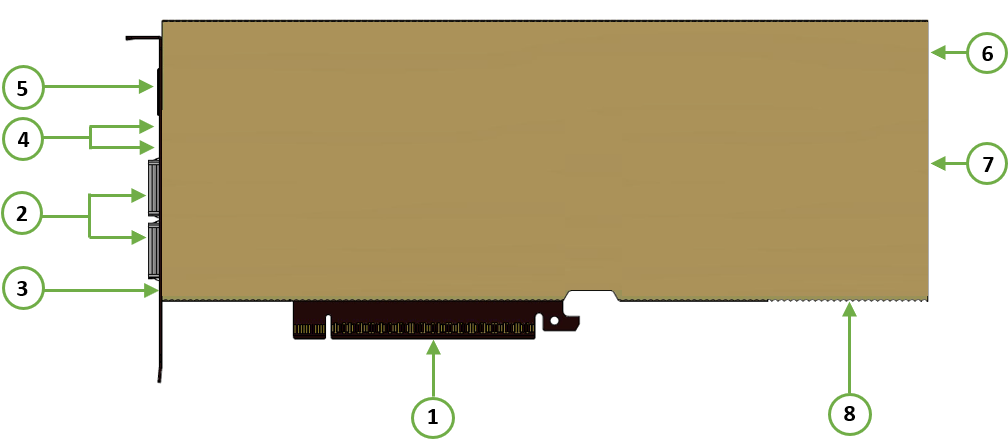
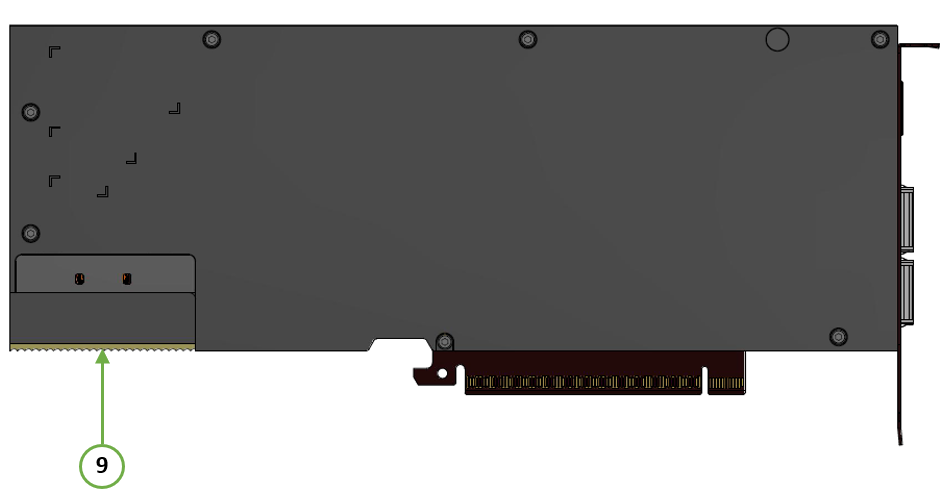
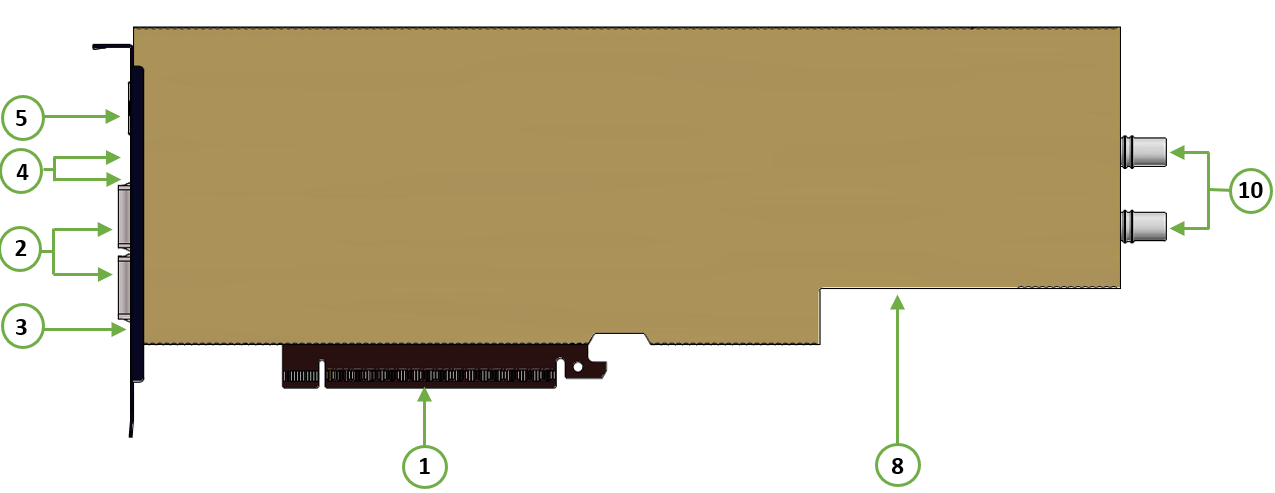
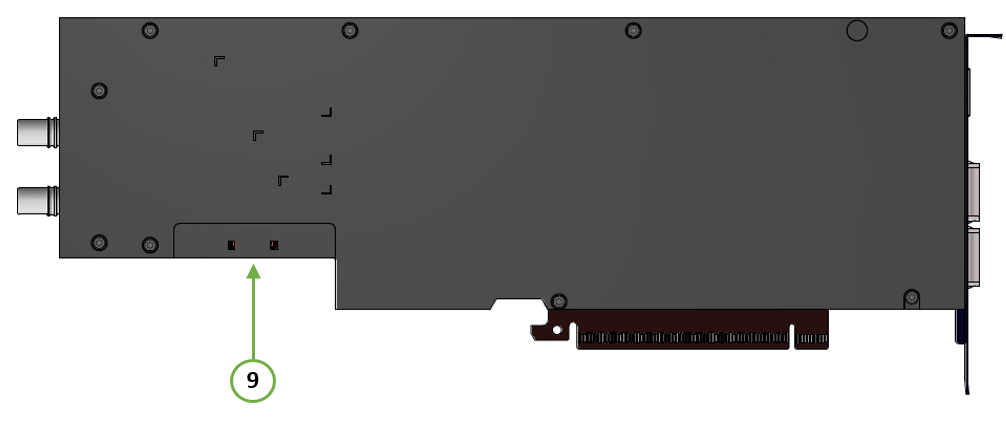
This section describes the supported interfaces. The table below describes each numbered interface referenced in the figures, with a link to detailed information.
The below figures are for illustration purposes only and might not reflect the current revision of the BlueField-4 platforms.
BlueField-4 DPUs SuperNICs Layout and Interface Information
|
OPN
|
DPU Component Side
|
DPU Print Side
|
|---|---|---|
|
B4240 Air-Cooled
This product can operate in air-cooled servers only. |
|
|
|
B4240L Liquid-Cooled
This product can operate in liquid-cooled servers only. |
|
|
|
Item
|
Interface
|
Description
|
|---|---|---|
|
1 |
PCIe Gen6 CEM6 through an x16 edge connector supporting high‑speed PCIe signals, power, sideband, and an optional USB‑based interface. |
|
|
2 |
The network traffic is transmitted through the dual-port QSFP112 connectors which allow the use of modules and optical and passive cable interconnect solutions |
|
|
3 |
One bi-color I/O LEDs per port to indicate link and physical status |
|
|
4 |
Allows PPS IN/OUT |
|
|
5 |
1GbE BASE-T OOB management interface |
|
|
6 |
[Only for Air-Cooled Platform] Supplementary 12-pin ATX power |
|
|
7 |
[Only for Air-Cooled Platform] Used for connecting to the RMII/NCSI as well as the UART and GPIOs |
|
|
8 |
One MCIO connector is populated to allow connectivity to an additional PCIe x16 interface |
|
|
9 |
Allows for BMC connectivity for remote management |
|
|
10 |
Liquid-Cooling Plugs |
[Only for Liquid-Cooled Platform] x2 liquid cooling plugs, inlet and outlet |
|
11 |
Pin-Hole Reset Button |
For BMC factory-defaults |
|
|
8 units of LPDDR5x SDRAM for a total of 128GB @8533MT/s speed, 256bit bus, solder-down memory |
|
|
DPU BMC |
||
|
M.2 2242 512GB TLC industrial-grade |
||
|
Battery holder for RTC |
Interfaces Detailed Description
PCI Express Interface
The BlueField-4 supports PCI Express (PCIe) Gen6 via a x16 edge connector.
The PCIe interface provides the following features:
-
Backward compatibility with PCIe Gen5.0, Gen4.0, Gen3.0, Gen2.0, and Gen1.1
-
Supported link rates: 2.5, 5.0, 8.0, 16.0, 32.0, and 64.0 GT/s
-
Up to x16 lane width
PCIe Bifurcation Configuration
To enable bifurcation into two PCIe x8 links via the edge connector, set PCIe interface pin B82 (Goldfinger) to a logic high (“1”).
To restore the default configuration, power off the device and connect pin B82 to ground (GND).
For more information. refer to PCIe Bifurcation Options.
Networking Interface
The networking platforms include special circuits to protect the card/server from ESD shocks when plugging copper cables.
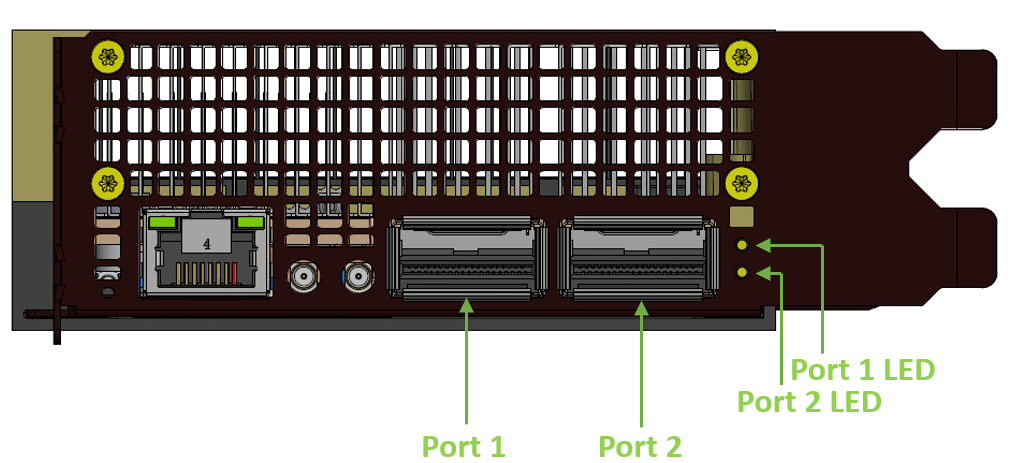
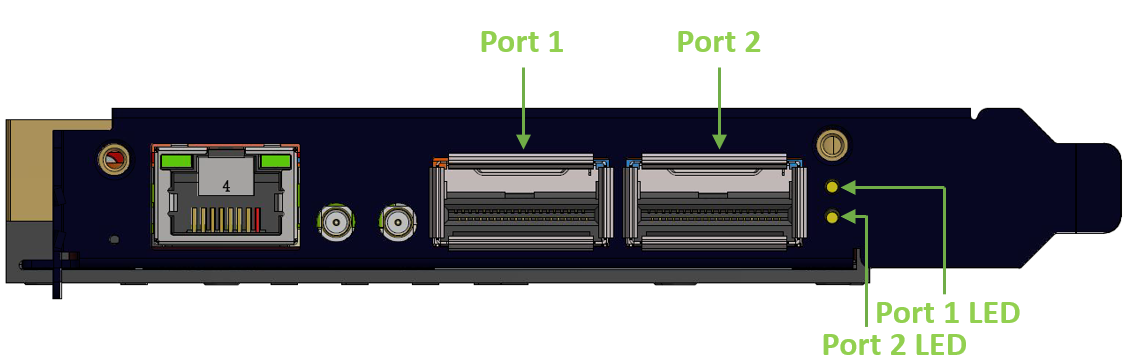
The network ports are compliant with the InfiniBand Architecture Specification, Release 1.7. InfiniBand and Ethernet traffic is transmitted through the cards' QSFP112 connectors.
Networking Ports LEDs Interface
|
B4240 Air-Cooled
|
B4240L Liquid-Cooled
|
|---|---|
|
|
One bicolor (Yellow and Green) I/O LED per port indicates speed and link status.
Link Indications
|
State |
Bi-Color LED (Yellow/Green) |
|
|||||||||
|---|---|---|---|---|---|---|---|---|---|---|---|
|
Beacon command for locating the adapter card
|
1Hz blinking Yellow |

|
|||||||||
|
Error |
4Hz blinking Yellow Indicates an error with the link. The error can be one of the following:
|
|
|||||||||
|
Physical Activity |
Blinking Green |

|
|||||||||
|
Link Up |
Solid Green |

|
|||||||||
|
Physical Up (InfiniBand Mode Only) |
Solid Yellow |

|
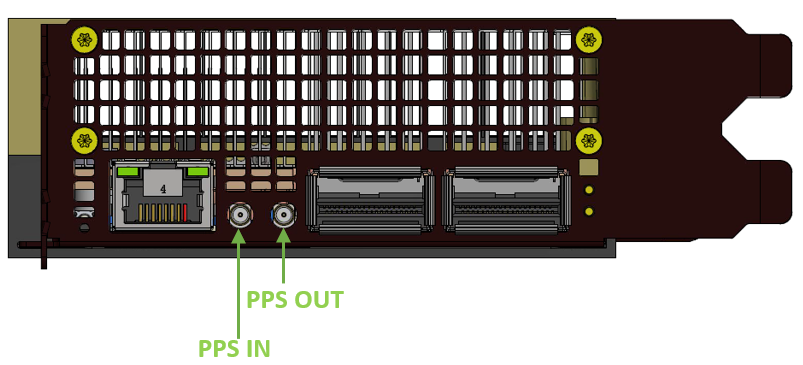
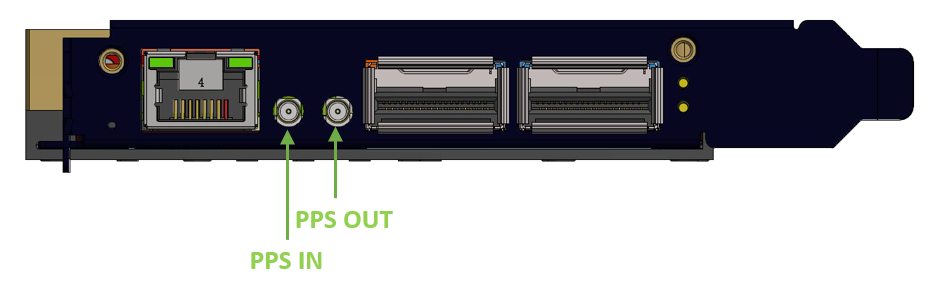
PPS IN/OUT Interface
BlueField-4 incorporates an integrated Hardware Clock (PHC) that allows the card to achieve sub-20u Sec accuracy and also offers many timing-related functions such as time-triggered scheduling or time-based SND accelerations (time-based ASAP²). Furthermore, 5T technology enables the software application to transmit fronthaul (ORAN) at high bandwidth. The PTP part supports the subordinate clock, master clock, and boundary clock.
BlueField-4 PTP solution allows you to run any PTP stack on your host.
With respect to testing and measurements, selected BlueField-4 boards allow you to use the PPS-out signal from the onboard MMCX RA connecter. The BlueField-4 board also allow measuring PTP in scale with the PPS-In signal. The PTP HW clock on the Network adapter is sampled on each PPS-In signal, and the timestamp is sent to the SW.
|
B4240 Air-Cooled
|
B4240L Liquid-Cooled
|
|---|---|
|
|
1GbE OOB Management Interface
The BlueField-4 platform incorporates a 1GbE RJ45 out-of-band port that allows the network operator to establish trust boundaries in accessing the management function to apply it to network resources. It can also be used to ensure management connectivity (including the ability to determine the status of any network component) independent of other in-band network components' status.
1GbE OOB Management LEDs Interface
Two Green OOB management LEDs which behave as described in the table below.
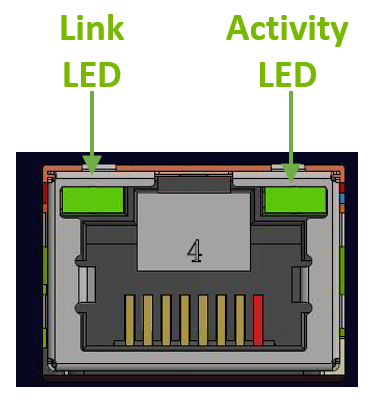
|
Green Link LED
|
Green Activity LED
|
Link/Activity
|
|---|---|---|
|
OFF
|
OFF
|
No link
|
|
ON |
OFF |
1 Gb/s link / No activity |
|
ON |
Blinking |
1 Gb/s link / Activity (RX,TX) |
External PCIe Power Supply Connector
|
B4240 Air-Cooled
|
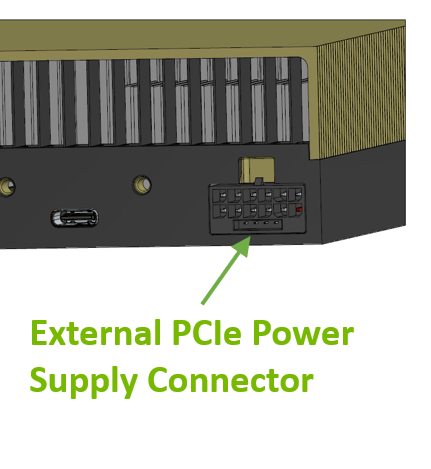
To power the BlueField-4 platform, a supplementary 12-pin ATX power cable must be connected to the PCIe Express 12VHPWR Auxiliary power connector on the platform, in addition to the 12V power supplied via the x16 edge connector (gold-fingers). The external ATX power cable is not included in the platform package. This cable is a standard server component and is typically available in most systems.
|
|---|---|
|
B4240L Liquid-Cooled
|
NVIDIA provides a 12-pin to 4+12-pin splitter cable. This splitter enables connection to standard 8-pin ATX power cables. Two of the four available 8-pin connectors must be connected to provide sufficient power. |
USB Type-C Connector
The USB Type-C connector is used for connecting to the MCU which servers the following functionalities:
-
NC-SI Management: BlueField-4 enables the Baseboard Management Controller (BMC) to connect to the Network Interface Controller (NIC) over a DMTF-compliant RMII link, carrying both NC-SI control traffic (commands, responses, and asynchronous event notifications) and NC-SI pass-through Ethernet frames for out-of-band remote manageability.
-
UART Connectivity: The UART debug interface on BlueField-4 boards can be accessed through the USB Type-C which is associated with the NIC BMC device.
|
B4240 Air-Cooled
|
The USB interface is accessible either through the PCIe Gold-fingers pins or via the dedicated USB interface. 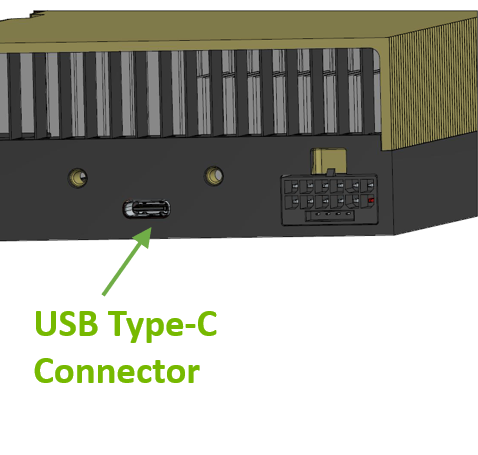
|
|---|---|
|
B4240L Liquid-Cooled
|
The USB interface is available only through dedicated Gold-fingers pins (TBD). |
MCIO Connector
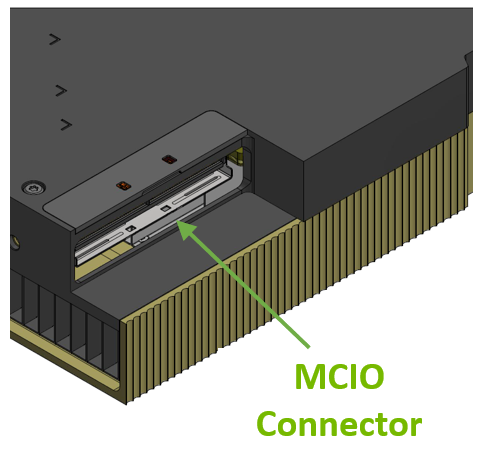
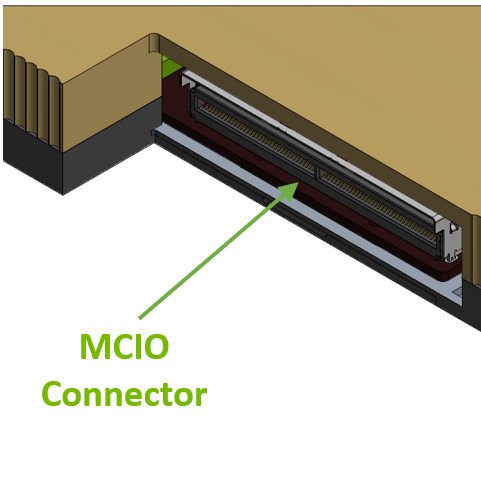
The MCIO (Multi-Channel I/O) connector in BlueField-4 DPUs is a high-speed interface that provides efficient, scalable, and flexible connectivity for various data center applications.
This connector supports multiple lanes of high-bandwidth data transfer, enabling faster and more efficient communication between the network card and the system or other connected components.
The 128 pins MCIO connector allows connectivity to an additional PCIe x16 interface or DSP devices (NVMe SSDs) via the MCIO cable. For pinouts, refer to the MCIO Interface.
|
B4240 Air-Cooled
|
B4240L Liquid-Cooled
|
|---|---|
|
|
Sideband Management Interface
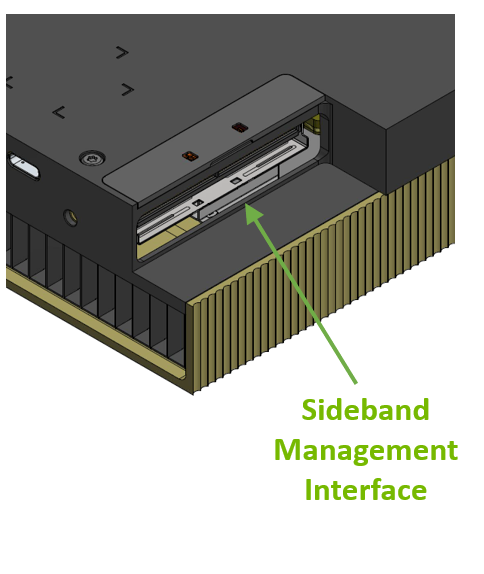
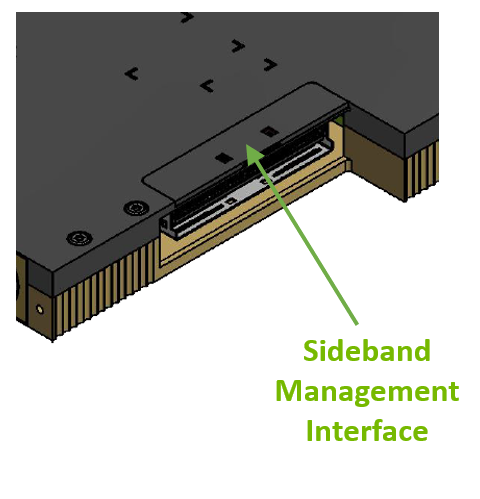
The sideband management interface in BlueField-4 DPU enhances remote manageability, diagnostics, and maintenance capabilities, critical for high-availability environments like data centers and cloud infrastructure.
The sideband management interface (a 30-pin IPEX connector) in BlueField-4 DPUs enables out-of-band management, allowing administrators to monitor and control the network device independently of regular data traffic. It supports remote monitoring, even when the host system is unresponsive, by integrating with Baseboard Management Controllers (BMC) for tasks like firmware updates, diagnostics, and health monitoring. This interface ensures continuous management of the NIC's performance, security, and status without disrupting network operations, making it vital for maintaining uptime in data centers and cloud environments. For pinouts, refer to the Sideband Management Interface.
BMC Initialization Flow
BlueField-4 DPU supports two management connectivity modes: SMBus and USB. The platform BMC automatically discovers the card by reading the onboard FRU EEPROM over SMBus, and selects the appropriate management path based on the card identity and platform USB capability.
-
SMBus Management (Default) — Used when the platform does not support USB sideband connectivity (per PCIe CEM 6.1). No additional configuration is required.
-
USB Management (Recommended When Available) — Used when the platform supports USB sideband connectivity. This path provides higher-bandwidth access and is the recommended mode for platforms that support it.
Important: When switching to USB management, the BMC must first release any board-level signals it drove over SMBus during discovery to prevent signal contention. Once the BMC switches to USB, it must not revert to SMBus for ongoing management operations. The switchover is a one-time transition per initialization cycle.
|
B4240 Air-Cooled
|
B4240L Liquid-Cooled
|
|---|---|
|
|
BlueField-4 DPUs Cable Extender Debugging Kit
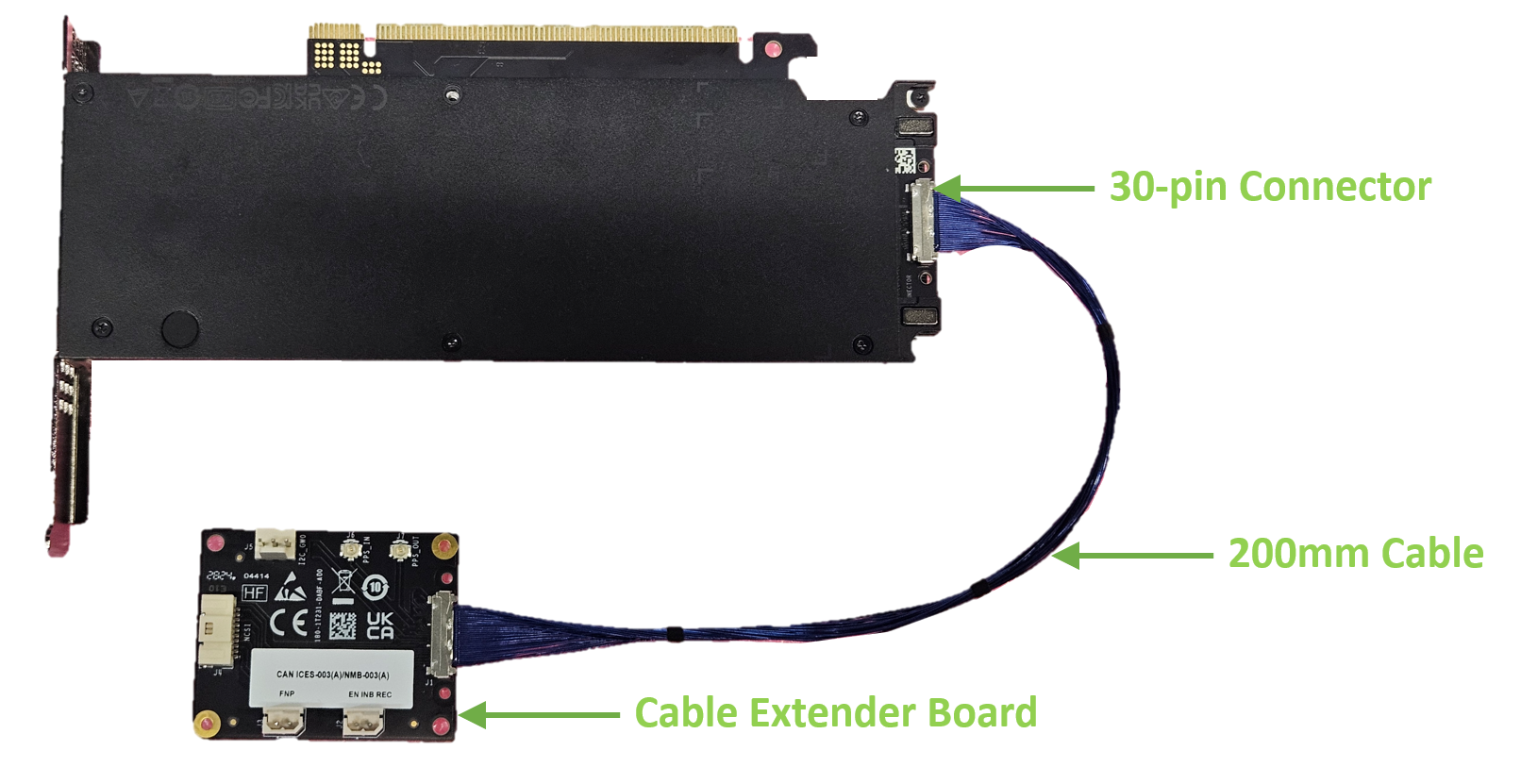
An optional accessory is available for debugging purposes. The BlueField-4 DPUs Cable Extender board provides access to the MTUSB, PPS, NCSI, EN_INB_REC, and FNP interfaces, enabling debugging.
The kit includes an extender board and a 200mm IPEX cable (micro-coax, pin-to-pin, lock-to-lock) that can be connected via the 30-pin connector on the BlueField-4 DPUs SuperNIC.
|
OPN |
Description |
|---|---|
|
930-9XCBL-000A-000 |
NVIDIA SuperNIC 200mm Cable Extender for Low-Speed Signals Over 30p Debug Connector |
Liquid-Cooling Plugs
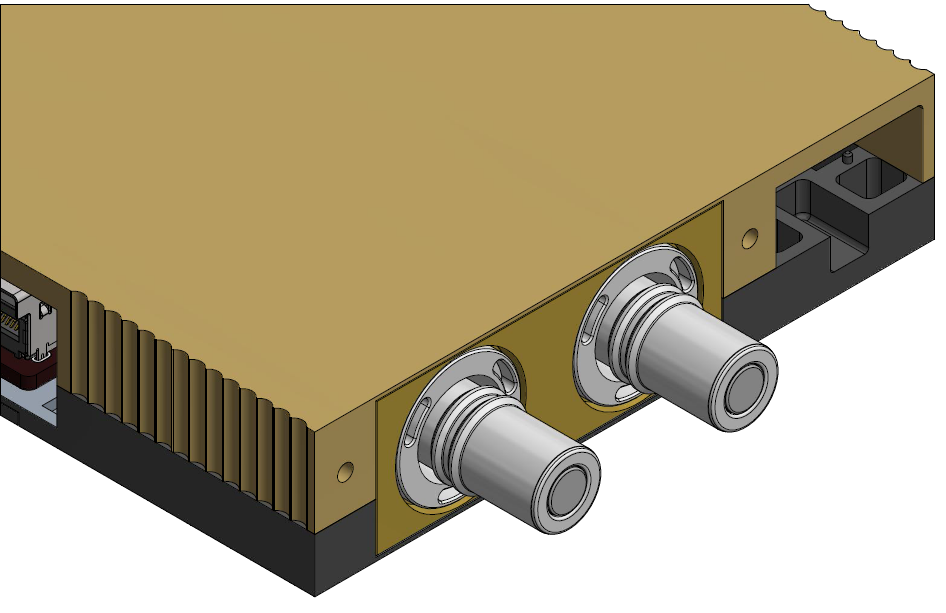
In liquid-cooled platforms only: The DPU includes two liquid-cooling connectors, one designated as the coolant inlet and one as the coolant outlet. These connectors enable proper integration with the facility cooling loop, allowing cooling liquid to enter the system, absorb heat from the components, and exit back to the cooling infrastructure.
Inbar/Arnon
|
B4240L Liquid-Cooled
|
|---|
|
LPDDR5x On-Board Memory
The NVIDIA BlueField-4 integrates eight LPDDR5x SDRAM devices.
Memory configuration:
-
8× LPDDR5 (organized as 16 channels)
-
Data rate: 8533 MT/s
-
Bus width: 256-bit
-
Total capacity: 128 GB
Integrated DPU BMC Interface
The card incorporates an onboard integrated DPU BMC and an Ethernet switch. The BMC becomes available once the host server powers up the card.
M.2 SSD Interface
The on-board replaceable M.2 2242 512GB TLC industrial-grade NVMe SSD is utilized for operation system (OS) persistent storage and user applications and logs.
TBD: endurance
RTC Battery
The DPU incorporates a non-rechargeable coin type Lithium battery CR2032 for RTC (Real Time Clock).
Last updated: