

You can save the changes made and exit the menu at any given time by pressing Ctrl+S.
Editing the Parameters using Free Text
When a configurable setting is highlighted, the instructions to edit it will be shown on screen.If the setting is configurable via input, the description will show the input restrictions.

-
Press Enter or start typing while the setting is highlighted.
-
[Optional] Discard the input while editing, press Ctrl+C.
-
Press Enter and wait to verify the new value is accepted and shown.
In case the value entered is invalid, an alert will be shown and the new value won't be accepted.
Although numeric values are shown in decimal base, it is possible to insert values in different bases:
-
For hexadecimal base type "0x" before the number
-
For octal base type "0" before the number
-
For decimal base type the number as is
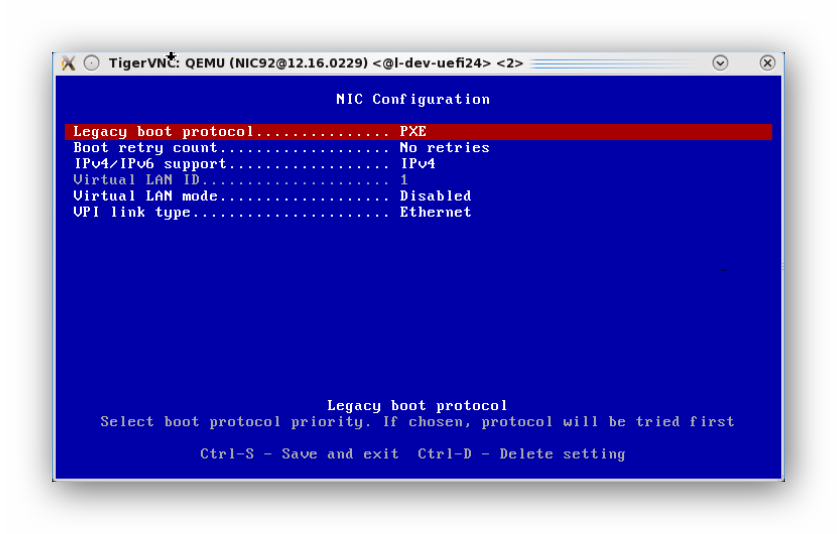
Editing the Parameters using Set Values
When a configurable setting is highlighted, the instructions to edit it will be shown on screen.If the setting is configurable with built-in options, the description will be "Select to change value".
-
Press Enter while setting is highlighted.
-
Keep pressing Enter to choose the desired value
Deleting Configurable Settings
Configurable settings can be deleted. Value will only be deleted from the current configuration and not from the flash. If the configuration has a default value, it will be set when deleting the current value.
-
Press Ctrl+D while setting is highlighted.
Restoring Default Configurations
All configurations can be restored to the default values set in the device. All configurable values will be modified to "default" or "deleted" if there is no default value in the device.
-
Press Ctrl+R on the main menu of the port only when applicable
-
Press Ctrl+R on "System setup" menu when applicable
Last updated: