

In the following menu, you can set the following options:
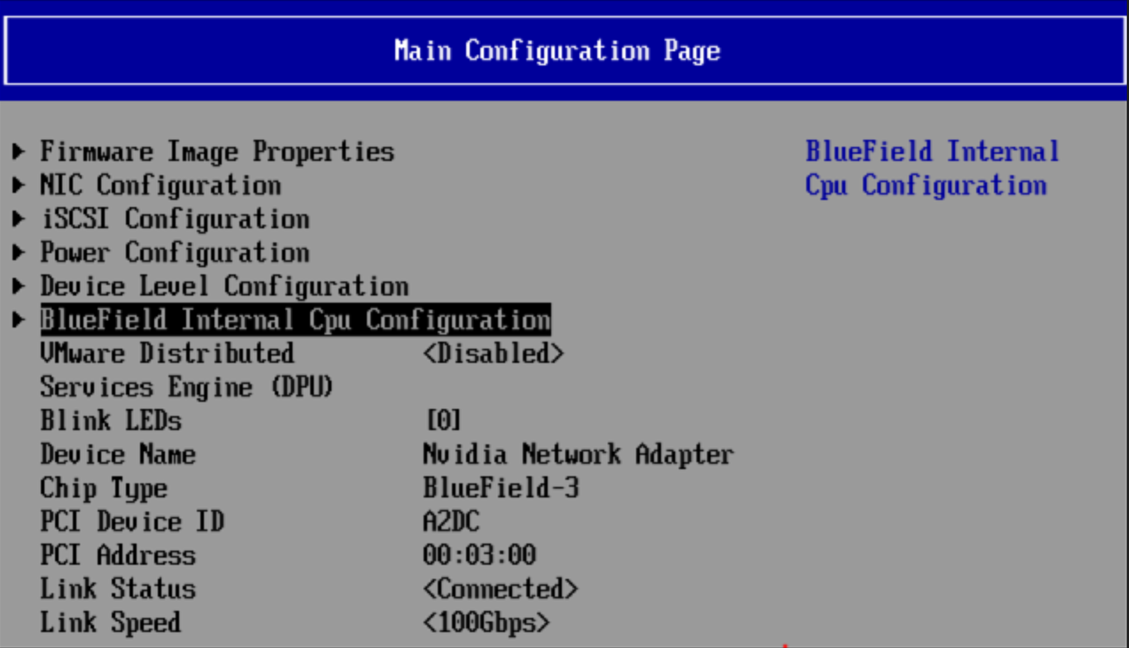
VMware Distributed Services Engine (DPU)
|
Location: |
Main Configuration Form |
|---|---|
|
Description: |
Displays submenu of VMware configurations. |
|
Configurable: |
Yes |
|
Persistency: |
Persistent through AC cycle |
|
Reboot required: |
Yes |
|
Available options: |
|
|
Default Value: |
Disable |
Blink LEDs
Blink LEDs will not appear in the boot menu if the feature is not supported by the firmware.
|
Location: |
Main Configuration Form |
|---|---|
|
Description: |
Specifies the number of seconds the LEDs on physical network port should blink to assist with port identification. Only valid for adapters with blink LEDs. |
|
Configurable: |
Yes – via input |
|
Persistency: |
Valid only for current cycle |
|
Reboot required: |
No |
|
Available options: |
0-15 sec |
|
Default Value: |
0 |
Device Name
|
Location: |
Main Configuration Form |
|---|---|
|
Description: |
The device's product name |
|
Configurable: |
No |
Chip Type
|
Location: |
Main Configuration Form |
|---|---|
|
Description: |
Specifies the chip type |
|
Configurable: |
No |
PCI Device ID
|
Location: |
Main Configuration Form |
|---|---|
|
Description: |
The PCI Device ID of the controller |
|
Configurable: |
No |
PCI Address
|
Location: |
Main Configuration Form |
|---|---|
|
Description: |
Specifies the BIOS assigned PCI Bus:Device:Function identifier of the card |
|
Configurable: |
No |
Link Status
|
Location: |
Main Configuration Form |
|---|---|
|
Description: |
Displays current link status on port |
|
Configurable |
No |
Network Link Type
Network Link Type will not appear in the boot menu if the feature is not supported by the firmware.
|
Location: |
Main Configuration Form |
|---|---|
|
Description: |
Allows user to manually choose link type on selected VPI devices |
|
Configurable: |
Yes – via input |
|
Persistency: |
Persistent through AC cycle |
|
Reboot required: |
Yes - Reboot is needed (AC cycle) in order for this change to apply. |
|
Available options: |
Ethernet/InfiniBand/VPI |
Link Speed
|
Location: |
Main Configuration Form |
|---|---|
|
Description: |
Defines link working speed. |
|
Configurable: |
No |
|
Value restrictions: |
- |
MAC Address
|
Location: |
Main Configuration Form |
|---|---|
|
Description: |
Permanent MAC address assigned during manufacturing |
|
Configurable: |
No |
Virtual MAC Address
|
Location: |
Main Configuration Form |
|---|---|
|
Description: |
Displays device's virtual MAC address |
|
Configurable: |
No |
Socket Direct Operation
|
Location: |
Main Configuration Form |
|---|---|
|
Description: |
Indicates whether Socket Direct functionality is enabled or not. |
|
Configurable: |
No |
Last updated: