

In NMX-M, security and user authentication are critical components achieved through the use of HTTPS and a Kong Basic Authentication mechanism. HTTPS (Hypertext Transfer Protocol Secure) is employed to protect data transmitted between clients (such as web browsers) and the server by encrypting this data using SSL/TLS protocols. HTTPS ensures that sensitive information, such as login credentials and personal details is safeguarded from interception or tampering by unauthorized parties. When a client connects to a server over HTTPS, the server presents a digital certificate verified by a trusted Certificate Authority (CA). This certificate authenticates the server's identity and establishes a secure connection, ensuring data integrity, confidentiality, and authentication.
In addition to HTTPS, our system utilizes a basic authentication approach with pre-defined users that are set upon installation. This provides a flexible and secure way to authenticate and authorize users interacting with our REST API. To implement this, we use the Kong API gateway as a reverse proxy, configured with Basic Authentication and ACL plugins. This setup allows Kong to authenticate users attempting to access specific resources using the existing user accounts on the system.
By combining HTTPS and a robust authentication mechanism, our system provides a secure and reliable environment for users, protecting their data and ensuring proper access controls.
Authentication
In NMX-M, there are two users configured for interacting with the API:
-
ro-user -
rw-user
The password for each user is set during the NMX-M cluster installation process. Those users are configured in Kong’s basic authentication settings and applied to all routes. The login information is encrypted and kept in a dedicated PostgreSQL DB.
Authorization
Each user has its own ACL group configuration.
Ready Only ACL Group
This group includes the "ro-user" and grants access to read-only API endpoints. Any NMX API endpoint that uses the GET HTTP method can be accessed here.
Relevant API Endpoints
|
Group |
Operation |
Method |
URL |
|---|---|---|---|
|
KPI |
Get KPI |
GET |
/nmx/v1/kpis |
|
Metric |
Get Metrics |
GET |
/nmx/v1/metrics |
|
Services |
List NMX Services |
GET |
/nmx/v1/services |
|
Get NMX Service |
GET |
/nmx/v1/services/{id} |
|
|
Compute Nodes |
List Compute Nodes |
GET |
/nmx/v1/compute-nodes |
|
Get Compute Nodes Count |
GET |
/nmx/v1/compute-nodes/count |
|
|
Get Compute Node |
GET |
/nmx/v1/compute-nodes/{id} |
|
|
Switch Nodes |
List Switch Nodes |
GET |
/nmx/v1/switch-nodes |
|
Get Switch Nodes Count |
GET |
/nmx/v1/switch-nodes/count |
|
|
Get Switch Node |
GET |
/nmx/v1/switch-node/{id} |
|
|
Switches |
List Switches |
GET |
/nmx/v1/switches |
|
Get Switches Count |
GET |
/nmx/v1/switches/count |
|
|
Get Switch |
GET |
/nmx/v1/switches/{id} |
|
|
Chassis |
List Chassis |
GET |
/nmx/v1/chassis |
|
Get Chassis Count |
GET |
/nmx/v1/chassis/count |
|
|
Get Chassis |
GET |
/nmx/v1/chassis/{id} |
|
|
Ports |
List Ports |
GET |
/nmx/v1/ports |
|
Get Ports Count |
GET |
/nmx/v1/ports/count |
|
|
Get Port |
GET |
/nmx/v1/ports/{id} |
|
|
GPU |
List GPUs |
GET |
/nmx/v1/gpus |
|
Get GPU Count |
GET |
/nmx/v1/gpus/count |
|
|
Get GPU |
GET |
/nmx/v1/gpus/{id} |
|
|
Operations |
List Operations |
GET |
/nmx/v1/operations |
|
Get Operation |
GET |
/nmx/v1/operations/{id} |
Ready Write ACL Group
Includes the "rw-user" and allows access to all API endpoints. Any NMX API endpoint, regardless of its HTTP method, can be accessed here.
Relevant API Endpoints
In addition to the above GET endpoints.
|
Group |
Operation |
Method |
URL |
|---|---|---|---|
|
Services |
Add NMX Service |
POST |
/nmx/v1/services |
|
Delete NMX Service |
DELETE |
/nmx/v1/services/{id} |
|
|
Compute Nodes |
Update Compute Node |
PUT |
/nmx/v1/compute-nodes/{id} |
|
Switch Nodes |
Update Switch Node |
PUT |
/nmx/v1/switch-nodes/{id} |
|
Switches |
Update Switch |
PUT |
/nmx/v1/switches/{id} |
|
Chassis |
Update Chassis |
PUT |
/nmx/v1/chassis/{id} |
|
GPU |
Update GPU |
PUT |
/nmx/v1/gpus/{id} |
|
Operations |
Cancel Operation |
DELETE |
/nmx/v1/operations/{id} |
Examples
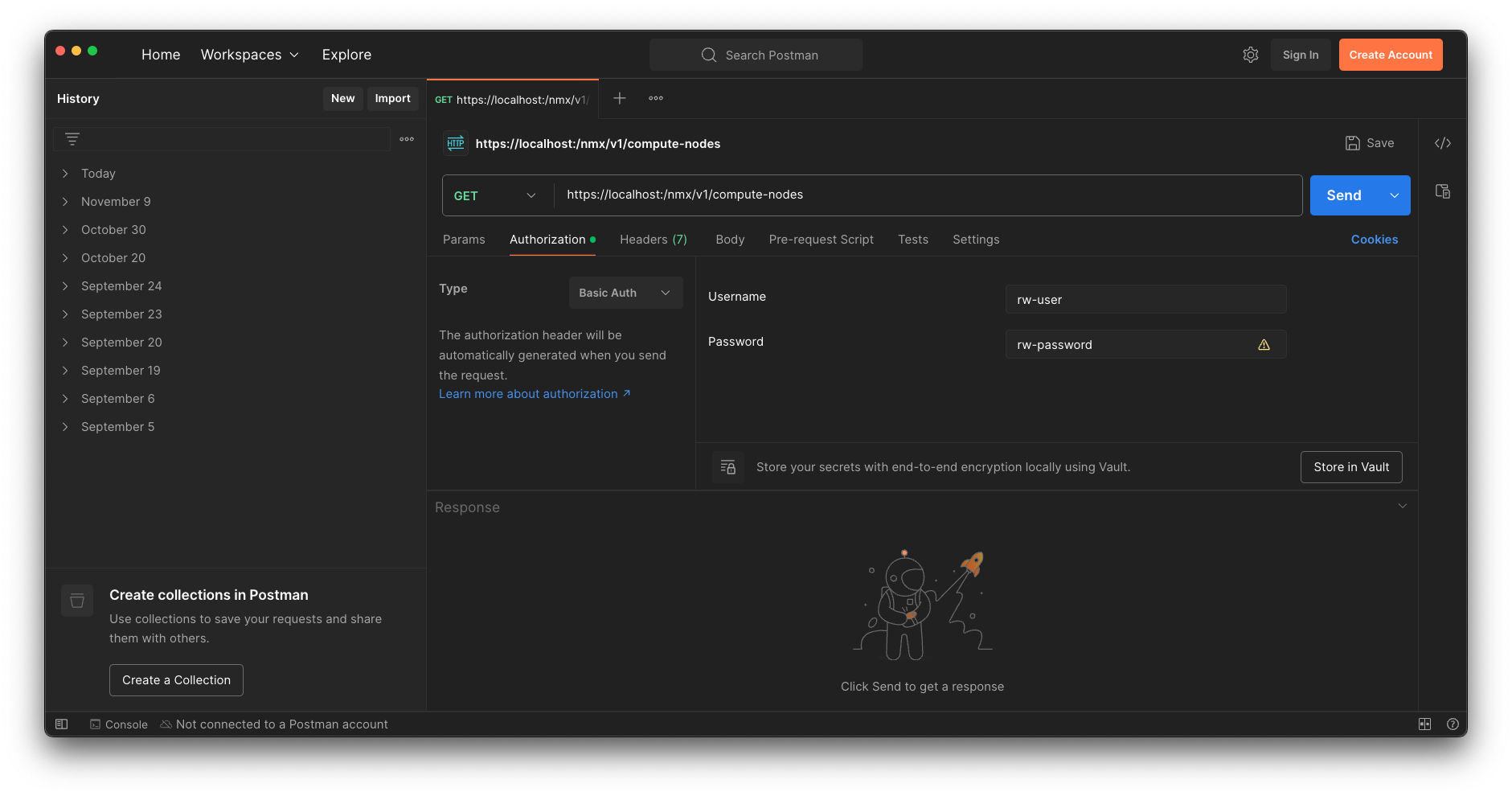
Read Only Endpoint
Postman
Authorization settings tab:
-
Select type: Basic Auth
-
Username: rw-user ; Password: <password defined during cluster installation>
Terminal
-
In a terminal window, use "bash plus curl" to execute requests.
-
Run the following curl command, enter values for the various parameters.
curl -X 'GET' \
  'https://<ip_address>/nmx/v1/compute-nodes' \
  -u ro-user:ro-password
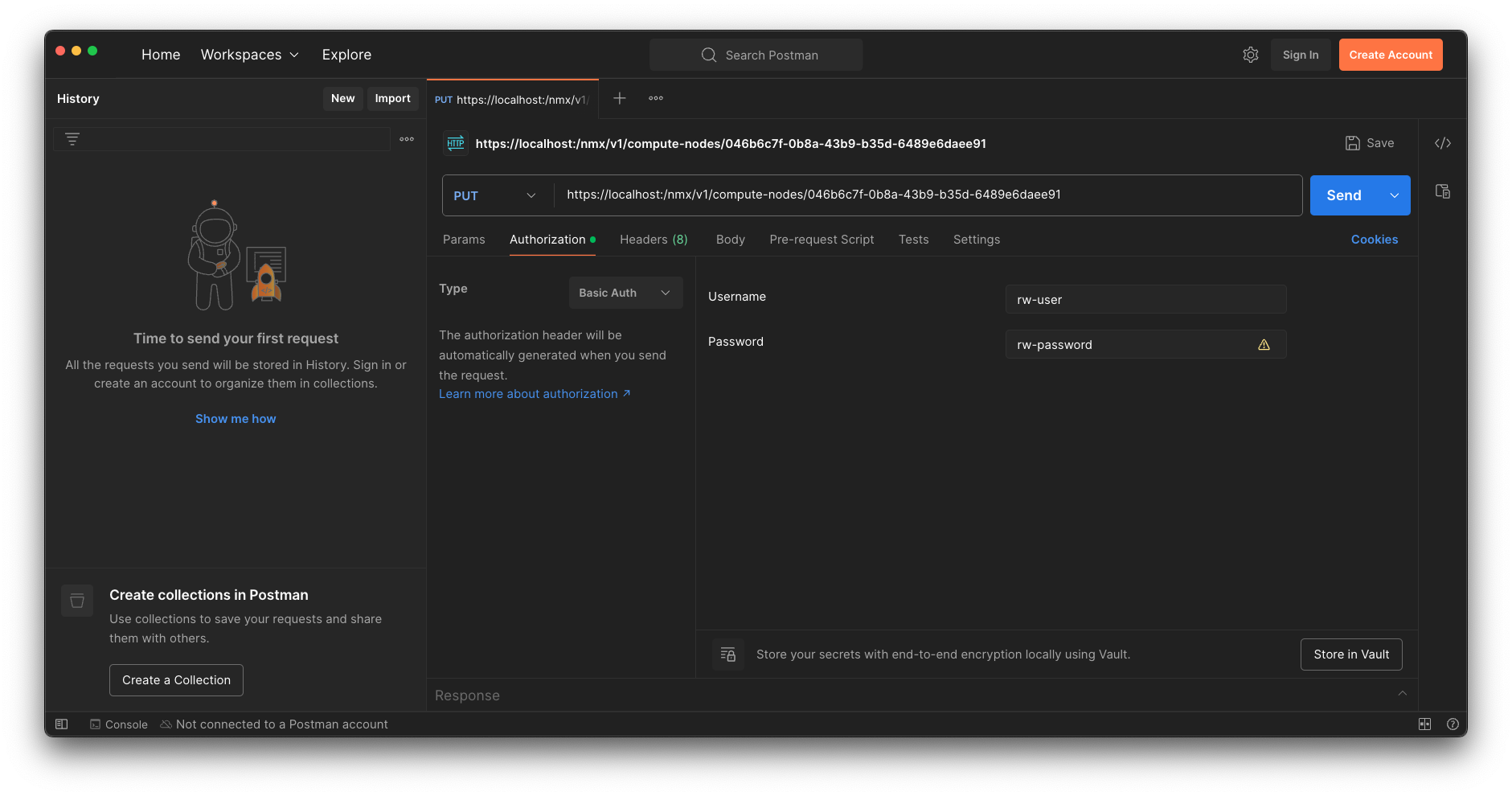
Read Write Endpoint
Postman
Authorization settings tab:
-
Select type: Basic Auth
-
Username: rw-user ; Password: <password defined during cluster installation>
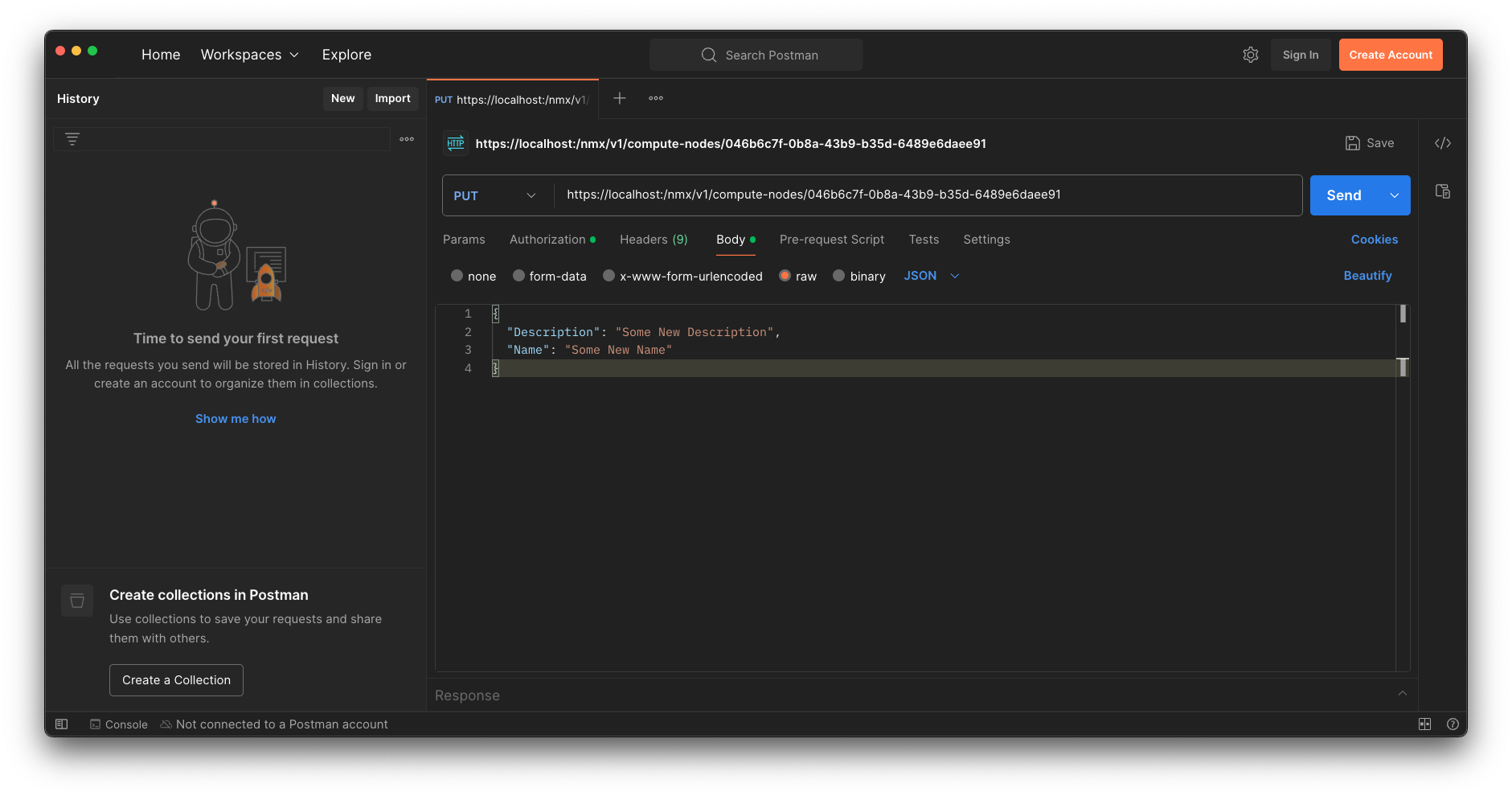
Example Request Body
-
Select Method: PUT
-
Select type: JSON
-
Fill in the request body details as seen below.
Terminal
-
In a terminal window, use "bash plus curl" to execute requests.
-
Run the following curl command, and enter values for the various parameters.
curl -X 'PUT' \
  'https://<ip_address>/nmx/v1/compute-nodes/<id>' \
  -H 'accept: application/json' \
  -H 'Content-Type: application/json' \
  -u rw-user:rw-password \
  -d '{
  "Description": "Some New Description",
  "Name": "Some New Name"
}
Last updated: