
Networking Solutions

RDG for NVIDIA Network Accelerated Red Hat OpenShift Container Platform over VMware vSphere

Created on Aug 14, 2022

On This Page


Scope

The following Reference Deployment Guide (RDG) demonstrates the process of deploying and configuring NVIDIA accelerated networking with Red Hat OpenShift Container Platform (OCP) cluster version 4.10.18. The deployment is performed on a single VMware vSphere 7.0.3 cluster over NVIDIA® accelerated end-to-end 25/100 Gbp/s Ethernet solution. This setup is capable of running RDMA and DPDK-based applications. VMware’s vSAN over RDMA will be used as a shared storage for the Red Hat OpenShift Container Platform workloads.

Abbreviations and Acronyms

Term

Definition

Term

Definition

DAC

Direct Attached Cable

RDMA

Remote Direct Memory Access

DHCP

Dynamic Host Configuration Protocol

RoCE

RDMA over Converged Ethernet

DPDK

Data Plane Development Kit

SDN

Software-Defined Network

CNI

Container Network Interface

SDS

Software-Defined Storage

IB

InfiniBand

SR-IOV

Single Root I/O Virtualization

NFD

Node Feature Discovery Operator

VDS

vSphere Distributed Switch

NOS

Network Operation System

VF

Virtual Function

OCP

Red Hat® OpenShift Container Platform®

VM

Virtual Machine

Introduction

Provisioning Red Hat OCP cluster for running RDMA and DPDK-based workloads over VMware vSphere environment may prove to be challenging. Proper design, software and hardware components selection could be a gating task toward a successful deployment.

This guide provides step-by-step instructions on how to deploy a Red Hat OCP cluster by using OCP Assisted Installer on a single vSphere cluster, including technology overview, design, components selection and deployment steps. The Assisted Installer is a user-friendly installation solution offered on the Red Hat Hybrid Cloud Console. The Assisted Installer focuses on bare metal and vSphere infrastructures.

VMware’s vSANoRDMA is now fully qualified, and available as of the ESXi 7.0 U2 release, making it ready for deployments.

In this document, we will be using the NVIDIA Network Operator, which is responsible for deploying and configuring, with a Host Device Network mode. This allows to run RDMA and DPDK workloads on an OCP Cluster Worker Node.

References

Solution Architecture

Key Components and Technologies

  • NVIDIA Spectrum Ethernet Switches
    Flexible form-factors with 16 to 128 physical ports, supporting 1GbE through 400GbE speeds.
    Based on a ground-breaking silicon technology optimized for performance and scalability, NVIDIA Spectrum switches are ideal for building high-performance, cost-effective, and efficient Cloud Data Center Networks, Ethernet Storage Fabric, and Deep Learning Interconnects. 
    NVIDIA combines the benefits of NVIDIA Spectrum switches, based on an industry-leading application-specific integrated circuit (ASIC) technology, with a wide variety of modern network operating system choices, including NVIDIA Cumulus® LinuxSONiC and NVIDIA Onyx®.

  • NVIDIA Cumulus Linux 
    NVIDIA® Cumulus® Linux is the industry's most innovative open network operating system that allows you to automate, customize, and scale your data center network like no other.

  • NVIDIA ConnectX SmartNICs
    10/25/40/50/100/200 and 400G Ethernet Network Adapters
    The industry-leading NVIDIA® ConnectX® family of smart network interface cards (SmartNICs) offer advanced hardware offloads and accelerations.
    NVIDIA Ethernet adapters enable the highest ROI and lowest Total Cost of Ownership for hyperscale, public and private clouds, storage, machine learning, AI, big data, and telco platforms.

  • NVIDIA LinkX Cables 
    The NVIDIA® LinkX® product family of cables and transceivers provides the industry’s most complete line of 10, 25, 40, 50, 100, 200, and 400GbE in Ethernet and 100, 200 and 400Gb/s InfiniBand products for Cloud, HPC, hyperscale, Enterprise, telco, storage and artificial intelligence, data center applications.

  • RDMA 
    RDMA is a technology that allows computers in a network to exchange data without involving the processor, cache or operating system of either computer.
    Like locally based DMA, RDMA improves throughput and performance and frees up compute resources.

  • NVIDIA Network Operator
    The NVIDIA Network Operator simplifies the provisioning and management of NVIDIA networking resources in a Kubernetes cluster. The operator automatically installs the required host networking software - bringing together all the needed components to provide high-speed network connectivity. These components include the NVIDIA networking driver, Kubernetes device plugin, CNI plugins, IP address management (IPAM) plugin and others. The NVIDIA Network Operator works in conjunction with the NVIDIA GPU Operator to deliver high-throughput, low-latency networking for scale-out, GPU computing clusters.


Logical Design

The described setup uses one vSphere cluster that includes 4 ESXi servers connected to two NVIDIA® Spectrum® SN2010 Ethernet switches (Management, Ingress and Egress traffic), and one NVIDIA® Spectrum® SN2100 Ethernet switch (High speed vSAN, RDMA and DPDK traffic).

vCenter, Infra Node and Router VMs will be placed on the same cluster.

For production design, it is recommended to place a vCenter, Infra Node and Router VMs in a separate management cluster. This recommendation applies for VMware Validated Design (VVD) and VMware Cloud Foundation (VCF), which is based on VVD.  
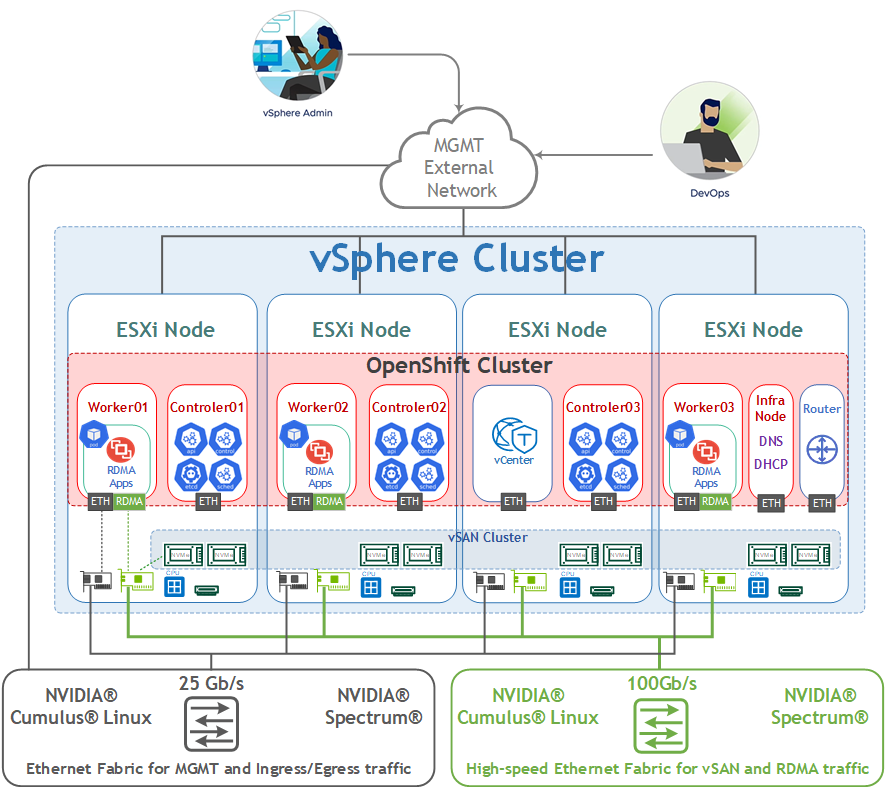

image2022-8-22_18-11-4.png

Network Design

The Cluster networking is configured with the following networks:

  • Corporate (Management) Network (VLAN 1610 - 192.168.1.x/24)
    The network responsible for connectivity between the ESXi VMkernel Management interface, vCenter and other Management VMs.

    DHCP and DNS services are required. The components installation and configuration are not covered in this guide.

  • vMotion Network (VLAN 1611 – 192.168.11.0/24)
    This is where the ESXi vMotion VMkernel interfaces will reside.

  • OCP Network (VLAN 1677 - 192.168.77.0/24) – OpenShift Management network.

  • vSAN Network (VLAN 1630 – 192.168.30.0/24)
    This is where the ESXi vSAN VMkernel interfaces will reside.

  • RDMA Network (VLAN 1631 – 192.168.3.0/24)
    This is where the ESXi vSAN VMkernel interfaces will reside.

vSphere Distributed Switches Design
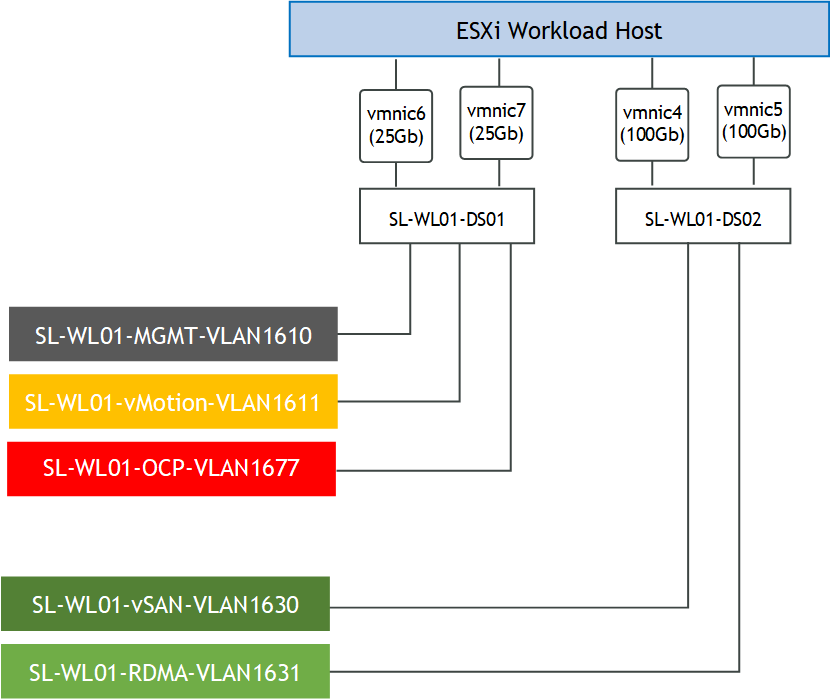
image2022-8-30_14-27-43.png

Internet access for the OCP

In our guide, an OCP cluster is deployed in a non-Air Gap environment and Internet access is required.

OpenShift Container Platform Networking
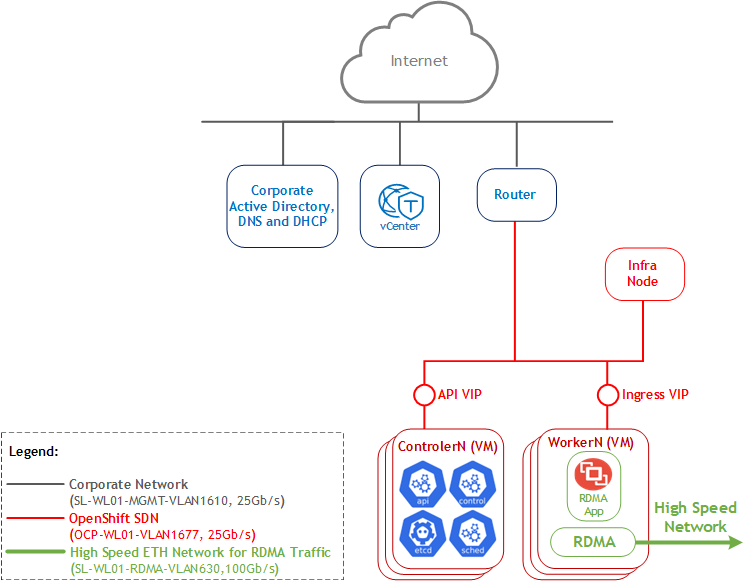
image2022-10-26_21-9-4.png

Software Stack Components

This guide assumes that the following software and drivers are installed:

  • VMware ESXi 7.0.3, build 17630552

  • VMware vCenter 7.0.3, build 17694817

  • Distributed Switch 7.0.3

  • RedHat OCP 4.10.18 

  • NVIDIA® ConnectX® Driver for VMware ESXi Server v4.21.71.101

  • NVIDIA® ConnectX®-6DX FW version 22.32.2004

  • NVIDIA® ConnectX®-6LX FW version 26.32.1010

  • Network Operating System (NOS): NVIDIA Cumulus v5.1

Bill of Materials

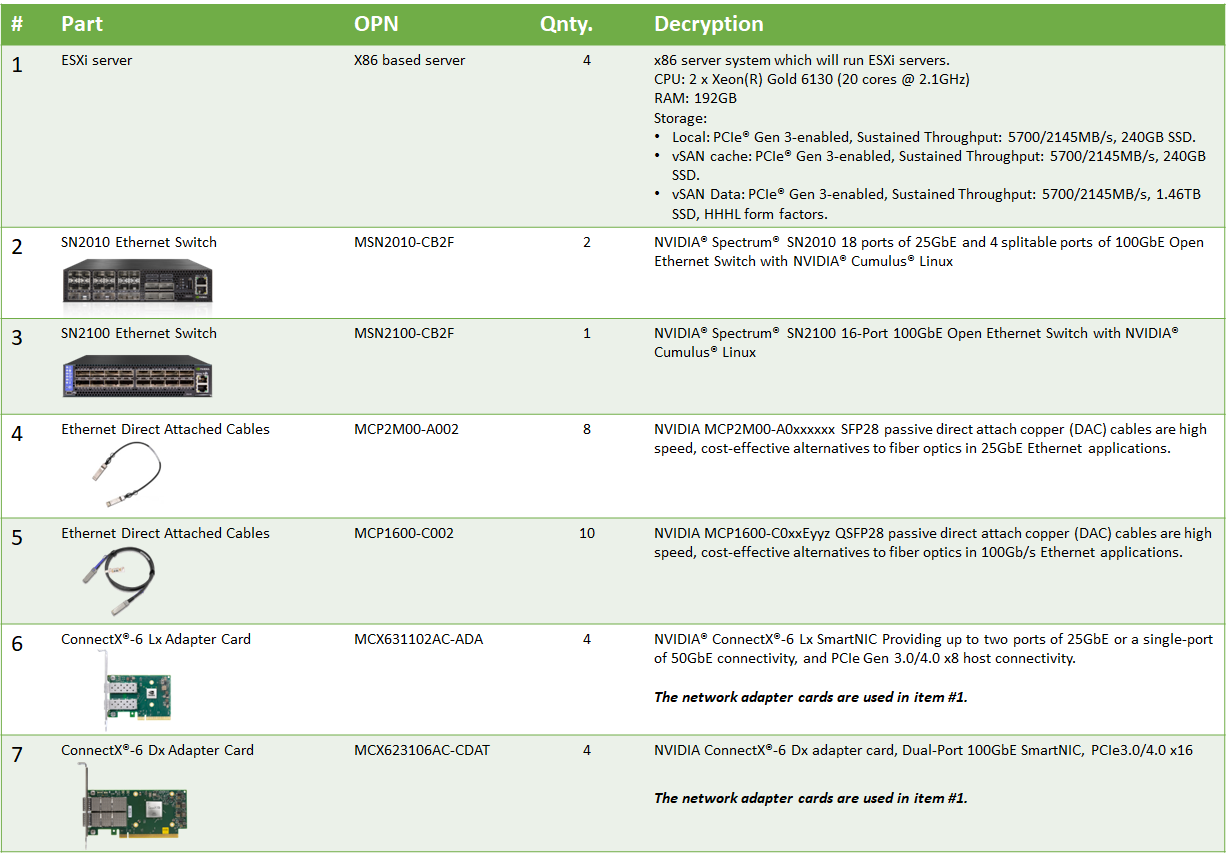
The following hardware setup is utilized in the vSphere environment described in this guide:
BoM v1.0.png


Cluster Compute/Storage:

VM

CPU

MEM

DISK

Compute Cluster vCenter (based on Small)

4

20GB

48GB

Infra Node

2

4GB

50GB

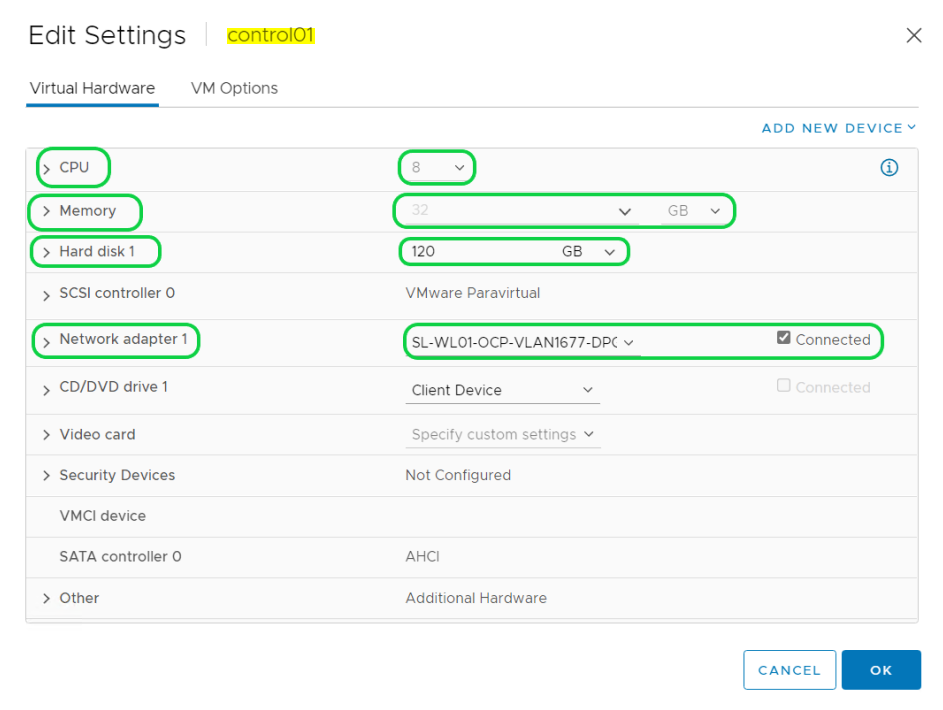
Control Node x 3

8

32GB

120GB

Worker Node x 3

8

32GB

120GB

Deployment and Configuration

The following topics are outside the scope of this document:

  • ESXi Installation

  • vCenter Installation  

  • Virtual Data Center Configuration

  • vSphere Cluster Configuration

  • Adding ESXi Hosts to Clusters 

Sample of our lab environment:
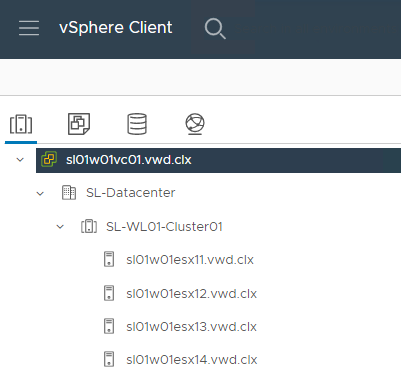
image2022-2-13_22-0-5.png

Wiring

This document covers highly available VMware vSphere cluster deployment.
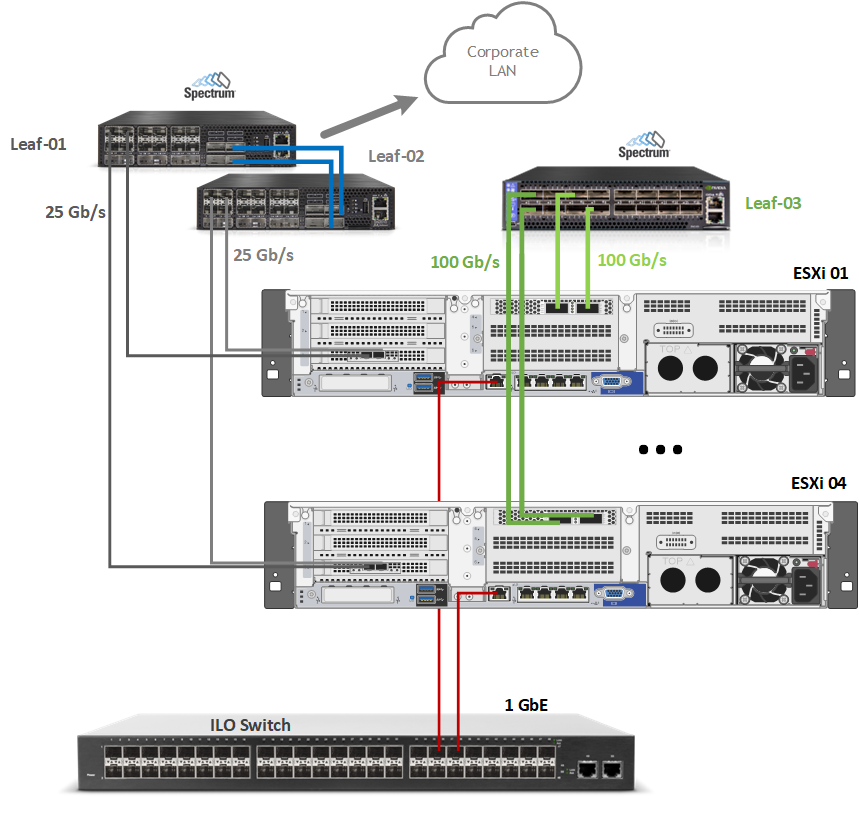
image2022-8-30_10-29-39.png

Network/Fabric

Prerequisites

Hosts Network Configuration

This table provides details on the ESXi server, switches names and their network configuration.

Server

Server Name

IP and NICs

High-Speed Ethernet Network

Management Network

ESXi-01

sl01w01esx11

vmk1: 192.168.11.111 (vMotion)

vmk2: 192.168.130.111 (vSAN)

vmk0: 192.168.1.111

From Corporate DHCP (reserved)

ESXi-02

sl01w01esx12

vmk1: 192.168.11.112 (vMotion)

vmk2: 192.168.130.112 (vSAN)

vmk0: 192.168.1.112

From Corporate DHCP (reserved)

ESXi-03

sl01w01esx13

vmk1: 192.168.11.113(vMotion)

vmk2: 192.168.130.113 (vSAN)

vmk0: 192.168.1.113

From Corporate DHCP (reserved)

ESXi-04

sl01w01esx14

vmk1: 192.168.11.114(vMotion)

vmk2: 192.168.130.114 (vSAN)

vmk0: 192.168.1.114

From Corporate DHCP (reserved)

Leaf-01

clx-swx-033

-

192.168.1.233

Leaf-02

clx-swx-034

-

192.168.1.234

Higt-Speed-01

clx-swx-035

-

192.168.1.235

vCenter (VM)

sl01w01vc01

-

192.168.1.25

From Corporate DHCP (reserved)

Infra Node (VM)

sl01w01depl

-

192.168.77.201

Router Node (VM)

sl01w01pfsense

-

WAN - 192.168.1.202

LAN - 192.168.77.254

Control Node 01 (VM)

control01

-

192.168.77.11

From Infra Node DHCP (reserved)

Control Node 01 (VM)

control02

-

192.168.77.12

From Infra Node DHCP (reserved)

Control Node 01 (VM)

control03

-

192.168.77.13

From Infra Node DHCP (reserved)

Worker Node 01 (VM)

worker01

-

192.168.77.21

From Infra Node DHCP (reserved)

Worker Node 02 (VM)

worker02

-

192.168.77.22

From Infra Node DHCP (reserved)

Worker Node 03 (VM)

worker03

-

192.168.77.23

From Infra Node DHCP (reserved)

Network Switch Configuration

ESXi to Leaf Connection
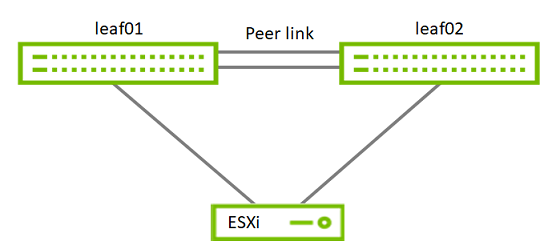
Switches01.png
Port Channel and VLAN Configuration

Run the following commands on both Leaf NVIDIA SN2010 switches in the Supervisor Cluster to configure port channel and VLAN.
Sample for Leaf-01 switch configuration (named clx-swx-033):

Switch console
cumulus@clx-swx-033:mgmt:~$sudo nv set system hostname clx-swx-033 
cumulus@clx-swx-033:mgmt:~$sudo nv set interface lo ip address 10.10.10.1/32 
cumulus@clx-swx-033:mgmt:~$sudo nv set interface swp1-22 type swp
cumulus@clx-swx-033:mgmt:~$sudo nv set interface swp1-4 bridge domain br_default
cumulus@clx-swx-033:mgmt:~$sudo nv set bridge domain br_default vlan 1610
cumulus@clx-swx-033:mgmt:~$sudo nv set bridge domain br_default vlan 1611 
cumulus@clx-swx-033:mgmt:~$sudo nv set bridge domain br_default vlan 1677
cumulus@clx-swx-033:mgmt:~$sudo nv set vrf default router static 0.0.0.0/0 address-family ipv4-unicast
cumulus@clx-swx-033:mgmt:~$sudo nv set interface peerlink bond member swp21-22
cumulus@clx-swx-033:mgmt:~$sudo nv set mlag mac-address 44:38:39:BE:EF:AA
cumulus@clx-swx-033:mgmt:~$sudo nv set mlag backup 10.10.10.2
cumulus@clx-swx-033:mgmt:~$sudo nv set mlag peer-ip linklocal
cumulus@clx-swx-033:mgmt:~$sudo nv config apply
cumulus@clx-swx-033:mgmt:~$sudo nv config save

Sample for Leaf-02 switch configuration (named clx-swx-034):

Switch console
cumulus@clx-swx-034:mgmt:~$sudo nv set system hostname clx-swx-034 
cumulus@clx-swx-034:mgmt:~$sudo nv set interface lo ip address 10.10.10.2/32 
cumulus@clx-swx-034:mgmt:~$sudo nv set interface swp1-22 type swp
cumulus@clx-swx-034:mgmt:~$sudo nv set interface swp1-4 bridge domain br_default
cumulus@clx-swx-034:mgmt:~$sudo nv set bridge domain br_default vlan 1610
cumulus@clx-swx-034:mgmt:~$sudo nv set bridge domain br_default vlan 1611 
cumulus@clx-swx-034:mgmt:~$sudo nv set bridge domain br_default vlan 1677
cumulus@clx-swx-034:mgmt:~$sudo nv set vrf default router static 0.0.0.0/0 address-family ipv4-unicast
cumulus@clx-swx-034:mgmt:~$sudo nv set interface peerlink bond member swp21-22
cumulus@clx-swx-034:mgmt:~$sudo nv set mlag mac-address 44:38:39:BE:EF:AA
cumulus@clx-swx-034:mgmt:~$sudo nv set mlag backup 10.10.10.1
cumulus@clx-swx-034:mgmt:~$sudo nv set mlag peer-ip linklocal
cumulus@clx-swx-034:mgmt:~$sudo nv config apply
cumulus@clx-swx-034:mgmt:~$sudo nv config save
Port Channel and VLAN Configuration on High Speed NVIDIA SN2100 Switch

Run the following commands on the High Speed switch in the vSphere Cluster to configure port channel and VLAN

Sample for the Higt-Speed-01(clx-swx-035):

Switch console
cumulus@clx-swx-035:mgmt:~$sudo nv set system hostname clx-swx-035
cumulus@clx-swx-035:mgmt:~$sudo nv set interface swp1-16 type swp
cumulus@clx-swx-035:mgmt:~$sudo nv set interface swp1-16 bridge domain br_default
cumulus@clx-swx-035:mgmt:~$sudo nv set bridge domain br_default vlan 1630
cumulus@clx-swx-035:mgmt:~$sudo nv set bridge domain br_default vlan 1631
cumulus@clx-swx-035:mgmt:~$sudo nv set qos roce enable on
cumulus@clx-swx-035:mgmt:~$sudo nv config apply
cumulus@clx-swx-035:mgmt:~$sudo nv config save
Enable RDMA over Converged Ethernet Lossless (with PFC and ETS) on a High Speed SN2100 Switch

RoCE transport is utilized to accelerate vSAN networking. To get the highest possible results, the network is configured to be lossless.

Run the following commands on the High-Speed switch to configure a lossless network for NVIDIA Cumulus:

Switch console
cumulus@clx-swx-035:mgmt:~$sudo nv set qos roce enable on
cumulus@clx-swx-035:mgmt:~$sudo nv config apply
cumulus@clx-swx-035:mgmt:~$sudo nv config save

To check RoCE configuration, run the following command:

Switch console
cumulus@leaf-01:mgmt:~$sudo nv show qos roce

                    operational  applied   description
------------------  -----------  --------  ------------------------------------------------------
enable                           on        Turn the feature 'on' or 'off'.  The default is 'off'.
mode                lossless     lossless  Roce Mode
cable-length        100          100       Cable Length(in meters) for Roce Lossless Config
congestion-control
  congestion-mode   ECN                    Congestion config mode
  enabled-tc        0,3                    Congestion config enabled Traffic Class
  max-threshold     1.43 MB                Congestion config max-threshold
  min-threshold     146.48 KB              Congestion config min-threshold
pfc
  pfc-priority      3                      switch-prio on which PFC is enabled
  rx-enabled        enabled                PFC Rx Enabled status
  tx-enabled        enabled                PFC Tx Enabled status
trust
  trust-mode        pcp,dscp               Trust Setting on the port for packet classification


RoCE PCP/DSCP->SP mapping configurations
===========================================
        pcp  dscp                     switch-prio
    --  ---  -----------------------  -----------
    0   0    0,1,2,3,4,5,6,7          0
    1   1    8,9,10,11,12,13,14,15    1
    2   2    16,17,18,19,20,21,22,23  2
    3   3    24,25,26,27,28,29,30,31  3
    4   4    32,33,34,35,36,37,38,39  4
    5   5    40,41,42,43,44,45,46,47  5
    6   6    48,49,50,51,52,53,54,55  6
    7   7    56,57,58,59,60,61,62,63  7


RoCE SP->TC mapping and ETS configurations
=============================================
        switch-prio  traffic-class  scheduler-weight
    --  -----------  -------------  ----------------
    0   0            0              DWRR-50%
    1   1            0              DWRR-50%
    2   2            0              DWRR-50%
    3   3            3              DWRR-50%
    4   4            0              DWRR-50%
    5   5            0              DWRR-50%
    6   6            6              strict-priority
    7   7            0              DWRR-50%


RoCE pool config
===================
        name                   mode     size   switch-priorities  traffic-class
    --  ---------------------  -------  -----  -----------------  -------------
    0   lossy-default-ingress  Dynamic  50.0%  0,1,2,4,5,6,7      -
    1   roce-reserved-ingress  Dynamic  50.0%  3                  -
    2   lossy-default-egress   Dynamic  50.0%  -                  0,6
    3   roce-reserved-egress   Dynamic  inf    -                  3


Exception List
=================
        description

ESXi Host and vSphere Cluster Configuration

Prerequisites

  • Host BIOS
    Verify that an SR-IOV supported server platform is being used and review the BIOS settings in the server platform vendor documentation to enable SR-IOV in the BIOS.
    Verify that VT-d/IOMMU is enabled in the BIOS.

  • Physical server configuration
    All ESXi servers must have the same PCIe placement for the NIC and expose the same interface name.

  • Experience with Kubernetes/OpenShift
    Familiarization with the Kubernetes Cluster architecture is essential. 

  • Privileges
    Verify that you have an account privilege to read and create the required resources. Using an account that has global administrative privileges is the simplest way to access all the necessary permissions on the cluster. For more information, see Chapter 20. Installing on vSphere OpenShift Container Platform Container Platform 4.10 | Red Hat Customer Portal

  • Verify that NTP is configured and works properly in your environment.
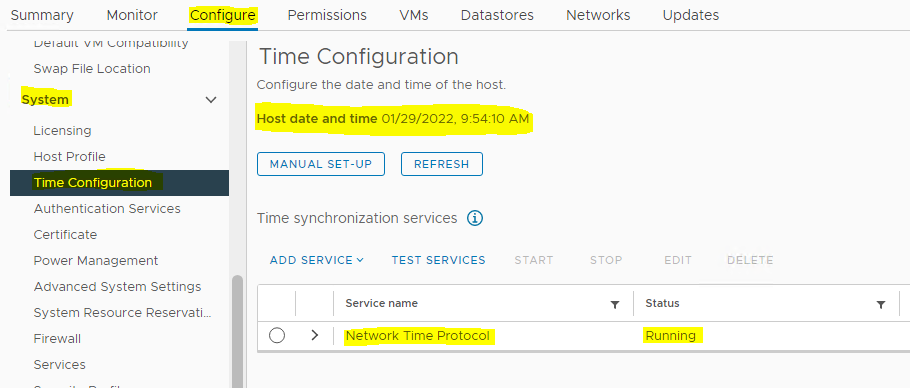
NTP on ESXi.PNG
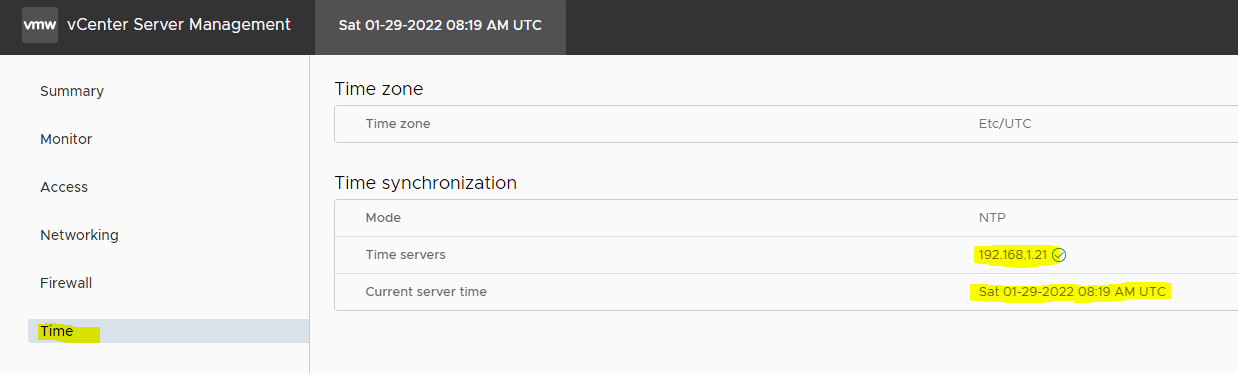
NTP on vCenter.PNG
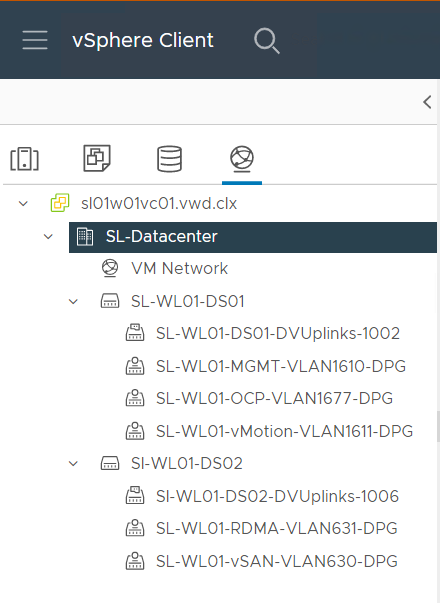
  • Create and configure 2 VMware VDS by using the following document - How-to: Configure a vSphere Distributed Switch with NVIDIA network fabric.
     Two VDS will be used in the environment:

    • SL-WL01-DS01 with the following port groups:

      • SL-WL01-MGMT-VLAN1610-DPG

      • SL-WL01-vMotion-VLAN611-DPG

      • SL-WL01-OCP-VLAN1677-DPG

    • SL-WL01-DS02 with the following port groups:

      • SL-WL01-vSAN-VLAN1630-DPG

      • SL-WL01-RDMA-VLAN1631-DPG

Sample:
VDSs creating.PNG

  • Create and configure a VMware vSAN RDMA cluster by using the following document - RDG: VMware vSAN over RoCE on VMware vSphere 7.0 U3.

  • Enable SR-IOV on an ESXi host
    NVIDIA Network Operator leverages Kubernetes CRDs and Operator SDK to manage networking-related components to enable fast networking and RDMA for workloads in the OCP cluster. The fast network is a secondary network of the K8s cluster for applications that require high bandwidth or low latency.
    In OCP Cluster it is possible to use Dynamic DirectPath I/O to assign a multiple PCI passthrough or SR-IOV devices to a Kubernetes Workload VM.
    To make it work, enable SR-IOV capability on a ConnectX-6 Dx network adapter.
    To Enable SR-IOV:

    1. Launch the vSphere Web Client, and connect to a vCenter Server instance.

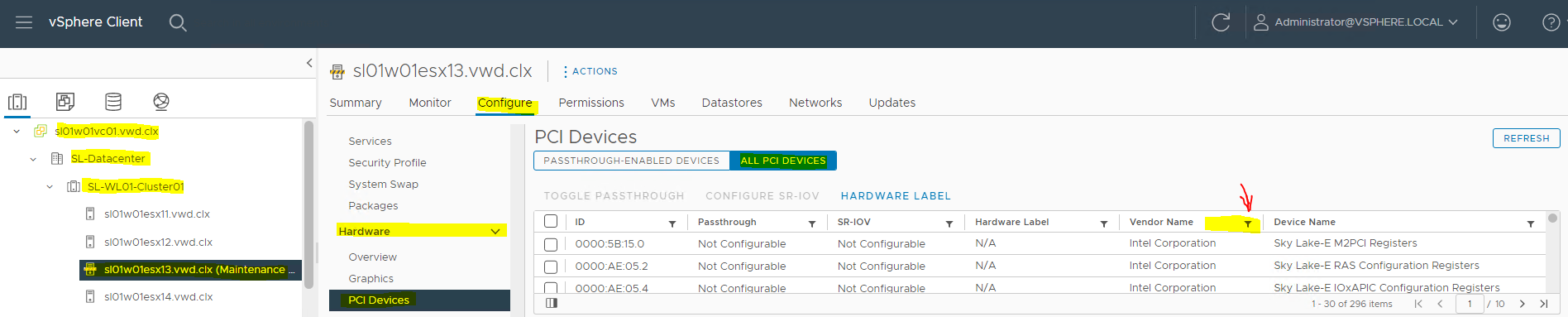
    2. Navigate to a an ESXi host, and select Configure → Hardware → PCI Devices. Click on ALL PCI DEVICES. Click on Filter. SR-IOV Enable 01.PNG
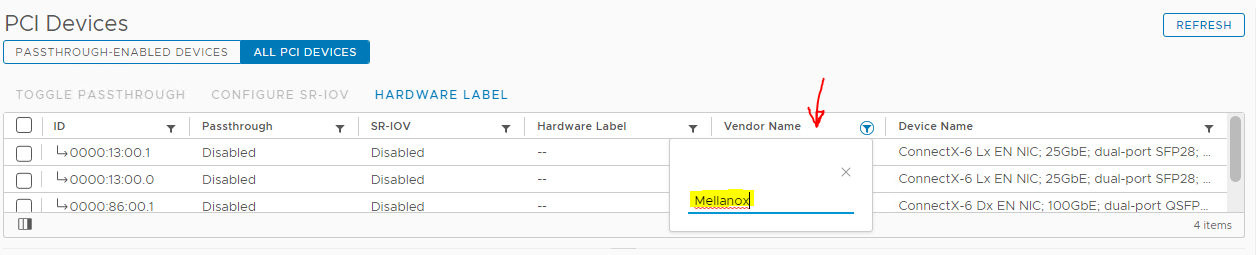
    3. Type Mellanox and click on Vendor Name.
      SR-IOV Enable 02.PNG

    4. Select a ConnectX-6 Dx NIC.
      SR-IOV Enable 03.PNG

    5. Click on CONFIGURE SR-IOV.
      SR-IOV Enable 04.PNG

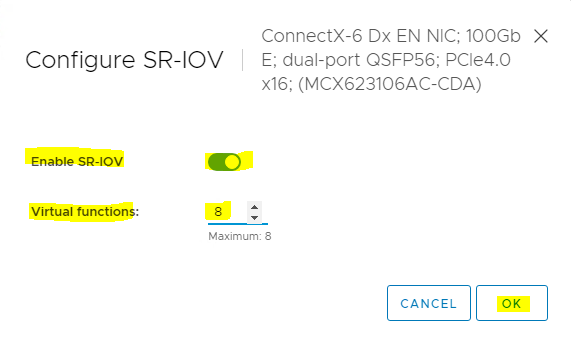
    6. Enable SR-IOV, and set the number of Virtual functions (VF). Click OK.
      SR-IOV Enable 05.PNG

    7. Click on PASSTHROUGH-ENABLED DEVICES to verify that 8 VFs were enabled.

      SR-IOV Enable 06.PNG


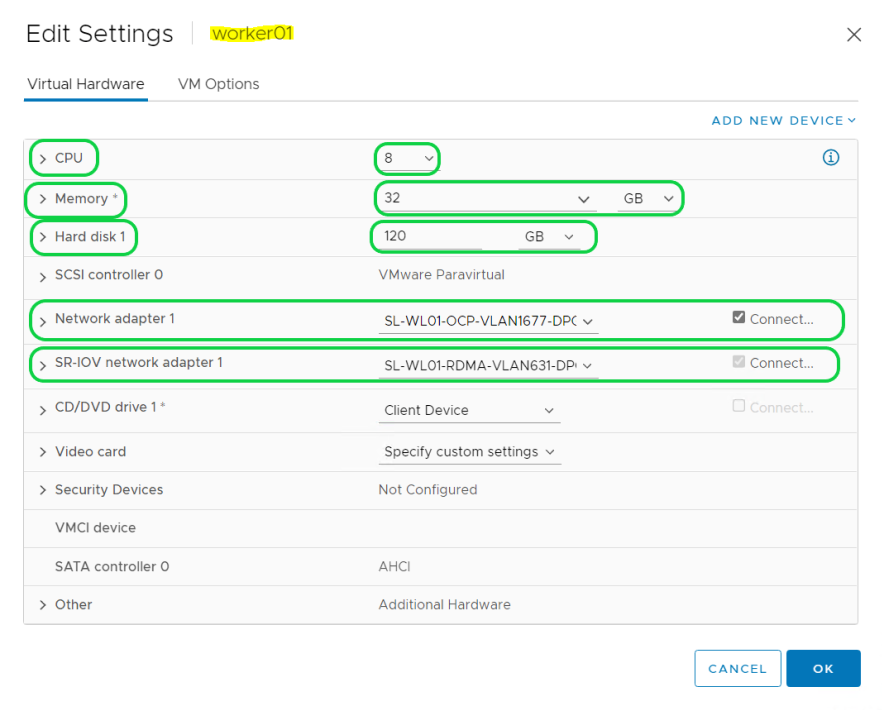
  • Create 6 VMs for 3 Control and 3 Worker OpenShift Clusters with the following configuration:
    VM configuration01.PNG
     On the Customize hardware tab, click VM Options → Advanced.

    • Click Boot Options. Set the Boot Delay to 9999 milliseconds. Control VM configuration01a.PNG
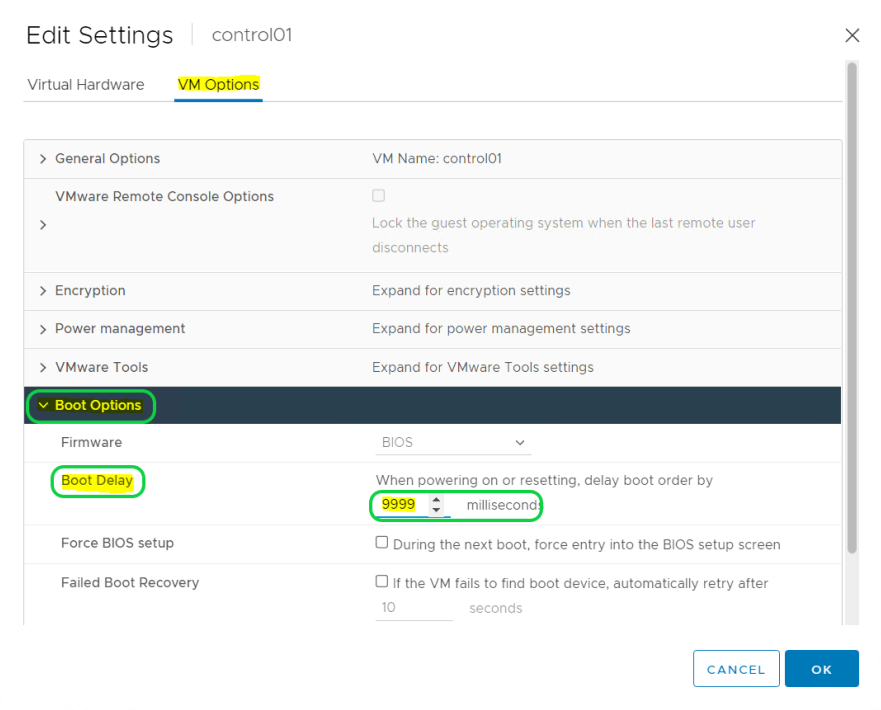
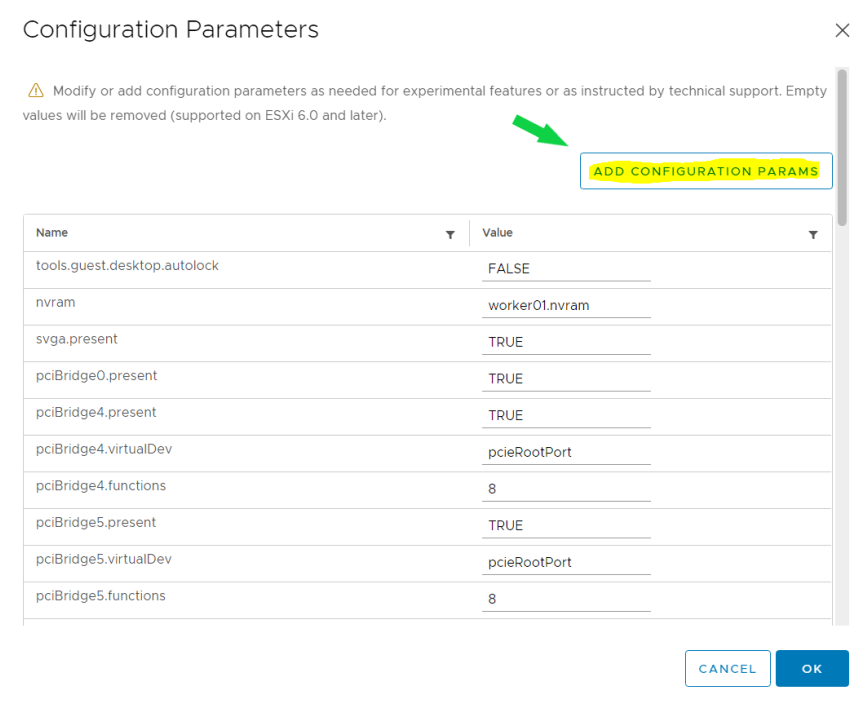
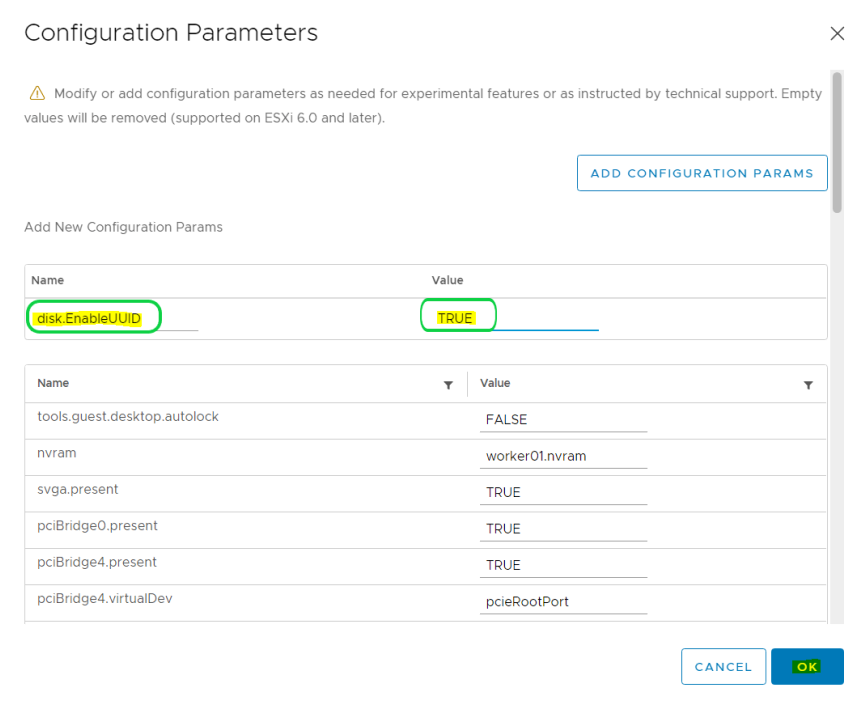
    • Scroll down and click Edit Configuration. On the Configuration Parameters window, click Add Configuration Params. Define the following parameter name and value:

      • disk.EnableUUID: Specify TRUE.
        Worker VM configuration01e.PNG
        Worker VM configuration05a.PNG

        Click OK twice for Control VMs.

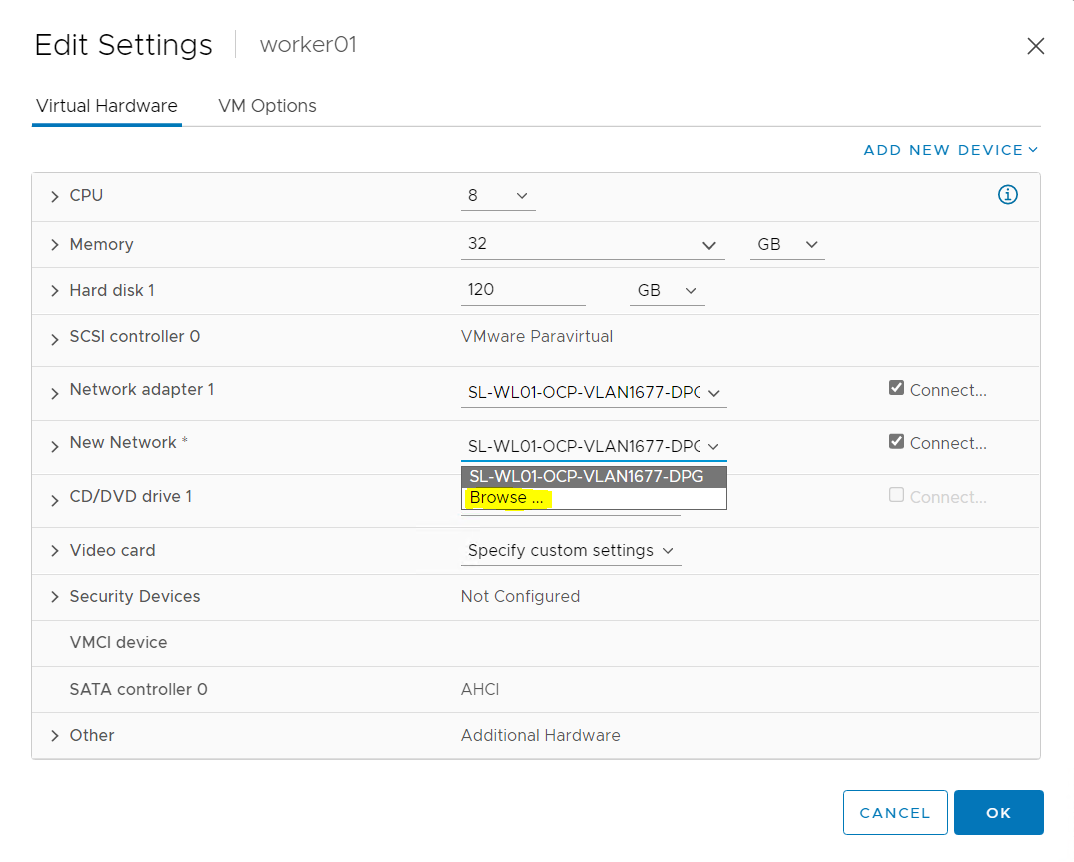
        For worker VM, click OK. Go back to the Virtual Hardware tab and add an additional SR-IOV Network Adapter by clicking on ADD NEW DEVICE and selecting Network Adapter.
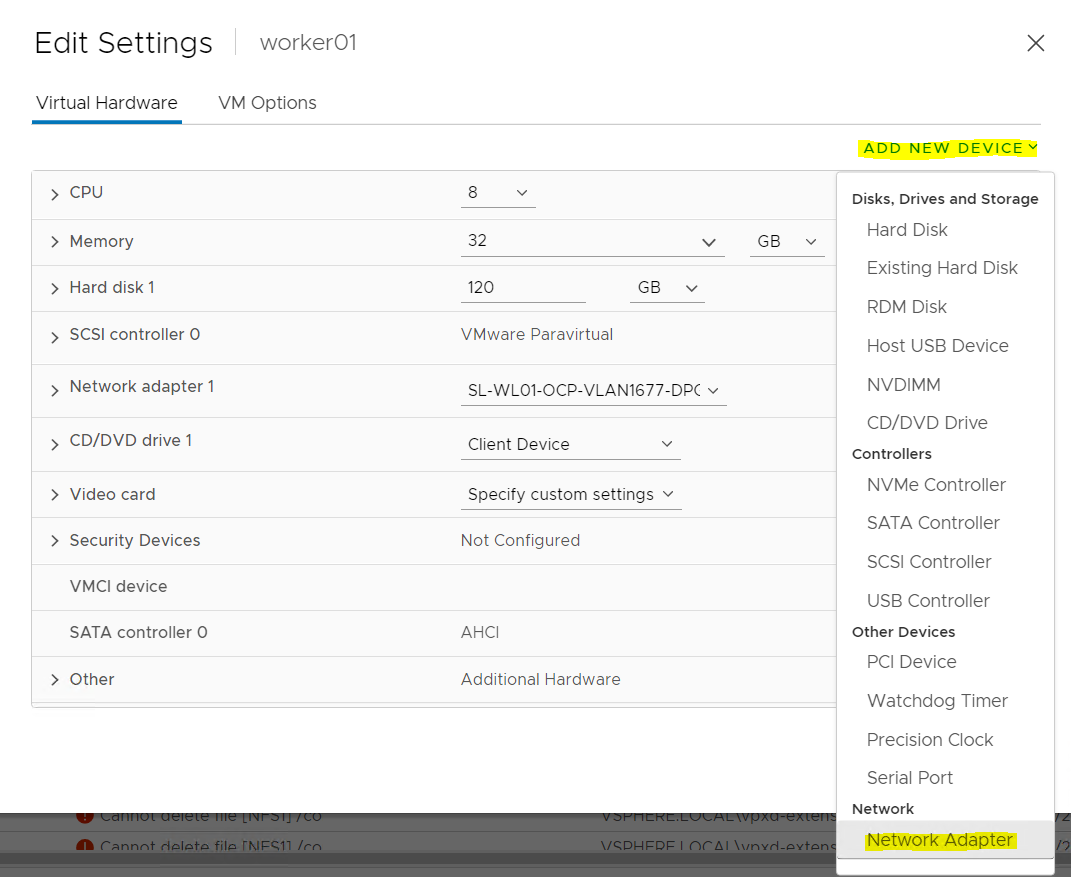
        Worker VM configuration02.PNG  
        On New Network click on Browse...
        Worker VM configuration03.PNG
        Select an RDMA network port group. Click OK.
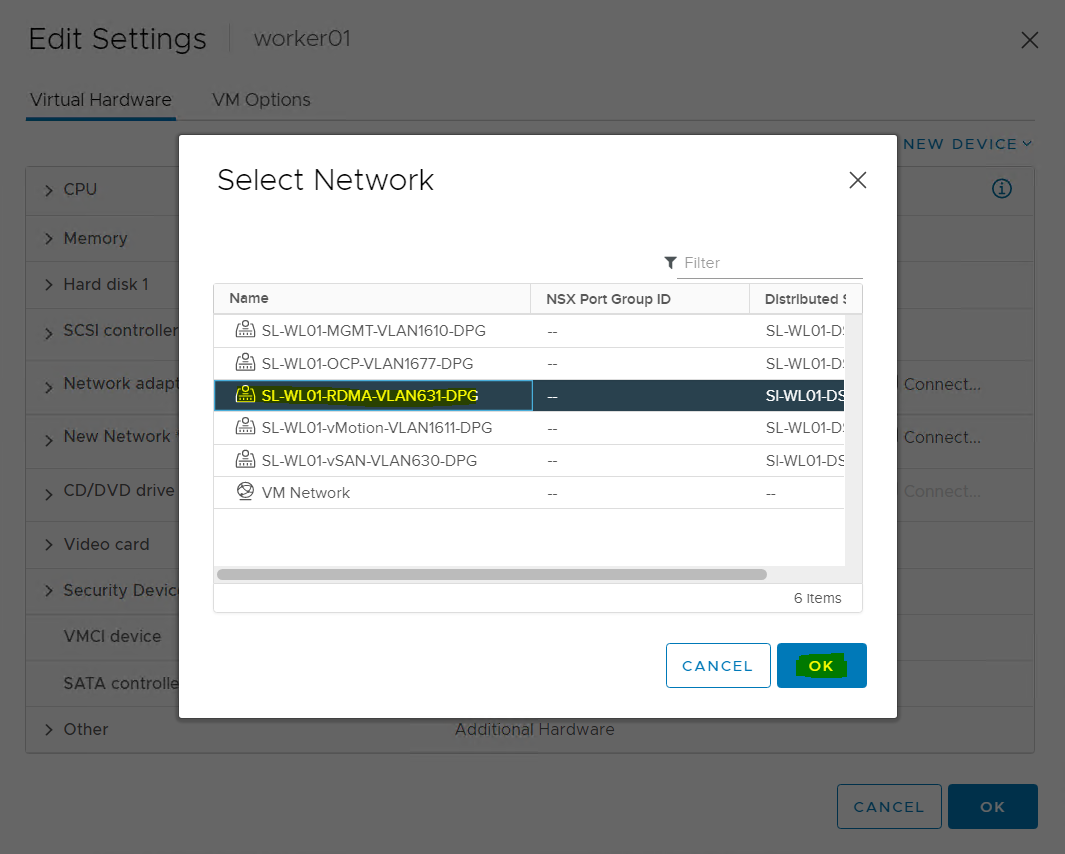
        Worker VM configuration04.PNG
        Open New Network and select Adapter Type: SR-IOV passthrough and Physical Function (for example, vmnic4 was configured previously with VFs). Click OK.
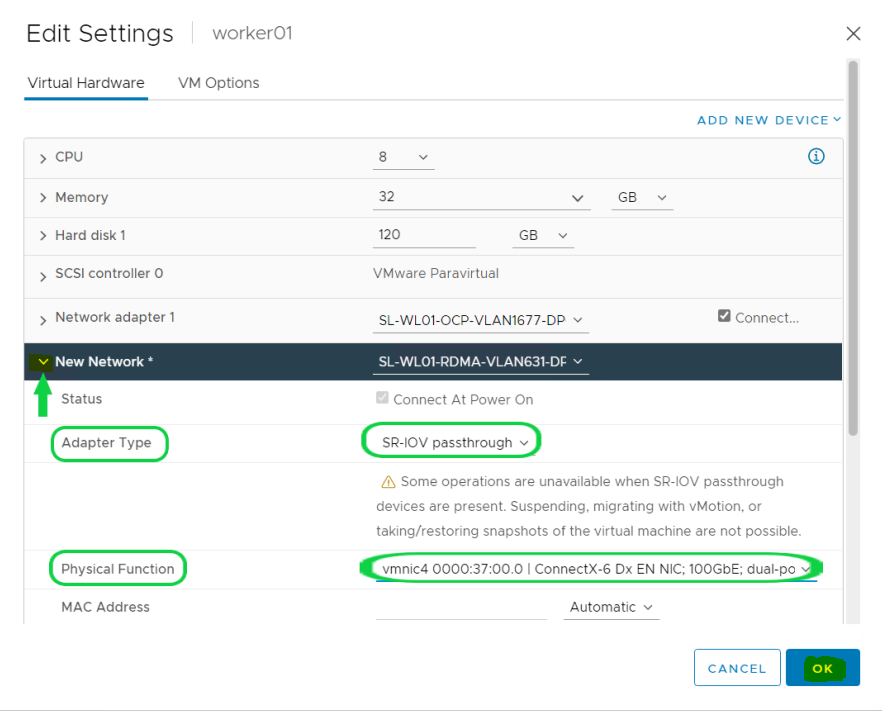
        Worker VM configuration05.PNG
        Worker VM configuration06.PNG

OCP Cluster Installation

Infra node Prerequisites 

DHCP and DNS services are required for OCP installation. In this case, an Infra Node is used to run the services.
An additional ntp-servers configuration is required for a DHCP service on an OCP management network.

The components installation and configuration are not covered in this guide. 
For more information, see Networking requirements for user-provisioned infrastructure.

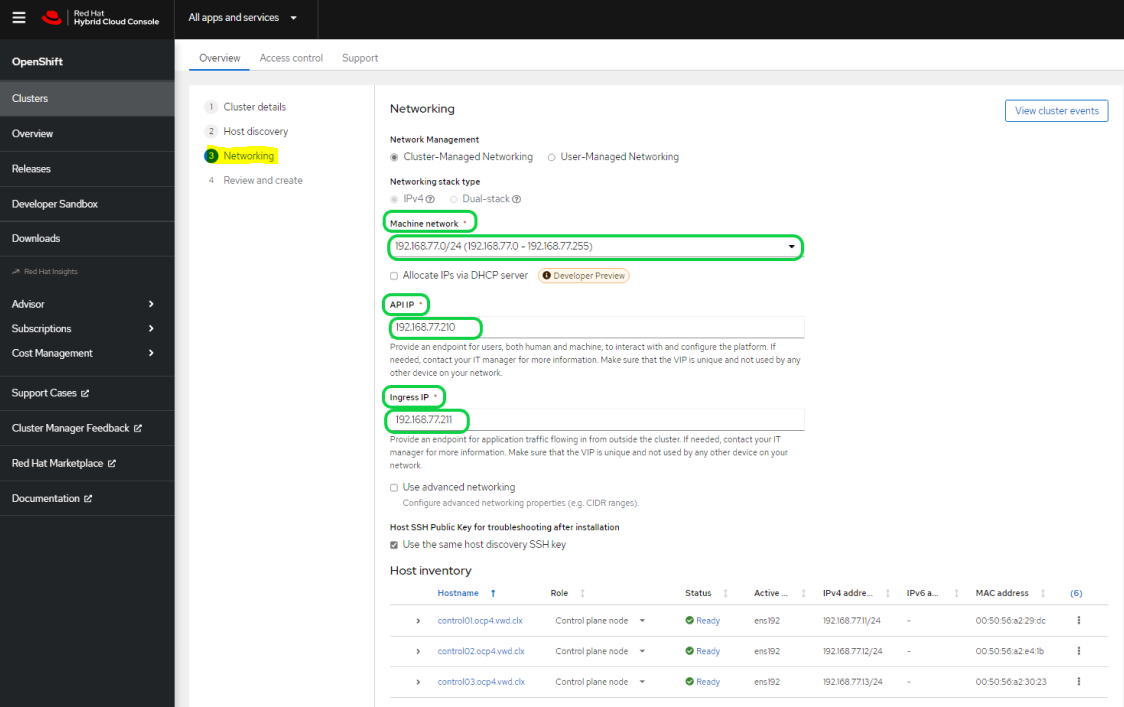
The OCP cluster installation requires two VIP addresses:

  • The API address is used to access the cluster API.

  • The Ingress address is used for cluster ingress traffic.

These IP addresses must be provided to the installation program when installing the OCP cluster.
In our environment, we use the following IPs and DNS records:

Component

IP

Record

Description

Kubernetes API

192.168.77.210

api.ocp4.vwd.clx

A DNS A/AAAA or CNAME record, and a DNS PTR record, to identify the API load balancer. These records must be resolvable by both clients external to the cluster and from all the nodes within the cluster.

Ingress

192.168.77.211

*.apps.ocp4.vwd.clx

A wildcard DNS A/AAAA or CNAME record that refers to the application ingress load balancer. The application ingress load balancer targets the machines that run the Ingress Controller PODs. The Ingress Controller PODs run on the compute machines by default. These records must be resolvable by both clients external to the cluster and from all the nodes within the cluster.

For example, console-openshift-console.apps.ocp4.vwd.clx is used as a wildcard route to the OCP console.

control01

192.168.77.11

control01.ocp4.vwd.clx

DNS A/AAAA or CNAME records and DNS PTR records to identify each machine for the control plane nodes. These records must be resolvable by the nodes within the cluster.

control02

192.168.77.12

control02.ocp4.vwd.clx

DNS A/AAAA or CNAME records and DNS PTR records to identify each machine for the control plane nodes. These records must be resolvable by the nodes within the cluster.

control03

192.168.77.13

control03.ocp4.vwd.clx

DNS A/AAAA or CNAME records and DNS PTR records to identify each machine for the control plane nodes. These records must be resolvable by the nodes within the cluster.

worker01

192.168.77.21

worker01.ocp4.vwd.clx

DNS A/AAAA or CNAME records and DNS PTR records to identify each machine for the worker nodes. These records must be resolvable by the nodes within the cluster.

worker02

192.168.77.22

worker02.ocp4.vwd.clx

DNS A/AAAA or CNAME records and DNS PTR records to identify each machine for the worker nodes. These records must be resolvable by the nodes within the cluster.

worker03

192.168.77.23

worker03.ocp4.vwd.clx

DNS A/AAAA or CNAME records and DNS PTR records to identify each machine for the worker nodes. These records must be resolvable by the nodes within the cluster.


Generating an SSH Public Key
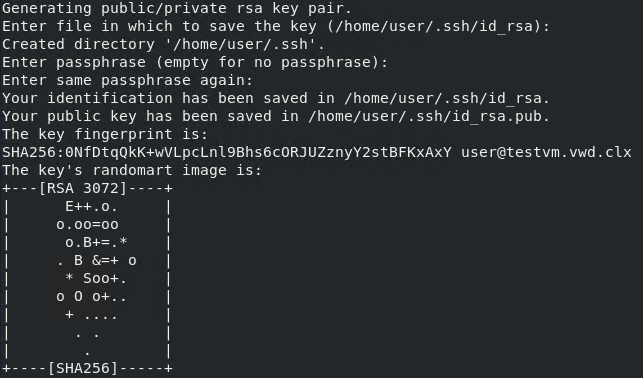
To generate a key, please run the following command on the Infra Node:

Infra Node Console
# ssh-keygen
Public key gen.PNG


OCP Cluster Deployment

You can install the OpenShift Container Platform on vSphere by using the Assisted Installer, an Installer-Provisioned or User-Provisioned Infrastructure.

This document describes OCP on-premises VMs installation using the Assisted Installer.  

Follow the steps outlined in the section to install OpenShift on vSphere.

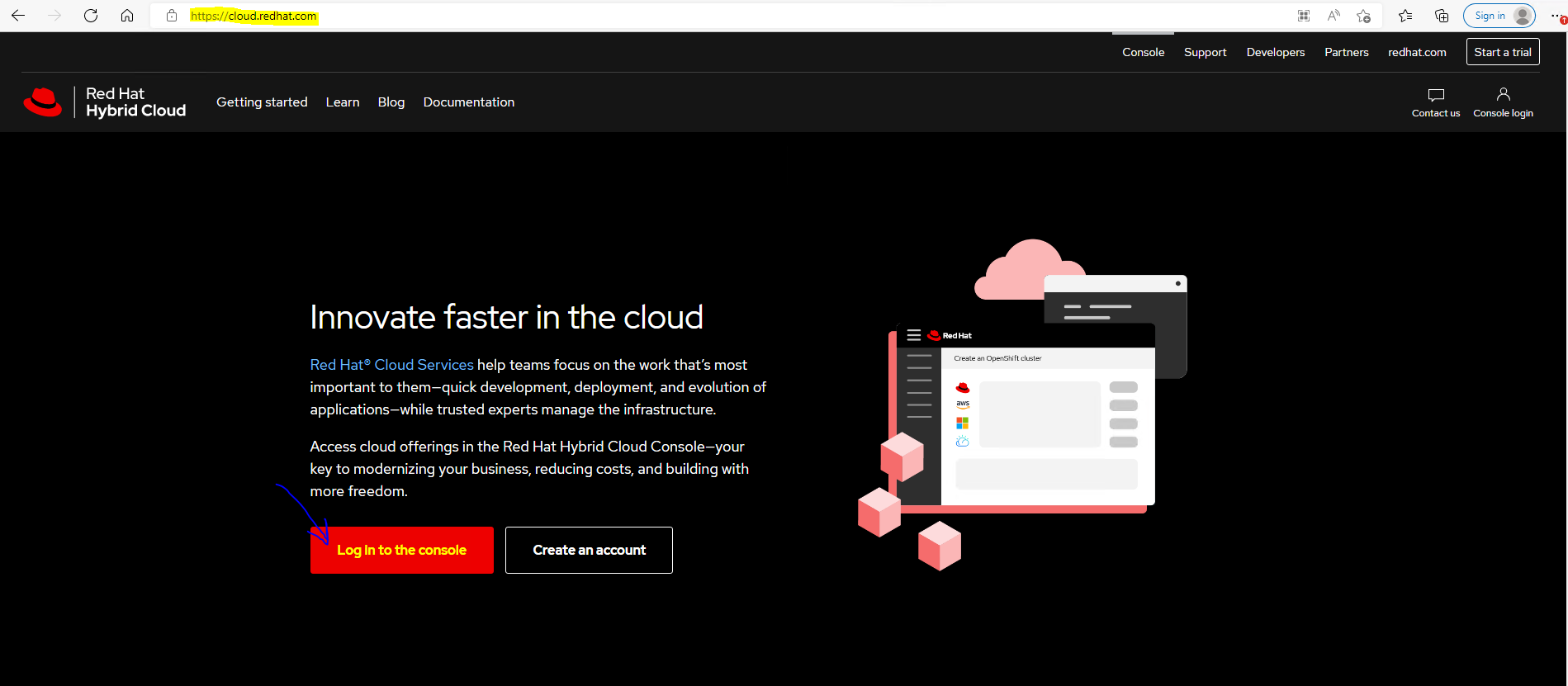
  1. Open a web browser on Infra Node (in this case, AlmaLinux with UI is used), connect the Red Hat Hybrid Cloud site and log into the console with your credentials.
    OCP Assisted  Install 01.PNG
    OCP Assisted  Install 03.PNG

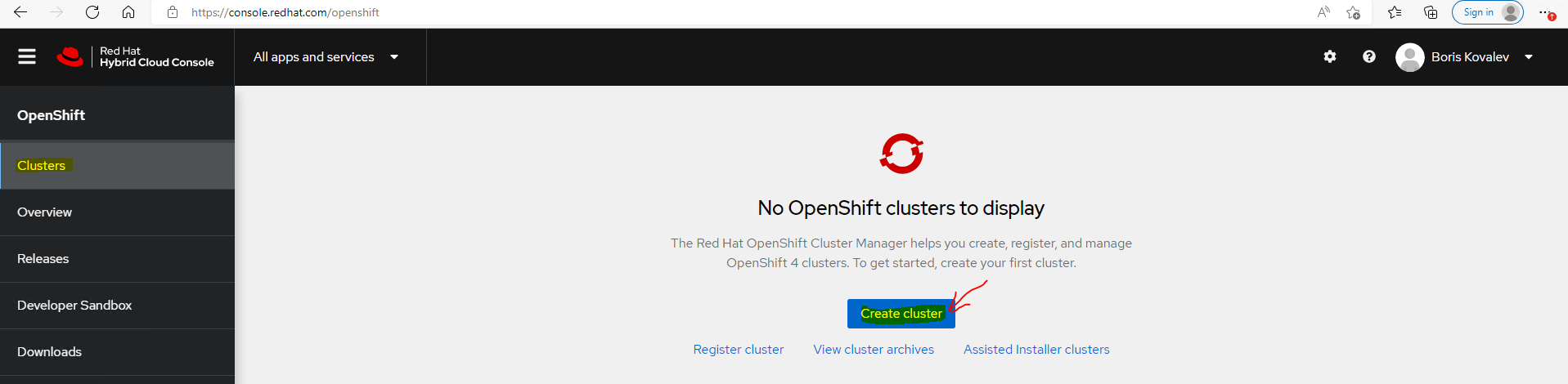
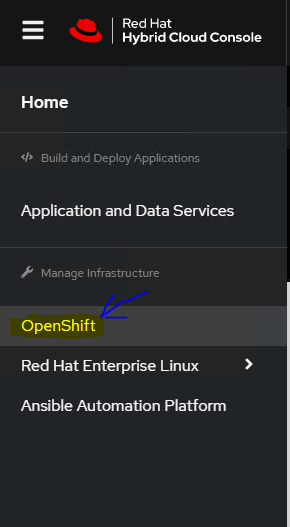
  2. Using the left menu bar, select OpenShift:
    OCP Assisted  Install 04.PNG

  3. Click on Create Cluster.
    OCP Assisted  Install 05.PNG

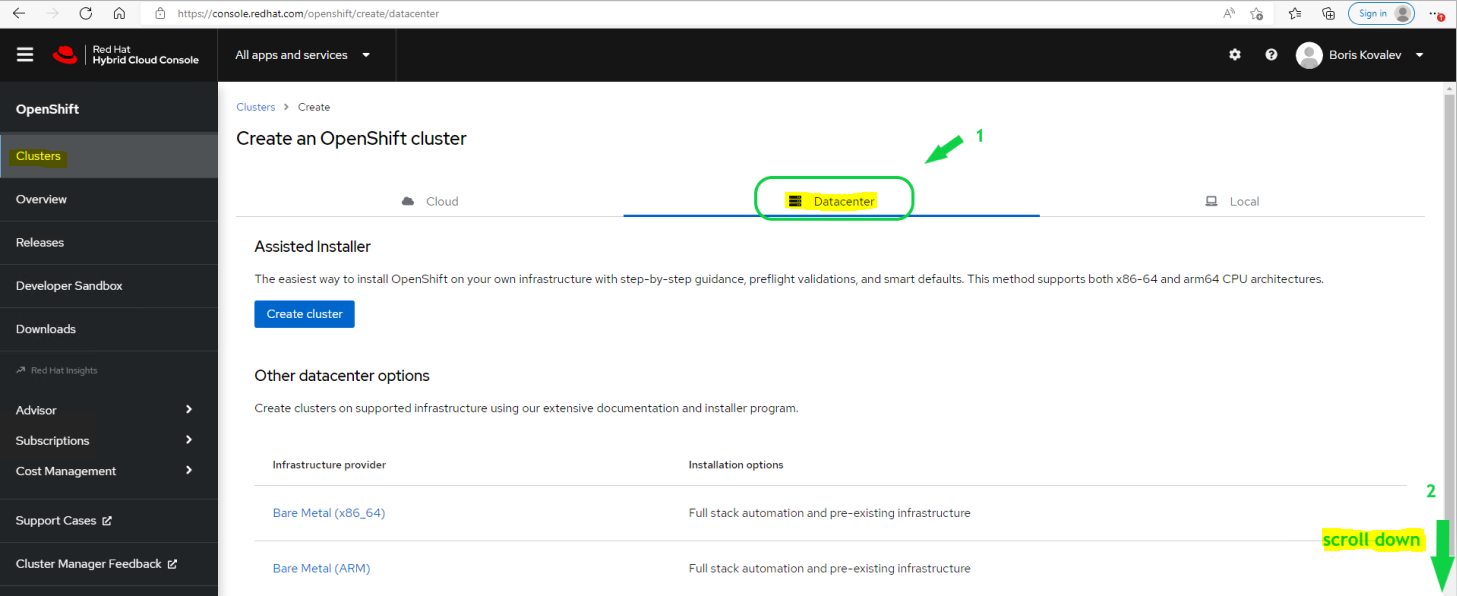
  4. Select Datacenter and scroll down the window.
    OCP Assisted  Install 06.PNG

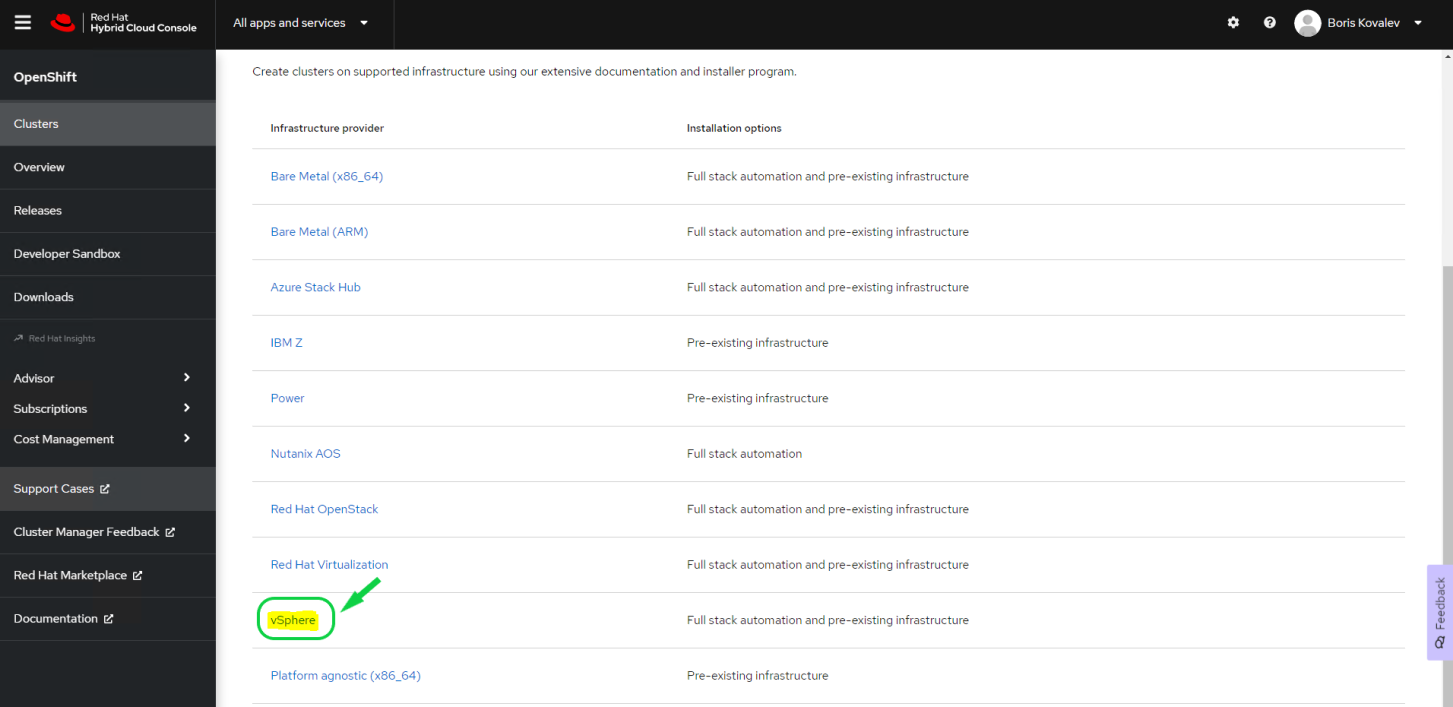
  5. Select vSphere.
    OCP Assisted  Install 07.PNG

  6. Select the Assisted Installer installation type.
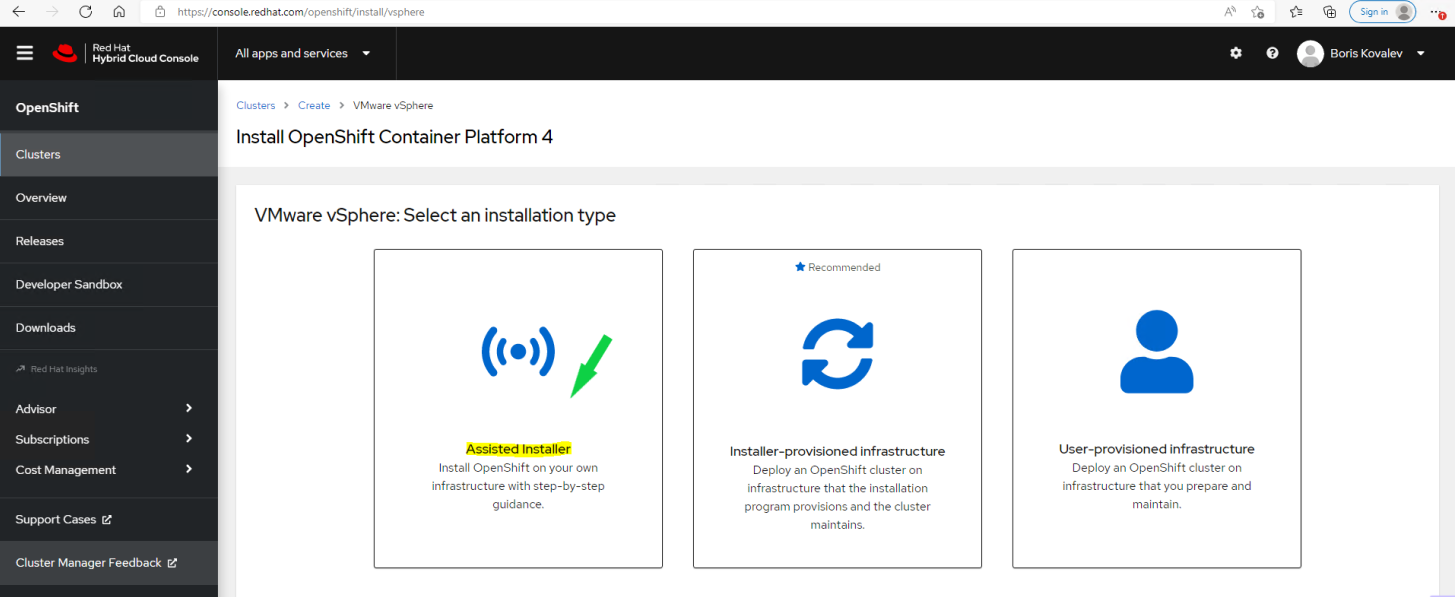
    OCP Assisted  Install 08.PNG

  7. In the Cluster details open window, provide Cluster Name and Base Domain. From the drop list, select the OpenShift version that you wish to install, and click on Next.
    Example:
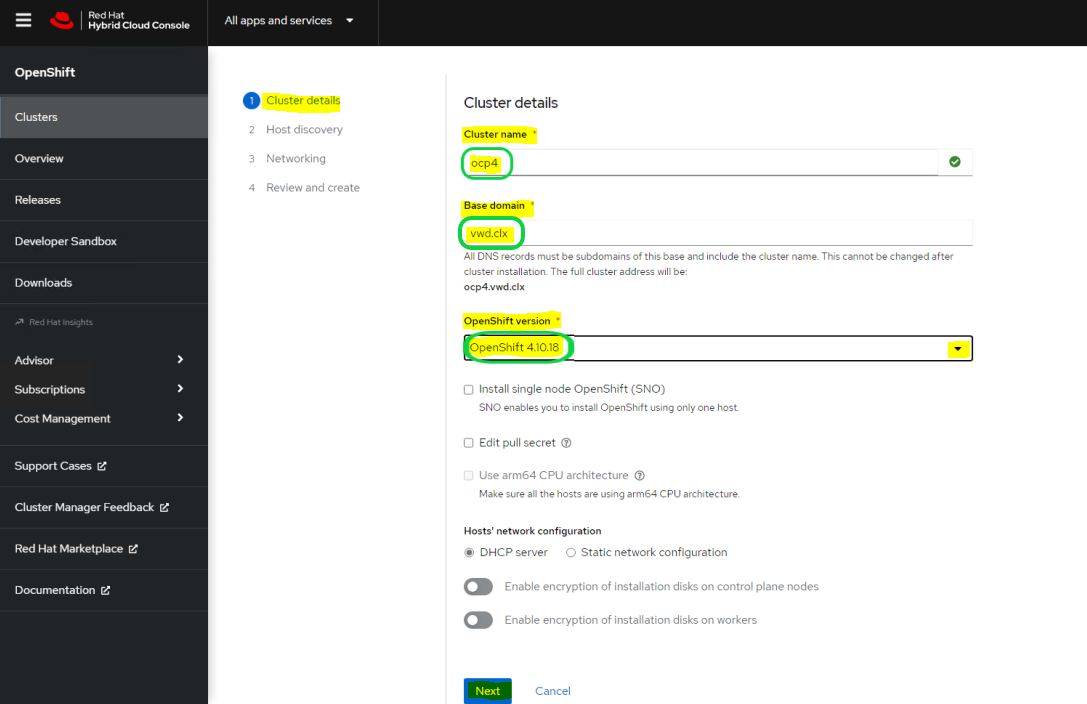
    OCP Assisted  Install 09.PNG

  8. In the Host discovery window, click on Add hosts.
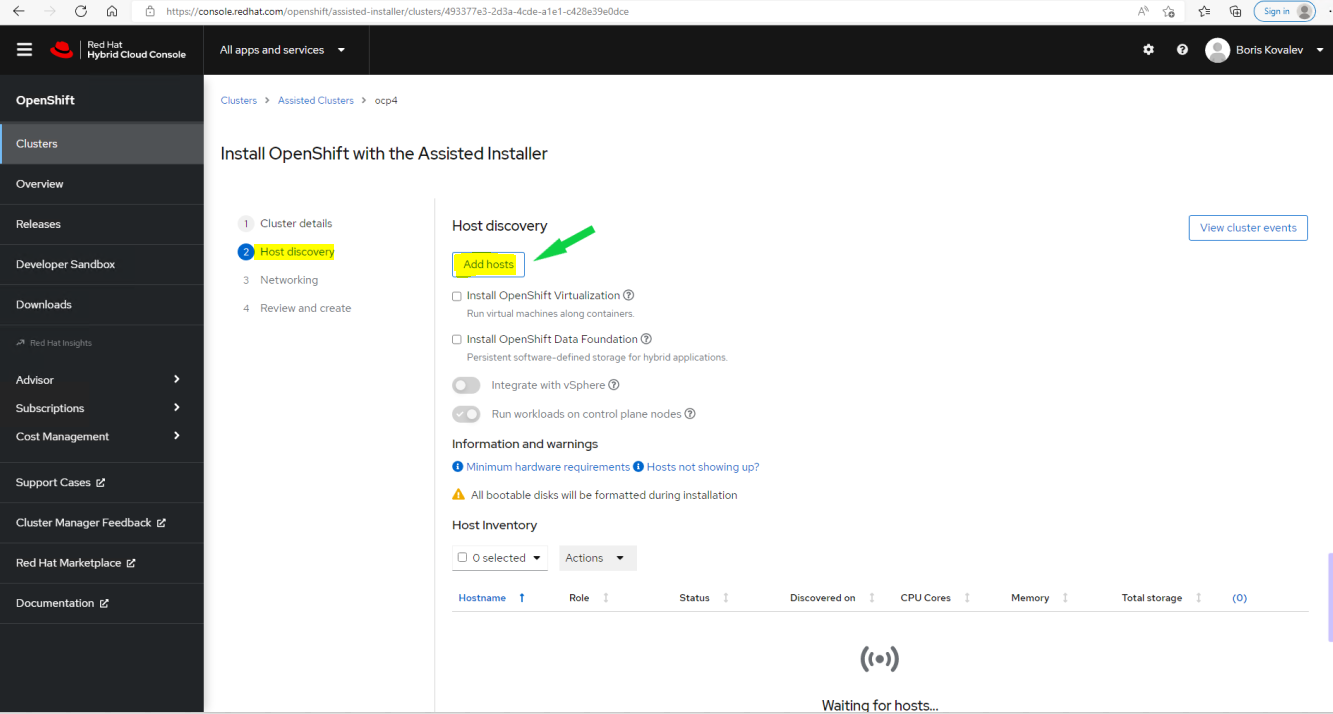
    OCP Assisted  Install 10.PNG

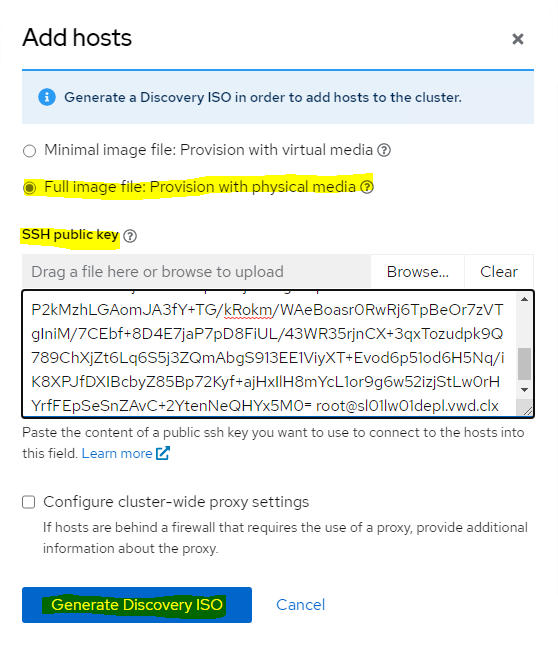
  9. In the Add hosts window, select the Full Image file option. Generate, copy and paste an SSH public key (the key was generated in Infra Node in our case), and click on Generate Discovery ISO.
    Examples:

    OCP Assisted  Install 12.PNG
    OCP Assisted  Install 11.PNG

  10. In the opened window, click on Download Discovery ISO.
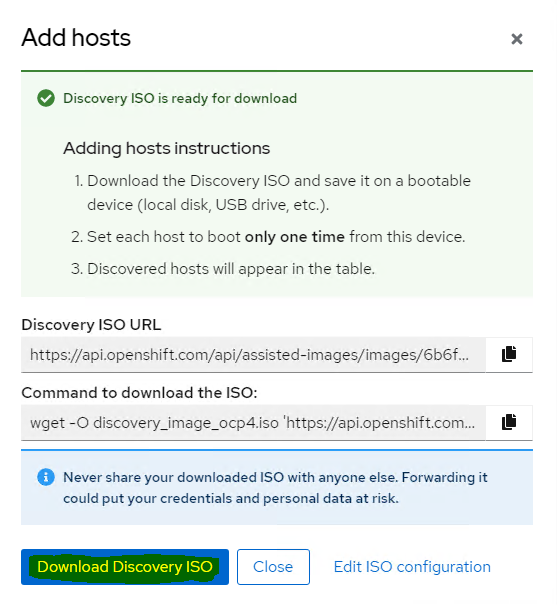
    OCP Assisted  Install 13.PNG

  11. Login to the vCenter.
    OCP Assisted  Install 14.PNG

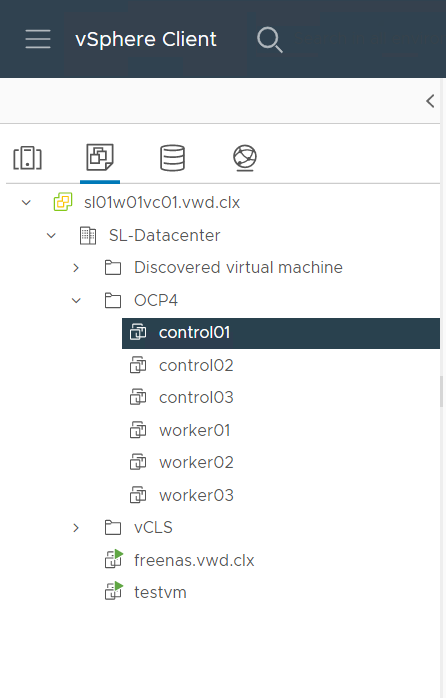
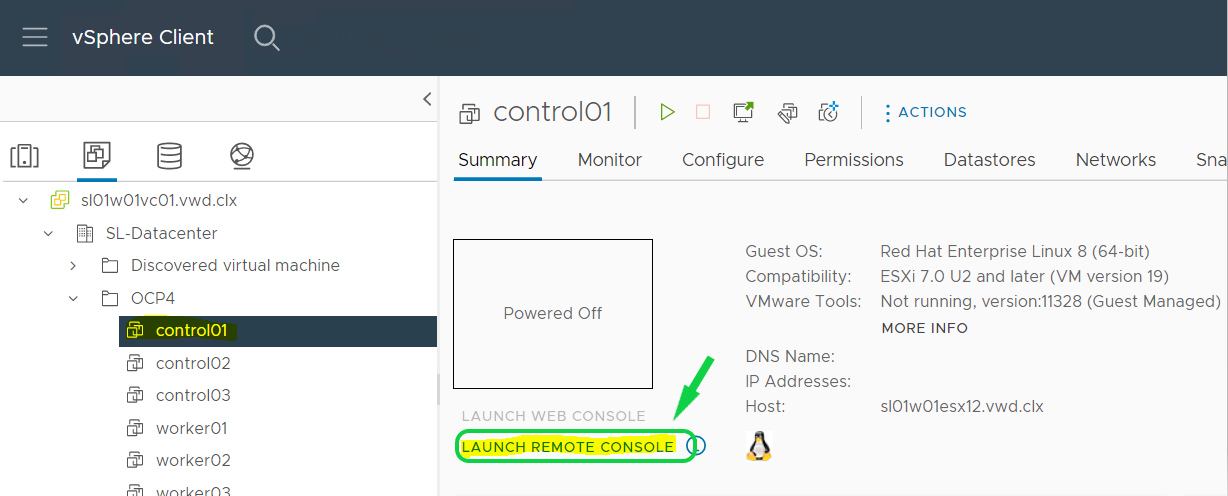
  12. Navigate to your control01 VM.
    OCP Assisted  Install 15.PNG

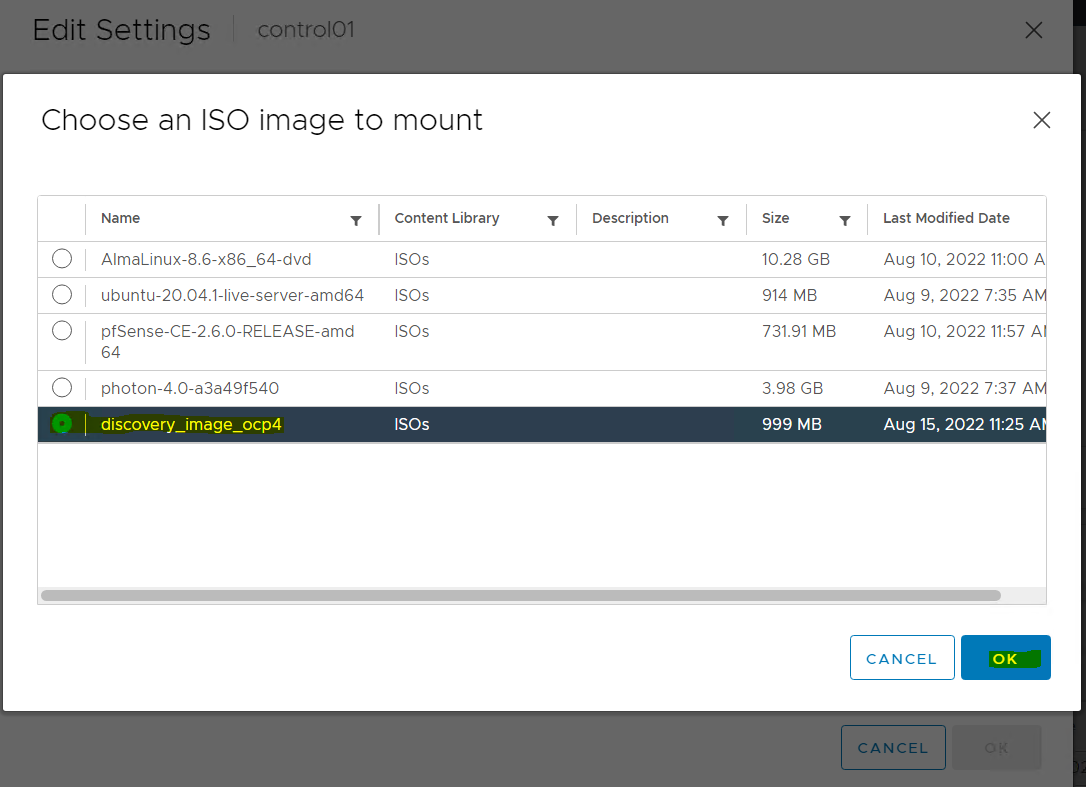
  13. Attach the Download Discovery ISO to your VM.
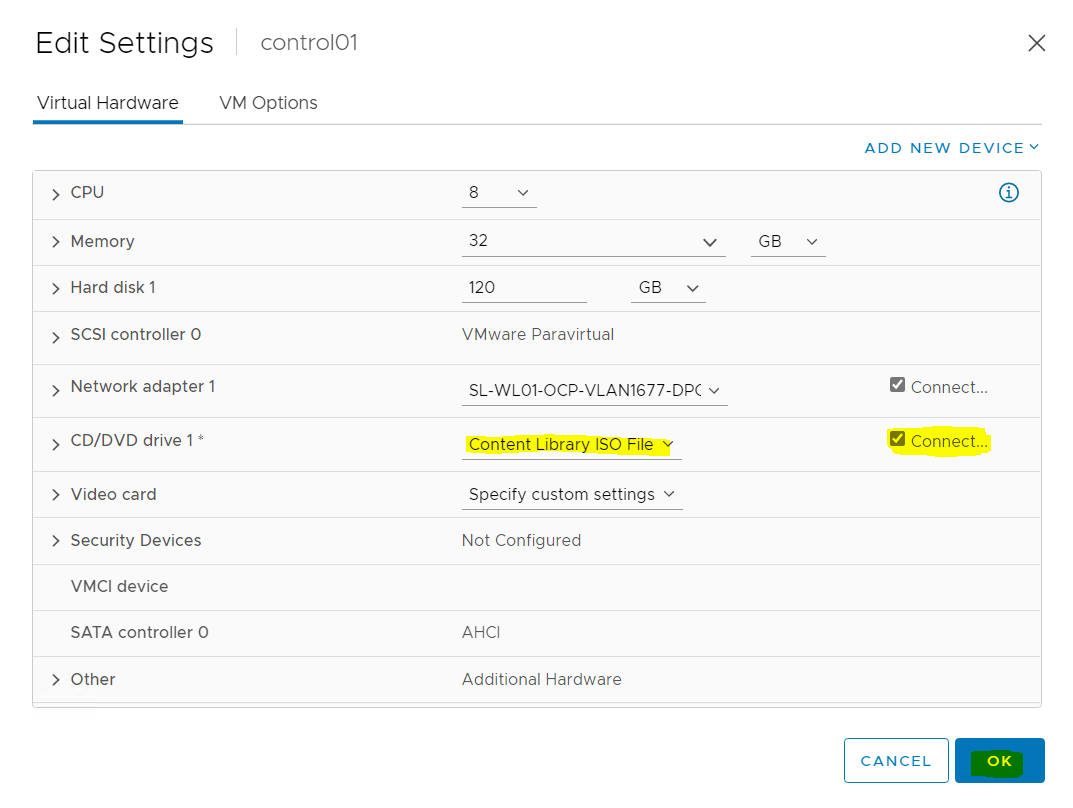
    OCP Assisted  Install 16.PNG
    OCP Assisted  Install 17.PNG

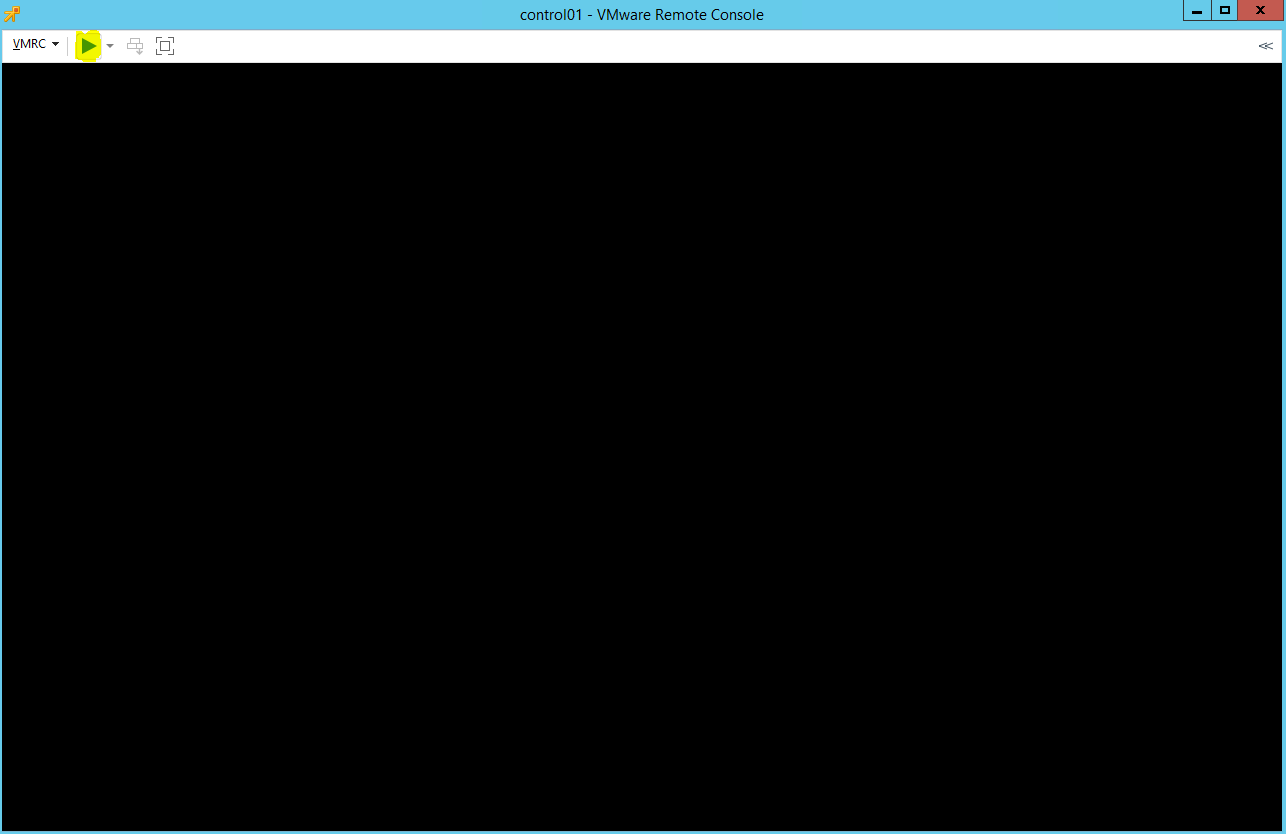
  14. Launch Remote Console
    OCP Assisted  Install 18.PNG

  15. And Power On a VM.
    OCP Assisted  Install 19.PNG

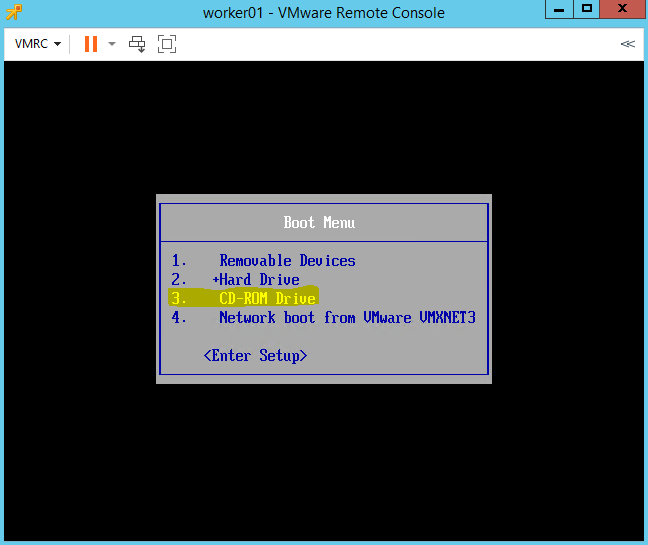
  16. Click ESC, and select CD-ROM Drive in the Boot Menu
    OCP Assisted  Install 20.PNG

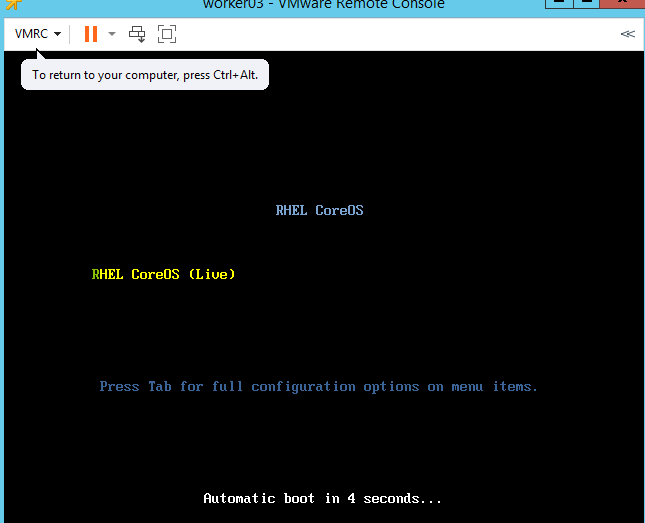
  17. Click Enter.
    OCP Assisted  Install 21.PNG

  18. Repeat Steps 12-17 for 5 additional VMs

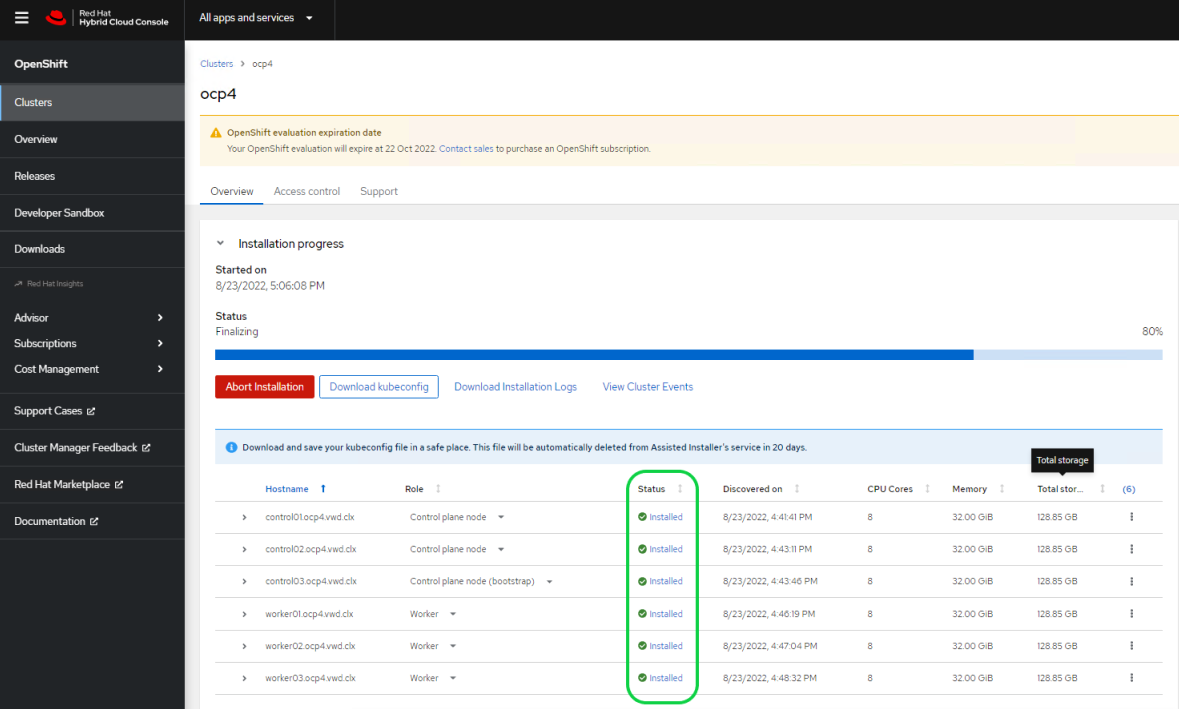
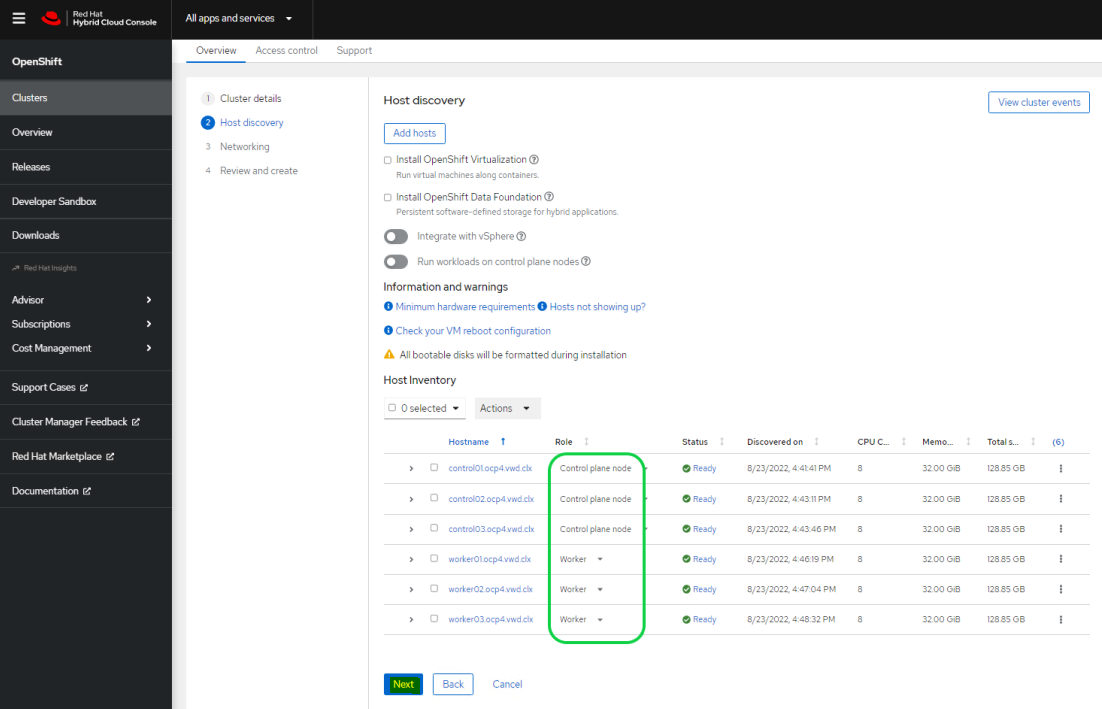
  19. Go back to the RedHat Hybrid Cloud Console web page. After 1-2 minutes, you will be able to see all 6 hosts in "Ready" status.
    Review the CPU, Memory and Disk hosts configuration.
    Select Role for each Host and click Next.
    Example:
    OCP Assisted  Install 23.PNG

  20. In the Networking opened window, provide the Machine network, API IP and Ingress IP. Click Next.
    Example:
    OCP Assisted  Install 24.PNG

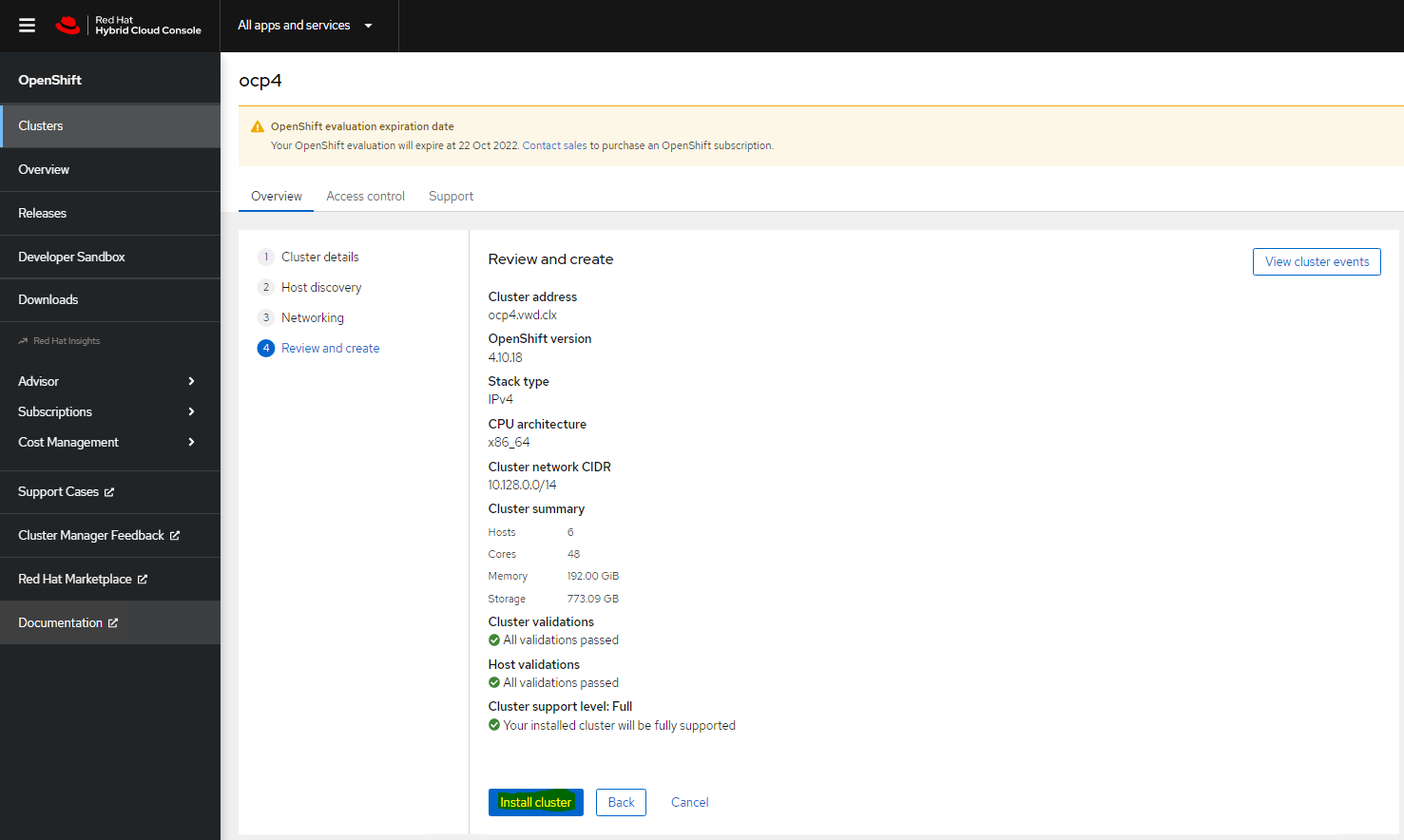
  21. Review the configuration and click on Install cluster.
    OCP Assisted  Install 25.PNG
    The OCP Installation process will start and will take approximately 30 minutes.
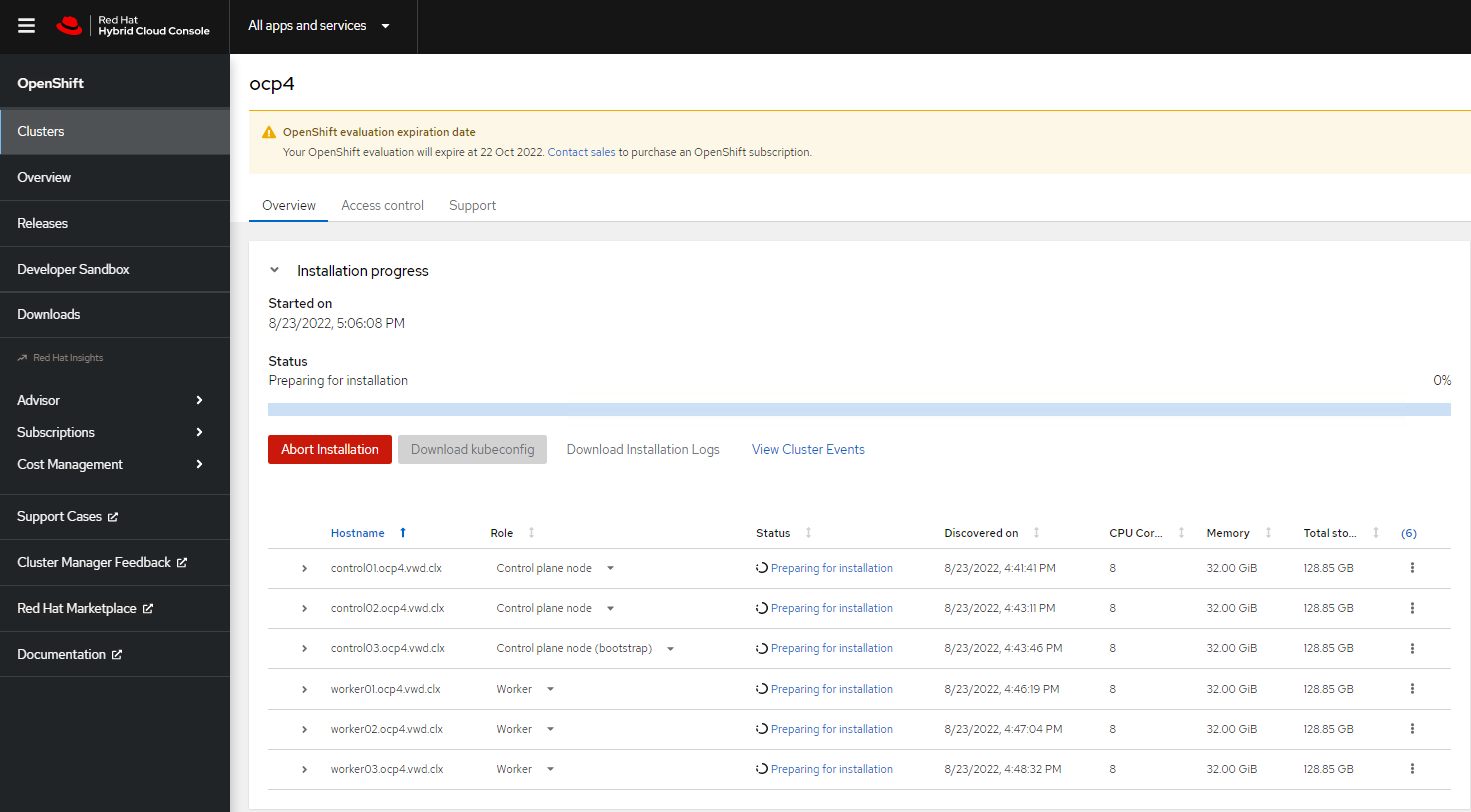
    OCP Assisted  Install 26.PNG
    OCP Assisted  Install 29.PNG  

  22. Once the installation process is complete, you will be able to Download the kubeconfig file.
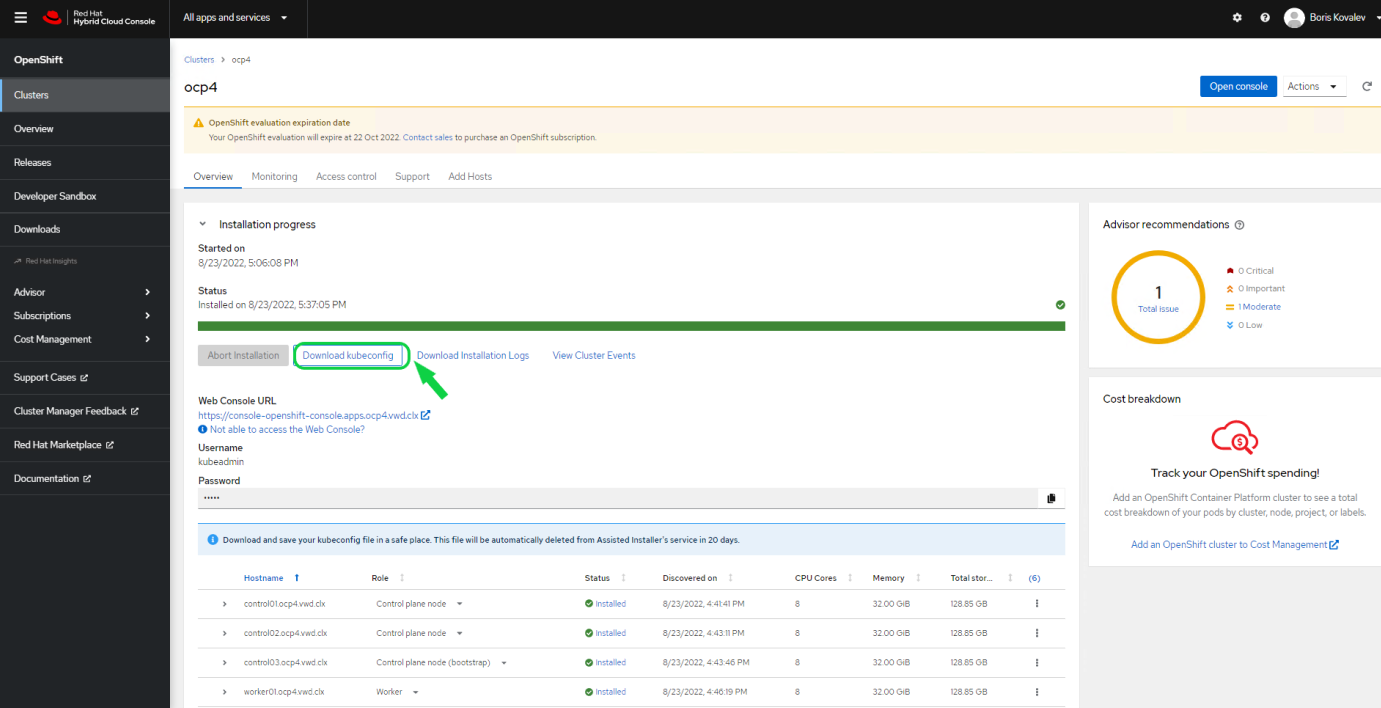
    OCP Assisted  Install 30.PNG

  23. Copy the file on your Infra Node to the /root/.kube/config file.

    Infra Node Console

    [root@sl01lw01depl ~]# cp kubeconfig /root/.kube/config
    [oot@sl01lw01depl ~]# export KUBECONFIG=/root/.kube/config
    
  24. To connect to the installed cluster, use the following provided information:
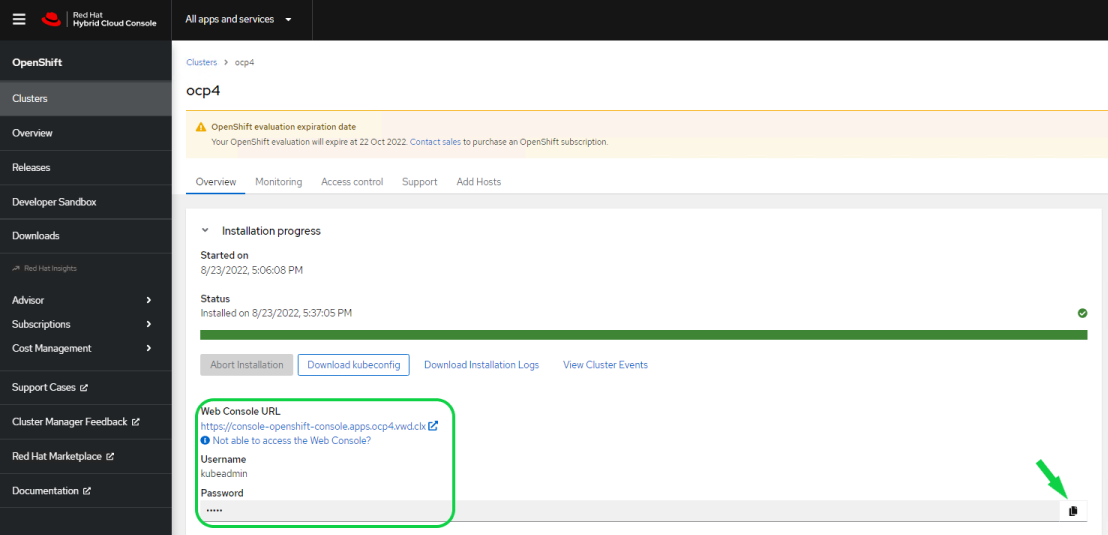
    OCP Assisted  Install 31.PNG

To verify that the OCP cluster is installed properly, open the Infra Node console and open a web browser with the provided Web Console URL, Username and Password.
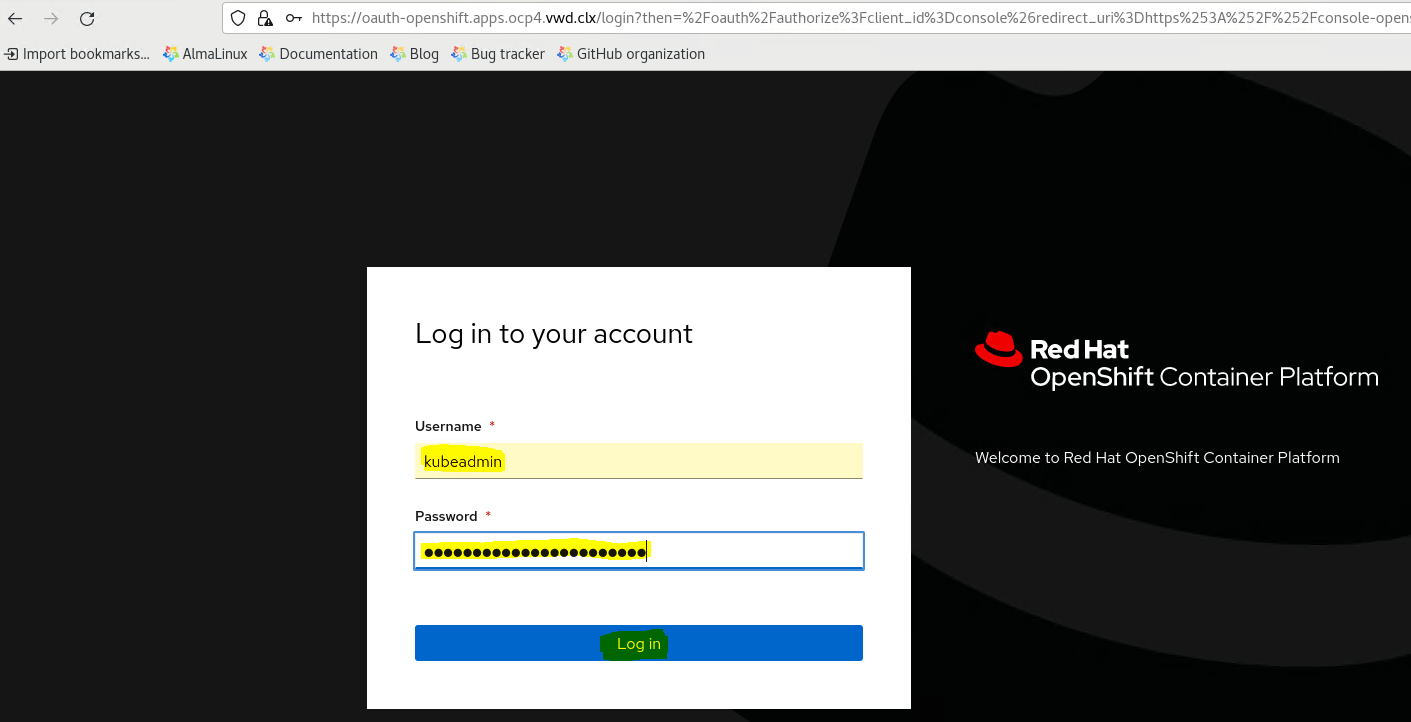
OCP Assisted  Install 32.PNG
Make sure that the Cluster Status is ok.
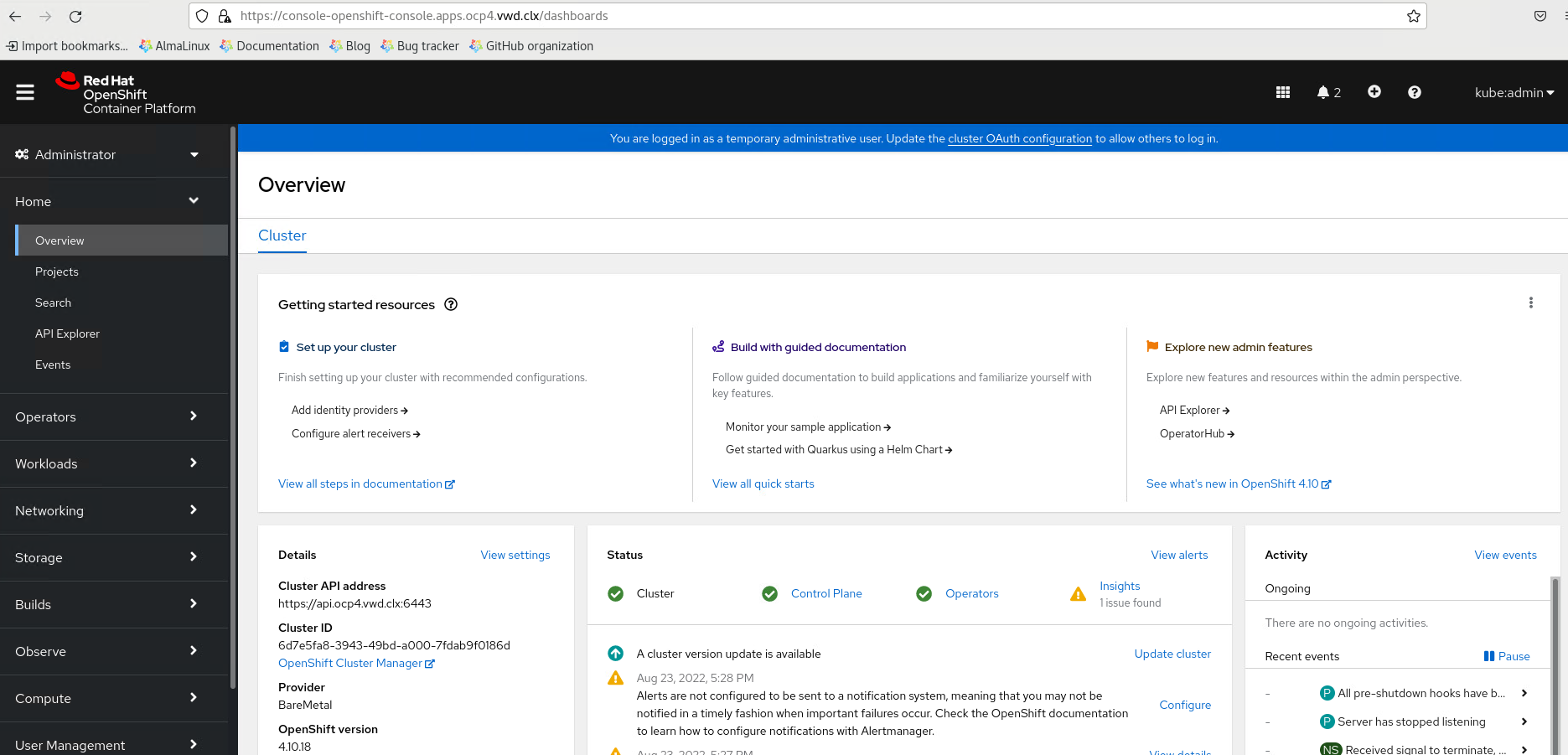
OCP Assisted  Install 33.PNG

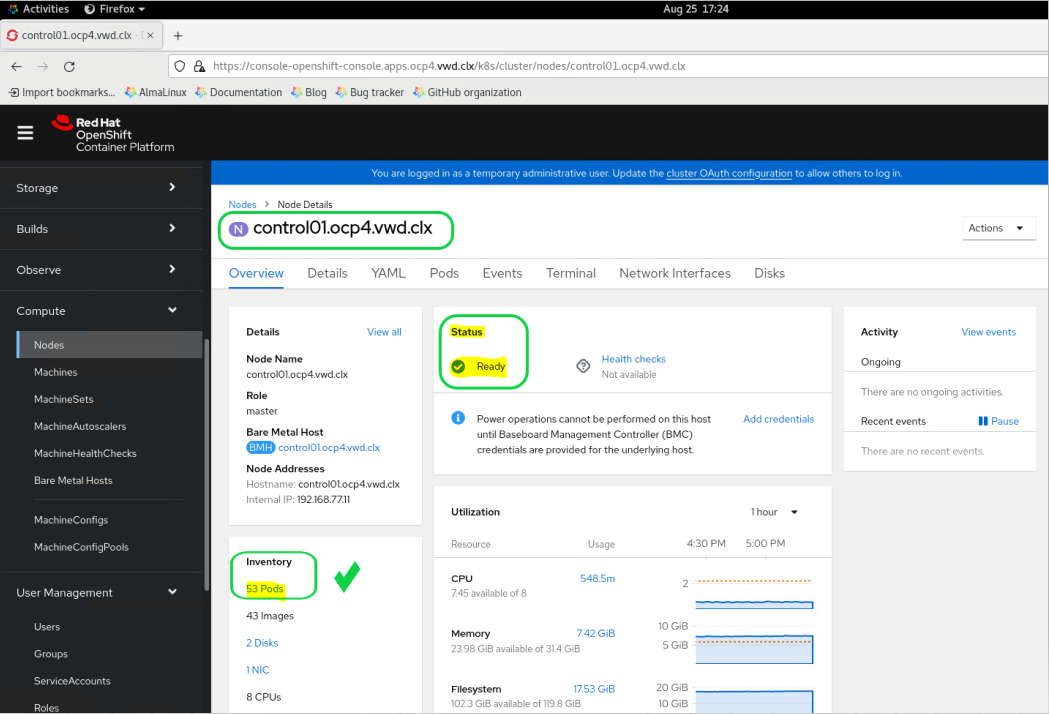
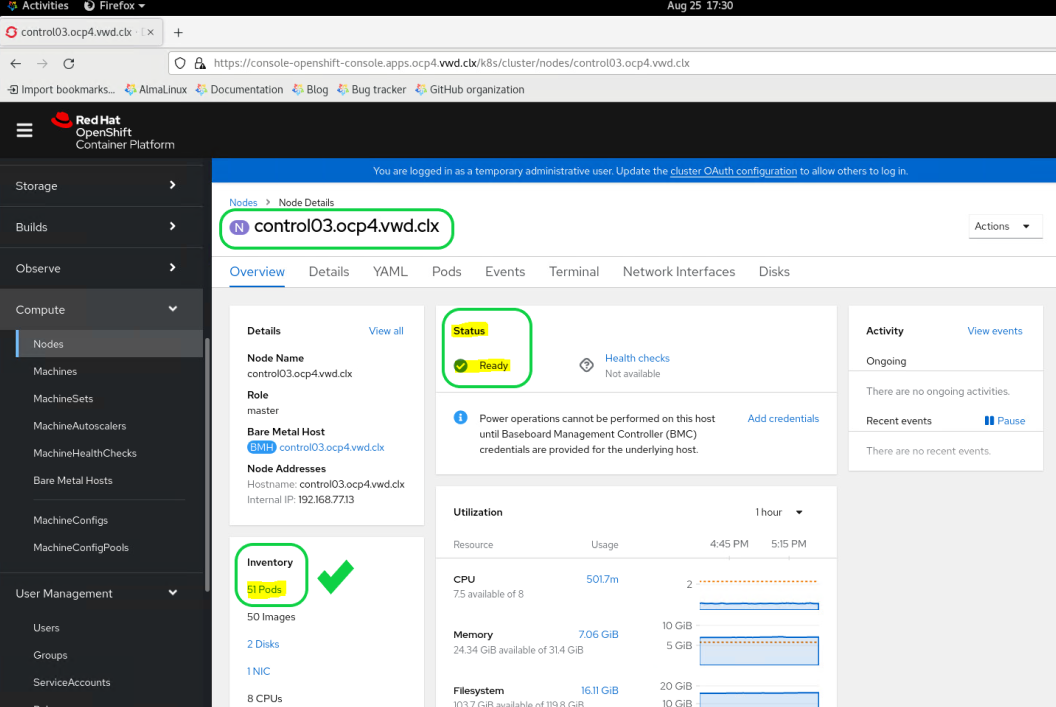
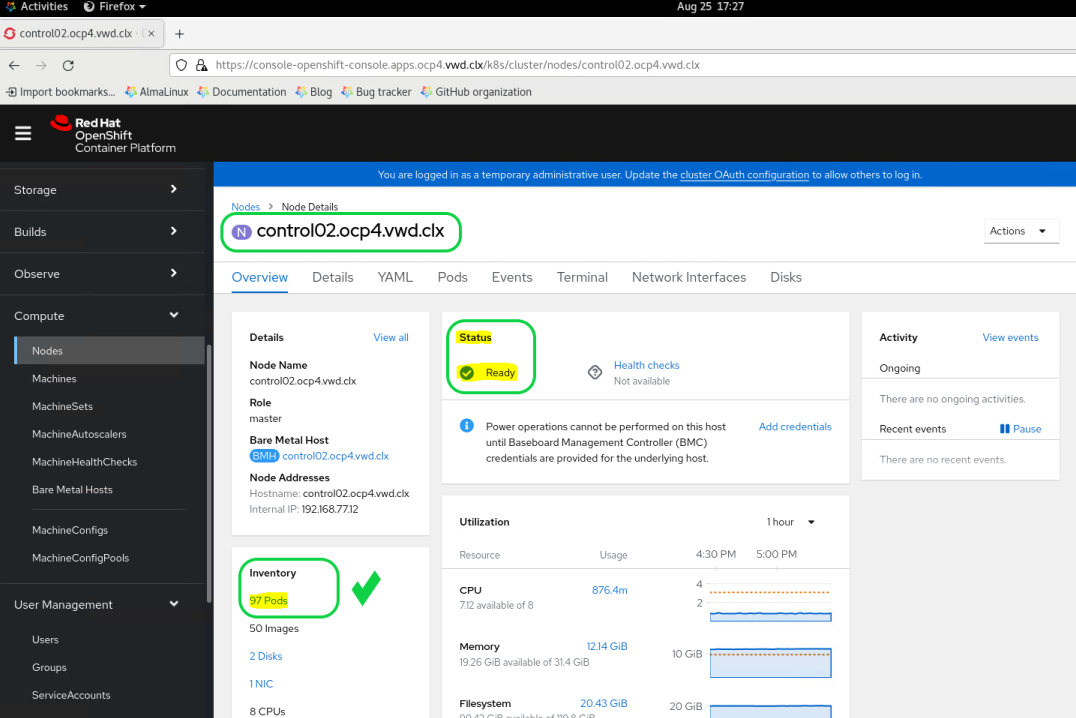
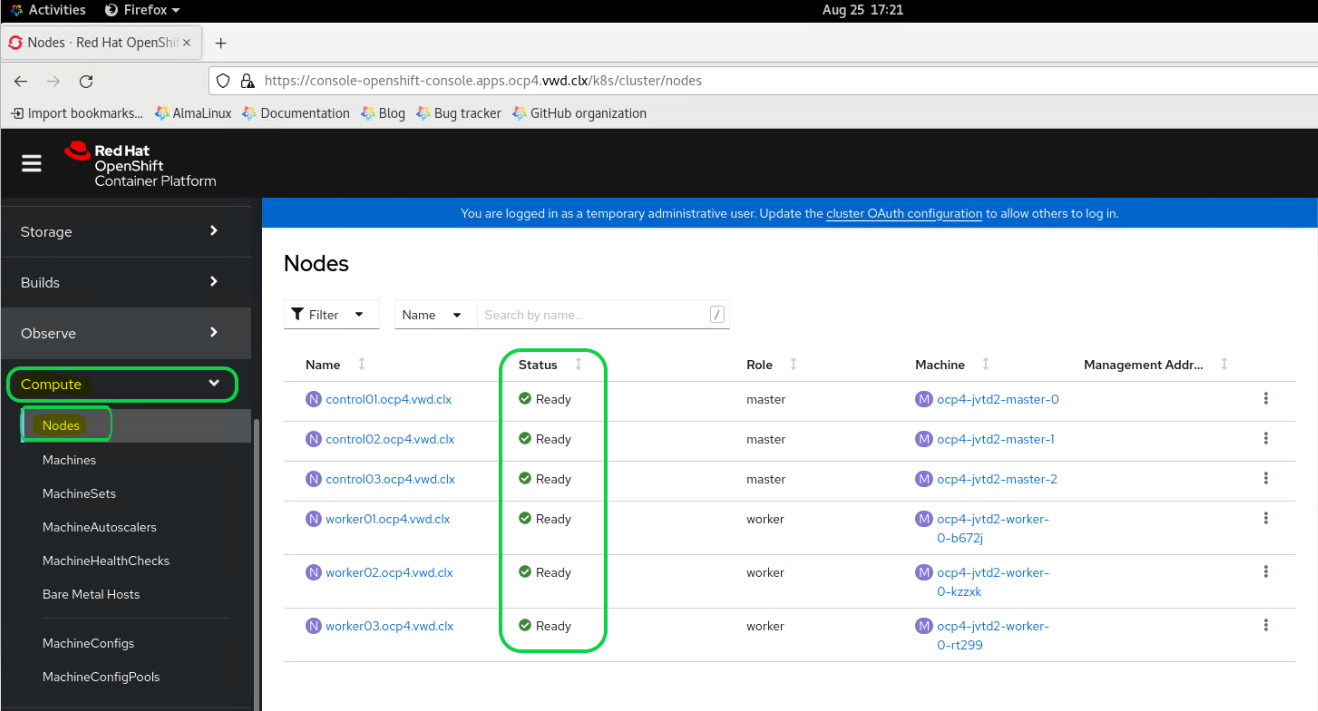
Using the left menu bar, expand the Compute section and select the Nodes Status.  OCP Assisted  Install 34.PNG
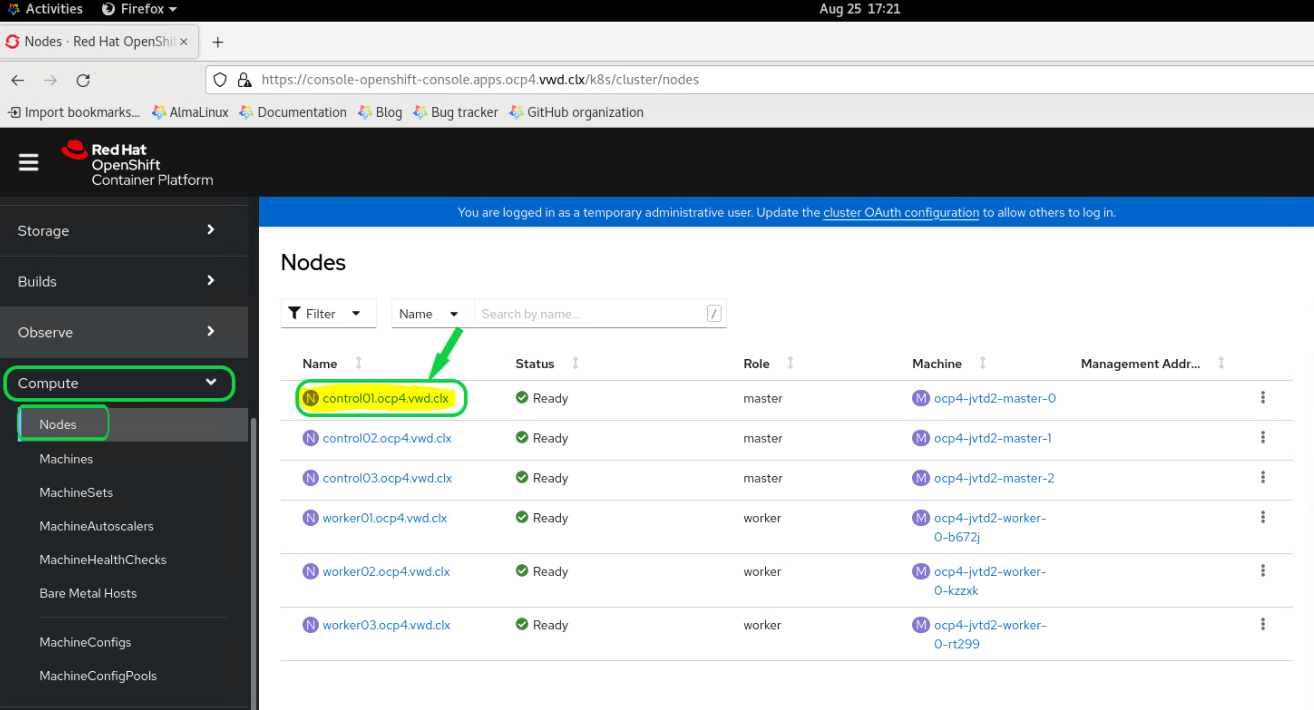
Click on each node to see that all PODs on the node are running without errors.
OCP Assisted  Install 35.PNG

OCP Assisted  Install 36.PNG
OCP Assisted  Install 37.PNG
OCP Assisted  Install 38.PNG

To check the cluster status from the ssh console:

Go to the Infra Node ssh console, and run the following command to see the nodes status:

Infra Node Console
[root@sl01lw01depl ocp4-helpernode]# oc get nodes -o wide
NAME                     STATUS   ROLES    AGE   VERSION           INTERNAL-IP     EXTERNAL-IP   OS-IMAGE                                                        KERNEL-VERSION                 CONTAINER-RUNTIME
control01.ocp4.vwd.clx   Ready    master   2d    v1.23.5+3afdacb   192.168.77.11   <none>        Red Hat Enterprise Linux CoreOS 410.84.202206080346-0 (Ootpa)   4.18.0-305.49.1.el8_4.x86_64   cri-o://1.23.3-3.rhaos4.10.git5fe1720.el8
control02.ocp4.vwd.clx   Ready    master   2d    v1.23.5+3afdacb   192.168.77.12   <none>        Red Hat Enterprise Linux CoreOS 410.84.202206080346-0 (Ootpa)   4.18.0-305.49.1.el8_4.x86_64   cri-o://1.23.3-3.rhaos4.10.git5fe1720.el8
control03.ocp4.vwd.clx   Ready    master   2d    v1.23.5+3afdacb   192.168.77.13   <none>        Red Hat Enterprise Linux CoreOS 410.84.202206080346-0 (Ootpa)   4.18.0-305.49.1.el8_4.x86_64   cri-o://1.23.3-3.rhaos4.10.git5fe1720.el8
worker01.ocp4.vwd.clx    Ready    worker   2d    v1.23.5+3afdacb   192.168.77.21   <none>        Red Hat Enterprise Linux CoreOS 410.84.202206080346-0 (Ootpa)   4.18.0-305.49.1.el8_4.x86_64   cri-o://1.23.3-3.rhaos4.10.git5fe1720.el8
worker02.ocp4.vwd.clx    Ready    worker   2d    v1.23.5+3afdacb   192.168.77.22   <none>        Red Hat Enterprise Linux CoreOS 410.84.202206080346-0 (Ootpa)   4.18.0-305.49.1.el8_4.x86_64   cri-o://1.23.3-3.rhaos4.10.git5fe1720.el8
worker03.ocp4.vwd.clx    Ready    worker   2d    v1.23.5+3afdacb   192.168.77.23   <none>        Red Hat Enterprise Linux CoreOS 410.84.202206080346-0 (Ootpa)   4.18.0-305.49.1.el8_4.x86_64   cri-o://1.23.3-3.rhaos4.10.git5fe1720.el8

To see all running cluster operators status, run the following command:

Infra Node Console
[root@sl01lw01depl ocp4-helpernode]# oc get clusteroperators
NAME                                       VERSION   AVAILABLE   PROGRESSING   DEGRADED   SINCE   MESSAGE
authentication                             4.10.18   True        False         False      135m
baremetal                                  4.10.18   True        False         False      2d
cloud-controller-manager                   4.10.18   True        False         False      2d
cloud-credential                           4.10.18   True        False         False      2d
cluster-autoscaler                         4.10.18   True        False         False      2d
config-operator                            4.10.18   True        False         False      2d
console                                    4.10.18   True        False         False      2d
csi-snapshot-controller                    4.10.18   True        False         False      2d
dns                                        4.10.18   True        False         False      2d
etcd                                       4.10.18   True        False         False      2d
image-registry                             4.10.18   True        False         False      2d
ingress                                    4.10.18   True        False         False      2d
insights                                   4.10.18   True        False         False      2d
kube-apiserver                             4.10.18   True        False         False      2d
kube-controller-manager                    4.10.18   True        False         False      2d
kube-scheduler                             4.10.18   True        False         False      2d
kube-storage-version-migrator              4.10.18   True        False         False      2d
machine-api                                4.10.18   True        False         False      2d
machine-approver                           4.10.18   True        False         False      2d
machine-config                             4.10.18   True        False         False      2d
marketplace                                4.10.18   True        False         False      2d
monitoring                                 4.10.18   True        False         False      2d
network                                    4.10.18   True        False         False      2d
node-tuning                                4.10.18   True        False         False      2d
openshift-apiserver                        4.10.18   True        False         False      2d
openshift-controller-manager               4.10.18   True        False         False      24h
openshift-samples                          4.10.18   True        False         False      2d
operator-lifecycle-manager                 4.10.18   True        False         False      2d
operator-lifecycle-manager-catalog         4.10.18   True        False         False      2d
operator-lifecycle-manager-packageserver   4.10.18   True        False         False      2d
service-ca                                 4.10.18   True        False         False      2d
storage                                    4.10.18   True        False         False      2d


To see all running PODs status, run the following command:

Infra Node Console
[root@sl01lw01depl ocp4-helpernode]# oc get pod --all-namespaces
NAMESPACE                                          NAME                                                         READY   STATUS      RESTARTS     AGE
assisted-installer                                 assisted-installer-controller-5zh8w                          0/1     Completed   0            2d
openshift-apiserver-operator                       openshift-apiserver-operator-6756c64b88-njtk8                1/1     Running     2 (2d ago)   2d
openshift-apiserver                                apiserver-7c48bcb965-6cqp5                                   2/2     Running     0            2d
openshift-apiserver                                apiserver-7c48bcb965-mg7t5                                   2/2     Running     0            2d
openshift-apiserver                                apiserver-7c48bcb965-rvt8j                                   2/2     Running     0            2d
openshift-authentication-operator                  authentication-operator-6ddbbdbf46-w5n2w                     1/1     Running     2 (2d ago)   2d
openshift-authentication                           oauth-openshift-6c775fd8f6-6cxxd                             1/1     Running     0            2d
openshift-authentication                           oauth-openshift-6c775fd8f6-k6nxq                             1/1     Running     0            2d
openshift-authentication                           oauth-openshift-6c775fd8f6-pd4cm                             1/1     Running     0            2d
openshift-cloud-controller-manager-operator        cluster-cloud-controller-manager-operator-7db699cb4f-wdh7d   2/2     Running     4 (2d ago)   2d
openshift-cloud-credential-operator                cloud-credential-operator-67f75477db-mczvd                   2/2     Running     0            2d
openshift-cluster-machine-approver                 machine-approver-697c6c67f-6thpm                             2/2     Running     2 (2d ago)   2d
openshift-cluster-node-tuning-operator             cluster-node-tuning-operator-59cdb46c9-s82qc                 1/1     Running     1 (2d ago)   2d
openshift-cluster-node-tuning-operator             tuned-92q5b                                                  1/1     Running     0            2d
openshift-cluster-node-tuning-operator             tuned-jsgls                                                  1/1     Running     0            2d
openshift-cluster-node-tuning-operator             tuned-lg5rc                                                  1/1     Running     0            2d
openshift-cluster-node-tuning-operator             tuned-nvrg6                                                  1/1     Running     0            2d
openshift-cluster-node-tuning-operator             tuned-pf6fh                                                  1/1     Running     0            2d
openshift-cluster-node-tuning-operator             tuned-wz9s6                                                  1/1     Running     0            2d
openshift-cluster-samples-operator                 cluster-samples-operator-b6fc87b94-hslfp                     2/2     Running     0            2d
openshift-cluster-storage-operator                 cluster-storage-operator-7857f978b8-6q6jt                    1/1     Running     1 (2d ago)   2d
openshift-cluster-storage-operator                 csi-snapshot-controller-5b97674c78-m7s9b                     1/1     Running     0            2d
openshift-cluster-storage-operator                 csi-snapshot-controller-5b97674c78-n9ffn                     1/1     Running     1 (2d ago)   2d
openshift-cluster-storage-operator                 csi-snapshot-controller-operator-856bb56b5d-zj2gx            1/1     Running     1 (2d ago)   2d
openshift-cluster-storage-operator                 csi-snapshot-webhook-7f447d57f7-4g8l4                        1/1     Running     0            2d
openshift-cluster-storage-operator                 csi-snapshot-webhook-7f447d57f7-xtldm                        1/1     Running     0            2d
openshift-cluster-version                          cluster-version-operator-688999f8cd-nm9xm                    1/1     Running     0            2d
openshift-config-operator                          openshift-config-operator-57c79476d7-r6nfq                   1/1     Running     2 (2d ago)   2d
openshift-console-operator                         console-operator-c74b55d67-m9g7w                             1/1     Running     0            2d
openshift-console                                  console-5846db579c-6z5f5                                     1/1     Running     1 (2d ago)   2d
openshift-console                                  console-5846db579c-xczc5                                     1/1     Running     1 (2d ago)   2d
openshift-console                                  downloads-6cdbd64fbb-89dt4                                   1/1     Running     0            2d
openshift-console                                  downloads-6cdbd64fbb-8v942                                   1/1     Running     0            2d
openshift-controller-manager-operator              openshift-controller-manager-operator-b4c944d9f-r7x7w        1/1     Running     2 (2d ago)   2d
openshift-controller-manager                       controller-manager-lwc2w                                     1/1     Running     0            24h
openshift-controller-manager                       controller-manager-p62j5                                     1/1     Running     0            24h
openshift-controller-manager                       controller-manager-x2qt9                                     1/1     Running     0            24h
openshift-dns-operator                             dns-operator-5f65cf6746-g52zd                                2/2     Running     0            2d
openshift-dns                                      dns-default-4l48f                                            2/2     Running     0            2d
openshift-dns                                      dns-default-8fdhq                                            2/2     Running     0            2d
openshift-dns                                      dns-default-gqd5h                                            2/2     Running     0            2d
openshift-dns                                      dns-default-j6bv5                                            2/2     Running     0            2d
openshift-dns                                      dns-default-lqbv4                                            2/2     Running     0            2d
openshift-dns                                      dns-default-nhdxz                                            2/2     Running     0            2d
openshift-dns                                      node-resolver-2p8cv                                          1/1     Running     0            2d
openshift-dns                                      node-resolver-5522q                                          1/1     Running     0            2d
openshift-dns                                      node-resolver-5gw9c                                          1/1     Running     0            2d
openshift-dns                                      node-resolver-7c2sf                                          1/1     Running     0            2d
openshift-dns                                      node-resolver-b68qq                                          1/1     Running     0            2d
openshift-dns                                      node-resolver-njm5b                                          1/1     Running     0            2d
openshift-etcd-operator                            etcd-operator-6d6ff5499d-6fnts                               1/1     Running     2 (2d ago)   2d
openshift-etcd                                     etcd-control01.ocp4.vwd.clx                                  4/4     Running     0            2d
openshift-etcd                                     etcd-control02.ocp4.vwd.clx                                  4/4     Running     0            2d
openshift-etcd                                     etcd-control03.ocp4.vwd.clx                                  4/4     Running     0            2d
openshift-etcd                                     etcd-quorum-guard-54c99fcc95-4dl45                           1/1     Running     0            2d
openshift-etcd                                     etcd-quorum-guard-54c99fcc95-gsbjq                           1/1     Running     0            2d
openshift-etcd                                     etcd-quorum-guard-54c99fcc95-zs8cw                           1/1     Running     0            2d
openshift-etcd                                     installer-2-control02.ocp4.vwd.clx                           0/1     Completed   0            2d
openshift-etcd                                     installer-3-retry-1-control01.ocp4.vwd.clx                   0/1     Completed   0            2d
openshift-etcd                                     installer-5-control03.ocp4.vwd.clx                           0/1     Completed   0            2d
openshift-etcd                                     installer-6-control01.ocp4.vwd.clx                           0/1     Completed   0            2d
openshift-etcd                                     installer-6-control02.ocp4.vwd.clx                           0/1     Completed   0            2d
openshift-etcd                                     installer-6-control03.ocp4.vwd.clx                           0/1     Completed   0            2d
openshift-etcd                                     installer-7-control01.ocp4.vwd.clx                           0/1     Completed   0            2d
openshift-etcd                                     installer-7-control02.ocp4.vwd.clx                           0/1     Completed   0            2d
openshift-etcd                                     installer-7-control03.ocp4.vwd.clx                           0/1     Completed   0            2d
openshift-image-registry                           cluster-image-registry-operator-5959746b9-mw5x9              1/1     Running     1 (2d ago)   2d
openshift-image-registry                           image-pruner-27688320-g48f6                                  0/1     Completed   0            38h
openshift-image-registry                           image-pruner-27689760-kp96s                                  0/1     Completed   0            14h
openshift-image-registry                           node-ca-7z6nj                                                1/1     Running     0            2d
openshift-image-registry                           node-ca-9m8sx                                                1/1     Running     0            2d
openshift-image-registry                           node-ca-jmq9w                                                1/1     Running     0            2d
openshift-image-registry                           node-ca-sl87m                                                1/1     Running     0            2d
openshift-image-registry                           node-ca-z7clg                                                1/1     Running     0            2d
openshift-image-registry                           node-ca-zs99s                                                1/1     Running     0            2d
openshift-ingress-canary                           ingress-canary-5r6qh                                         1/1     Running     0            2d
openshift-ingress-canary                           ingress-canary-l8q6j                                         1/1     Running     0            2d
openshift-ingress-canary                           ingress-canary-zpbcd                                         1/1     Running     0            2d
openshift-ingress-operator                         ingress-operator-7899578f6-tvbzr                             2/2     Running     4 (2d ago)   2d
openshift-ingress                                  router-default-547bcf454b-hn5gh                              1/1     Running     0            2d
openshift-ingress                                  router-default-547bcf454b-z2lk9                              1/1     Running     0            2d
openshift-insights                                 insights-operator-7d4cc4cf88-vn9px                           1/1     Running     1 (2d ago)   2d
openshift-kni-infra                                coredns-control01.ocp4.vwd.clx                               2/2     Running     0            2d
openshift-kni-infra                                coredns-control02.ocp4.vwd.clx                               2/2     Running     0            2d
openshift-kni-infra                                coredns-control03.ocp4.vwd.clx                               2/2     Running     0            2d
openshift-kni-infra                                coredns-worker01.ocp4.vwd.clx                                2/2     Running     0            2d
openshift-kni-infra                                coredns-worker02.ocp4.vwd.clx                                2/2     Running     0            2d
openshift-kni-infra                                coredns-worker03.ocp4.vwd.clx                                2/2     Running     0            2d
openshift-kni-infra                                haproxy-control01.ocp4.vwd.clx                               2/2     Running     0            2d
openshift-kni-infra                                haproxy-control02.ocp4.vwd.clx                               2/2     Running     0            2d
openshift-kni-infra                                haproxy-control03.ocp4.vwd.clx                               2/2     Running     0            2d
openshift-kni-infra                                keepalived-control01.ocp4.vwd.clx                            2/2     Running     0            2d
openshift-kni-infra                                keepalived-control02.ocp4.vwd.clx                            2/2     Running     0            2d
openshift-kni-infra                                keepalived-control03.ocp4.vwd.clx                            2/2     Running     0            2d
openshift-kni-infra                                keepalived-worker01.ocp4.vwd.clx                             2/2     Running     0            2d
openshift-kni-infra                                keepalived-worker02.ocp4.vwd.clx                             2/2     Running     0            2d
openshift-kni-infra                                keepalived-worker03.ocp4.vwd.clx                             2/2     Running     0            2d
openshift-kube-apiserver-operator                  kube-apiserver-operator-5f76847f99-84k6k                     1/1     Running     2 (2d ago)   2d
openshift-kube-apiserver                           installer-10-control02.ocp4.vwd.clx                          0/1     Completed   0            29h
openshift-kube-apiserver                           installer-11-control01.ocp4.vwd.clx                          0/1     Completed   0            29h
openshift-kube-apiserver                           installer-11-control02.ocp4.vwd.clx                          0/1     Completed   0            29h
openshift-kube-apiserver                           installer-11-control03.ocp4.vwd.clx                          0/1     Completed   0            29h
openshift-kube-apiserver                           installer-12-control01.ocp4.vwd.clx                          0/1     Completed   0            25h
openshift-kube-apiserver                           installer-12-control02.ocp4.vwd.clx                          0/1     Completed   0            25h
openshift-kube-apiserver                           installer-12-control03.ocp4.vwd.clx                          0/1     Completed   0            25h
openshift-kube-apiserver                           installer-13-control01.ocp4.vwd.clx                          0/1     Completed   0            24h
openshift-kube-apiserver                           installer-13-control02.ocp4.vwd.clx                          0/1     Completed   0            24h
openshift-kube-apiserver                           installer-13-control03.ocp4.vwd.clx                          0/1     Completed   0            24h
openshift-kube-apiserver                           installer-9-control01.ocp4.vwd.clx                           0/1     Completed   0            30h
openshift-kube-apiserver                           installer-9-control02.ocp4.vwd.clx                           0/1     Completed   0            30h
openshift-kube-apiserver                           installer-9-control03.ocp4.vwd.clx                           0/1     Completed   0            30h
openshift-kube-apiserver                           kube-apiserver-control01.ocp4.vwd.clx                        5/5     Running     0            24h
openshift-kube-apiserver                           kube-apiserver-control02.ocp4.vwd.clx                        5/5     Running     0            24h
openshift-kube-apiserver                           kube-apiserver-control03.ocp4.vwd.clx                        5/5     Running     0            24h
openshift-kube-apiserver                           kube-apiserver-guard-control01.ocp4.vwd.clx                  1/1     Running     0            2d
openshift-kube-apiserver                           kube-apiserver-guard-control02.ocp4.vwd.clx                  1/1     Running     0            2d
openshift-kube-apiserver                           kube-apiserver-guard-control03.ocp4.vwd.clx                  1/1     Running     0            2d
openshift-kube-apiserver                           revision-pruner-10-control01.ocp4.vwd.clx                    0/1     Completed   0            29h
openshift-kube-apiserver                           revision-pruner-10-control02.ocp4.vwd.clx                    0/1     Completed   0            29h
openshift-kube-apiserver                           revision-pruner-10-control03.ocp4.vwd.clx                    0/1     Completed   0            29h
openshift-kube-apiserver                           revision-pruner-11-control01.ocp4.vwd.clx                    0/1     Completed   0            29h
openshift-kube-apiserver                           revision-pruner-11-control02.ocp4.vwd.clx                    0/1     Completed   0            29h
openshift-kube-apiserver                           revision-pruner-11-control03.ocp4.vwd.clx                    0/1     Completed   0            29h
openshift-kube-apiserver                           revision-pruner-12-control01.ocp4.vwd.clx                    0/1     Completed   0            25h
openshift-kube-apiserver                           revision-pruner-12-control02.ocp4.vwd.clx                    0/1     Completed   0            25h
openshift-kube-apiserver                           revision-pruner-12-control03.ocp4.vwd.clx                    0/1     Completed   0            25h
openshift-kube-apiserver                           revision-pruner-13-control01.ocp4.vwd.clx                    0/1     Completed   0            24h
openshift-kube-apiserver                           revision-pruner-13-control02.ocp4.vwd.clx                    0/1     Completed   0            24h
openshift-kube-apiserver                           revision-pruner-13-control03.ocp4.vwd.clx                    0/1     Completed   0            24h
openshift-kube-apiserver                           revision-pruner-9-control01.ocp4.vwd.clx                     0/1     Completed   0            30h
openshift-kube-apiserver                           revision-pruner-9-control02.ocp4.vwd.clx                     0/1     Completed   0            30h
openshift-kube-apiserver                           revision-pruner-9-control03.ocp4.vwd.clx                     0/1     Completed   0            30h
openshift-kube-controller-manager-operator         kube-controller-manager-operator-8569749977-7bdf2            1/1     Running     2 (2d ago)   2d
openshift-kube-controller-manager                  installer-5-control02.ocp4.vwd.clx                           0/1     Completed   0            2d
openshift-kube-controller-manager                  installer-6-control03.ocp4.vwd.clx                           0/1     Completed   0            2d
openshift-kube-controller-manager                  installer-6-retry-1-control01.ocp4.vwd.clx                   0/1     Completed   0            2d
openshift-kube-controller-manager                  installer-6-retry-1-control02.ocp4.vwd.clx                   0/1     Completed   0            2d
openshift-kube-controller-manager                  installer-7-control01.ocp4.vwd.clx                           0/1     Completed   0            2d
openshift-kube-controller-manager                  installer-7-control03.ocp4.vwd.clx                           0/1     Completed   0            2d
openshift-kube-controller-manager                  installer-7-retry-1-control02.ocp4.vwd.clx                   0/1     Completed   0            2d
openshift-kube-controller-manager                  kube-controller-manager-control01.ocp4.vwd.clx               4/4     Running     0            2d
openshift-kube-controller-manager                  kube-controller-manager-control02.ocp4.vwd.clx               4/4     Running     1 (2d ago)   2d
openshift-kube-controller-manager                  kube-controller-manager-control03.ocp4.vwd.clx               4/4     Running     2 (2d ago)   2d
openshift-kube-controller-manager                  kube-controller-manager-guard-control01.ocp4.vwd.clx         1/1     Running     0            2d
openshift-kube-controller-manager                  kube-controller-manager-guard-control02.ocp4.vwd.clx         1/1     Running     0            2d
openshift-kube-controller-manager                  kube-controller-manager-guard-control03.ocp4.vwd.clx         1/1     Running     0            2d
openshift-kube-controller-manager                  revision-pruner-7-control01.ocp4.vwd.clx                     0/1     Completed   0            2d
openshift-kube-controller-manager                  revision-pruner-7-control02.ocp4.vwd.clx                     0/1     Completed   0            2d
openshift-kube-controller-manager                  revision-pruner-7-control03.ocp4.vwd.clx                     0/1     Completed   0            2d
openshift-kube-scheduler-operator                  openshift-kube-scheduler-operator-78bdb8d5df-jj7mc           1/1     Running     2 (2d ago)   2d
openshift-kube-scheduler                           installer-6-control02.ocp4.vwd.clx                           0/1     Completed   0            2d
openshift-kube-scheduler                           installer-7-control02.ocp4.vwd.clx                           0/1     Completed   0            2d
openshift-kube-scheduler                           installer-7-control03.ocp4.vwd.clx                           0/1     Completed   0            2d
openshift-kube-scheduler                           installer-7-retry-1-control01.ocp4.vwd.clx                   0/1     Completed   0            2d
openshift-kube-scheduler                           openshift-kube-scheduler-control01.ocp4.vwd.clx              3/3     Running     0            2d
openshift-kube-scheduler                           openshift-kube-scheduler-control02.ocp4.vwd.clx              3/3     Running     0            2d
openshift-kube-scheduler                           openshift-kube-scheduler-control03.ocp4.vwd.clx              3/3     Running     0            2d
openshift-kube-scheduler                           openshift-kube-scheduler-guard-control01.ocp4.vwd.clx        1/1     Running     0            2d
openshift-kube-scheduler                           openshift-kube-scheduler-guard-control02.ocp4.vwd.clx        1/1     Running     0            2d
openshift-kube-scheduler                           openshift-kube-scheduler-guard-control03.ocp4.vwd.clx        1/1     Running     0            2d
openshift-kube-scheduler                           revision-pruner-6-control01.ocp4.vwd.clx                     0/1     Completed   0            2d
openshift-kube-scheduler                           revision-pruner-6-control02.ocp4.vwd.clx                     0/1     Completed   0            2d
openshift-kube-scheduler                           revision-pruner-7-control01.ocp4.vwd.clx                     0/1     Completed   0            2d
openshift-kube-scheduler                           revision-pruner-7-control02.ocp4.vwd.clx                     0/1     Completed   0            2d
openshift-kube-scheduler                           revision-pruner-7-control03.ocp4.vwd.clx                     0/1     Completed   0            2d
openshift-kube-storage-version-migrator-operator   kube-storage-version-migrator-operator-858f98bf69-gmhmk      1/1     Running     2 (2d ago)   2d
openshift-kube-storage-version-migrator            migrator-8f5cb494f-cv2sw                                     1/1     Running     0            2d
openshift-machine-api                              cluster-autoscaler-operator-67d67f467c-ftjnd                 2/2     Running     2 (2d ago)   2d
openshift-machine-api                              cluster-baremetal-operator-9f7c58876-7gfcf                   2/2     Running     0            2d
openshift-machine-api                              machine-api-controllers-5d48848dc-f2lbn                      7/7     Running     8 (2d ago)   2d
openshift-machine-api                              machine-api-operator-5869dbb6f9-jmd9d                        2/2     Running     1 (2d ago)   2d
openshift-machine-api                              metal3-596fff4b5b-s45j9                                      7/7     Running     0            2d
openshift-machine-api                              metal3-image-cache-bjmnd                                     1/1     Running     0            2d
openshift-machine-api                              metal3-image-cache-g7dcc                                     1/1     Running     0            2d
openshift-machine-api                              metal3-image-cache-nxdlr                                     1/1     Running     0            2d
openshift-machine-api                              metal3-image-customization-95866c848-6dgvd                   1/1     Running     0            2d
openshift-machine-config-operator                  machine-config-controller-77b5755d57-mqlk9                   1/1     Running     1 (2d ago)   2d
openshift-machine-config-operator                  machine-config-daemon-7l7bd                                  2/2     Running     0            2d
openshift-machine-config-operator                  machine-config-daemon-c5n52                                  2/2     Running     0            2d
openshift-machine-config-operator                  machine-config-daemon-dhhtc                                  2/2     Running     0            2d
openshift-machine-config-operator                  machine-config-daemon-fl96h                                  2/2     Running     0            2d
openshift-machine-config-operator                  machine-config-daemon-jmmbg                                  2/2     Running     0            2d
openshift-machine-config-operator                  machine-config-daemon-n456s                                  2/2     Running     0            2d
openshift-machine-config-operator                  machine-config-operator-6b86784cb5-v7zf4                     1/1     Running     1 (2d ago)   2d
openshift-machine-config-operator                  machine-config-server-l4sm6                                  1/1     Running     0            2d
openshift-machine-config-operator                  machine-config-server-rdngb                                  1/1     Running     0            2d
openshift-machine-config-operator                  machine-config-server-wn8z2                                  1/1     Running     0            2d
openshift-marketplace                              certified-operators-9tdzr                                    1/1     Running     0            75m
openshift-marketplace                              community-operators-57zzr                                    1/1     Running     0            28m
openshift-marketplace                              marketplace-operator-5bd7c86474-w47th                        1/1     Running     3 (2d ago)   2d
openshift-marketplace                              redhat-marketplace-p92tb                                     1/1     Running     0            4h30m
openshift-marketplace                              redhat-operators-f98h8                                       1/1     Running     0            29h
openshift-monitoring                               alertmanager-main-0                                          6/6     Running     0            2d
openshift-monitoring                               alertmanager-main-1                                          6/6     Running     0            2d
openshift-monitoring                               cluster-monitoring-operator-77f85687f5-nj662                 2/2     Running     0            2d
openshift-monitoring                               grafana-5487f6d9cf-jk5sv                                     3/3     Running     0            2d
openshift-monitoring                               kube-state-metrics-6d685b8687-wbfj6                          3/3     Running     0            2d
openshift-monitoring                               node-exporter-7lcqv                                          2/2     Running     0            2d
openshift-monitoring                               node-exporter-9rcbv                                          2/2     Running     0            2d
openshift-monitoring                               node-exporter-cbhhd                                          2/2     Running     0            2d
openshift-monitoring                               node-exporter-hk5f4                                          2/2     Running     0            2d
openshift-monitoring                               node-exporter-rsw5t                                          2/2     Running     0            2d
openshift-monitoring                               node-exporter-wntwr                                          2/2     Running     0            2d
openshift-monitoring                               openshift-state-metrics-65f58d4c67-jpp6b                     3/3     Running     0            2d
openshift-monitoring                               prometheus-adapter-b954595b-qc2nw                            1/1     Running     0            24h
openshift-monitoring                               prometheus-adapter-b954595b-z6wrp                            1/1     Running     0            24h
openshift-monitoring                               prometheus-k8s-0                                             6/6     Running     0            2d
openshift-monitoring                               prometheus-k8s-1                                             6/6     Running     0            2d
openshift-monitoring                               prometheus-operator-76f79c8d85-f2wqq                         2/2     Running     0            2d
openshift-monitoring                               telemeter-client-7f76f65fd4-gndjp                            3/3     Running     0            2d
openshift-monitoring                               thanos-querier-7b7cf74976-hm8qm                              6/6     Running     0            2d
openshift-monitoring                               thanos-querier-7b7cf74976-zh66s                              6/6     Running     0            2d
openshift-multus                                   multus-66mmt                                                 1/1     Running     0            2d
openshift-multus                                   multus-8zpj9                                                 1/1     Running     0            2d
openshift-multus                                   multus-additional-cni-plugins-5xfgt                          1/1     Running     0            2d
openshift-multus                                   multus-additional-cni-plugins-8ntxc                          1/1     Running     0            2d
openshift-multus                                   multus-additional-cni-plugins-cf4pl                          1/1     Running     0            2d
openshift-multus                                   multus-additional-cni-plugins-kgzcv                          1/1     Running     0            2d
openshift-multus                                   multus-additional-cni-plugins-lzntc                          1/1     Running     0            2d
openshift-multus                                   multus-additional-cni-plugins-mkvqn                          1/1     Running     0            2d
openshift-multus                                   multus-admission-controller-2x94g                            2/2     Running     0            2d
openshift-multus                                   multus-admission-controller-54fzg                            2/2     Running     0            2d
openshift-multus                                   multus-admission-controller-rpq6d                            2/2     Running     0            2d
openshift-multus                                   multus-gbxp4                                                 1/1     Running     0            2d
openshift-multus                                   multus-h8mjv                                                 1/1     Running     0            2d
openshift-multus                                   multus-lbv7j                                                 1/1     Running     0            2d
openshift-multus                                   multus-wbqr8                                                 1/1     Running     0            2d
openshift-multus                                   network-metrics-daemon-dkv45                                 2/2     Running     0            2d
openshift-multus                                   network-metrics-daemon-gnxjt                                 2/2     Running     0            2d
openshift-multus                                   network-metrics-daemon-j5ng9                                 2/2     Running     0            2d
openshift-multus                                   network-metrics-daemon-sc6cd                                 2/2     Running     0            2d
openshift-multus                                   network-metrics-daemon-sddb9                                 2/2     Running     0            2d
openshift-multus                                   network-metrics-daemon-vkhmw                                 2/2     Running     0            2d
openshift-network-diagnostics                      network-check-source-695cdb7747-nh98w                        1/1     Running     0            2d
openshift-network-diagnostics                      network-check-target-24wqk                                   1/1     Running     0            2d
openshift-network-diagnostics                      network-check-target-jfpbl                                   1/1     Running     0            2d
openshift-network-diagnostics                      network-check-target-jsdtb                                   1/1     Running     0            2d
openshift-network-diagnostics                      network-check-target-rlpxk                                   1/1     Running     0            2d
openshift-network-diagnostics                      network-check-target-t6zqv                                   1/1     Running     0            2d
openshift-network-diagnostics                      network-check-target-w5nc5                                   1/1     Running     0            2d
openshift-network-operator                         network-operator-7d77dffff9-54tbt                            1/1     Running     1 (2d ago)   2d
openshift-oauth-apiserver                          apiserver-5cc46c79bc-f2d6n                                   1/1     Running     0            2d
openshift-oauth-apiserver                          apiserver-5cc46c79bc-l5hjx                                   1/1     Running     0            2d
openshift-oauth-apiserver                          apiserver-5cc46c79bc-tjbw4                                   1/1     Running     0            2d
openshift-operator-lifecycle-manager               catalog-operator-74c9986ff-xvnj8                             1/1     Running     0            2d
openshift-operator-lifecycle-manager               collect-profiles-27690600-8mwnv                              0/1     Completed   0            40m
openshift-operator-lifecycle-manager               collect-profiles-27690615-gd57g                              0/1     Completed   0            25m
openshift-operator-lifecycle-manager               collect-profiles-27690630-kkz28                              0/1     Completed   0            10m
openshift-operator-lifecycle-manager               olm-operator-67fcdb489c-m4cvc                                1/1     Running     0            2d
openshift-operator-lifecycle-manager               package-server-manager-765bb5f5-xrf8v                        1/1     Running     2 (2d ago)   2d
openshift-operator-lifecycle-manager               packageserver-fdd697dc6-c5b7v                                1/1     Running     0            2d
openshift-operator-lifecycle-manager               packageserver-fdd697dc6-qtqf2                                1/1     Running     0            2d
openshift-sdn                                      sdn-4j62m                                                    2/2     Running     0            2d
openshift-sdn                                      sdn-4q6jf                                                    2/2     Running     0            2d
openshift-sdn                                      sdn-7ct7v                                                    2/2     Running     0            2d
openshift-sdn                                      sdn-controller-29cvs                                         2/2     Running     0            2d
openshift-sdn                                      sdn-controller-lm7g9                                         2/2     Running     0            2d
openshift-sdn                                      sdn-controller-mrssb                                         2/2     Running     1 (2d ago)   2d
openshift-sdn                                      sdn-fcv7m                                                    2/2     Running     0            2d
openshift-sdn                                      sdn-pq7pb                                                    2/2     Running     0            2d
openshift-sdn                                      sdn-rzz7l                                                    2/2     Running     0            2d
openshift-service-ca-operator                      service-ca-operator-74997d4678-6dg7d                         1/1     Running     2 (2d ago)   2d
openshift-service-ca                               service-ca-7567987bc8-cm9j7                                  1/1     Running     1 (2d ago)   2d

Installing the Node Feature Discovery (NFD) Operator

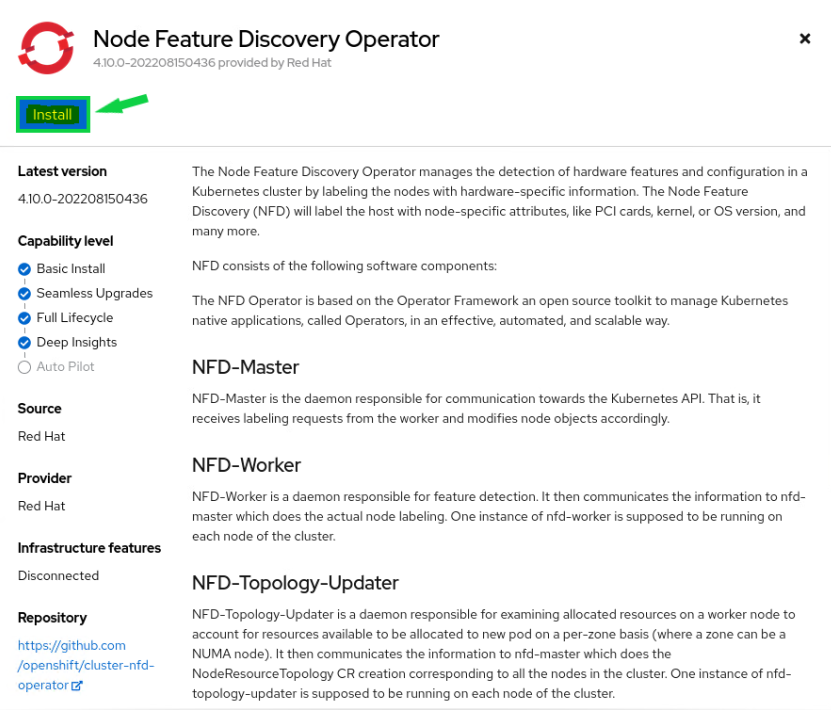
The OpenShift Node Feature Discovery (NFD) manages the detection of hardware features and their configuration in the OpenShift Container Platform. The NFD labels the host with node-specific attributes. Therefore, the NFD is a prerequisite for the NVIDIA GPU Operator. As a cluster administrator, you can install the NFD Operator using the Red Hat OperatorHub catalog in the OpenShift Container Platform web console.

  1. Using the left menu bar, expand the Operators section, and select the OperatorHub.
    Use the search bar to search for the Node Feature Discovery. Two items should be found as results.
    Select the operator that is tagged as the RedHat operator. This is the version supported by Red Hat.
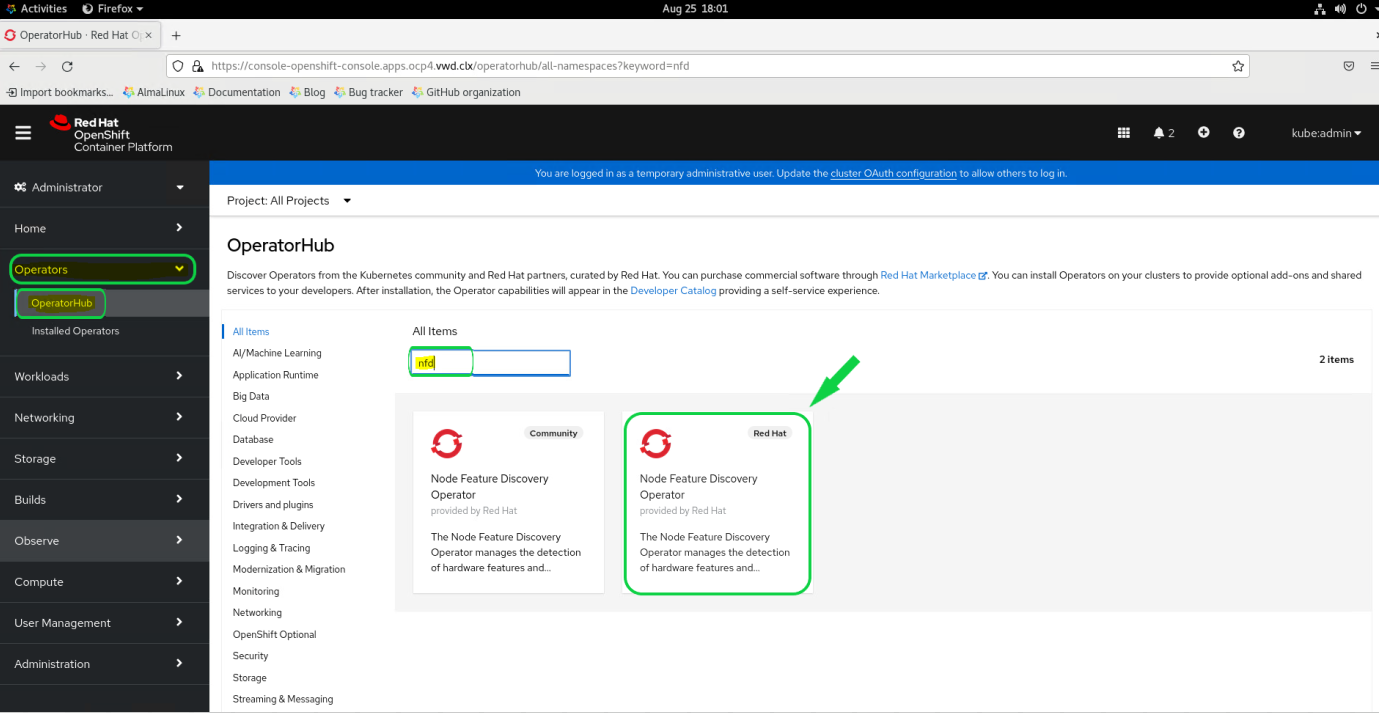
    NFD Install 01.PNG

  2. Click Install.
    NFD Install 02.PNG

  3. The next menu allows you to determine how and where the operator will be installed. You would rarely have to change any of these options.
    Click Install to continue with the defaults.
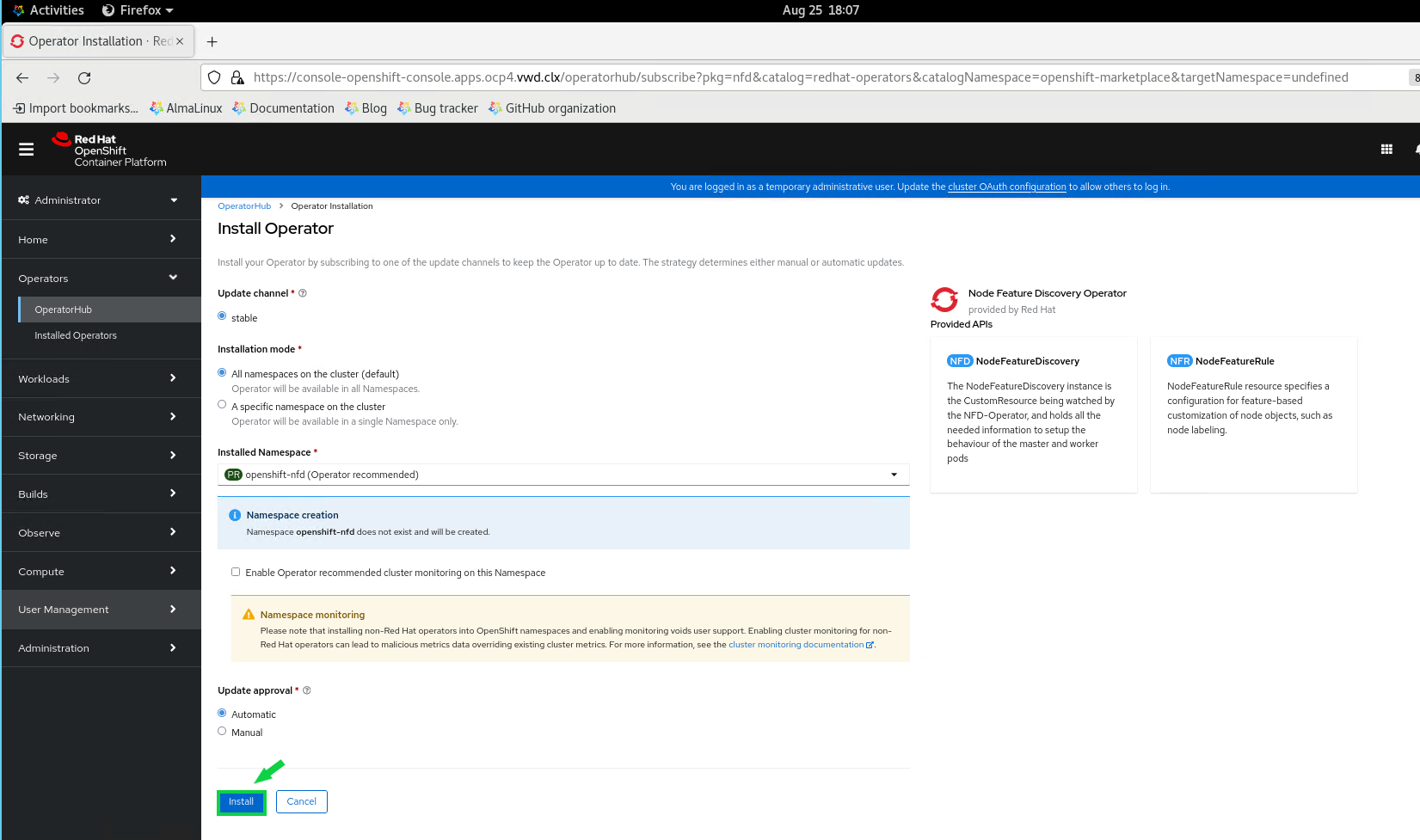
    NFD Install 03.PNG

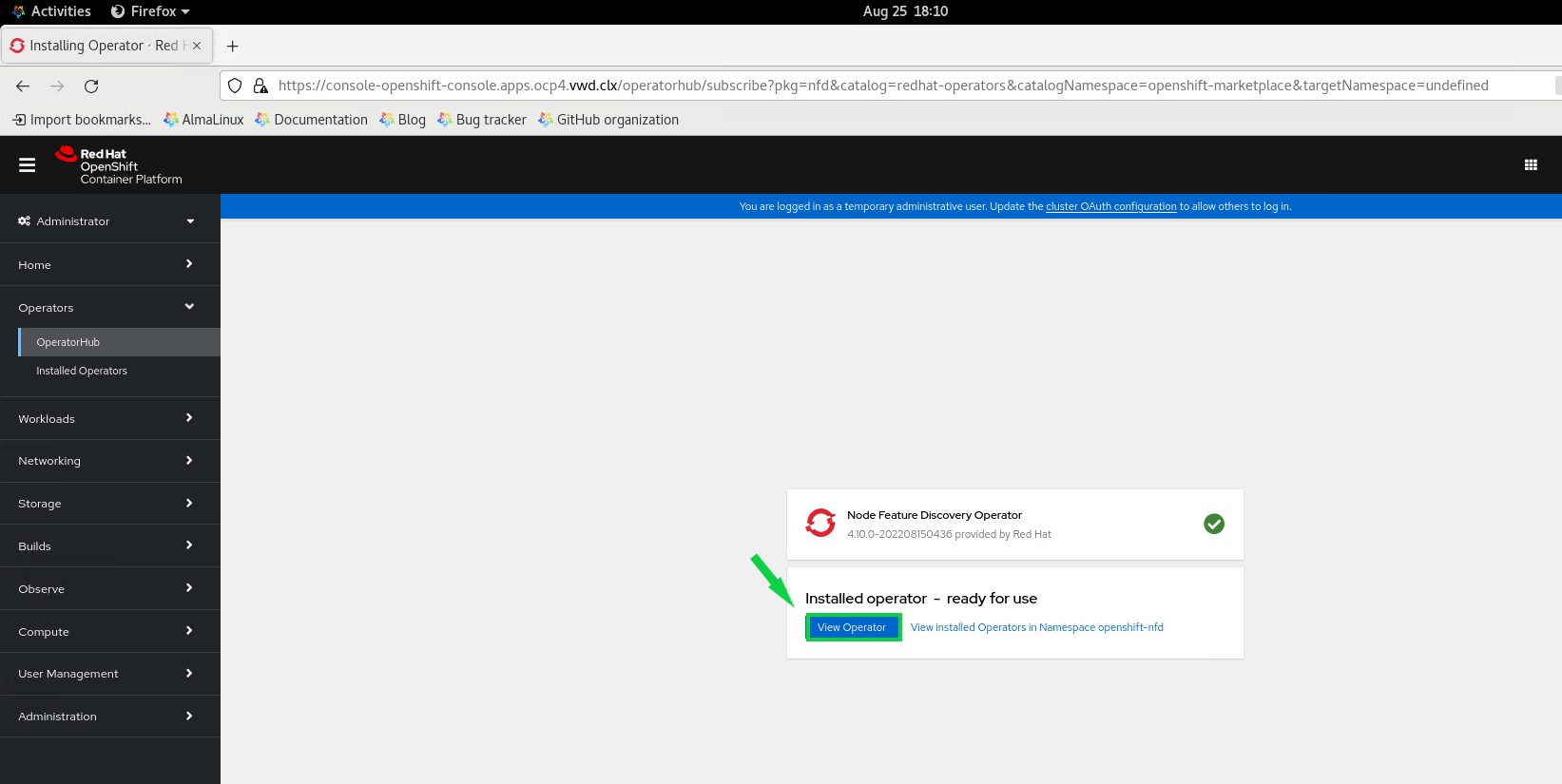
  4. Wait while the NFD operator is being installed. Once you see the “Installed operator - ready for use” status, click View Operator. Notice that you are now in the openshift-nfd project that was created as part of the operator installation.
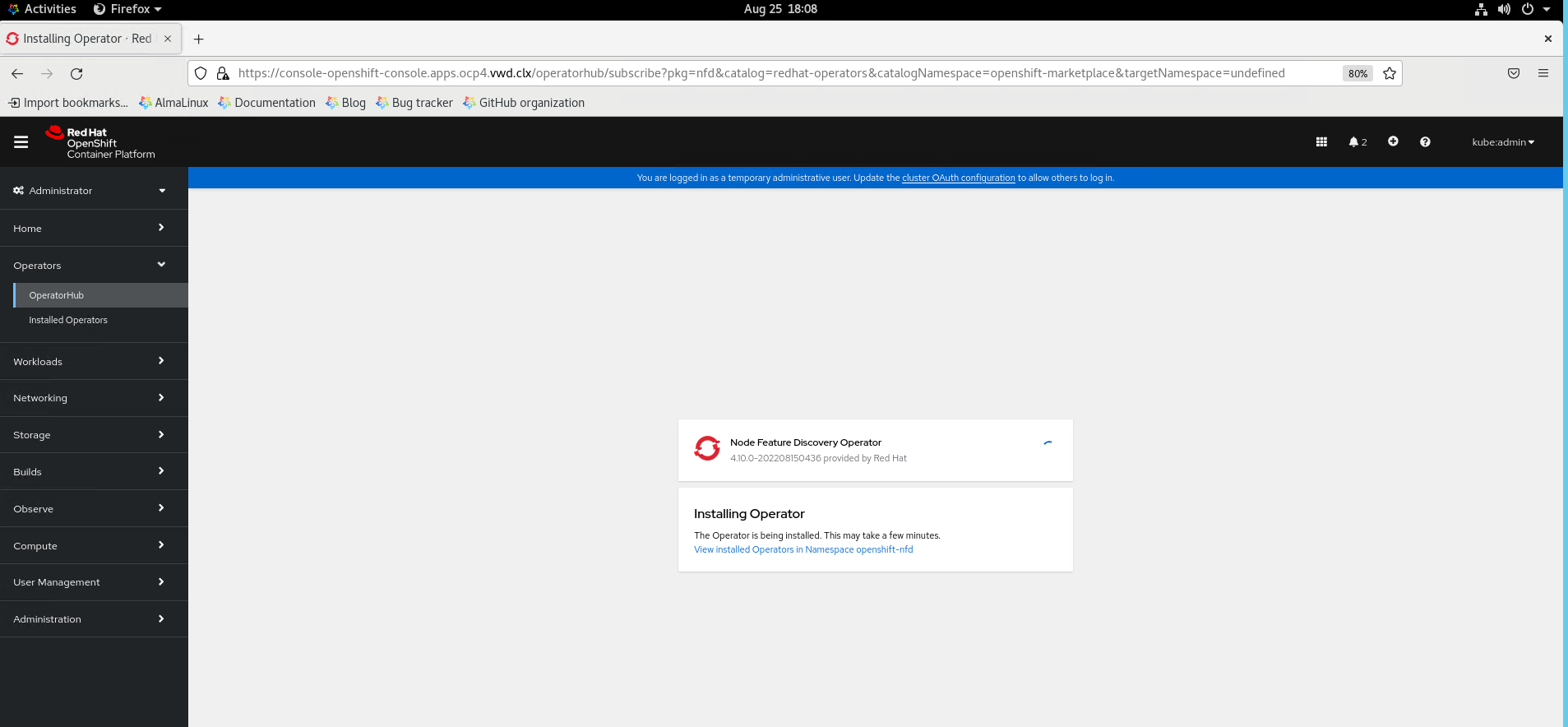
    NFD Install 04.PNG NFD Install 05.PNG

  5. Click the Create Instance button to create a new NFD object.
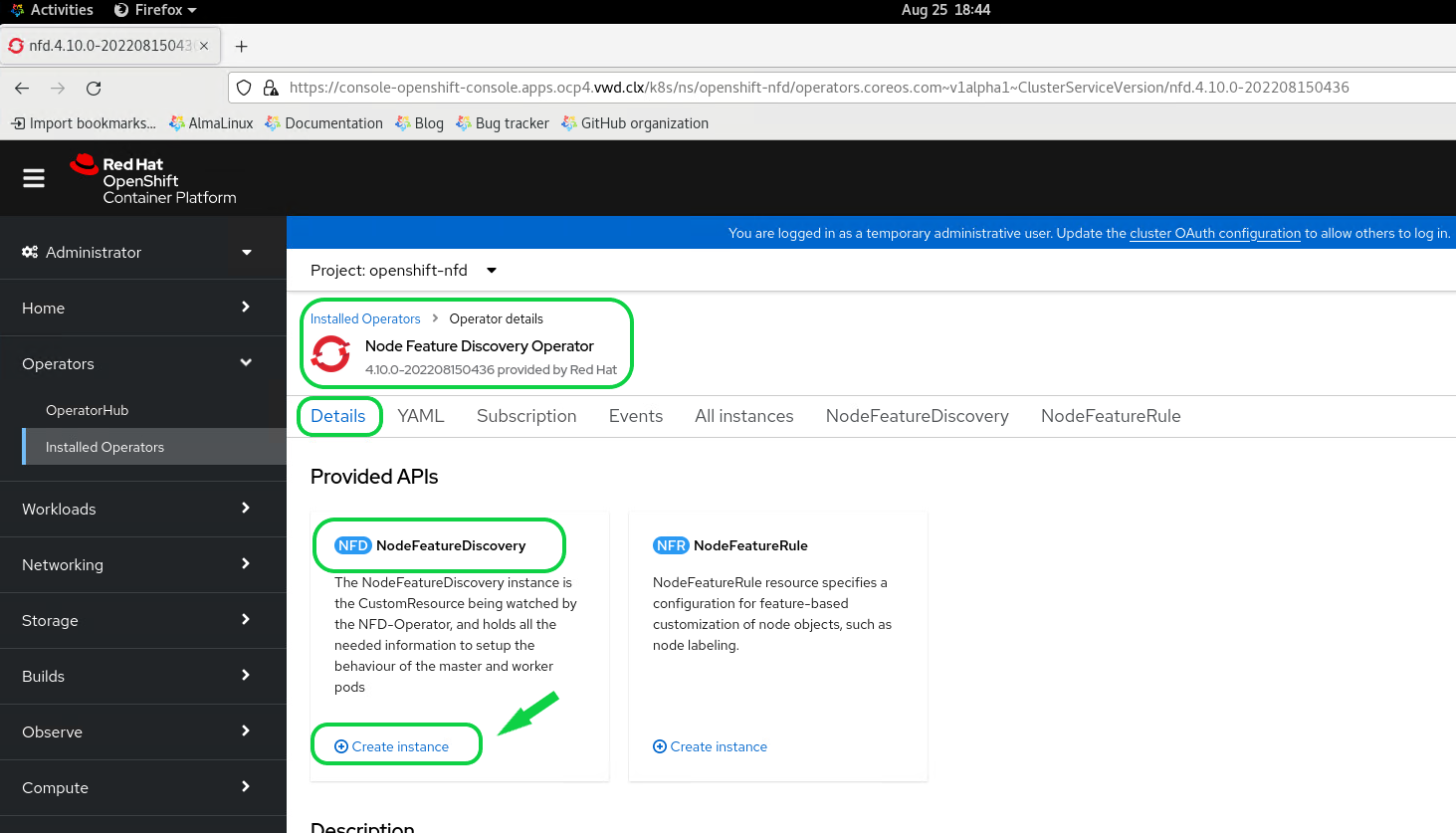
    NFD Install 07.PNG

  6. The next menu provides options to configure how the NFD operator will scan your cluster. For the NFD operator, you would rarely have to change any of the default settings. Click Create to instantiate the NFD resource on your cluster.
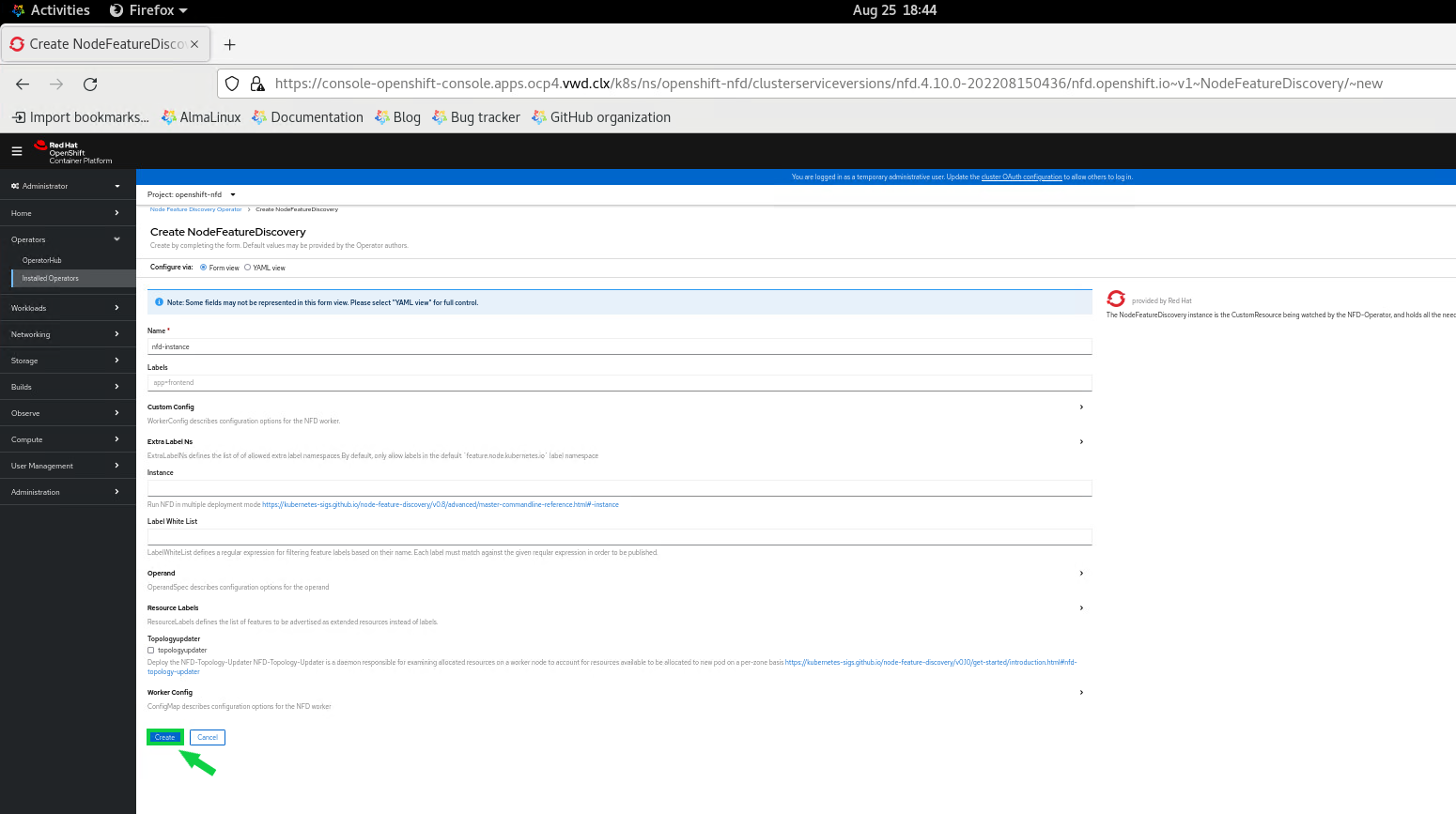
    NFD Install 08.PNG

  7. You will be able to see the installation progress in the Infra Node ssh console. It can take 5 minutes for the NFD installation.
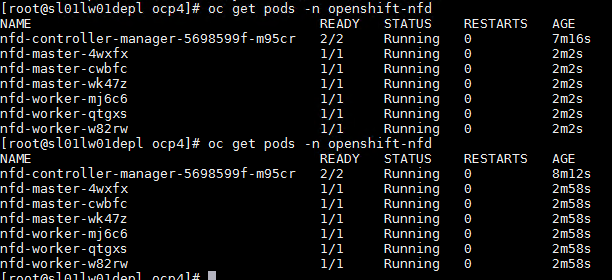
    NFD Install 10.PNG

  8. In the horizontal menu bar, select NodeFeatureDiscovery. You should be able to see one listed instance titled nfd-instance. Wait for the status to show that the deployment is finished.
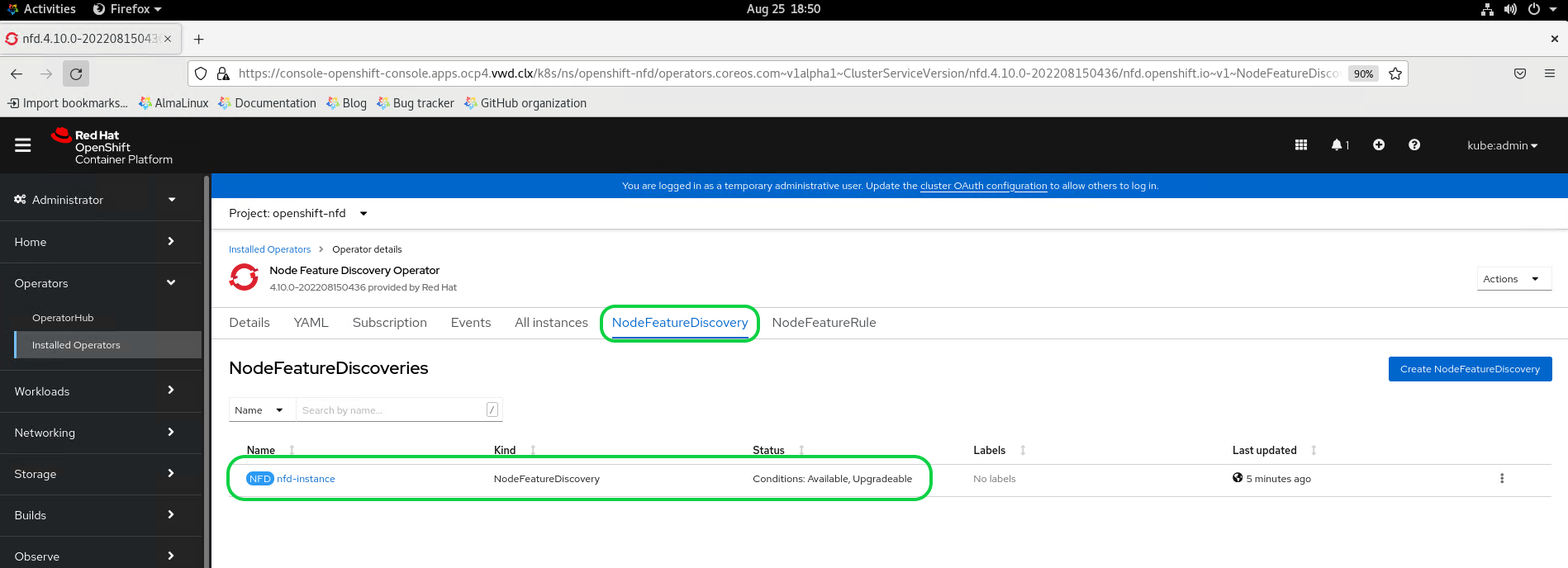
    NFD Install 09.PNG

Enabling a Cluster-wide Entitlement

The NVIDIA Network Operator deploys several PODs that manage and enable NVIDIA High Speed Networking for use in the OpenShift Container Platform. Some of these PODs require packages that are not available by default in the Universal Base Image (UBI) that the OpenShift Container Platform uses. To make packages available, you must enable cluster-wide entitled container builds in OpenShift. To do that, follow the instructions in Enabling a Cluster-wide Entitlement.

By running oc get mcp/worker command. You can see MachineConfigPool object monitor that the MCP is updated, not updating or degraded, so all the MachineConfig resources have been successfully applied to the nodes and you can proceed to validate the cluster.  Emnabling a Cluster wide entitlement.PNG

Installing the NVIDIA Network Operator

Please see the below steps for Network Operator deployment using Web UI.

Before starting, create a namespace for the Network Operator Resources by running [root@sl01lw01depl ocp4-helpernode]# oc create ns nvidia-operator-resources

  1. Using the left menu bar, expand the Operators section, and select the OperatorHub.
    Use the search bar to search for NVIDIA. Two items should be found.
    Select the NVIDIA Network Operator.
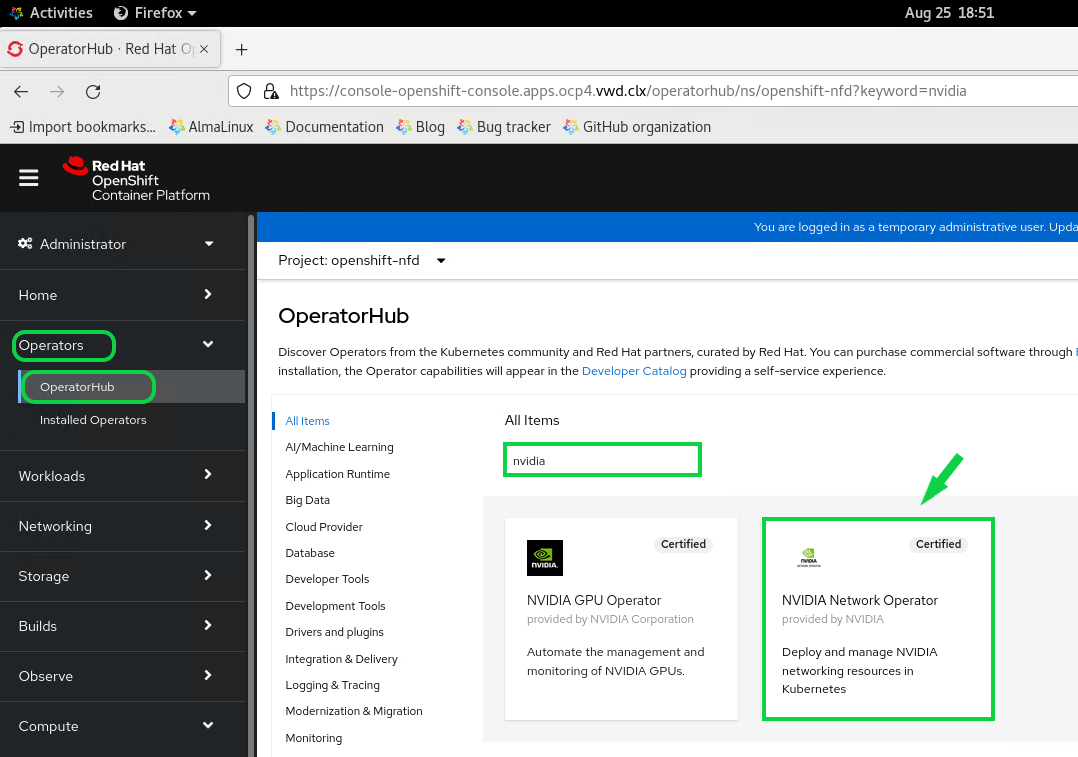
    Network Operator Install 01.PNG

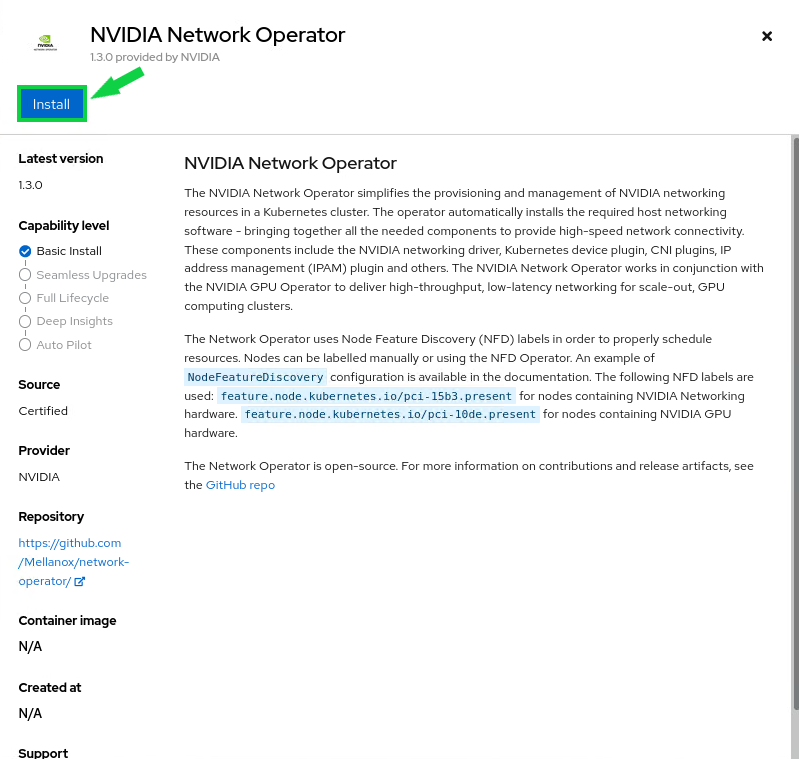
  2. Click Install. Network Operator Install 02.PNG

  3. The next menu allows you to define how and where the operator will be installed. You would rarely have to change any of these options.
    Click Install to continue with the default values. Network Operator Install 03.PNG
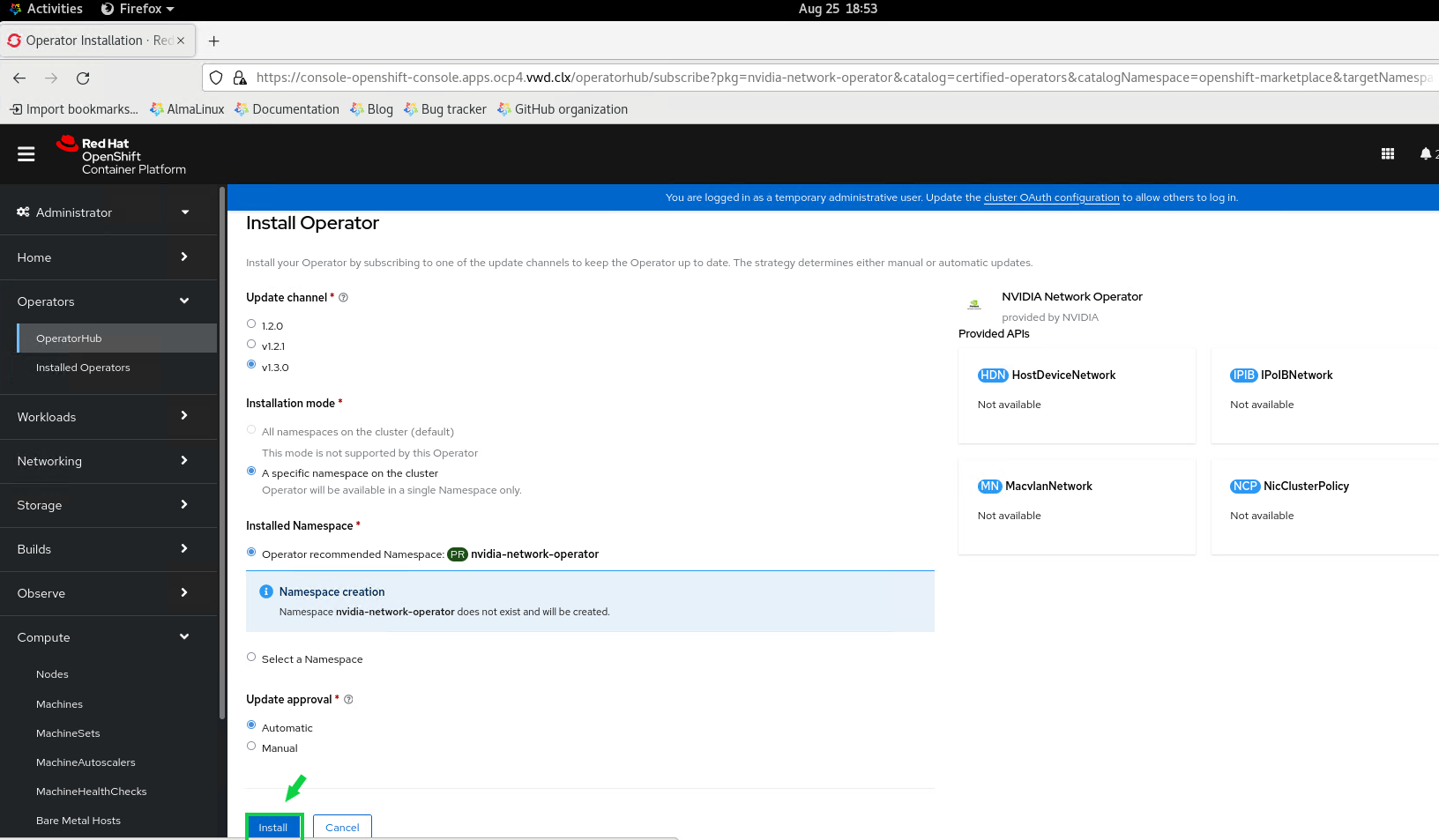
  4. Wait while the NVIDIA Network operator is being installed. Once you see the “Installed operator - ready for use” status, click View Operator.
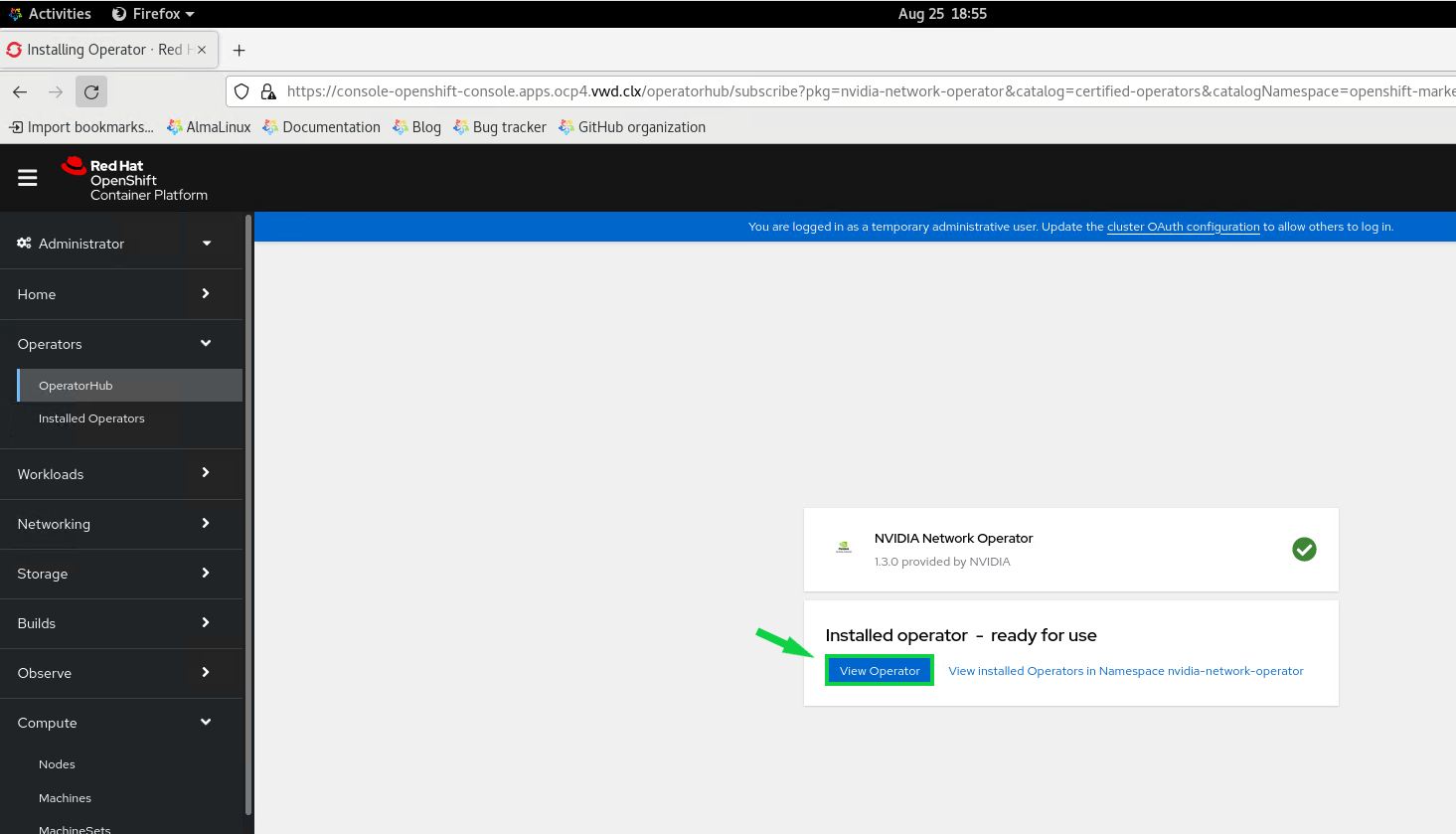
    Network Operator Install 04.PNG

  5. Click the Create Instance button to create a new NicClusterPolicy object.
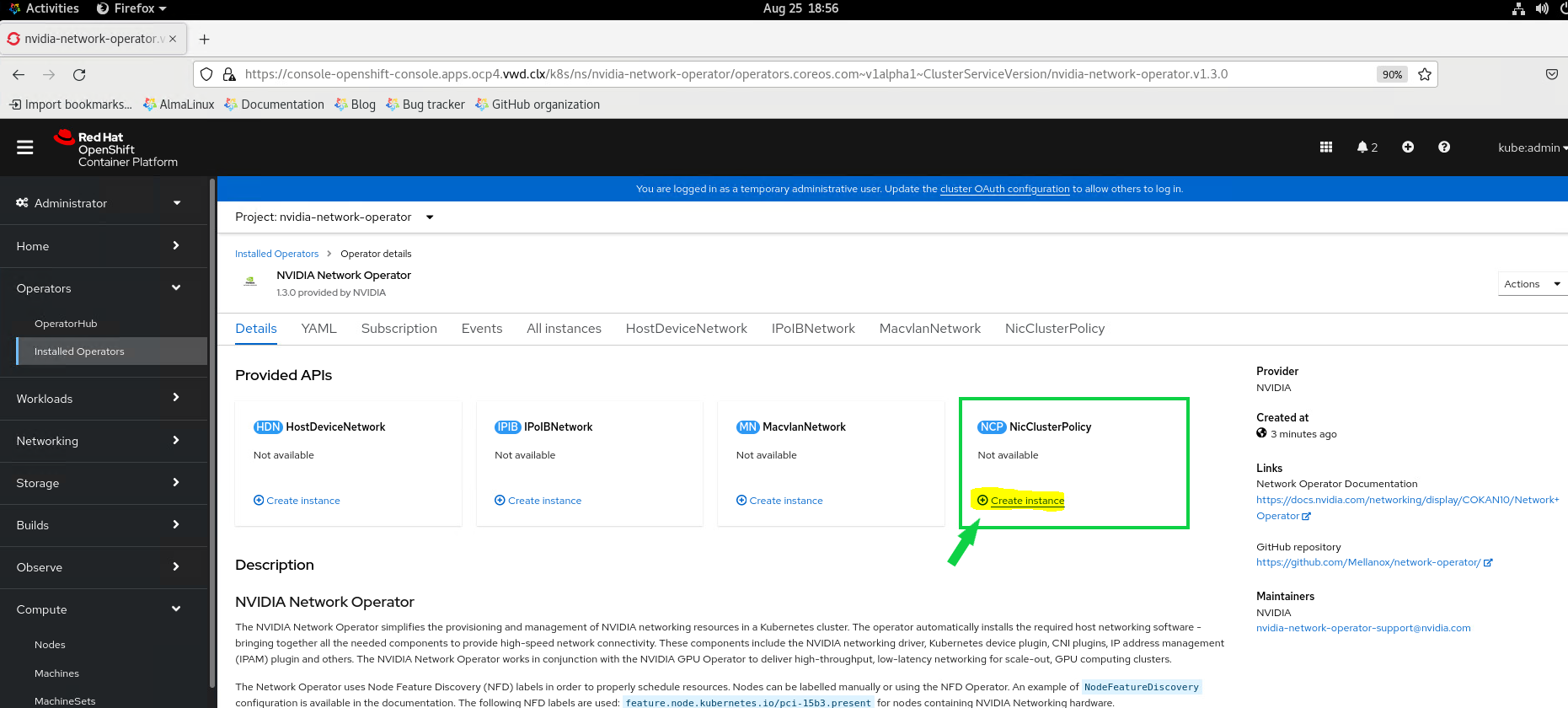
    Network Operator Install 05.PNG

  6. Click on YAML view, and change to the following:

    NicClusterPolicy sample

    apiVersion: mellanox.com/v1alpha1
    kind: NicClusterPolicy
    metadata:
      name: nic-cluster-policy
    spec:
      ofedDriver:
        image: mofed
        livenessProbe:
          initialDelaySeconds: 30
          periodSeconds: 30
        readinessProbe:
          initialDelaySeconds: 10
          periodSeconds: 30
        repository: nvcr.io/nvidia/mellanox
        startupProbe:
          initialDelaySeconds: 10
          periodSeconds: 20
        upgradePolicy:
          autoUpgrade: false
          drain:
            deleteEmptyDir: true
            enable: true
            force: true
            podSelector: ''
            timeoutSeconds: 300
          maxParallelUpgrades: 1
        version: 5.7-1.0.2.0
      sriovDevicePlugin:
        image: sriov-network-device-plugin
        repository: ghcr.io/k8snetworkplumbingwg
        version: a765300344368efbf43f71016e9641c58ec1241b
        config: |
          {
            "resourceList": [
                {
                    "resourcePrefix": "nvidia.com",
                    "resourceName": "host_dev",
                    "selectors": {
                        "vendors": ["15b3"],
                        "isRdma": true
                    }
                }
            ]
          }
    

    Click Create.
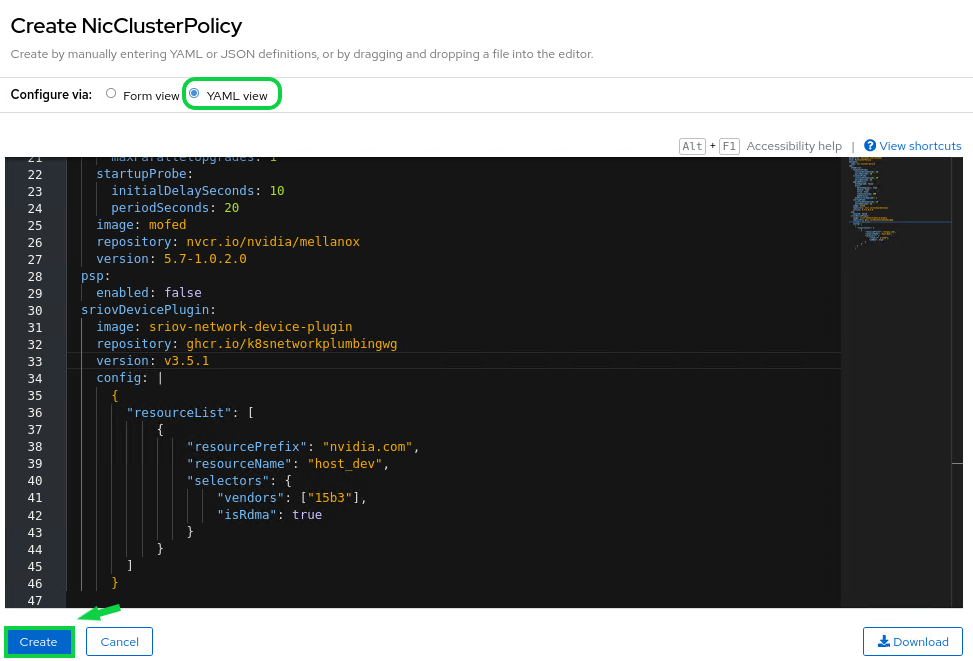
    Network Operator Install 06.PNG

  7. Wait for the status to show State ready. Network Operator Install 07.PNG
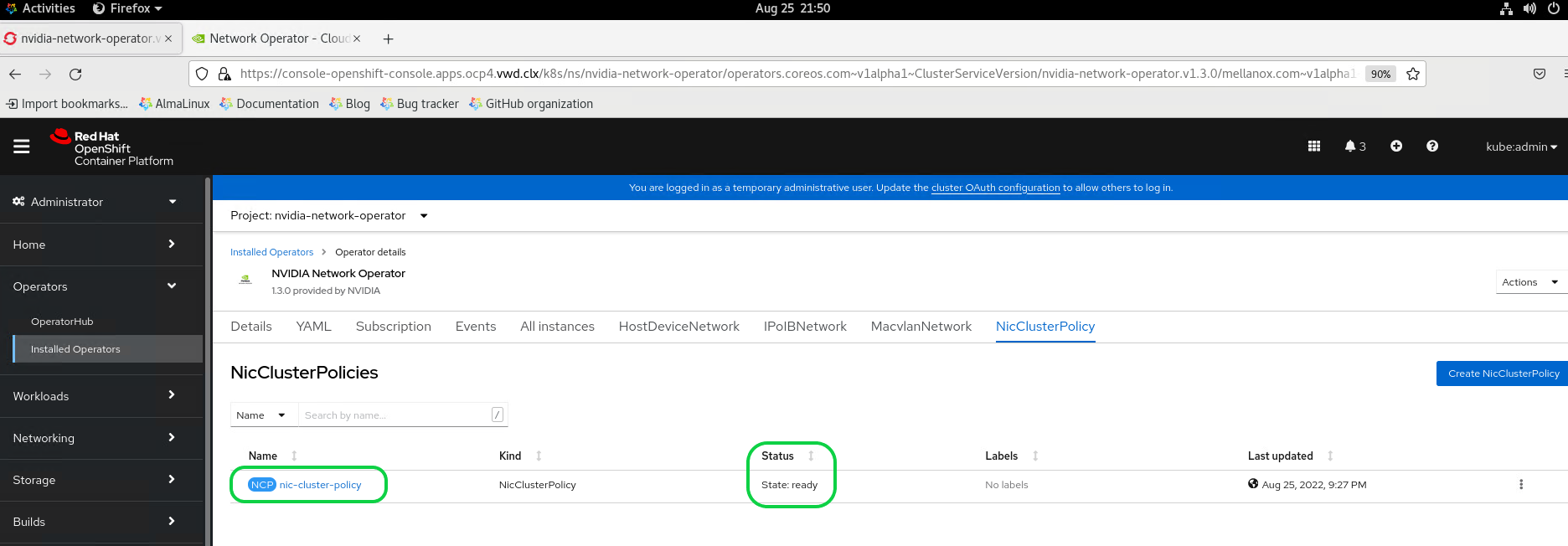
  8. In the horizontal menu bar, select HostDeviceNetwork, and click on Create HostDeviceNetwork to create a new object.
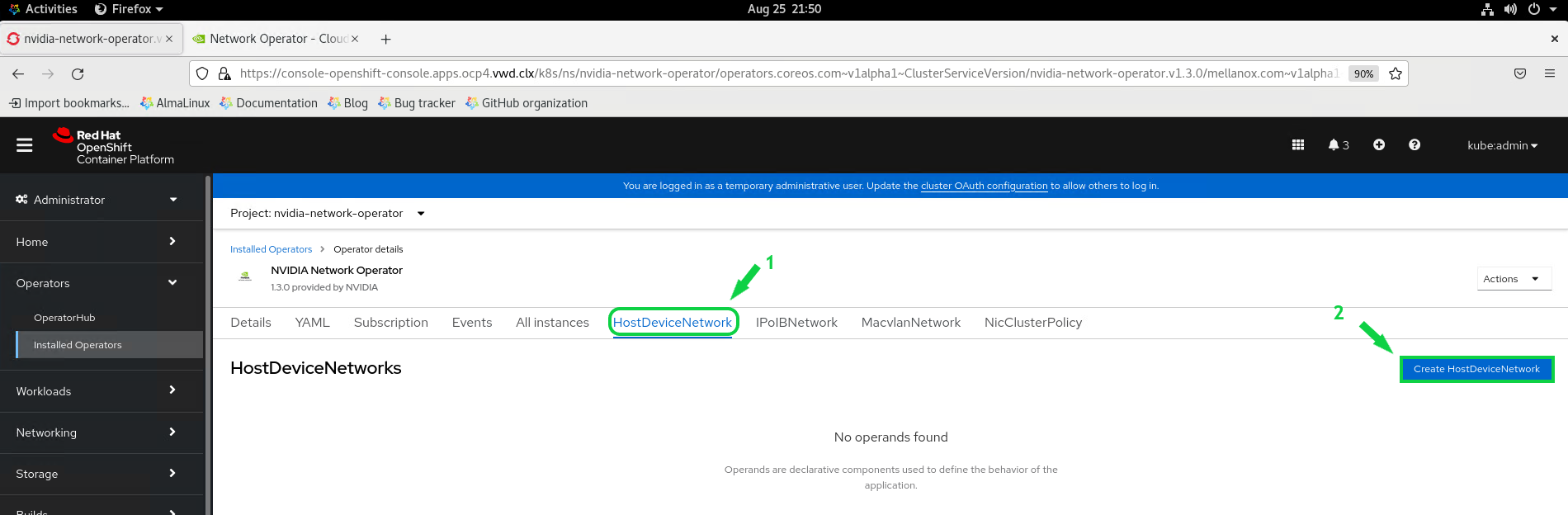
    Network Operator Install 08.PNG

  9. Click on YAML view, and change to the following:

    HostDeviceNetwork sample

    apiVersion: mellanox.com/v1alpha1
    kind: HostDeviceNetwork
    metadata:
      name: hostdev-net
    spec:
      networkNamespace: "default"
      resourceName: "host_dev"
      ipam: |
        {
          "type": "whereabouts",
          "range": "192.168.3.225/28"
        }
    
  10. Click Create. Network Operator Install 09.PNG

  11. Wait for the status to show State ready.
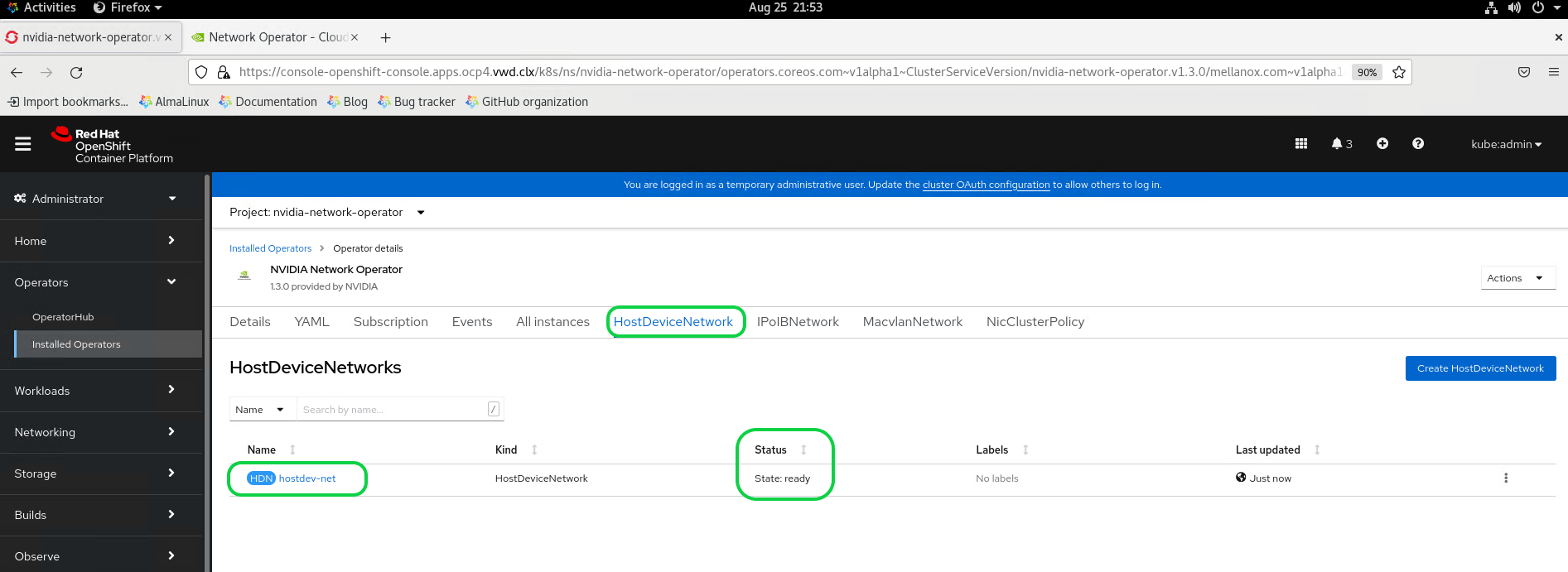
    Network Operator Install 10.PNG

Running the Application

Now it is possible to deploy a sample POD.

K8s CLI VM console
[root@sl01lw01depl ocp4-helpernode]# vim podrdma.yaml
K8s CLI VM console
apiVersion: v1
kind: Pod
metadata:
  name: rdma-test-pod-1
  annotations:
    k8s.v1.cni.cncf.io/networks: hostdev-net
spec:
  restartPolicy: OnFailure
  containers:
  - image: harbor.mellanox.com/nbu-solutions-labs/ubuntu-mlnx-inbox:20.04
    name: rdma-test-ctr
    securityContext:
      capabilities:
        add: [ "IPC_LOCK" ]
    resources:
      limits:
        nvidia.com/host_dev: '1'
      requests:
        nvidia.com/host_dev: '1'
    command:
    - sh
    - -c
    - sleep infinity

A sample of harbor.mellanox.com/nbu-solutions-labs/ubuntu-mlnx-inbox:20.04 docker file:

Docker Sample
FROM ubuntu:20.04
# Ubuntu 20.04 docker container with inbox Mellanox drivers
WORKDIR /tmp/
ENV DEBIAN_FRONTEND=noninteractive
RUN apt-get clean -y && apt-get -y update && apt-get install -y apt-utils udev vim bash && apt-get -y upgrade
RUN apt-get install -y iproute2 rdma-core libibmad5 ibutils ibverbs-utils infiniband-diags perftest \
            mstflint strace iputils-ping
RUN ln -fs /usr/share/zoneinfo/America/New_York /etc/localtime
RUN dpkg-reconfigure --frontend noninteractive tzdata && apt-get clean all -y
CMD bash

Run the following command to create the POD:

K8s CLI VM console
[root@sl01lw01depl ocp4-helpernode]# oc apply -f podrdma.yaml
pod/hostdev-test-pod created

To verify that the POD is running, run:

K8s CLI VM console
[root@sl01lw01depl ocp4-helpernode]# oc get pods -o wide
NAME              READY   STATUS    RESTARTS   AGE     IP            NODE                    NOMINATED NODE   READINESS GATES
rdma-test-pod-1   1/1     Running   0          10s   10.129.3.80   worker02.ocp4.vwd.clx   <none>           <none>

Get a shell for the running container.

K8s CLI VM console
[root@sl01lw01depl ocp4-helpernode]# oc exec -it rdma-test-pod-1 -- bash

Check the available network interfaces in the POD:

K8s CLI VM console
root@rdma-test-pod-1:/tmp# rdma link
link mlx5_0/1 state ACTIVE physical_state LINK_UP netdev net1
  
root@rdma-test-pod-1:/tmp# ip a s
1: lo: <LOOPBACK,UP,LOWER_UP> mtu 65536 qdisc noqueue state UNKNOWN group default qlen 1000
    link/loopback 00:00:00:00:00:00 brd 00:00:00:00:00:00
    inet 127.0.0.1/8 scope host lo
       valid_lft forever preferred_lft forever
    inet6 ::1/128 scope host
       valid_lft forever preferred_lft forever
3: eth0@if2890: <BROADCAST,MULTICAST,UP,LOWER_UP> mtu 1450 qdisc noqueue state UP group default
    link/ether 0a:58:0a:81:03:50 brd ff:ff:ff:ff:ff:ff link-netnsid 0
    inet 10.129.3.80/23 brd 10.129.3.255 scope global eth0
       valid_lft forever preferred_lft forever
    inet6 fe80::c05d:6ff:fe08:84ad/64 scope link
       valid_lft forever preferred_lft forever
161: net1: <BROADCAST,MULTICAST,UP,LOWER_UP> mtu 1500 qdisc mq state UP group default qlen 1000
    link/ether 00:50:56:a2:9b:7f brd ff:ff:ff:ff:ff:ff
    inet 192.168.3.225/28 brd 192.168.3.239 scope global net1
       valid_lft forever preferred_lft forever
    inet6 fe80::250:56ff:fea2:9b7f/64 scope link
       valid_lft forever preferred_lft forever

Verification

Check the RDMA

To check the RDMA, deploy the second POD. Open an additional console window, and run the following:

K8s CLI VM console
[root@sl01lw01depl ocp4-helpernode]# vim podrdma2.yaml
K8s CLI VM console
apiVersion: v1
kind: Pod
metadata:
  name: rdma-test-pod-2
  annotations:
    k8s.v1.cni.cncf.io/networks: hostdev-net
spec:
  restartPolicy: OnFailure
  containers:
  - image: harbor.mellanox.com/nbu-solutions-labs/ubuntu-mlnx-inbox:20.04
    name: rdma-test-ctr
    securityContext:
      capabilities:
        add: [ "IPC_LOCK" ]
    resources:
      limits:
        nvidia.com/host_dev: '1'
      requests:
        nvidia.com/host_dev: '1'
    command:
    - sh
    - -c
    - sleep infinity

Run the following command to run the second POD:

K8s CLI VM console
[root@sl01lw01depl ocp4-helpernode]# oc apply -f podrdma2.yaml
pod/hostdev-test-pod-2 created

Verify that two PODs are running on different Worker Nodes.

K8s CLI VM console
[root@sl01lw01depl ocp4-helpernode]# oc get pods -o wide
NAME              READY   STATUS    RESTARTS   AGE     IP            NODE                    NOMINATED NODE   READINESS GATES
rdma-test-pod-1   1/1     Running   0          102s   10.129.3.80   worker02.ocp4.vwd.clx   <none>           <none>
rdma-test-pod-2   1/1     Running   0          83s    10.128.2.18   worker03.ocp4.vwd.clx   <none>           <none>

As you can see, the first rdma-test-pod-1 POD is running on the worker02 worker, and the second rdma-test-pod-2 POD is running on the worker03 worker.

Get a shell for the second running container.

K8s CLI VM console
[root@sl01lw01depl ocp4]# oc exec -it rdma-test-pod-2 -- bash

Check the available network interfaces in the POD.

K8s CLI VM console
root@rdma-test-pod-1:/tmp# rdma link
link mlx5_0/1 state ACTIVE physical_state LINK_UP netdev net1

root@hostdev-test-pod-2:/tmp# ip a s
1: lo: <LOOPBACK,UP,LOWER_UP> mtu 65536 qdisc noqueue state UNKNOWN group default qlen 1000
    link/loopback 00:00:00:00:00:00 brd 00:00:00:00:00:00
    inet 127.0.0.1/8 scope host lo
       valid_lft forever preferred_lft forever
    inet6 ::1/128 scope host
       valid_lft forever preferred_lft forever
3: eth0@if30: <BROADCAST,MULTICAST,UP,LOWER_UP> mtu 1450 qdisc noqueue state UP group default
    link/ether 0a:58:0a:80:02:12 brd ff:ff:ff:ff:ff:ff link-netnsid 0
    inet 10.128.2.18/23 brd 10.128.3.255 scope global eth0
       valid_lft forever preferred_lft forever
    inet6 fe80::3415:caff:fed9:b936/64 scope link
       valid_lft forever preferred_lft forever
26: net1: <BROADCAST,MULTICAST,UP,LOWER_UP> mtu 1500 qdisc mq state UP group default qlen 1000
    link/ether 00:50:56:a2:2e:a2 brd ff:ff:ff:ff:ff:ff
    inet 192.168.3.226/28 brd 192.168.3.239 scope global net1
       valid_lft forever preferred_lft forever
    inet6 fe80::250:56ff:fea2:2ea2/64 scope link
       valid_lft forever preferred_lft forever


Now you can run the ib_write_bw (InfiniBand write bandwidth) tool as part of the Perftest Package by running the following:

Go back to the first running container shell window, and run:

K8s CLI VM console
root@rdma-test-pod-1:/tmp# ib_write_bw  -F -d mlx5_0 --report_gbits

************************************
* Waiting for client to connect... *
************************************

Back to the additional running container shell window. And run.

K8s CLI VM console
root@rdma-test-pod-2:/tmp# ib_write_bw  -F 192.168.3.225 -d mlx5_0 --report_gbits

Result:

K8s CLI VM console
On Client side.
---------------------------------------------------------------------------------------
                    RDMA_Write BW Test
 Dual-port       : OFF          Device         : mlx5_0
 Number of qps   : 1            Transport type : IB
 Connection type : RC           Using SRQ      : OFF
 TX depth        : 128
 CQ Moderation   : 100
 Mtu             : 1024[B]
 Link type       : Ethernet
 GID index       : 2
 Max inline data : 0[B]
 rdma_cm QPs     : OFF
 Data ex. method : Ethernet
---------------------------------------------------------------------------------------
 local address: LID 0000 QPN 0x00c8 PSN 0xae9396 RKey 0x020b05 VAddr 0x007f1fd458a000
 GID: 00:00:00:00:00:00:00:00:00:00:255:255:192:168:03:226
 remote address: LID 0000 QPN 0x00c8 PSN 0x5fc1b8 RKey 0x020b05 VAddr 0x007f1c19487000
 GID: 00:00:00:00:00:00:00:00:00:00:255:255:192:168:03:225
---------------------------------------------------------------------------------------
 #bytes     #iterations    BW peak[Gb/sec]    BW average[Gb/sec]   MsgRate[Mpps]
 65536      5000             90.52              90.52              0.172651
---------------------------------------------------------------------------------------

On Server side.  
************************************
* Waiting for client to connect... *
************************************
---------------------------------------------------------------------------------------
                    RDMA_Write BW Test
 Dual-port       : OFF          Device         : mlx5_0
 Number of qps   : 1            Transport type : IB
 Connection type : RC           Using SRQ      : OFF
 CQ Moderation   : 100
 Mtu             : 1024[B]
 Link type       : Ethernet
 GID index       : 2
 Max inline data : 0[B]
 rdma_cm QPs     : OFF
 Data ex. method : Ethernet
---------------------------------------------------------------------------------------
 local address: LID 0000 QPN 0x00c8 PSN 0x5fc1b8 RKey 0x020b05 VAddr 0x007f1c19487000
 GID: 00:00:00:00:00:00:00:00:00:00:255:255:192:168:03:225
 remote address: LID 0000 QPN 0x00c8 PSN 0xae9396 RKey 0x020b05 VAddr 0x007f1fd458a000
 GID: 00:00:00:00:00:00:00:00:00:00:255:255:192:168:03:226
---------------------------------------------------------------------------------------
 #bytes     #iterations    BW peak[Gb/sec]    BW average[Gb/sec]   MsgRate[Mpps]
 65536      5000             90.52              90.52              0.172651
---------------------------------------------------------------------------------------


The performance results listed in this document are indicative and should not be considered as formal performance targets for NVIDIA products.


To run DPDK application, please see the following document: RDG: DPDK Applications on SR-IOV Enabled Kubernetes Cluster with NVIDIA Network Operator.


Done!

Authors


BK.jpg

Boris Kovalev

Boris Kovalev has worked for the past several years as a Solutions Architect, focusing on NVIDIA Networking/Mellanox technology, and is responsible for complex machine learning, Big Data and advanced VMware-based cloud research and design. Boris previously spent more than 20 years as a senior consultant and solutions architect at multiple companies, most recently at VMware. He has written multiple reference designs covering VMware, machine learning, Kubernetes, and container solutions which are available at the NVIDIA Documents website.


VR.jpg

Vitaliy Razinkov

Vitaliy Razinkov is a Solutions Architect on the NVIDIA Networking team, specializing in complex Kubernetes, OpenShift, and Microsoft solutions. With over 25 years of experience in senior technical roles, he brings deep expertise in designing and implementing advanced infrastructures. Vitaliy has authored several reference design guides on Microsoft technologies, RoCE/RDMA-accelerated machine learning in Kubernetes/OpenShift, and containerized solutions—all available on the NVIDIA Networking Documentation site.


Last updated: