

A non-optimal link is a link between two ports that is configured to operate at a certain speed and width and is operating at a lower rate. The Non-optimal links feature helps you identify potential link failures and reduce fabric inefficiencies.
Non-optimal links can be any of the following:
-
NDR links that operate in HDR, EDR, FDR, QDR, DDR or SDR mode
-
HDR links that operate in EDR, FDR, QDR, DDR or SDR mode
-
EDR links that operate in FDR, QDR, DDR or SDR mode
-
FDR links that operate in QDR, DDR or SDR mode
-
QDR links that operate in DDR or SDR mode
-
4X links that operate in 1X mode
The Non-Optimal Links window allows you to set the preferred action for non-optimal links.
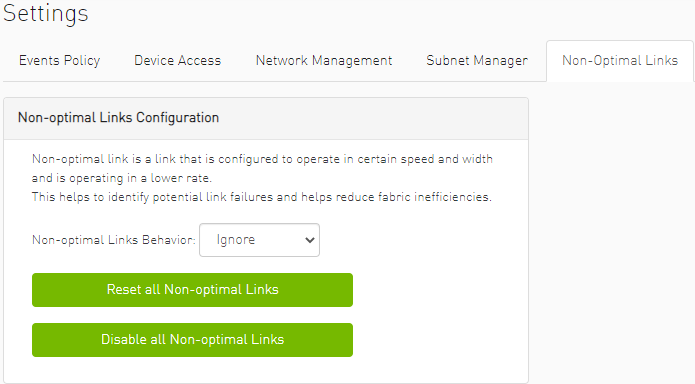
To set the non-optimal links policy:
From the drop-down menu, select the action for Non-optimal Links behavior.
The drop-down menu defines the default behavior. Options are: Ignore (default), Disable, and Reset.
|
Option |
Description |
|---|---|
|
Ignore |
Ignore the non-optimal links |
|
Reset |
Reset all non-optimal links ports |
|
Disable |
Disable all non-optimal links ports |
Reset all Non-Optimal Links allows users to reset all current non-optimal links ports on-demand.
Disable all Non-Optimal Links allows users to disable all current non-optimal links ports on-demand.
Last updated: