

-
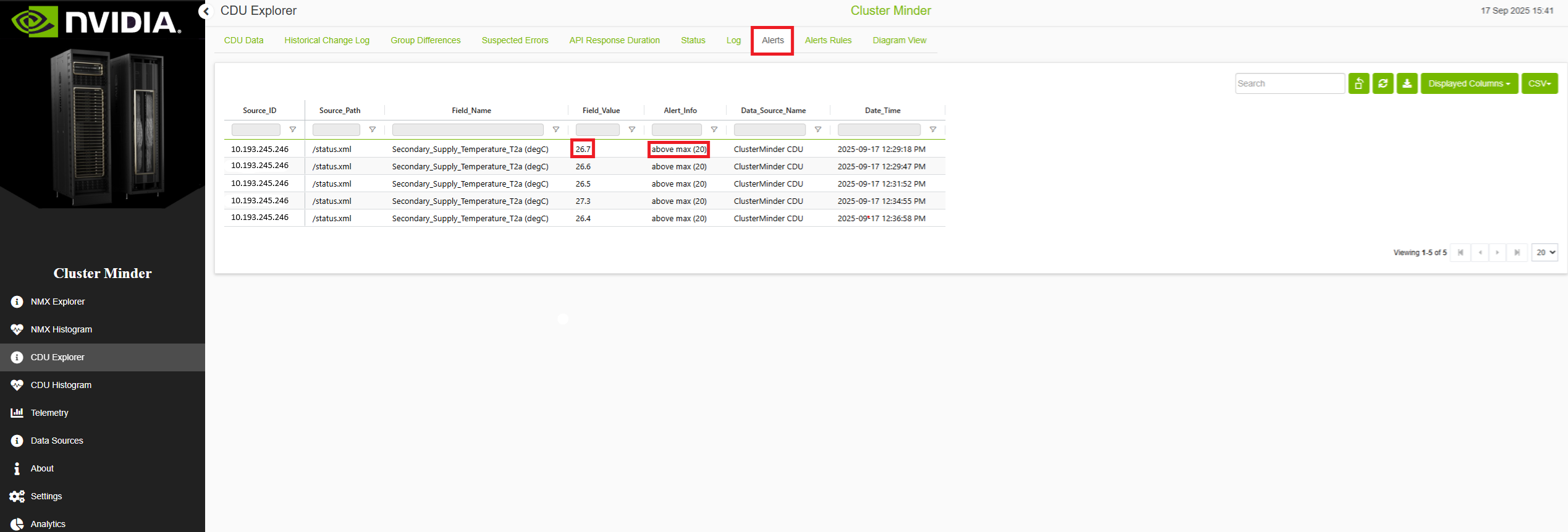
Alerts tab — displays all fields whose values meet or violate user-defined thresholds. By default, endpoint status changes (Up ↔ Failed to connect) are monitored. When an alert resolves, a notification is sent based on your configured settings.
-
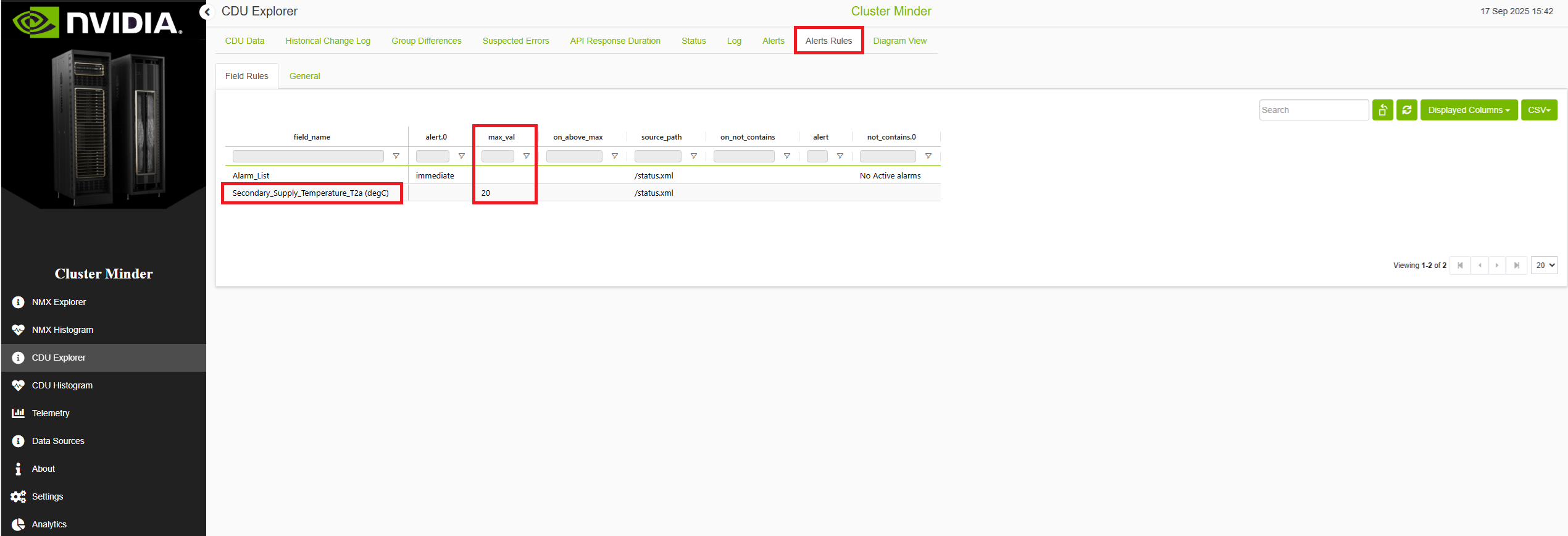
Alert Rules tab — lists all created alert rules. The
containsandnot containsconditions support regex.
Updating Alerts
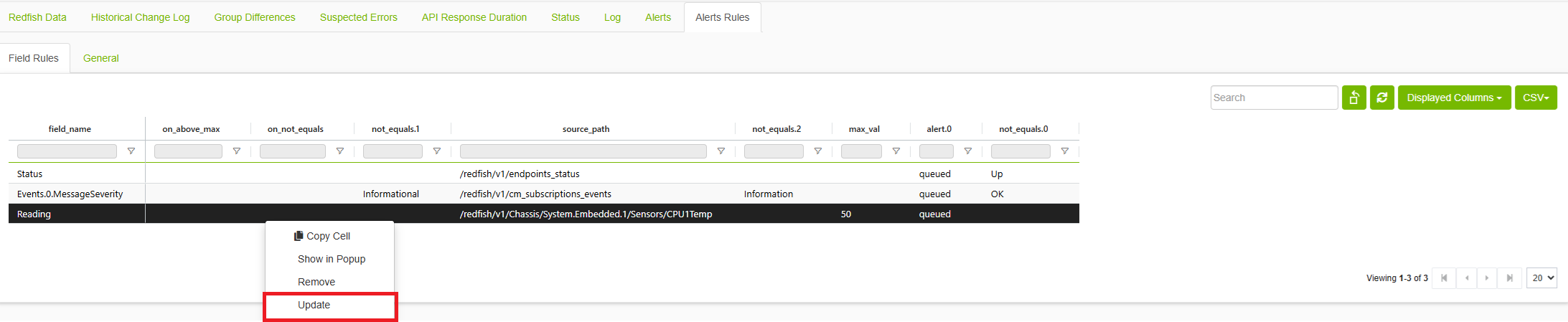
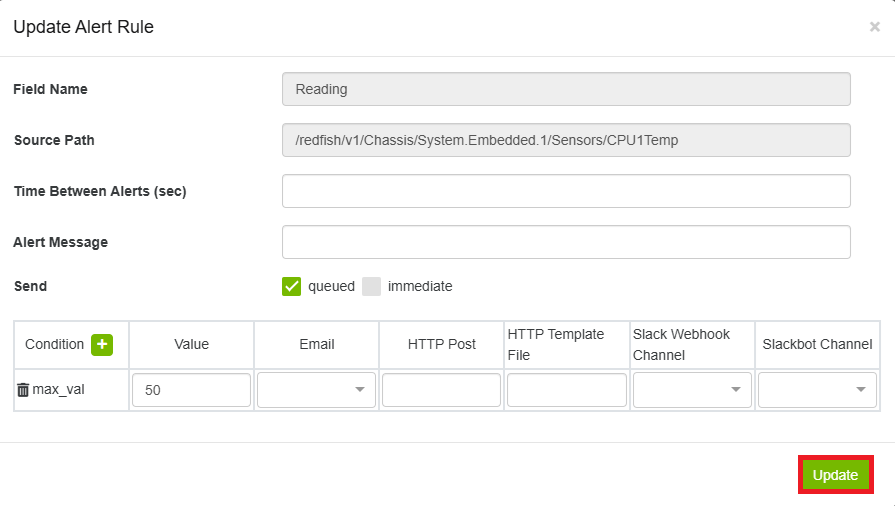
Right-click any alert rule and select Update to modify the following parameters:
-
Field name and source path to monitor
-
Threshold conditions (equals, not equals, contains, and so on)
-
Alert actions (immediate, queued)
-
Email notifications and frequency settings
-
Slack notifications via incoming webhook
-
Slack notifications via Slack bot
-
Minimum time between alerts
Click Update to save your changes.
Removing Alert Rules
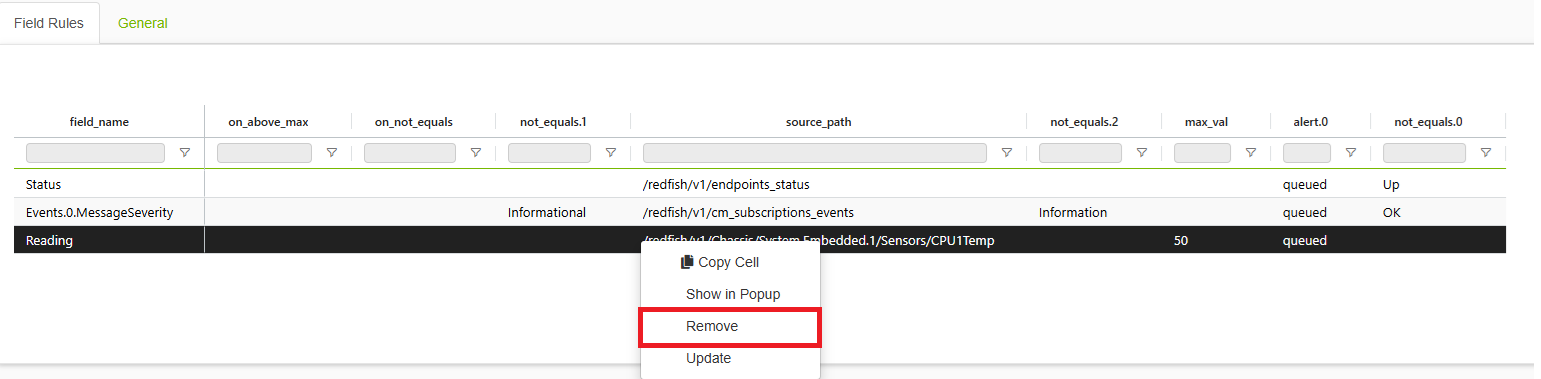
To remove an alert rule from the Alerts Rules tab:
-
Right-click the alert rule you want to delete.
-
Select Remove from the context menu.
Removing Alerts
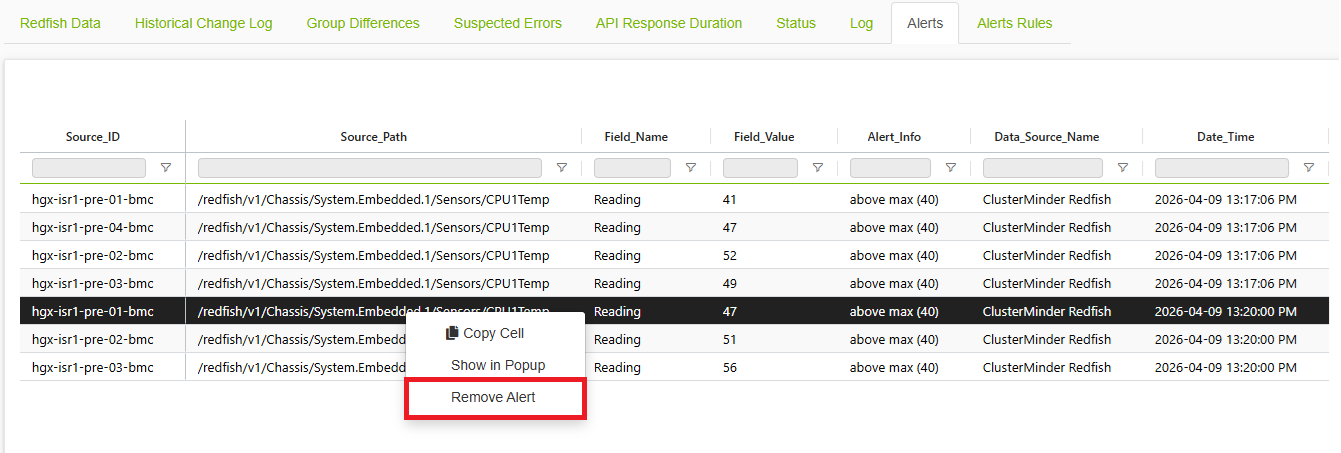
To remove an alert from the Alerts tab:
-
Right-click the alert you want to remove.
-
Select Remove Alert from the context menu.
The alert is removed and the table refreshes automatically.
Last updated: