UFM fabric health report contains the results of a series of checks that run on the fabric.
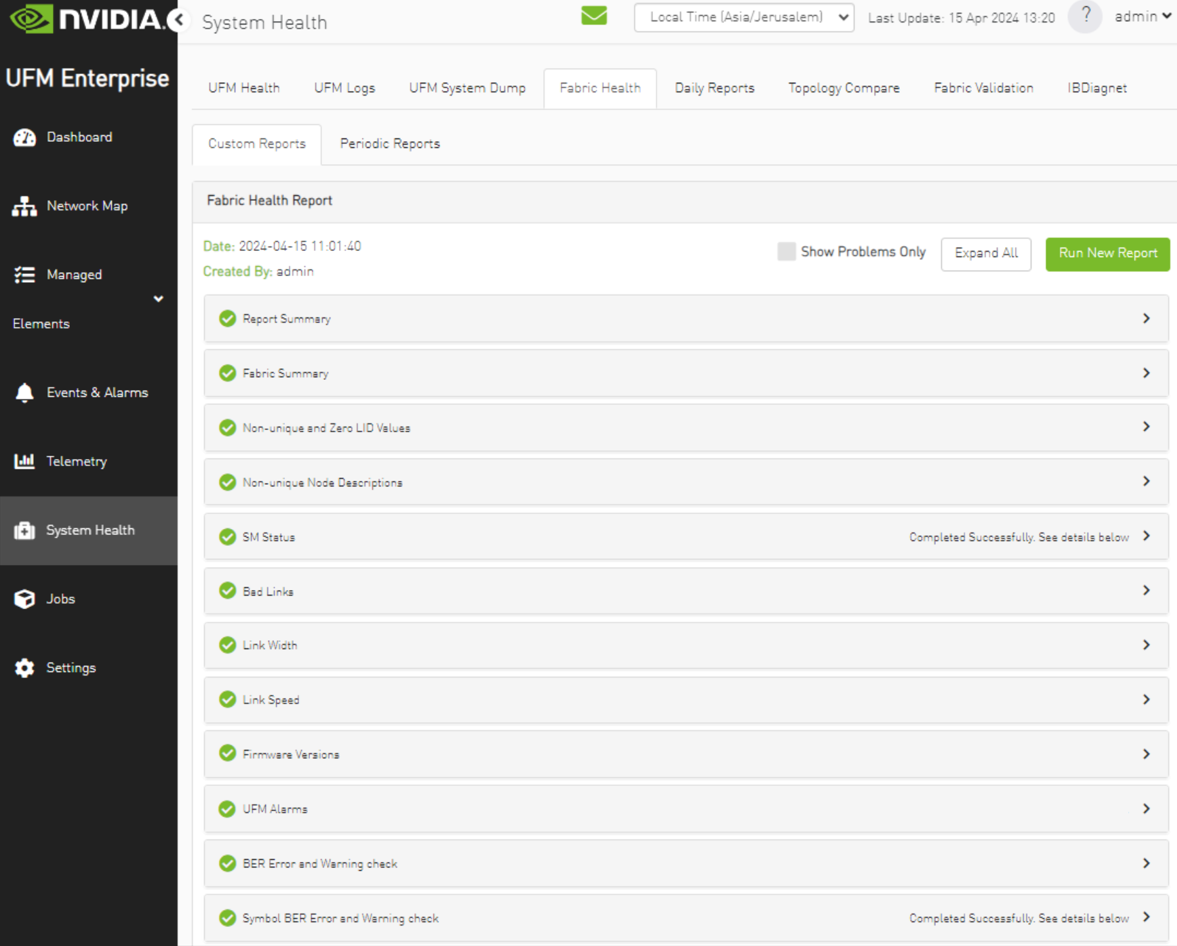
The report displays, the following:
-
A report summary table of the errors and warnings generated by the report
-
A fabric summary of the devices and ports in the fabric
-
Details of the results of each check run by the report
To generate fabric health report and verifying all sections are green, perform the following steps using Web UI:
-
Access the "System Health" tab on the left menu
-
Under "Fabric Health"
-
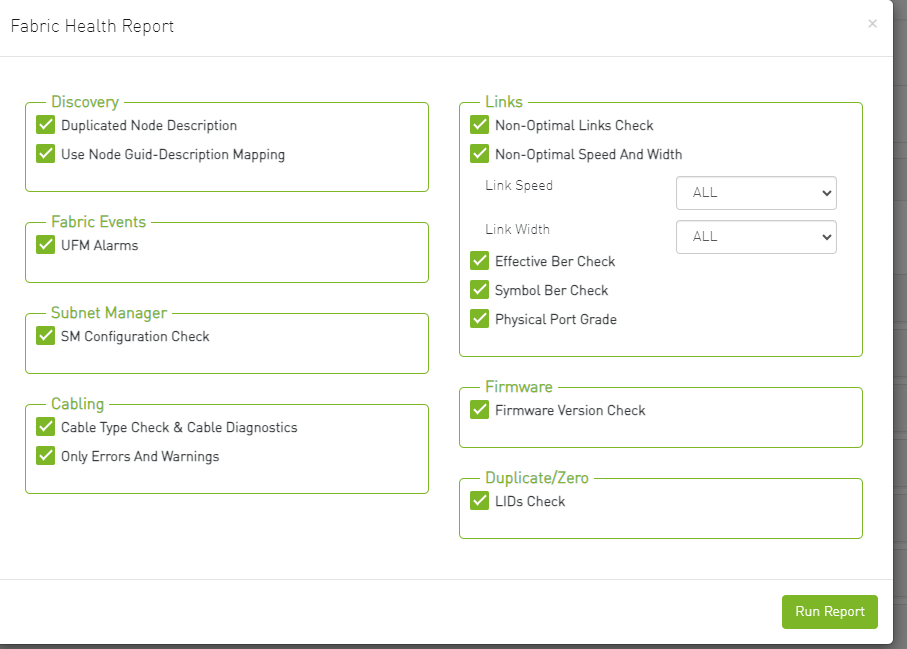
Click on "Run New Report" under the "Fabric Health" section
-
check all checkboxes
-
Confirm that all fields are indicating green status
-
For detailed instructions, refer Fabric Health Tab
-
-
Under "Fabric Validation"
-
Run the available tests
-
Verify the outcomes as either "Pass" or "Completed with No Errors"
-
For detailed instructions, see Fabric Validation Tab
-
-
Furthermore, it is recommended to conduct remote REST API tests from a remote node. This can be done using the REST APIs described in the following links:
-
Expected report, without errors and alarms:
Example of errors and alarms in the health report:
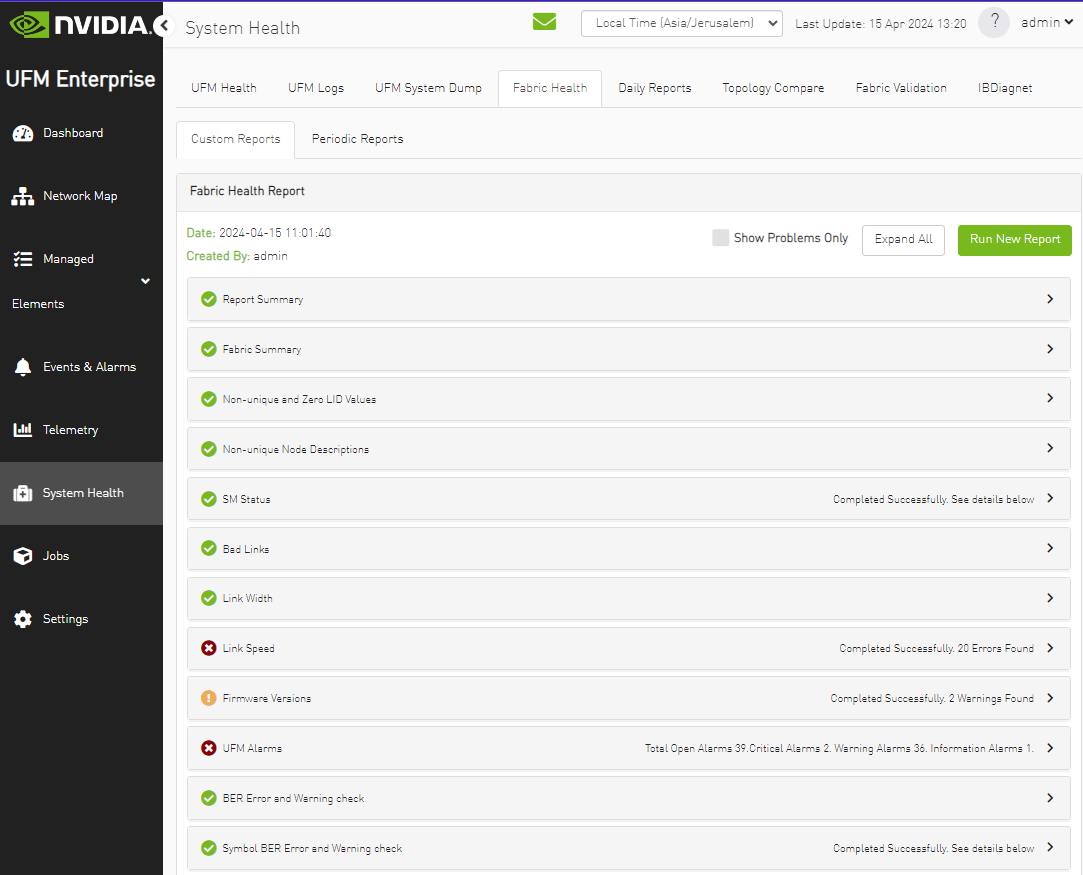
For errors and alarms, see UFM Events and Alarms and contact NVIDIA Support.
Last updated: