

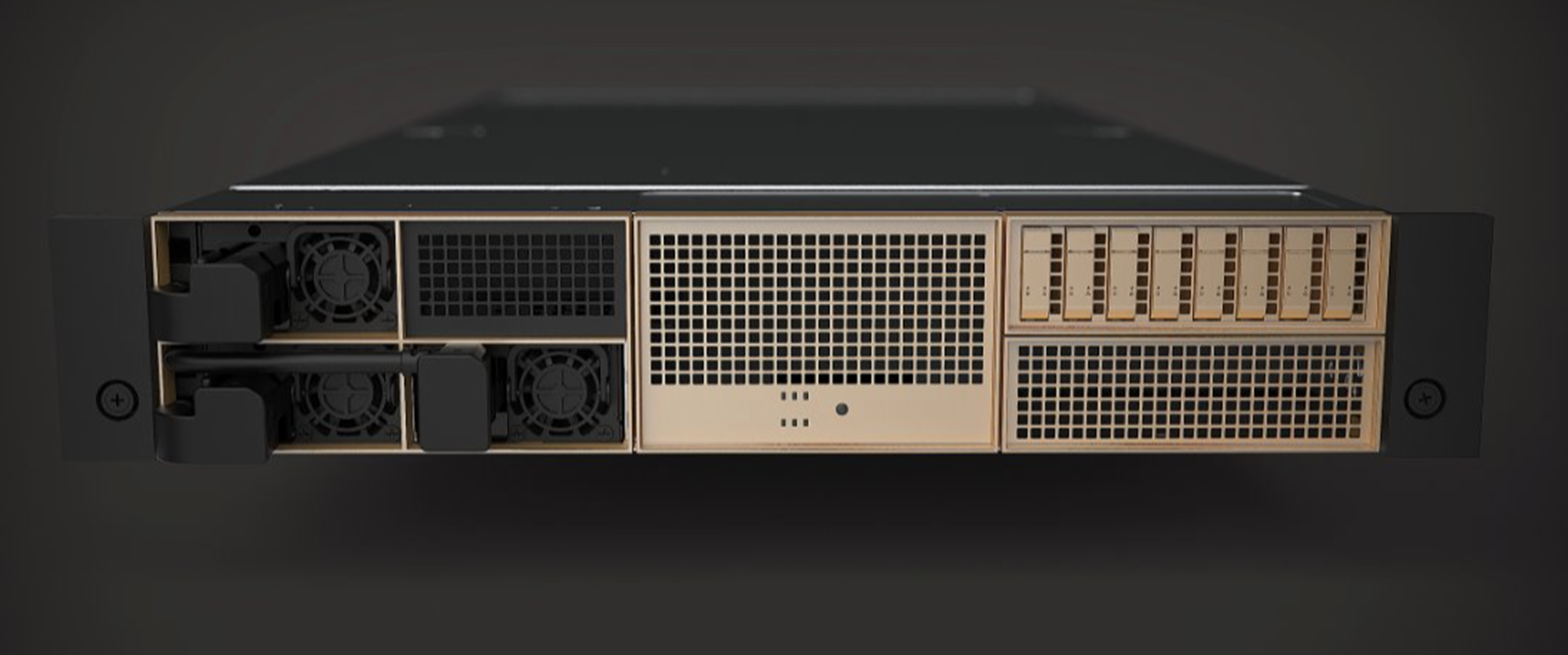
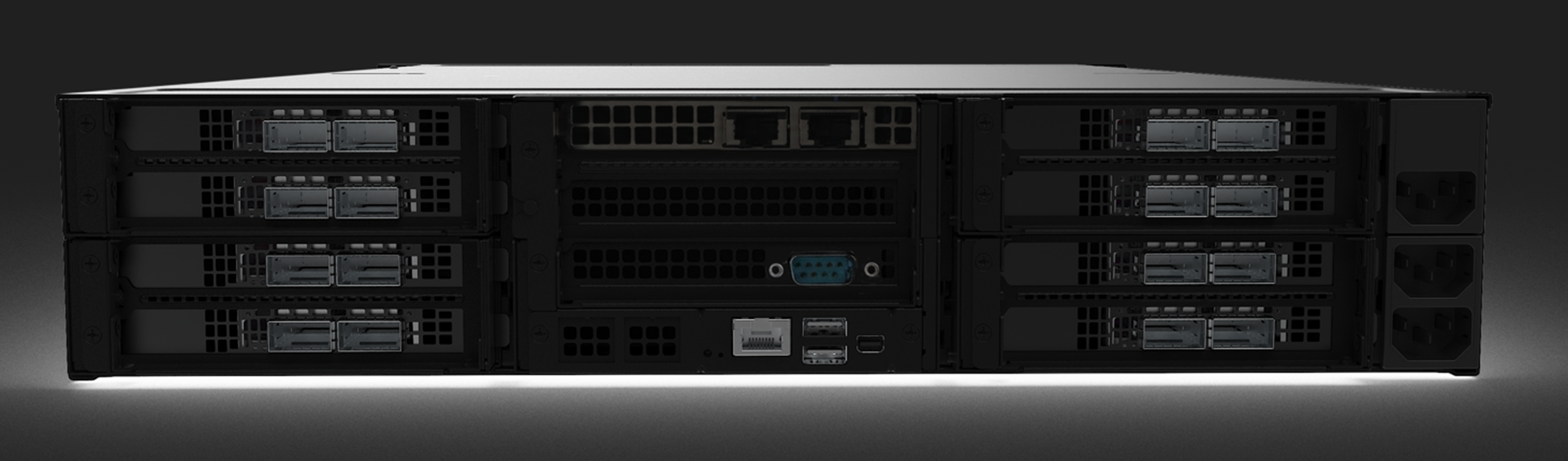
The figures below show the front and rear sides of NVIDIA Skyway-3. Each numbered interface that is referenced in the figures is described in the following table with a link to detailed information.
NVIDIA Skyway-3 Front and Rear Panel
|
Item |
Interface |
Description |
|---|---|---|
|
1 |
System Layout and Interfaces | Power On LEDs |
Bezel LED—lights when the system is powered on |
|
3 |
System Layout and Interfaces | USB Interfaces |
2 x USB 3.0 ports at the rear panel |
|
4 |
8x ConnectX-8 VPI adapter cards |
|
|
5 |
NIC ports |
2x 1GbE Base-T ports |
|
6 |
RJ-45 Port |
This port is designed for secure local and remote server management control (BMC) and helps IT administrators deploy, update and monitor the device. |
|
7 |
Mini Display Port |
Mini display port video connector |
|
8 |
Drive slots |
1x E1.S NVMe drives. Enables you to install drives that are supported on your system |
|
|
Pull-Tab |
A slide-out label panel containing system information (e.g., MAC address, serial number, etc.) |
|
|
Control Panel |
Contains the system health, system ID, and status LED |
|
9 |
System Layout and Interfaces | Redundant Power Module |
2+1 redundant 80 PLUS PLATINUM PSUs at the rear of the appliance |
|
10 |
One fan per power supply unit |
Interfaces Detailed Description
Power-On LED
There is one I/O LED (green) on the front panel, to indicate if the system is powered.
-
For Power-On LEDs definitions, please refer to Power-On LEDs Specifications
USB 3.0 Interfaces
Skyway-3 offers 2x USB 3.0 ports on the system's rear panel.
The USB interfaces are USB 3.0 compliant and can be used to provide the bandwidth up to 500MB/s to shorten the time for data transmission.
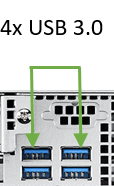
Do not use excessive force when inserting or extracting the USB disk to and from the connector.
PCIe Gen 5 Slots
Skyway-3 is shipped assembled with eight ConnectX-8 VPI cards that enable the hardware-based forwarding of IP packets from InfiniBand to Ethernet, and vice versa.
LAN Interfaces
Skyway-3 features two GbE LAN 1/2 (Intel i350 (2* 10/100/1000 Base-T GbE)) to eliminate bottlenecks in network data flow. The ports are accessible from the appliance's rear panel.
In addition, the appliance is equipped with ASPEED 2600 BMC chip that supports IPMI 2.0 (Intelligent Platform Management Interface 2.0) via RJ-45 port.
The recommended cabling when connecting LAN1 and LAN2 (for 10G LAN) is Cat. 6 (< 55m) or Cat. 6A (<100m) for which both cross and straight cables are supported.
-
For LAN1 and LAN2 LED definitions, please refer to LAN1 / LAN 2 Rear I/O LED Specifications
-
For LAN3 and LAN4 LEDs definitions, please refer to LAN3 / LAN4 Rear I/O LED Specifications
Redundant Power Module
NVIDIA Skyway-3 is equipped with 3 redundant power supply units at the rear of the appliance. The PSUs are housed in a 2U canister containing the power supplies. Each PSU has an extraction handle, PSU status LED, and a power socket.
-
80 PLUS Platinum 2+1 redundant power supply
-
1000 W @ 100 ~ 127 V
-
2000 W @ 200 ~ 240 V
-
For the redundant power module LEDs definitions, please refer to Power Module LED specifications
Fans Modules
Power Supply Fans
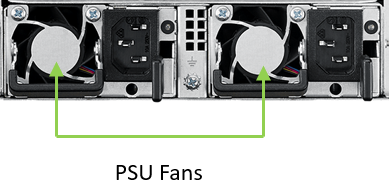
NVIDIA Skyway-3 is equipped with one fan per power supply unit on the rear panel of the appliance.
Internal Fans
NVIDIA Skyway-3 is equipped with six internal fans for cooling the CPU and expansion cards. Under normal operation, the cooling fans operate at a constant speed. If the system module fails, or one of the temperature thresholds are exceeded, the cooling fans automatically raise their rotation speeds to draw more airflow. For example, if there are two fans for CPU cooling and the temperature of CPU0 raises, only these two system fans will raise their fan speed and the other four fans for the cooling of expansion cards will operate at a constant speed. Below is a list of the different internal fan types.
-
6x 8cm heavy duty fans with optimal fan speed control
-
All fans are equipped with tachometer status monitoring
Last updated: