
Networking NVIDIA Spectrum-6 SN6000 Switch Systems Hardware User Manual

SN6600 Rail Kit

Kit Part Number

Description

930-9SKIT-00L0-00G

NVIDIA Rail-Kit for SN6600

The following instructions have been prepared and provided with permission from King Slide.

Installation Instructions

CRITICAL ORIENTATION REQUIREMENT

The switch must be mounted in an upright position. Verify the correct orientation before inserting the unit into the rack rails.

Description

Illustration

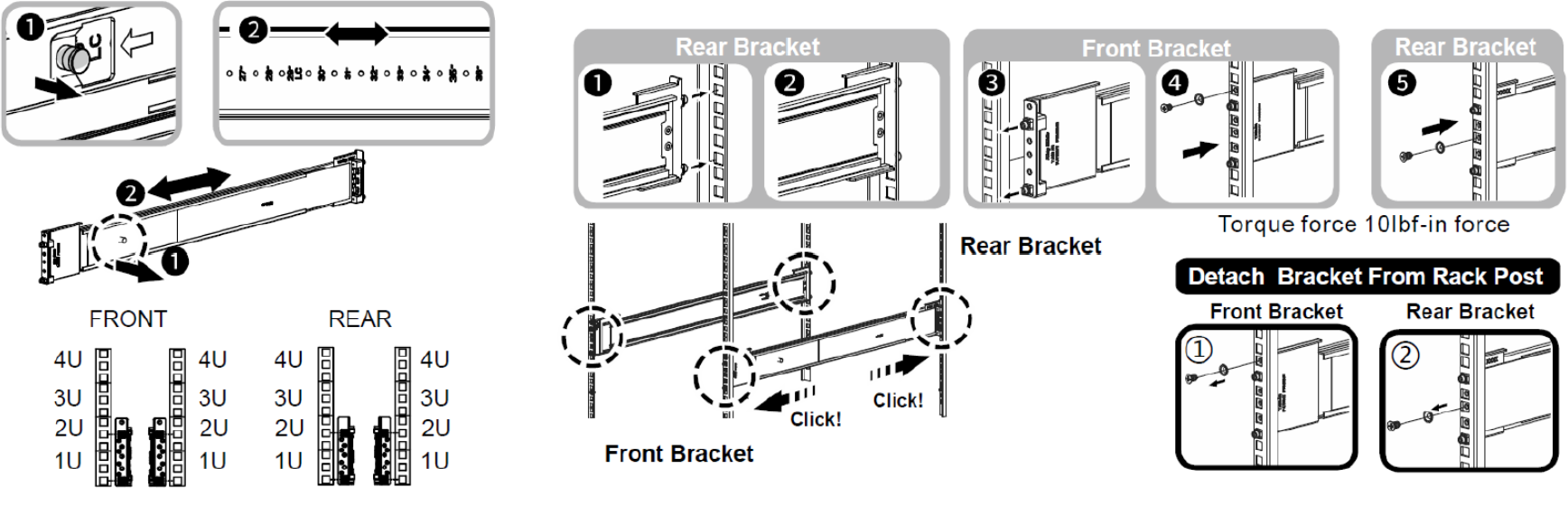
  1. Remove the inner rail.

  2. Push Part a and slide the middle rail back.

image-20260915-112739.png
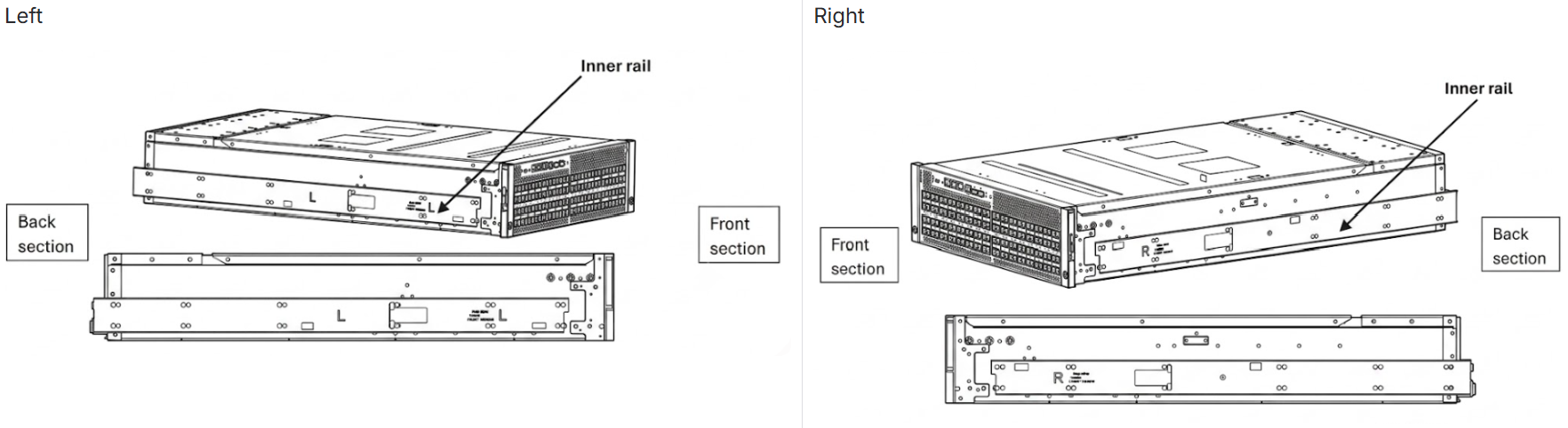
  1. Install the inner rail onto the chassis.


image-20260915-112906.png


Ensure the inner rail is installed in the correct orientation:

image-20260915-113122.png
  1. Fix the outer rail/bracket assembly to the frame.

image-20260915-113253.png


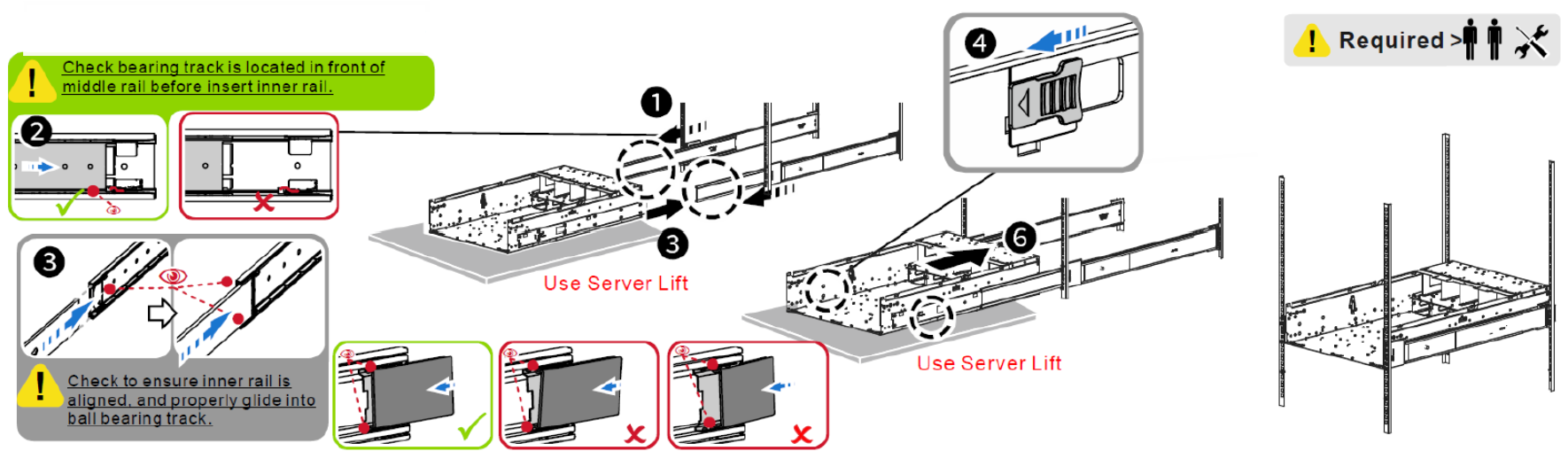
  1. Insert the chassis to complete the installation.
    ① ② Pull the middle rail out until it is fully extended and locked in position. Ensure the ball bearing retainer is located at the front of the middle rail.
    ③ Align the inner rail with the middle-outer rail, keeping the chassis level (horizontal) during insertion.
    ④ ⑤ Insert the chassis carefully. When it reaches the stop, pull the blue release tab on the inner rail to disengage the lock, then continue sliding the chassis in.
    ⑥ Push the chassis all the way back into the rack until it is fully seated and secured.

image-20260915-113434.png


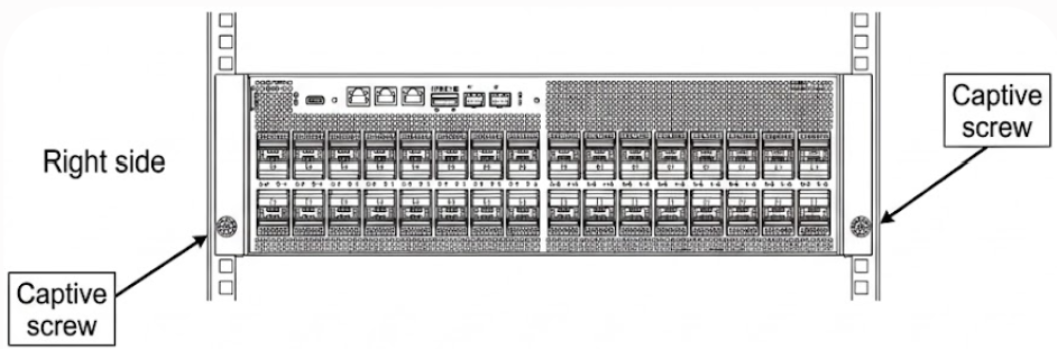
  1. After sliding the system into the rack, tighten the captive screws on both sides to further secure the system to the rack posts.

image-20260915-113519.png


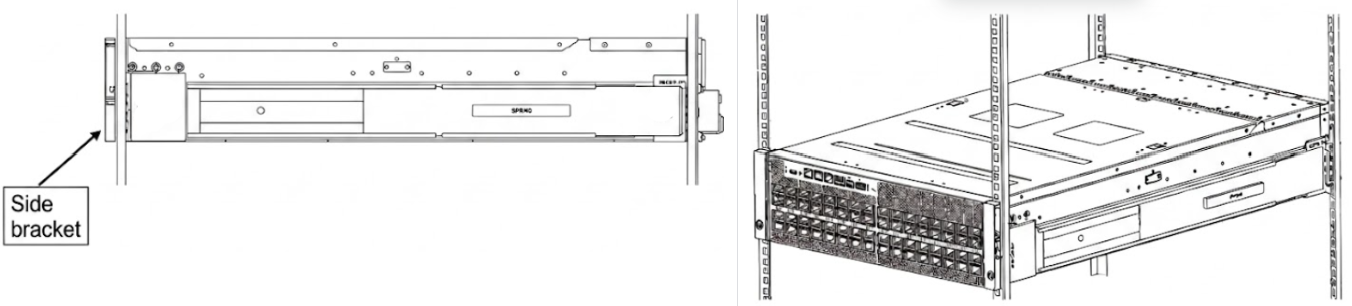
  1. Upon completion of the installation, the side brackets should be attached to the rail as shown below.

image-20260915-113548.png


Last updated: