

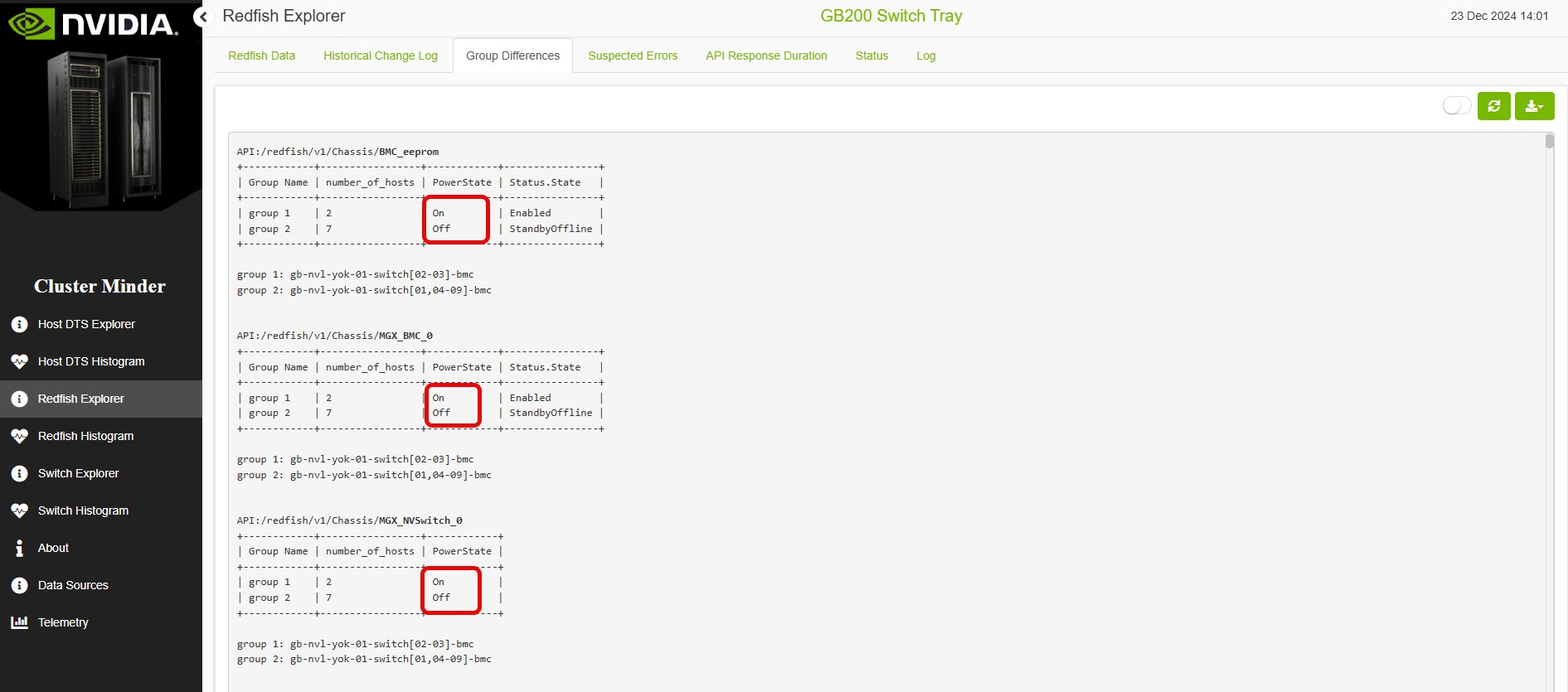
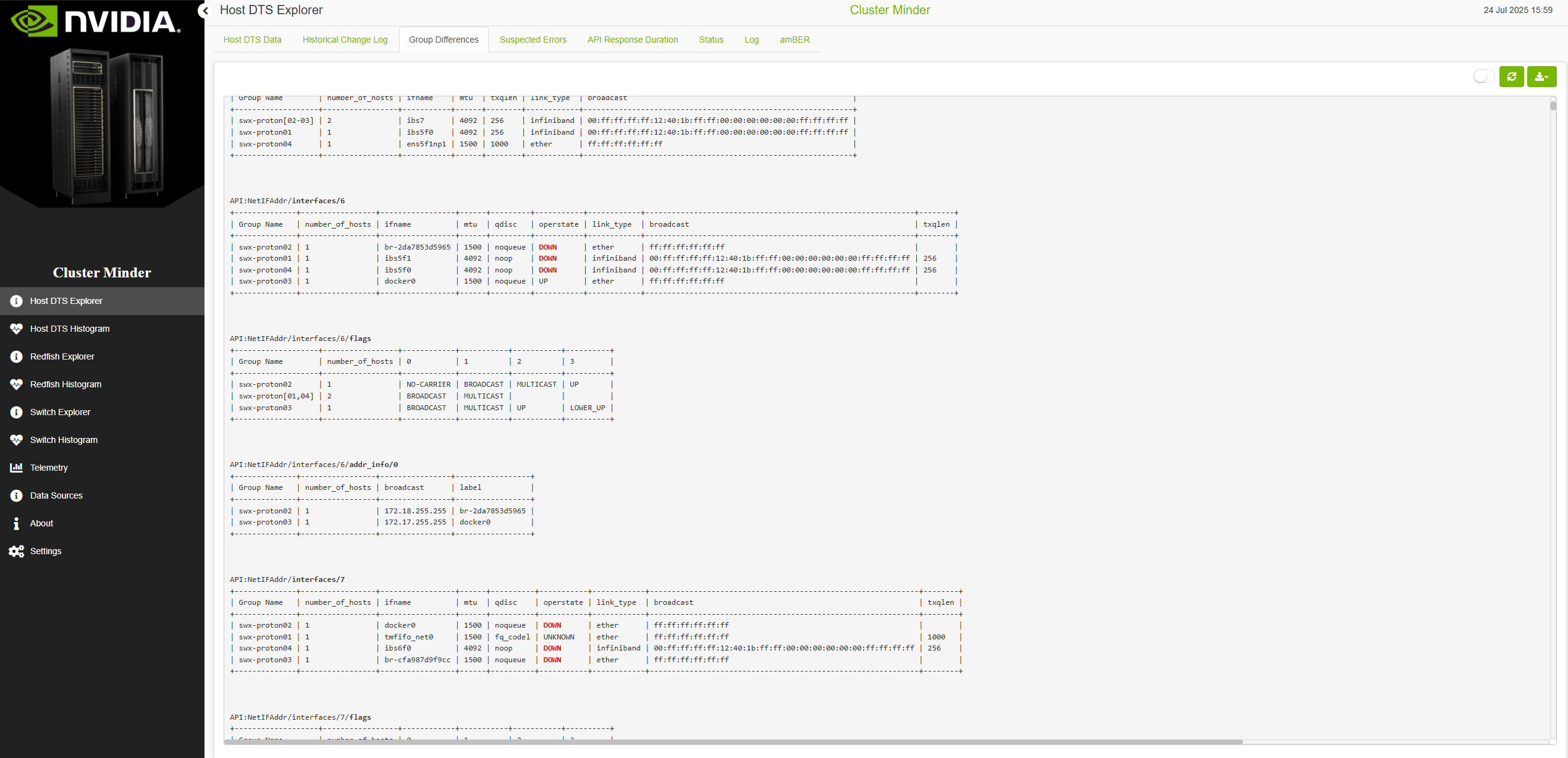
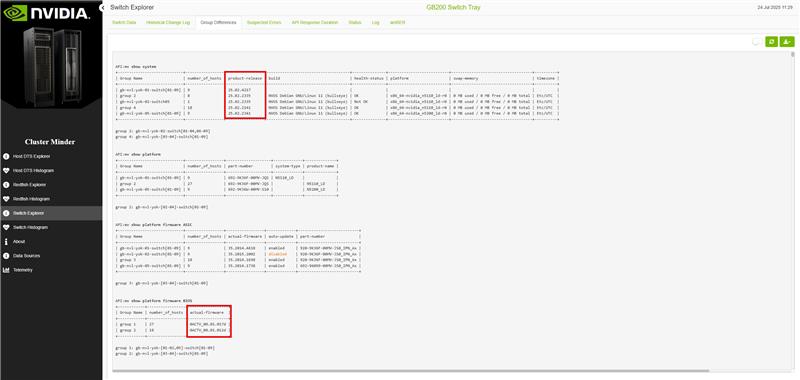
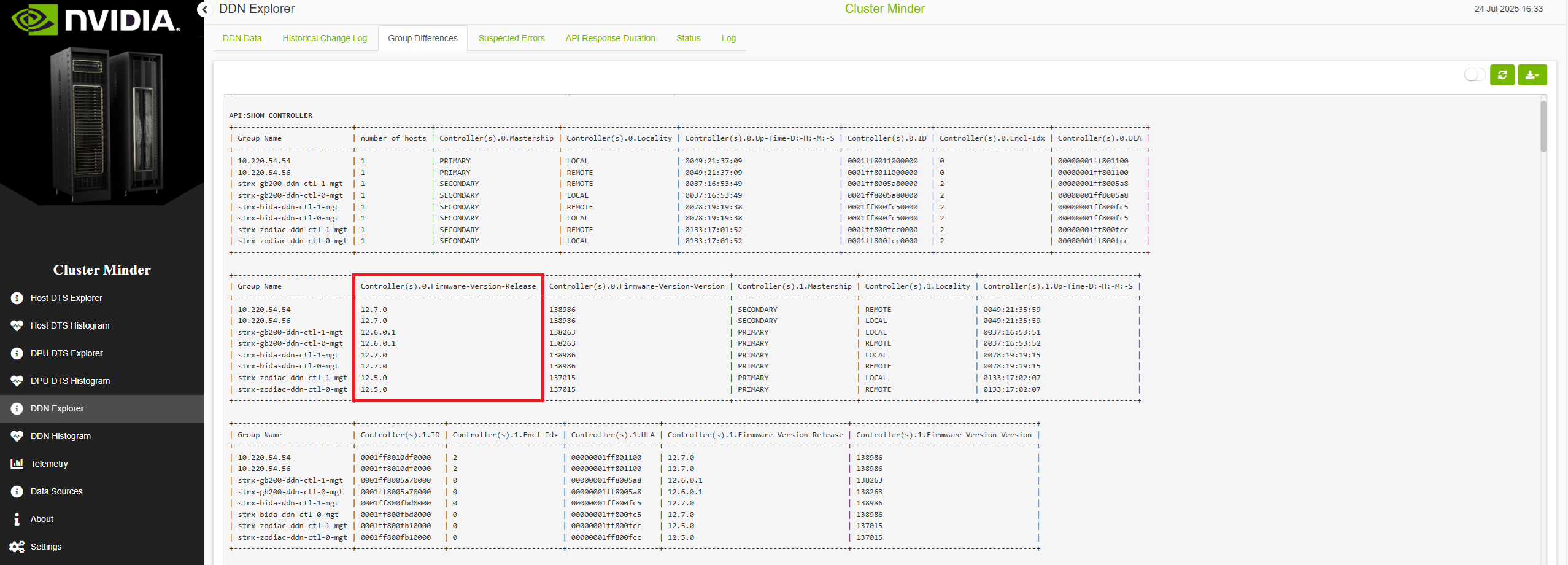
The Group Differences tab helps you identify and understand misconfigurations in your data. By comparing data groups, you can spot discrepancies and take corrective action.
The report opens with a summary table listing the most problematic hosts in descending order by number of appearances. This table gives a quick overview of the hosts that need the most attention, so you can prioritize troubleshooting effectively.
Every other table in the report includes the API that provided the data, a column showing the number of hosts per group, and the fields whose values differed, making the source of the information traceable.
Note: Use the switch button to enable component view.
Redfish Group Differences Example
Host DTS Group Differences Example
Switch Group Differences Example
DDN Group Differences Example
Last updated: