

The GPU Summary by GPU dashboard provides a per-GPU view of compute resources within the AI cluster. Use it to identify overheating GPUs, memory leaks, or hardware failures affecting workload performance on individual nodes.
Persona Use Cases
Use this dashboard when aggregate cluster views indicate localized issues.
|
Persona |
Primary Use Case |
|---|---|
|
ML Engineer/Researcher |
Monitors individual GPU utilization and memory consumption to optimize job scheduling and identify code-level inefficiencies. |
|
Hardware Engineering |
Analyzes power draw and temperature trends to validate cooling efficiency and power distribution across the rack. |
|
Reliability Engineer (SRE) |
Investigates XID errors and thermal throttling events to determine if a GPU requires RMA or a driver-level reset. |
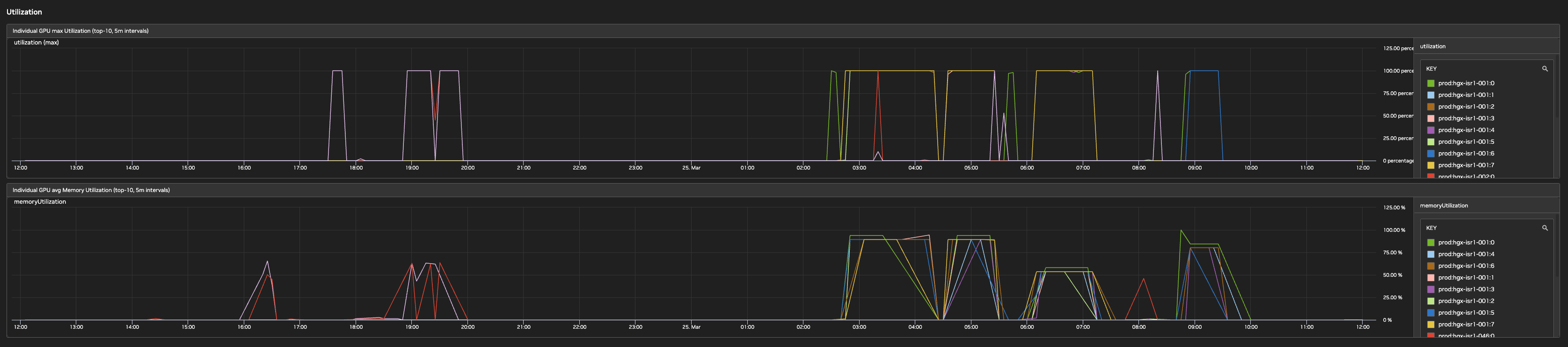
Utilization
This section tracks compute and memory load per GPU.
-
Individual GPU Max Utilization: Displays the peak SM (Streaming Multiprocessor) activity for the top-10 GPUs, helping to identify which specific units are under the heaviest load.
-
Individual GPU Avg Memory Utilization: Tracks the percentage of Frame Buffer (FB) memory used, which is critical for preventing Out-Of-Memory (OOM) errors during large model training.
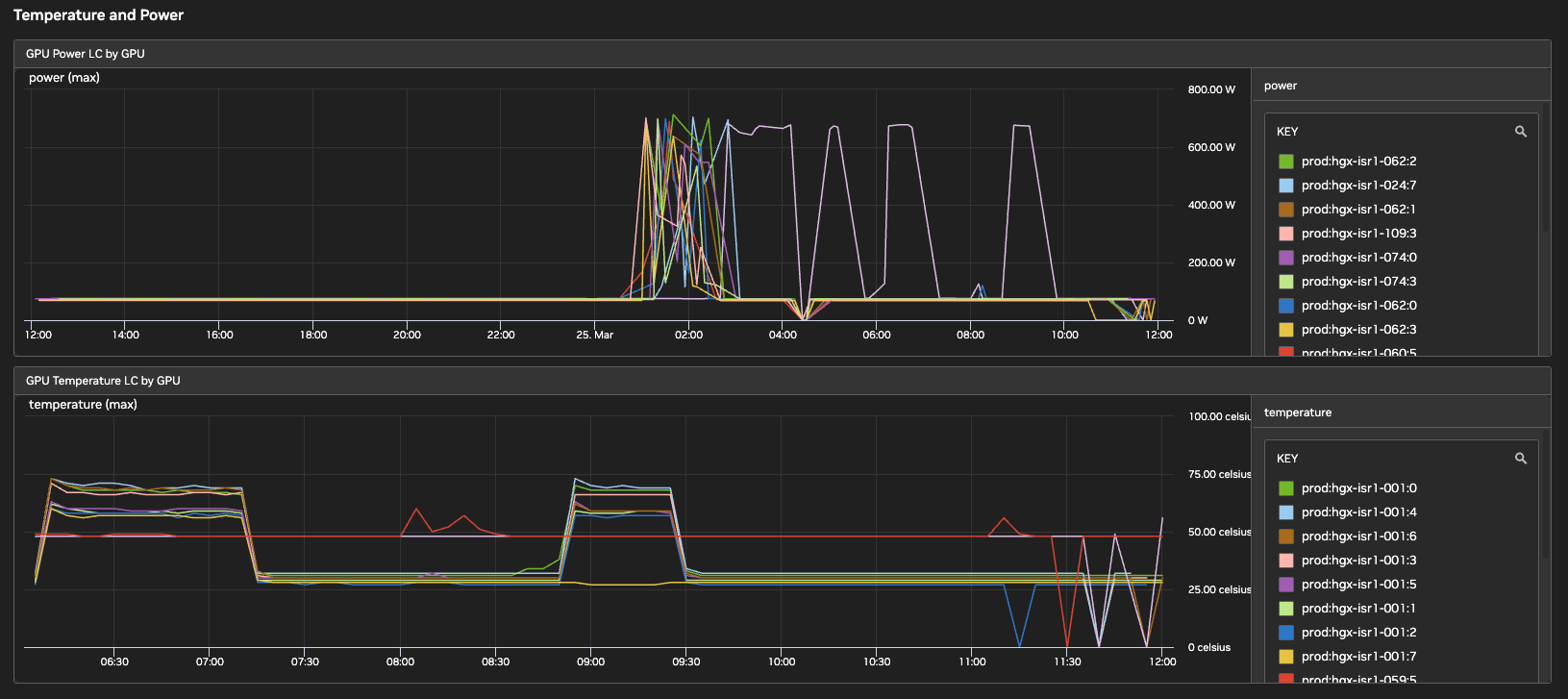
Temperature and Power
-
GPU Power LC by GPU: Monitors the instantaneous power draw (in Watts) per GPU. Use it to identify GPUs consistently hitting power limits or idling during active jobs.
-
GPU Temperature LC by GPU: Provides real-time chip temperatures. High readings often precede thermal throttling or hardware-protection shutdowns.
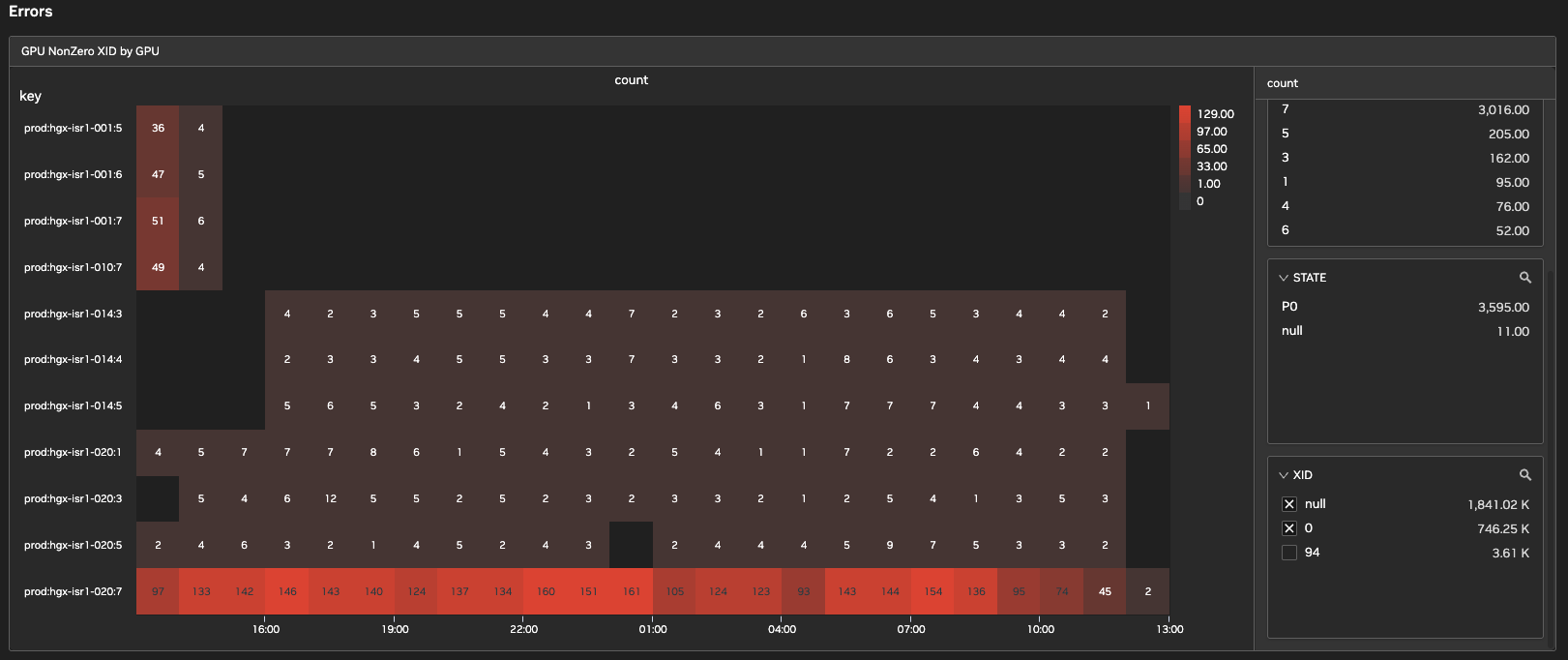
Errors
Shows XID errors per GPU per hour over the last 24 hours.
-
GPU NonZero XID by GPU: Aggregates NVIDIA XID errors, which are interrupt signals from the driver.
Metric Reference Mapping
The following table maps common metrics to their DCGM (Data Center GPU Manager) source.
|
Dashboard Label |
NVIDIA Native Metric |
|---|---|
|
Utilization |
|
|
Memory Used |
|
|
Temperature |
|
|
Power Usage |
|
|
XID Errors |
|
Last updated: