

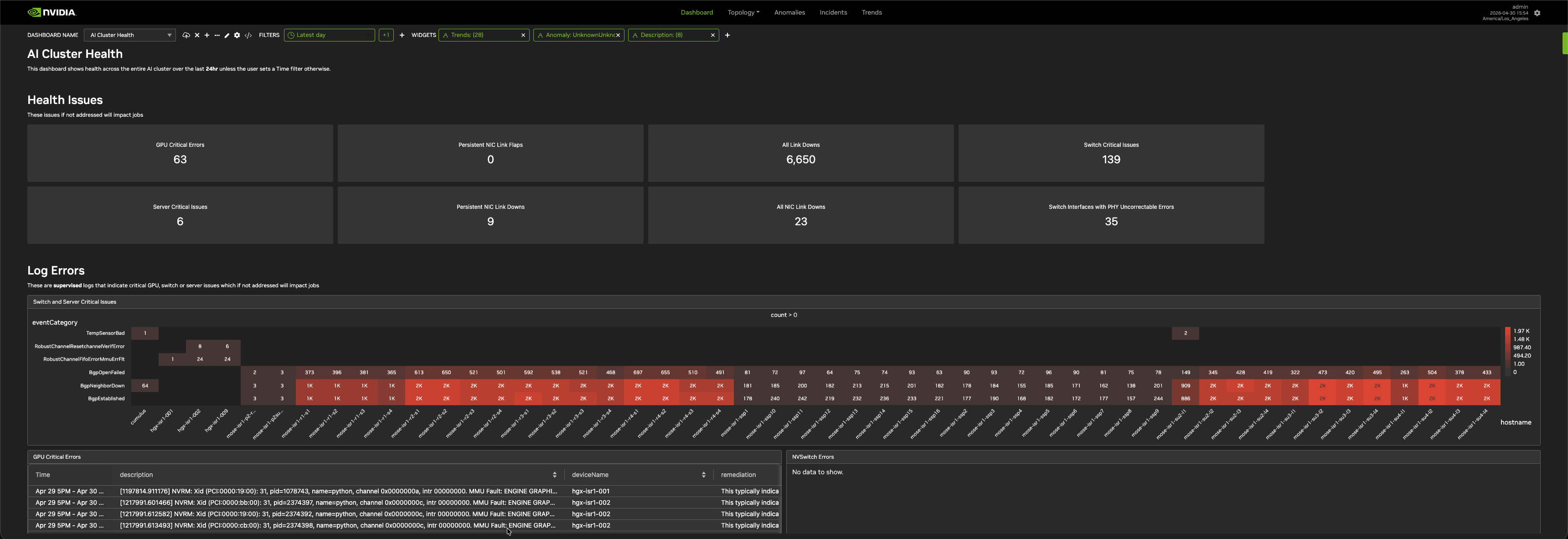
The NVIDIA Minerva UI has the following top-level tabs: Dashboard, Topology, Anomalies, Incidents, Trends, and Ask Sherlock. Each tab provides a different view of your cluster, and you can combine views across tabs in a dashboard.
|
Tab |
Description |
|---|---|
|
View metrics, anomalies, topology, and incidents in one place. Build custom dashboards by arranging views from Topology, Anomalies, Incidents, Trends, and Descriptions. |
|
|
View a graphical representation of your network. Explore the topology model, enrich it with metadata, and use it as a real-time map to detect anomalies, metrics, and events. |
|
|
View all ML-generated anomalies in real time. Create views that isolate specific anomaly types and enable notifications. |
|
|
View events and anomalies that NVIDIA Minerva has automatically correlated across multiple data sources. Each incident includes a contextual topology view and a playback of correlated events. Create views that notify on specific correlation combinations. |
|
|
Visualize raw data, incidents, and anomalies using line charts, heatmaps, bar charts, and tables. Use the pinboard to identify top-talker dimensions. |
|
|
Query your cluster's health, anomalies, incidents, and topology using plain language. |
Last updated: