

Sherlock is the NVIDIA Minerva natural-language assistant that lets you query your cluster's health, anomalies, incidents, and topology using plain language. Instead of navigating views manually, you can type questions and Sherlock returns answers drawn from live NVIDIA Minerva data, helping you triage issues and investigate root causes faster.
Prerequisite LLM Configuration
Confirm the LLM configuration task has been completed. See Configure LLM Integration.
Start a Conversation
To start a new conversation with Sherlock:
-
Go to the Ask Sherlock tab.
-
Click
+ New Conversationin the Conversations panel on the left. -
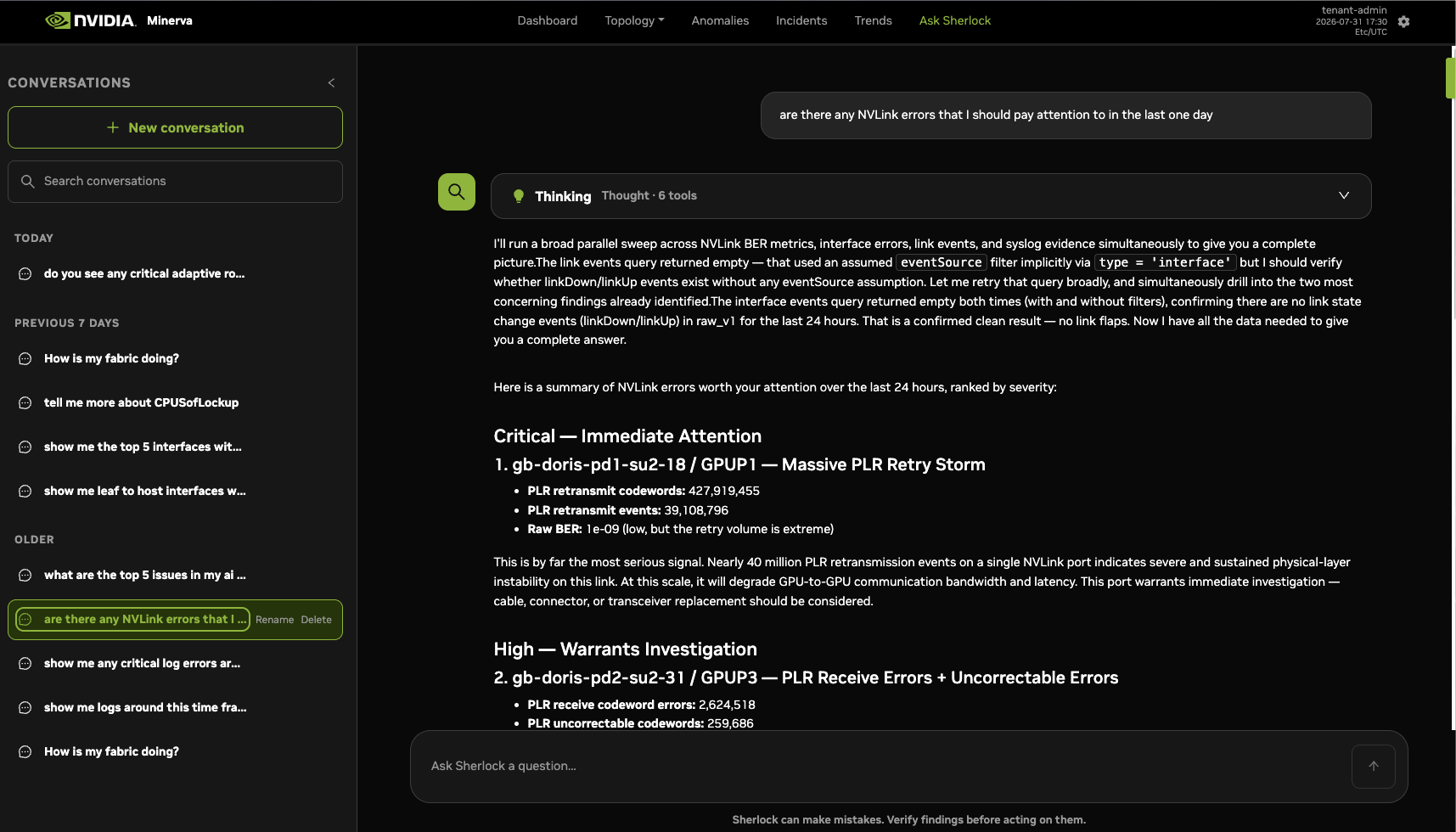
Type your question in the chat input at the bottom of the chat area and press Enter or click the up Arrow to submit your query.
-
Sherlock processes your query and returns a response in the chat area. Responses may include text summaries and inline data.
-
Continue the conversation by asking follow-up questions. Context from earlier messages in the thread is retained.
To start fresh, click + New Conversation at any time. Previous conversations are saved and accessible from the Conversations panel.
Conversations can be renamed or deleted by hovering over the chat and selecting the desired option.
Example Queries
Sherlock can answer questions such as:
-
"Show me any GPU NVLink anomalies in the last 24 hours."
-
"Which hosts have been in a degraded state the longest this week?"
-
"Summarize active incidents for rack R03."
-
"What is the current health of the fabric between spine and leaf layers?"
Last updated: