

NVIDIA Minerva creates and manages ServiceNow tickets for events from syslog, SNMP traps, ML anomalies, auto-correlated events, and threshold alerts.
Ticket Lifecycle
NVIDIA Minerva tracks the state of all open ServiceNow tickets. When a new event arrives, NVIDIA Minerva checks whether an open ticket already exists before deciding whether to create a new one or update the existing one.
Event Management
Event management tracks all events posted to ServiceNow. Each event is assigned a dedupe key; events with the same dedupe key map to the same ticket, regardless of when they occur.
When an event maps to an existing ticket, you can choose how NVIDIA Minerva handles it:
-
Create only: post to ServiceNow only when a new ticket needs to be created. Future events that share the dedupe key are tracked within NVIDIA Minerva, and a link to those events is included in the original ServiceNow ticket.
-
Update existing: post all events to ServiceNow. If a ticket is already open, any event that shares its dedupe key updates that existing ticket.
Configure a ServiceNow Endpoint
In the UI, go to Settings to configure notification endpoints. You can create multiple ServiceNow endpoints, each with a unique name. To create a ServiceNow endpoint, specify:
-
POST URL
-
Authentication type
-
Username
-
Password
Optionally, specify a Poll URL to poll and track ticket status in ServiceNow.
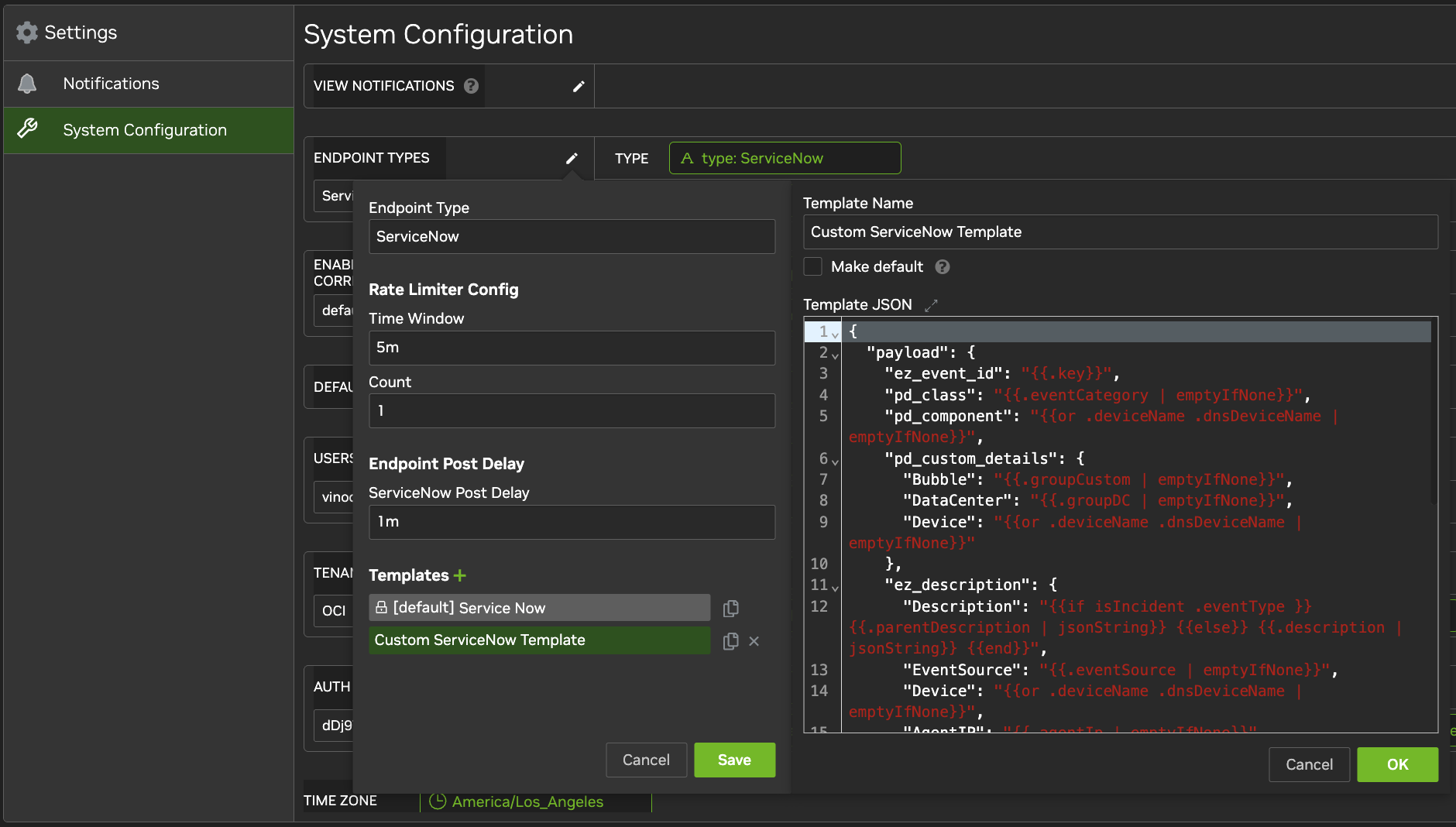
Configure a ServiceNow Template
ServiceNow notifications use a template to define the notification format. If no template is configured, NVIDIA Minerva uses the default. You can create additional templates in JSON format in Settings and select which template to use for a specific view.
Last updated: