

The GPU Summary by Node dashboard provides a node-level view of compute resources within the AI cluster. Whereas the GPU Summary by GPU view drills into individual engines, this page identifies specific nodes (for example, HGX hosts) that are showing abnormal thermal, power, or utilization patterns across their entire GPU fleet.
Persona Use Cases
Use this dashboard to identify which physical hosts in the cluster are underperforming or experiencing hardware issues.
|
Persona |
Primary Use Case |
|---|---|
|
DC Operations |
Identifies specific racks or host enclosures (nodes) that are exceeding power or thermal thresholds. |
|
Cluster Administrator |
Monitors the overall balance of the fleet to ensure jobs are distributed evenly across available nodes. |
|
SRE / Performance Engineer |
Correlates node-level XID error bursts with specific hardware locations for hardware replacement or resets. |
Utilization
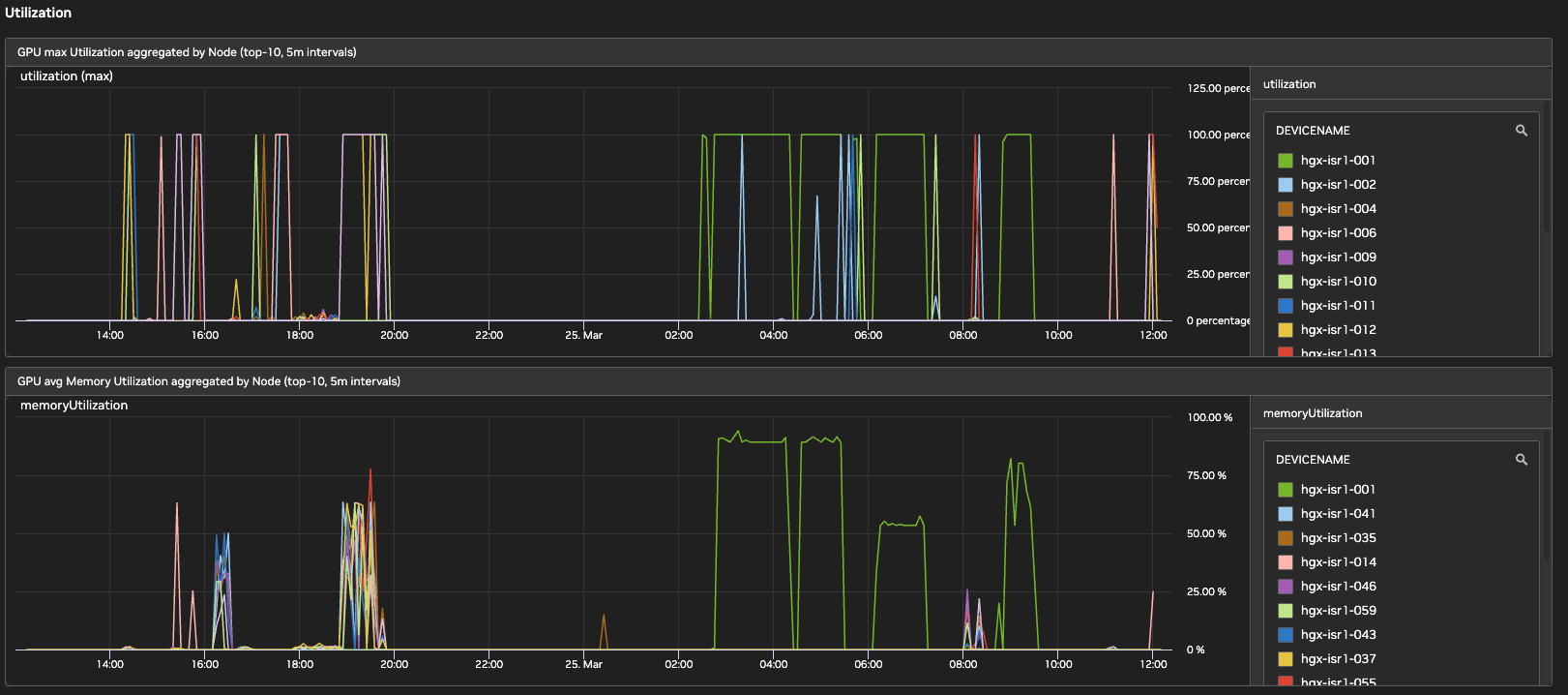
This section tracks the efficiency of compute workloads on each node.
-
GPU Max Utilization aggregated by Node: Tracks the maximum SM utilization across all GPUs in a node to identify saturated nodes.
-
GPU Avg Memory Utilization aggregated by Node: Monitors the average Frame Buffer memory usage per node to detect cluster-wide memory fragmentation or leaks.
Temperature and Power
This section uses heatmaps and line charts to identify thermal and power outliers at the host level.
-
Aggregated Trends (Top-10): Line charts for both temperature and power that highlight the ten most active nodes over a 5-minute interval.
-
GPU Max Temperature by Node+GPU: A heatmap showing a per-node, per-GPU grid to identify a failing GPU within a multi-GPU enclosure.
-
GPU Max Power by Node+GPU: Visualizes power draw distribution across nodes to identify potential PSU (Power Supply Unit) or power-capping issues.
Errors
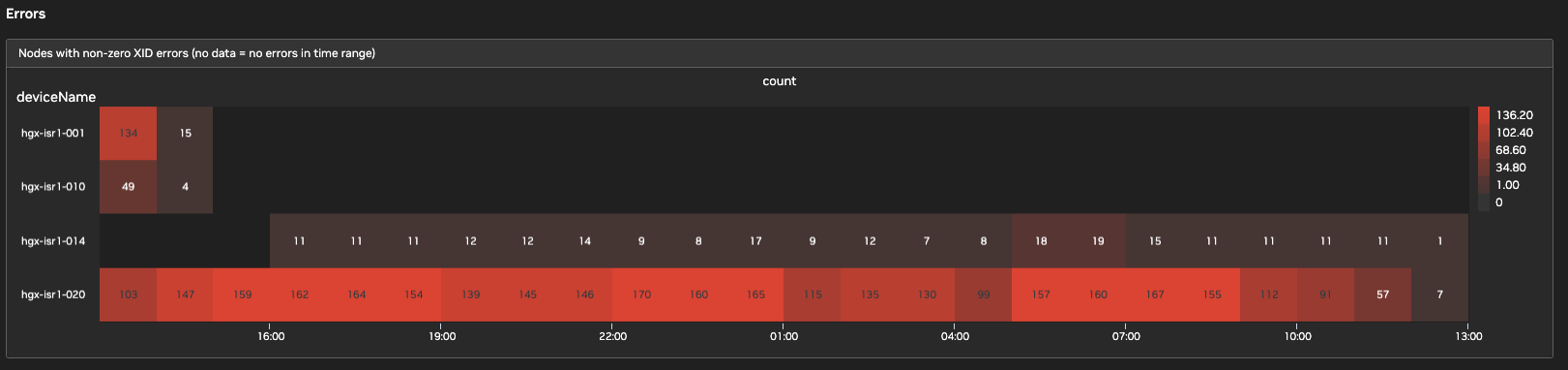
This section identifies 'silent' node failures that disrupt training.
-
Nodes with non-zero XID errors: A timeline heatmap that displays the frequency of XID errors seen from a node. If the chart is empty, no errors have been detected from that node in the selected time range.
Metric Reference Mapping
The following table maps common metrics to their DCGM (Data Center GPU Manager) source.
|
Dashboard Label |
NVIDIA Native Metric |
|---|---|
|
memoryFree |
|
|
memoryUsed |
|
|
memoryTemperature |
|
|
memoryFrequency |
|
|
utilization |
|
Last updated: