

Introduction
This document describes the guidelines for inspection, cleaning, and replacement of the External Laser Source (ELS) modules and ELSFP connectors during debug or replacement procedures for the SN6810-LD systems.
For Engineering Sample (ES) hardware, field replacement of the ELS is restricted to certified NVIDIA Support engineering staff only. Do not attempt self-service replacement on ES hardware.
Required Equipment and Tools
|
Part Number |
Description |
Illustration |
|
MTCJ6245 |
ELS module Extraction Tool |
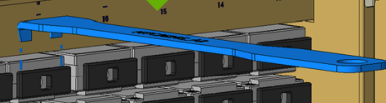
|
|
SCK-SS-ELSFP-03-BODY |
ELSFP Cleaner for Fiber Optic Connectors (Detachable Head) |
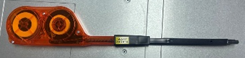
|
|
SCK-SS-ELSFP-GUIDE-M-03-P02 |
ELSFP Guide for ELS Module |
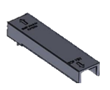
|
|
SCK-SS-ELSFP-GUIDE-C-03-P02 |
ELSFP Guide for ELS Cage |
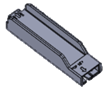
|
The Cleaning kit is available from NVIDIA, see spare parts chapter for more information.
ELS Module Replacement Instructions
Disassembly
-
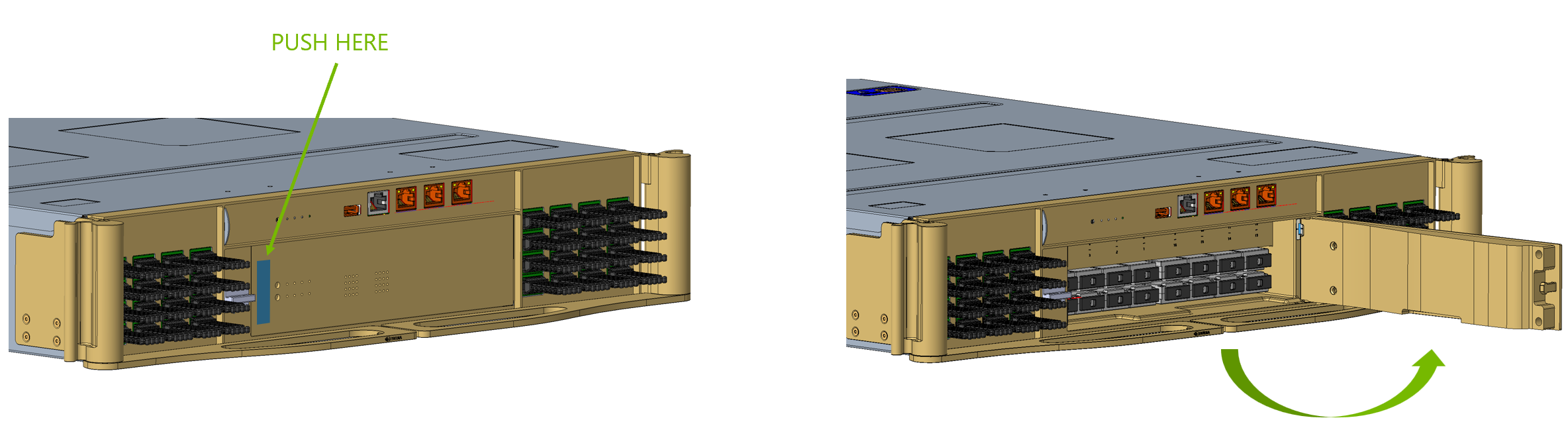
Press the highlighted area to open the access door.
-
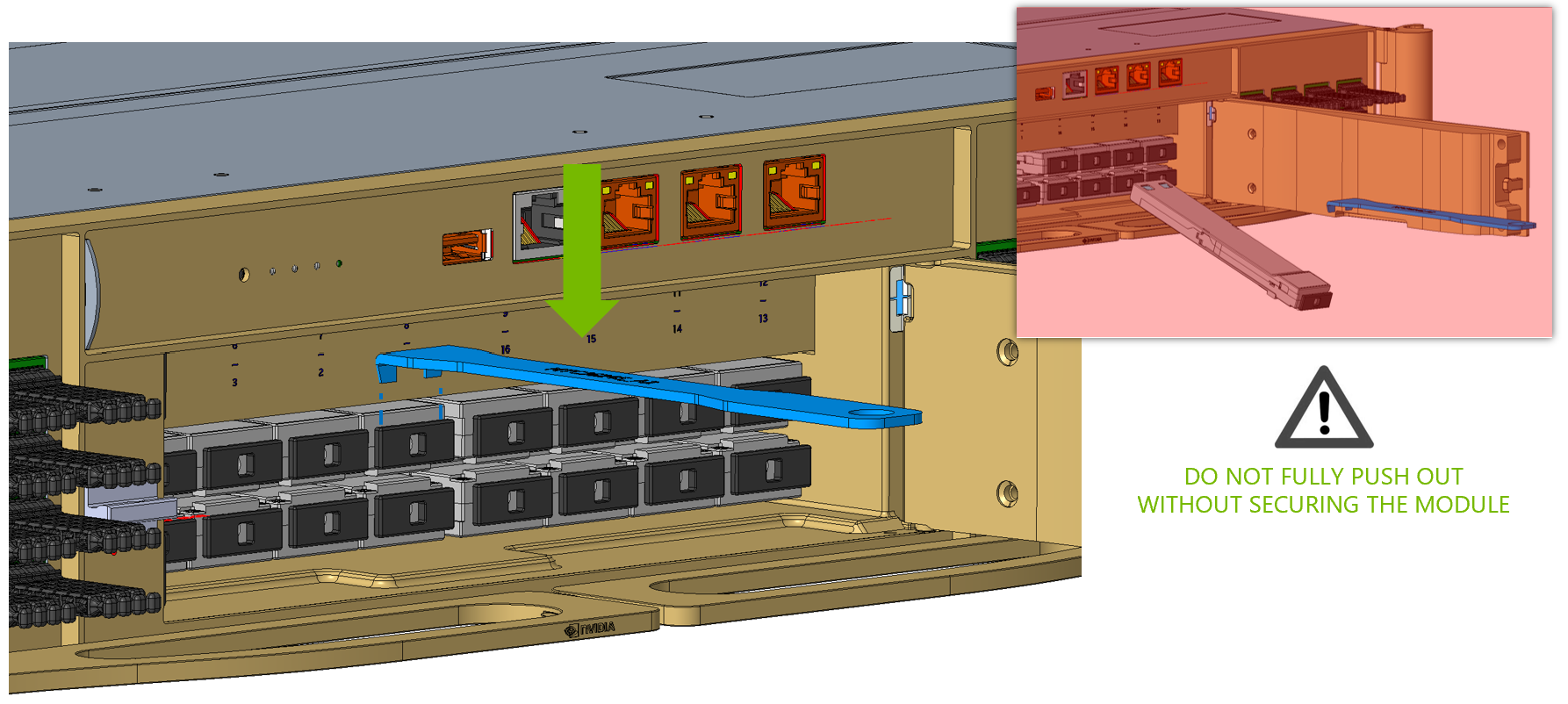
Install the extraction jig (MTCJ6245) onto the ELS module.
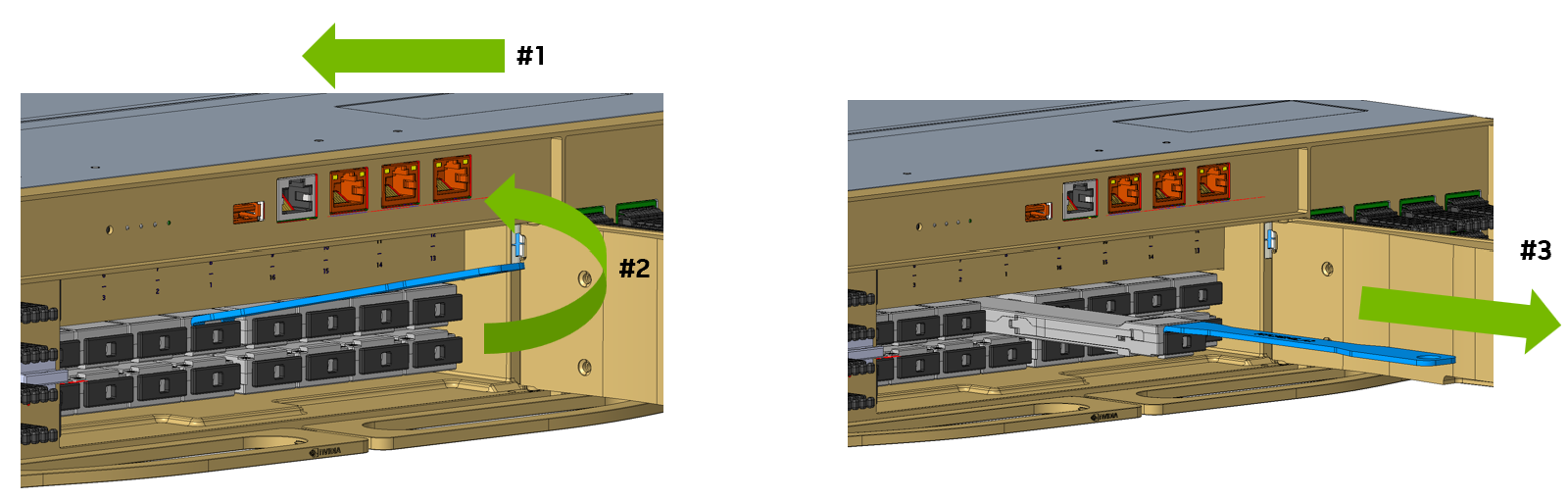
Module Removal
ELS module removal must be performed only by NVIDIA Support. Before removing an ELS module, treat its lasers as active:
-
Turn off the ELS module via the Network Operating System (NOS) prior to physical removal.
-
Do not look directly or through an optical instrument into the module’s optical connector or the empty ELS slot.
-
Immediately fit the dust caps on both the removed module and the chassis slot.
-
Gently push the ELS module inward.
-
While maintaining inward pressure, slightly lift the extraction jig to release the latch.
-
Carefully pull the ELS module completely out of the cage.
-
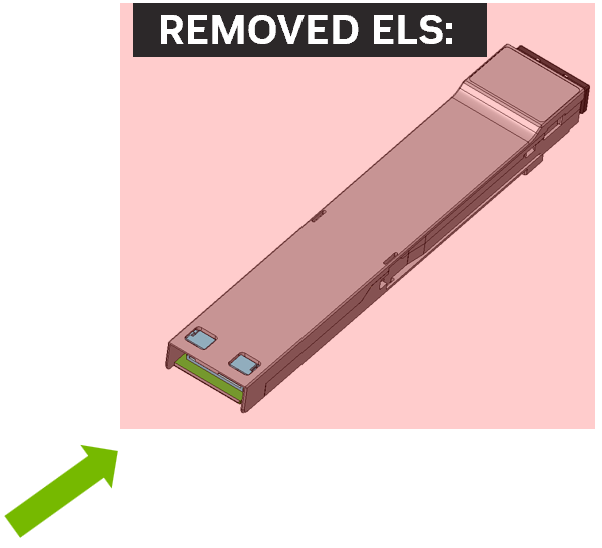
Install the dust cover on the removed ELS module.
Do not leave a running system unplugged from the ELS module for longer than 30 minutes.
New ELS Module Assembly
Remove the dust cover from the replacement ELS module.
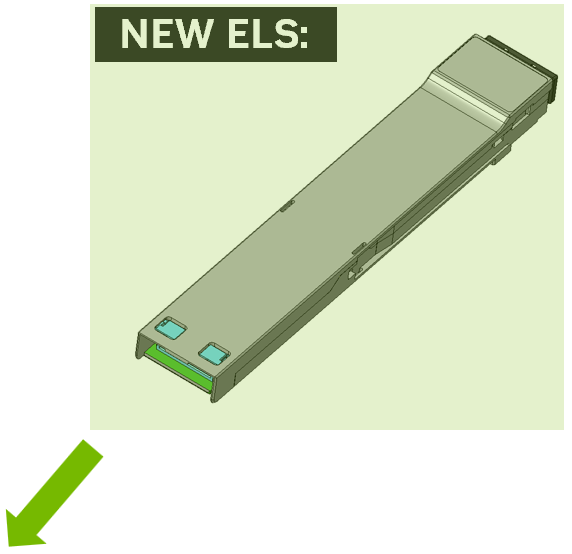
New ELS Module Cleaning
-
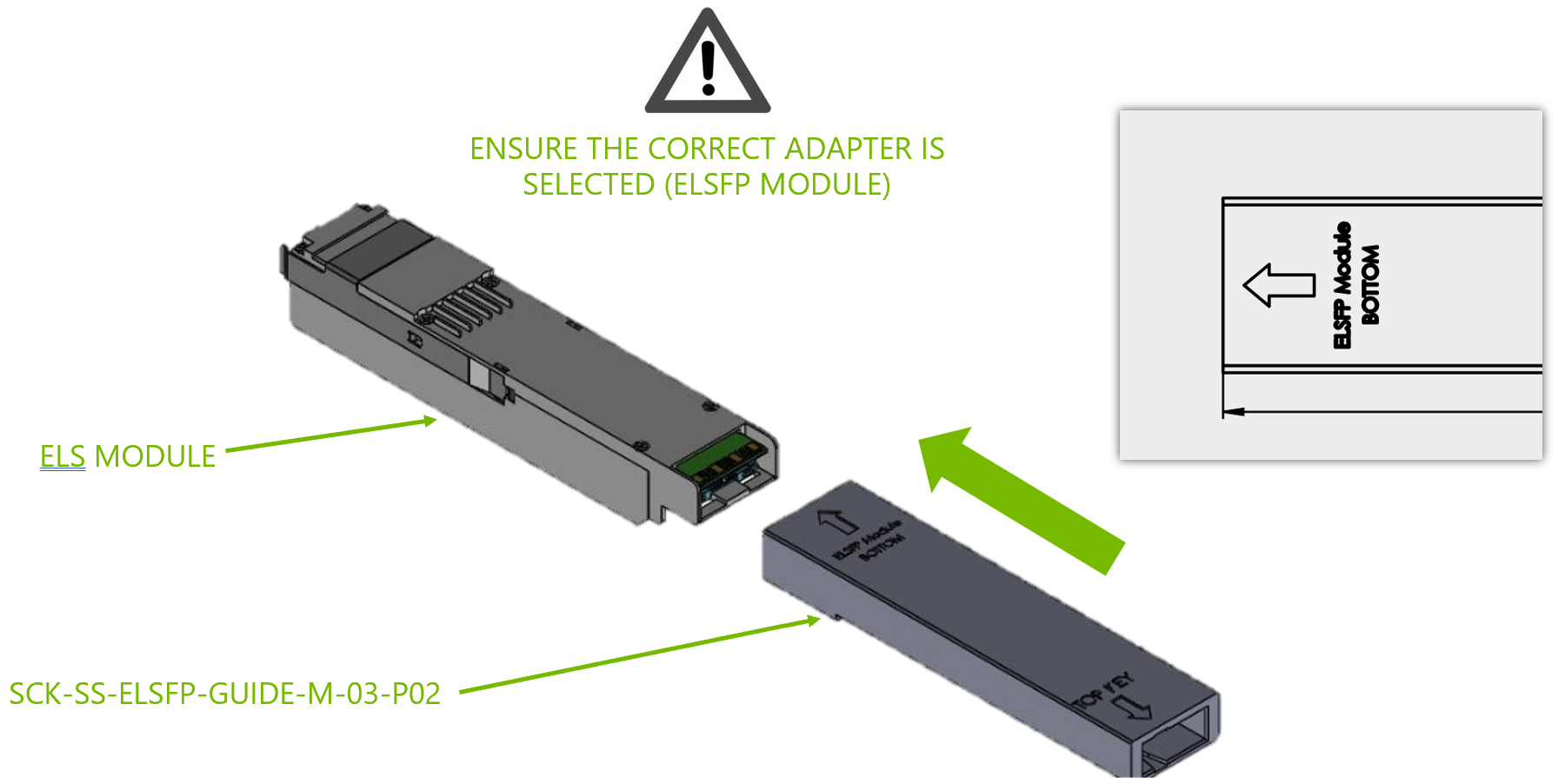
Prepare the ELSFP cage adapter (SCK-SS-ELSFP-GUIDE-C-03-P02) and cleaning tool (SCK-SS-ELSFP-03-BODY).

-
Insert the ELSFP cage adapter (SCK-SS-ELSFP-GUIDE-C-03-P02) into the ELS cage.
-
Remove the dust cover from the cleaning tool (clicker, SCK-SS-ELSFP-03-BODY).
-
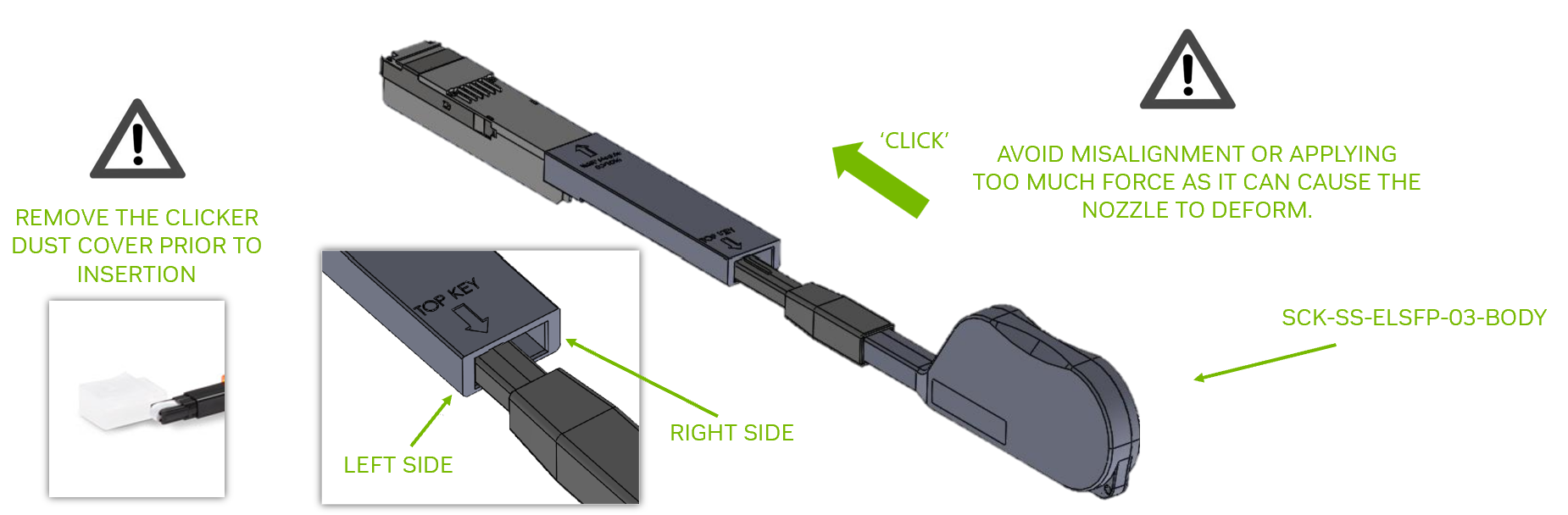
Insert the cleaning tool (SCK-SS-ELSFP-03-BODY) nozzle using an alignment key.
-
Carefully push the cleaning tool in the direction shown until an audible click is heard. One complete insertion-and-release cycle is sufficient.
-
Reinsert the cleaner to the right side of the adapter as shown in the above illustration, and repeat Steps 4–5.
-
Remove the cleaning tool and adapter from the cage.
-
Assemble the dust cover back on the cleaning tool.
ELS Cage Cleaning
-
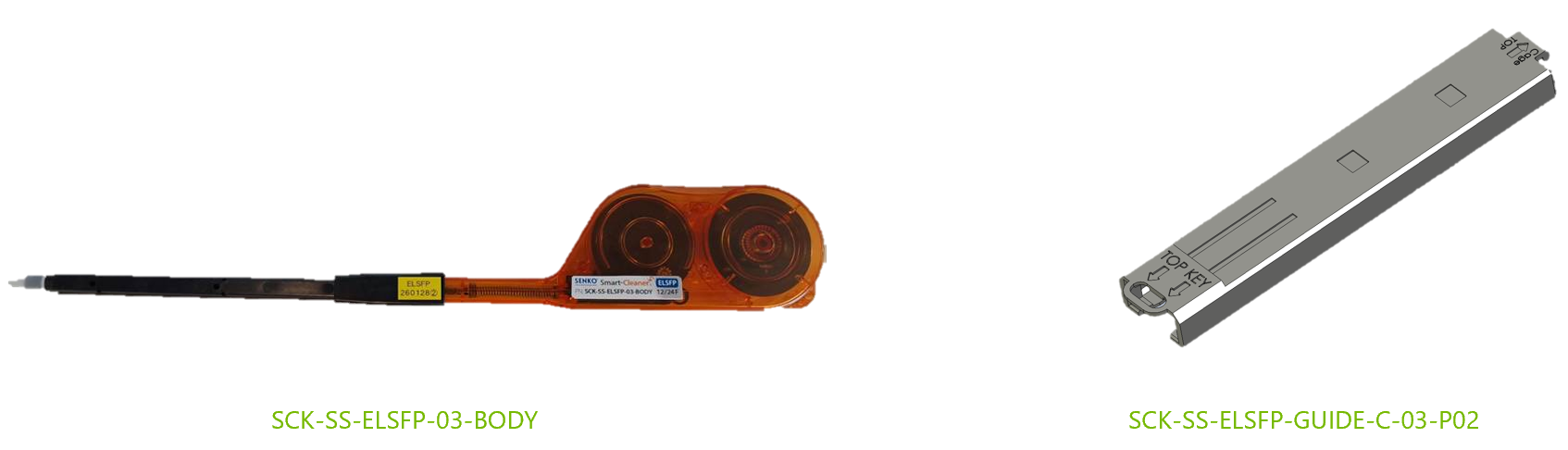
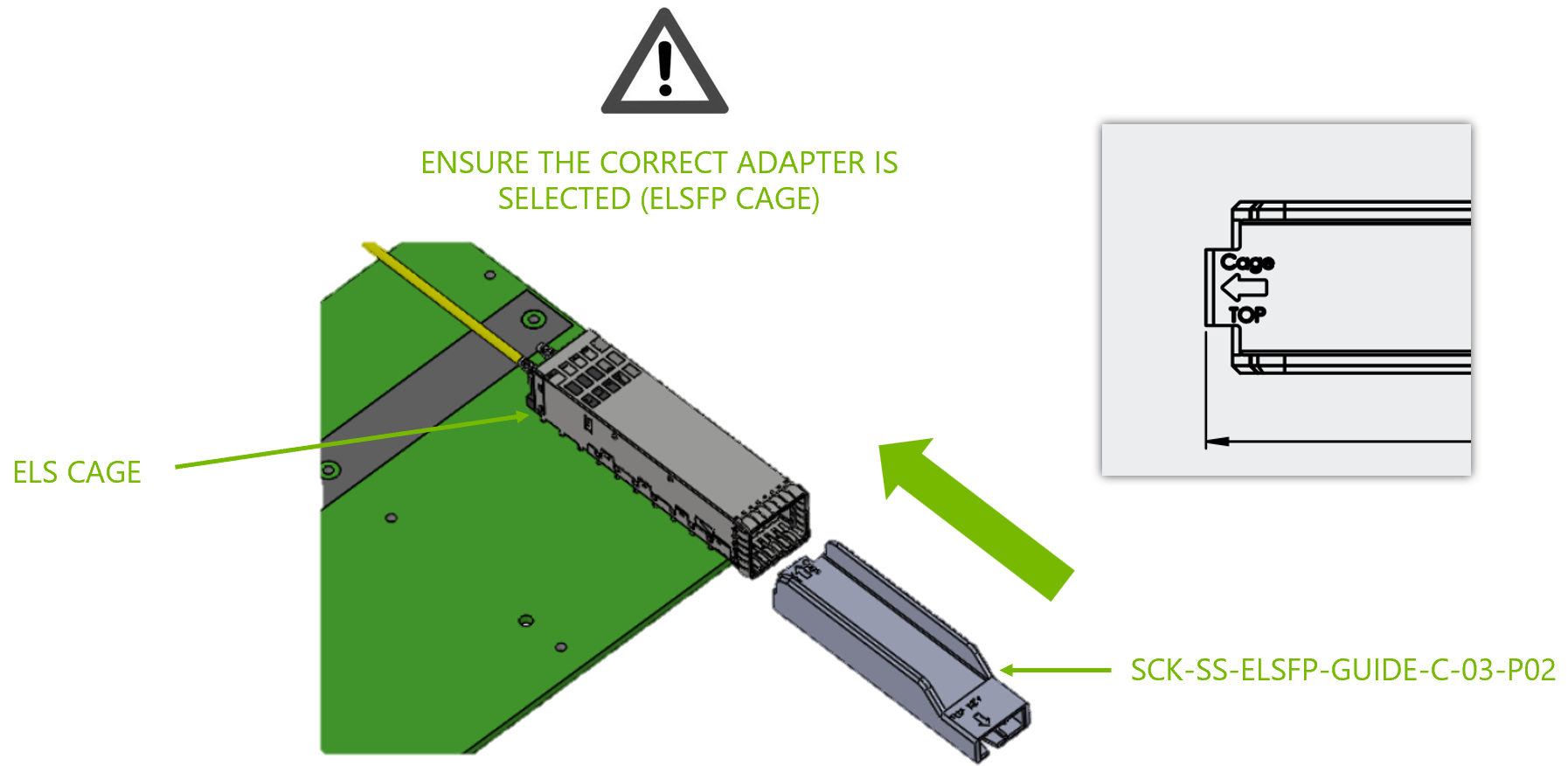
Prepare the ELSFP cage adapter (SCK-SS-ELSFP-GUIDE-C-03-P02) and cleaning tool (SCK-SS-ELSFP-03-BODY).
-
Insert the ELSFP cage adapter (SCK-SS-ELSFP-GUIDE-C-03-P02) into the ELS cage.
-
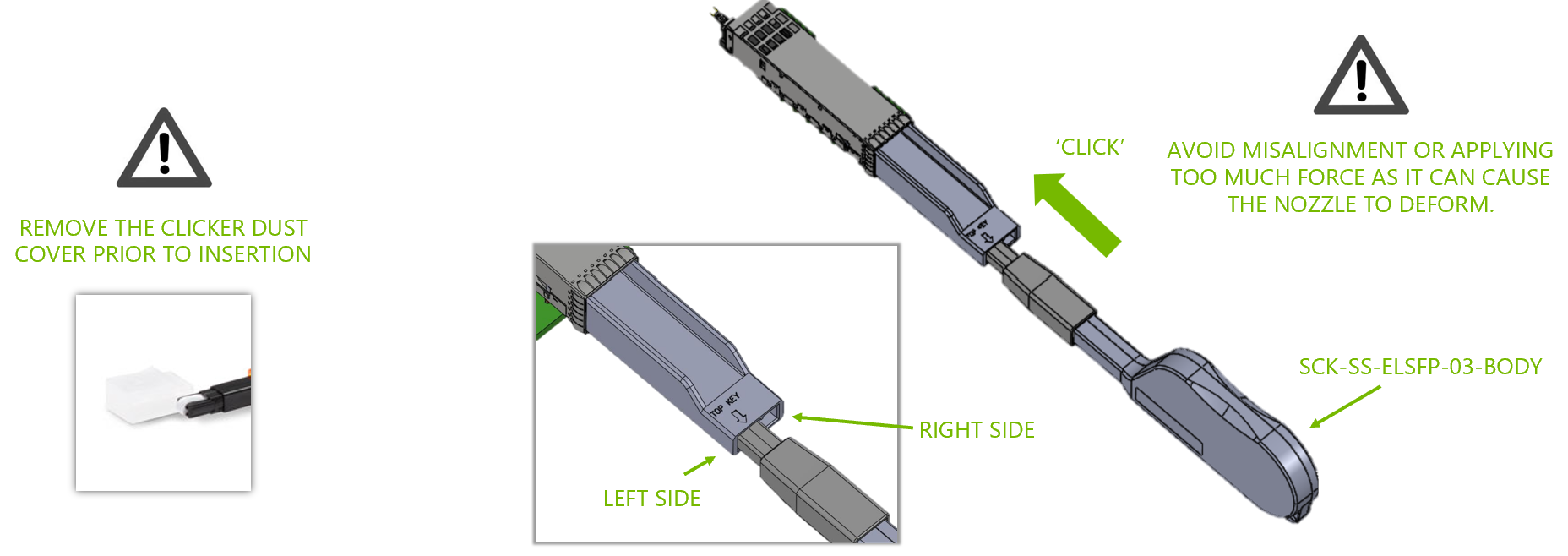
Remove the dust cover from the cleaning tool (clicker, SCK-SS-ELSFP-03-BODY).
-
Insert the cleaning tool (SCK-SS-ELSFP-03-BODY) nozzle using an alignment key.
-
Carefully push the cleaning tool in the direction shown until an audible click is heard. One complete insertion-and-release cycle is sufficient.
-
Reinsert the cleaner to the right side of the adapter as shown in the above illustration, and repeat Steps 4–5.
-
Remove the cleaning tool and adapter from the cage.
-
Assemble the dust cover back on the cleaning tool.
New Module Assembly
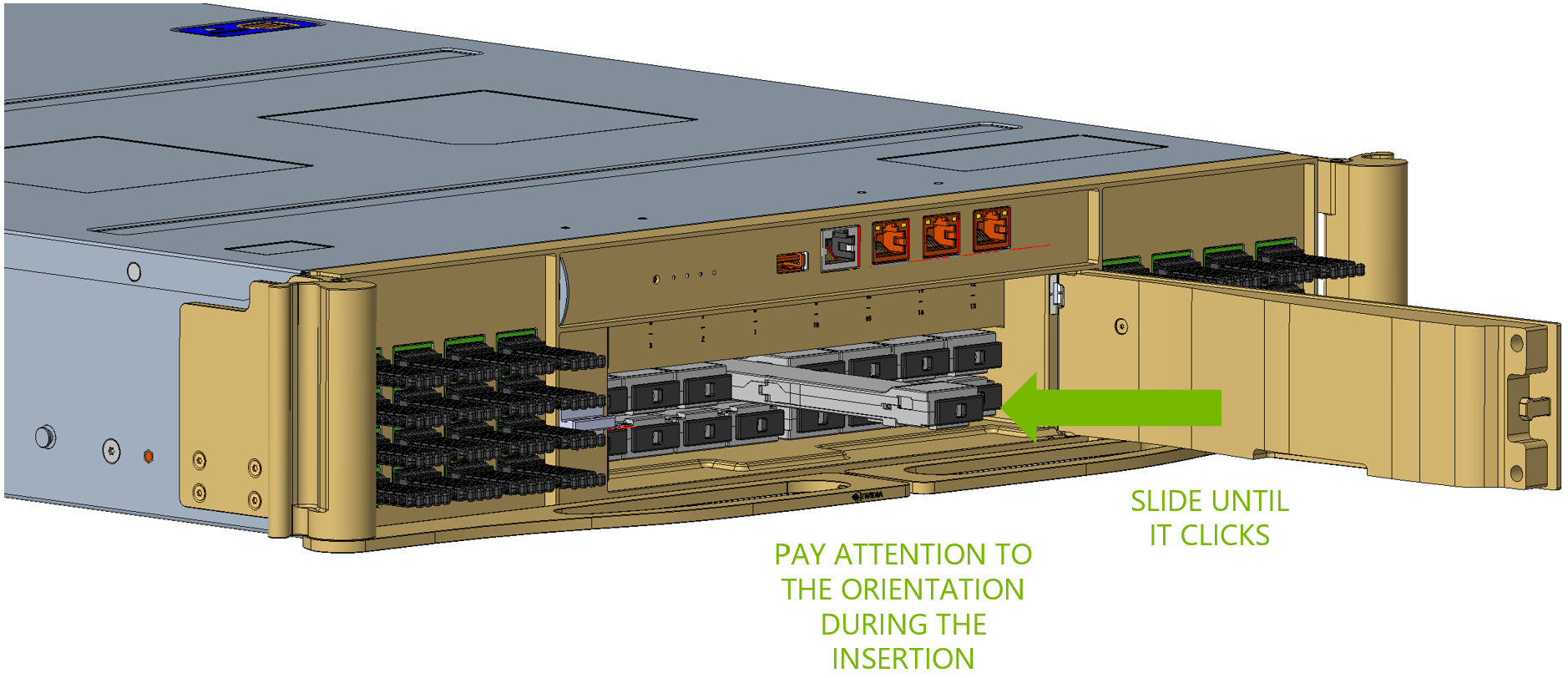
Align and gently slide the new ELS module into its slot until it is fully seated.
Last updated: