

Serial Console
NVIDIA switches include RJ-45 RS-232 console port.
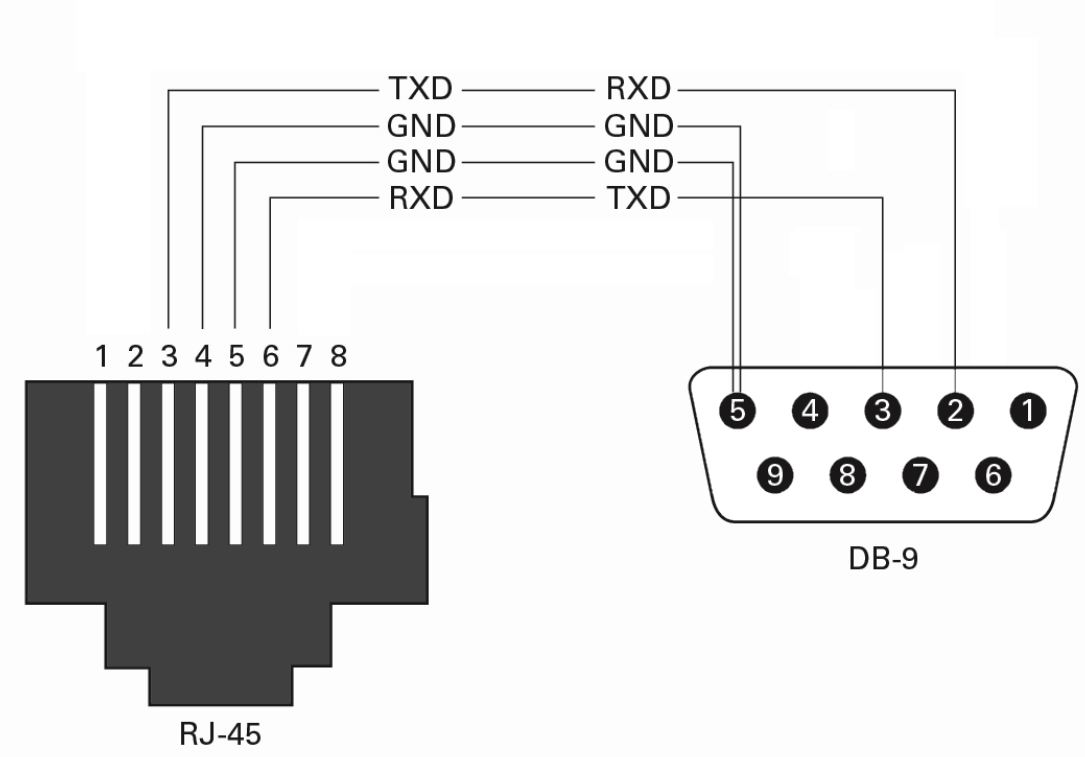
To use the Console port, connect the supplied RJ-45-to DB-9 harness provided with the switch to the PC serial port. Connect the RJ-45 end of the cable to the console port of the switch.
Configure the terminal application/emulation program to 115,200 baud, 8 data bits, no parity, 1 stop bit.
Switch CLI login should be available for switch configuration.
RJ-45 to DB-9 Harness Pinout
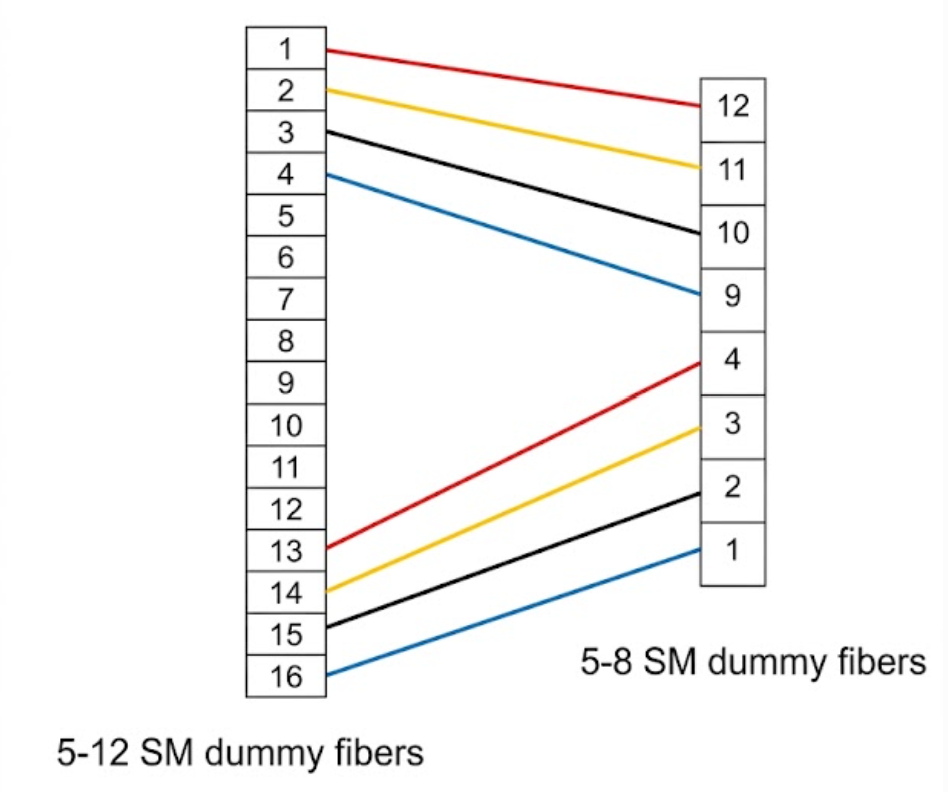
MMC-MPO Pinout Mapping
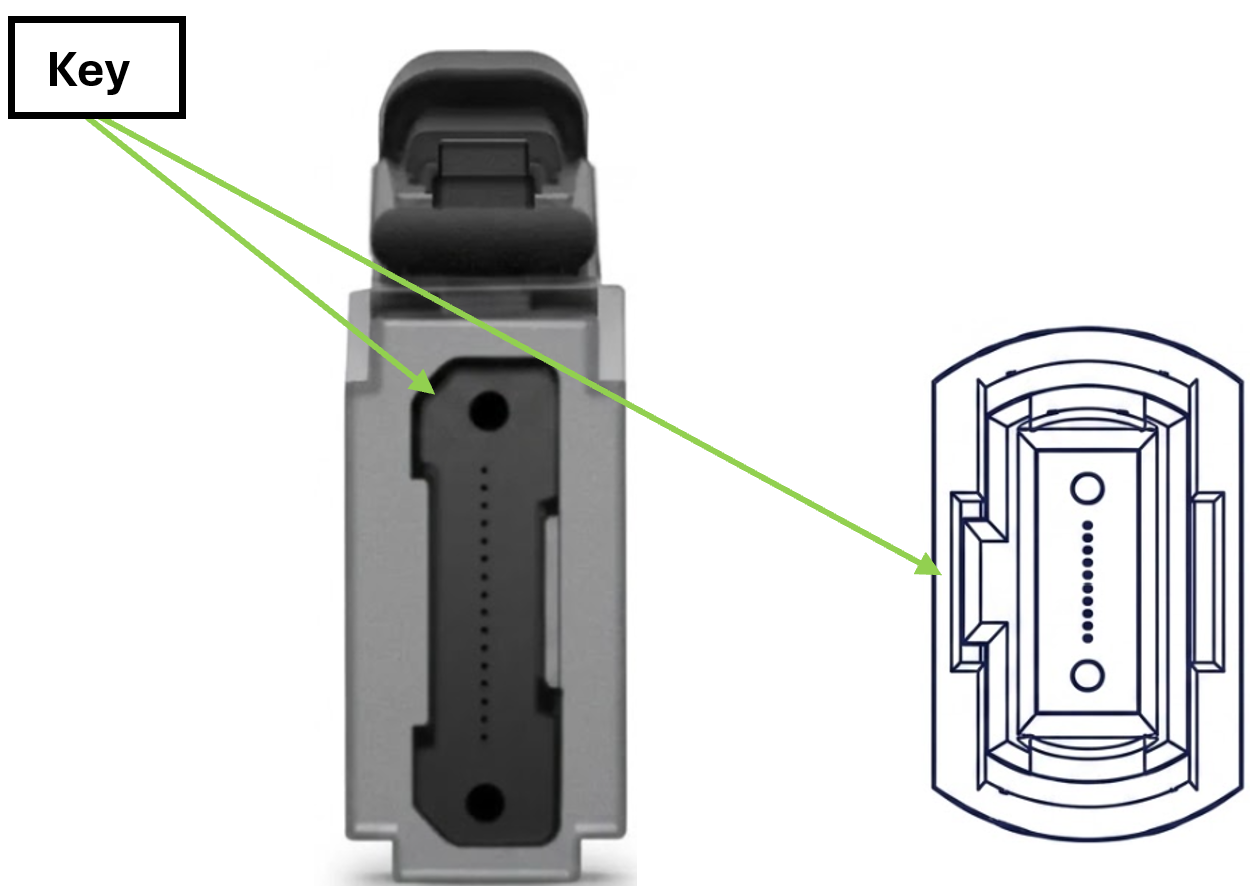
The following schematic details the pinout mapping and fiber assignment between a 16-position MMC connector and a 12-position MPO connector, along with physical key orientation for alignment.
Out-of-Band Management Interface
Out of Band is a management network that aggregates all networking switches enabling access for their configuration, management and monitoring.
NVIDIA switch has an OOB Ethernet port, an RJ-45 based with 1Gbase-T speed, supporting up to 100m using standard Cat-5/Cat-6 twisted pairs cabling.
BMC Management Interface
NVIDIA switch has a standard Ethernet port to connect to the Baseboard Management Controller, a 1Gbase-T port, up to 100m using Cat-5/Cat-6 twisted per with RJ-45 connector.
USB Standard Specifications
For USB specification documents, refer to the USB Document Library.
Last updated: