

Introduction
This chapter provides an overview and prerequisites for installing Single-Mode and Multi-Mode transceivers, Optical Fibers and Active Copper Cables. The new 200G/400/800G Ethernet interconnects make extensive use of pluggable optical transceivers and detachable optical fibers for easier installation, inspection and debugging.
For more information on best practices and recommendations to ensure best performance of our cables, refer to NVIDIA Cable Management Guidelines.
Form Factors
NVIDIA Spectrum-6 systems utilize various port types to support flexible bandwidth options:
|
Form Factor |
Description |
Spectrum-6 Usage |
|---|---|---|
|
OSFP - Octal Small Form-factor Pluggable |
Connected to the ASIC with 8 electrical lanes. |
The usage of the lanes enables setting versatile port speeds; for instance, an 800G port can be configured as 4 lanes of 200G or 8 lanes of 100G. |
|
QSFP - Quad Small Form-factor Pluggable |
Connected to the ASIC with 4 electrical lanes. |
Spectrum-6 switches' QSFP112 utilizes 2 electrical lanes only to provide 2 discrete 100G general-purpose ports. |
|
SFP28 - Small Form-factor Pluggable |
Utilizes 1 electrical lane to the ASIC. |
Spectrum-6 switches may include a few SFP28 general-purpose ports, supporting 25G speed. |
Interconnect Media and Cable Assemblies
Optical Transceiver Types
Internal Electronics
|
Type |
Description |
|---|---|
|
FRO - Full Retimed Optics |
Employs DSP ICs on both transmit and receive paths. |
|
TRO - Transmit only Retimed Optics |
Utilizes DSP ICs in transmit only. |
Transceiver Cooling
|
Type |
Usage |
|---|---|
|
Integrated Heat Sink
|
Used in air cooled switches in OSFP form-factor. |
|
Riding Heat Sink
|
Used in liquid cool switches as well as server-side in OSFP and QSFP-112 form-factors. |
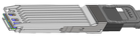
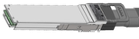
Note: NVIDIA Rx side preference is precoded data; therefore, the Tx side facing the NVIDIA Rx side must transmit precoded data.
Transceiver Availability and Qualification
The following transceivers are in process of qualification for SN6600-LD:
|
OPN |
Description |
|---|---|
|
980-9IAS1-00XM00 |
NVIDIA twin port transceiver, 2xFR4, 1600Gbps, OSFP, 2xLC-LC, 1310nm SMF, up to 2km, RHS, FRO, XDR + Ethernet |
|
980-9IAM1-00X00x |
NVIDIA Linear Active Copper Cable, 1600Gbps to 1600Gbps, OSFP, 1.1m, RHS to RHS, NIC to NIC |
|
980-9IAO6-00X00x |
NVIDIA Linear Active copper splitter cable, 1600Gb/s to 2x800Gb/s, OSFP to 2xOSFP, 1m, RHS to RHS |
Optical Fiber Options and Connectors
Structured cabling eases servicing of optical transceivers in the data center as transceivers are detachable from the cable. This also simplifies installation since no ESD-sensitive or bulky transceivers are involved during initial cabling runs.
Note: The maximum reach specifications of NVIDIA 400/800G Ethernet transceivers assume two optical connector junctions or patch panels in the link (a total of 4 ferrule-to-ferrule connections).
|
Type |
Description |
|---|---|
|
MPO-12/APC (Multiple Push-On 12-fiber, Angled Polished Connector) |
Two MPO-12/APC optical connectors are used by both Single-Mode and Multi-mode transceivers. Uses 8 fibers in the Angled Polished Connector (APC) with an ~8-degree polish on the fiber end to deflect laser back-reflections into the cladding, avoiding laser damage and signal distortion. Uses 4 transmission (Tx) and 4 receive (Rx) fibers; the center 4 positions are unpopulated. |
|
MPO-12/UPC (Multiple Push-On 12-fiber, Ultra Flat Polished Connector) |
Commonly used in lower rates such as 100G (4x) Multi-Mode transceivers. The Ultra Flat Polished Connector reduces signal reflection for high-performance optics connectivity. |
For MMC to MPO Pinout Mapping, see Management Interface Specifications.
Note: MPO-12/APC and MPO-12/UPC connectors are not compatible.
Optical Fiber Cable Options
|
Type |
Length / Reach |
|---|---|
|
MPO Single-Mode straight cables |
Total length up to 500m (including patch panels, trunks, and cables). |
|
MPO Single-Mode splitter cables |
Total length up to 50m (including patch panels, trunks, and cables). |
|
MMC Single-Mode straight cables |
Total length up to 500m (including patch panels, trunks, and cables). |
|
LC Single-Mode straight cables |
Total lengths of 2km (FR4), 6km/10km (LR4) (including patch panels, trunks, and cables). |
For deployment with SN68x0-LD switches, only 8 lanes are utilized on the 16-position MMC connector (Pins 1–4 and 13–16). Positions 5–12 house dummy single-mode fibers and remain unpopulated for signal transmission.
Active Copper Cables Assemblies
|
Type |
Description |
|---|---|
|
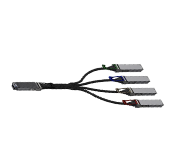
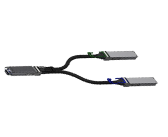
LACC: Linear Active Copper Cables |
The cables use built-in linear equalizer and amplifiers to extend the reachability. The LACC cables support OSFP to 4xOSFP (twin 800G to 4x400G) and OSFP to 2xOSFP (twin 800G to 2x800G) breakouts. |
|
ACC: Active Electric Copper Cables 
|
The cables use DSPs on each end-point. RHS to RHS and IHS to IHS versions of this cable are available, providing a direct connectivity of twin 800G ports. |
Structured Cabling and Patch Panels
Patch panels have multiple ports that connect multiple devices together, organizing cables and enabling signal shuffling between endpoints (Servers to Leaves / Leaves to Spines)
Physical Installation and Hardware Layout
Cable Orientation
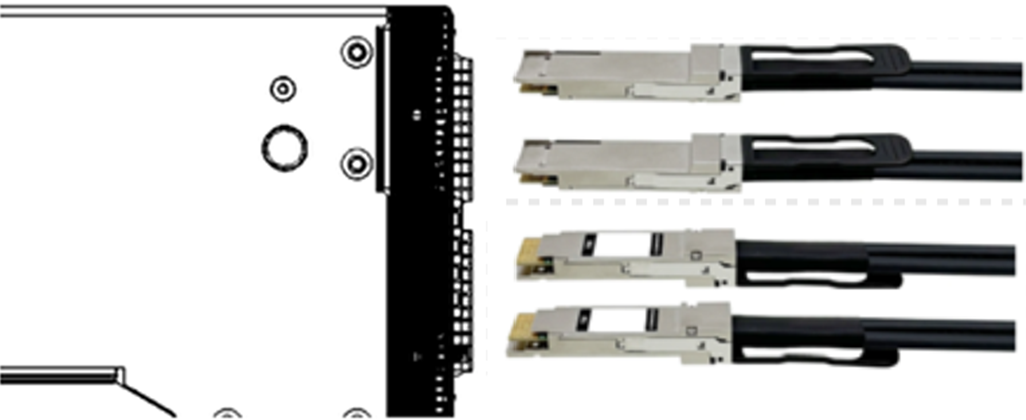
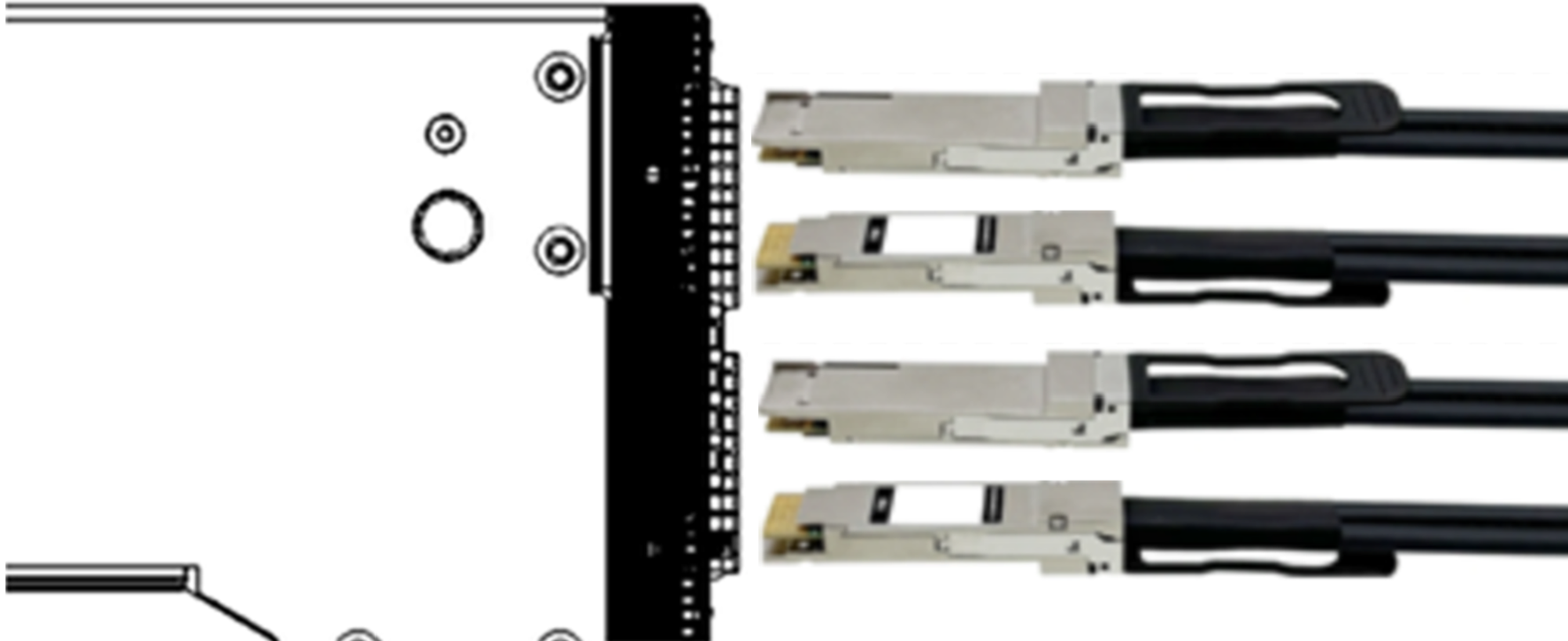
Verify the proper orientation of OSFP modules and cables prior to insertion into the chassis cages:
SN6600:
SN6600-LD:
Connector Numbering in a Belly-to-Belly Configuration
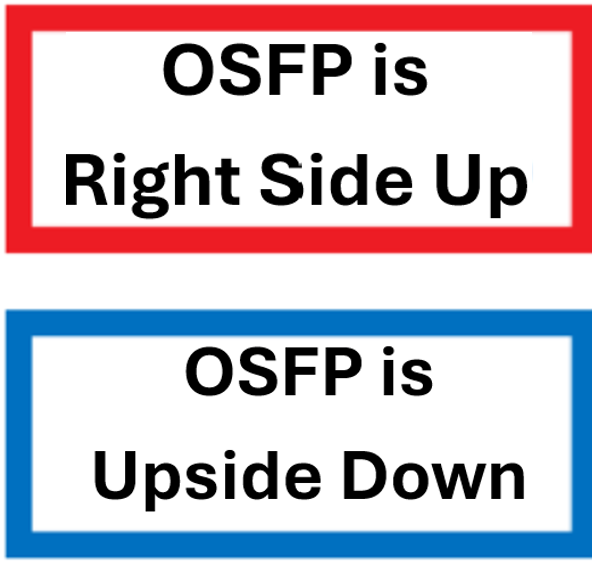
SN6600-LD and SN6600 systems utilize OSFP cages. OSFP-based optical transceivers feature two distinctive ports that operate in a "belly-to-belly" cage layout:
Twin 800G port allocation: 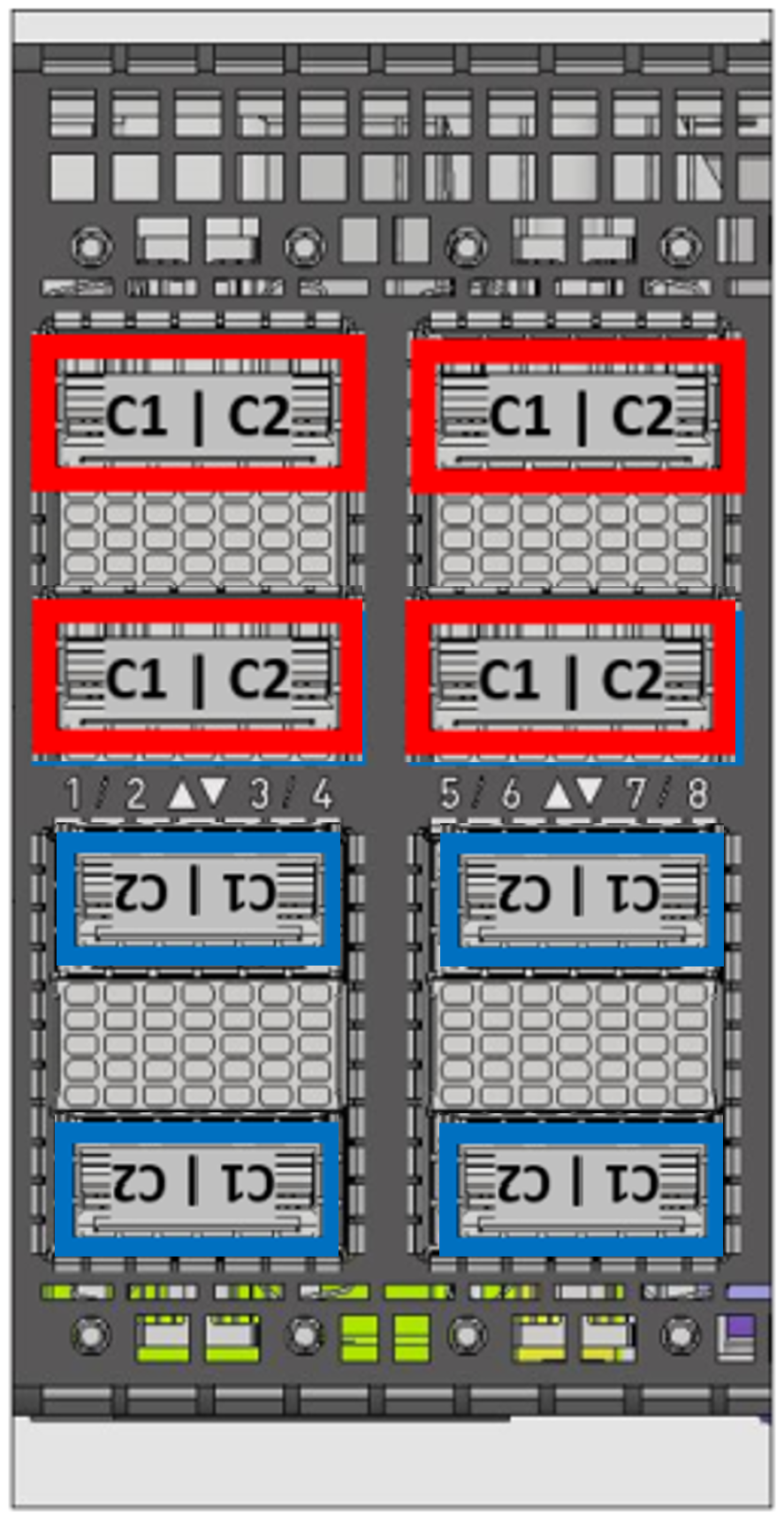
|
Twin 800G Port Allocation
|
Port Configuration |
Physical Connector |
NOS Description |
Examples |
|---|---|---|---|
|
800G + 800G |
C1 + C2 |
swp |
swp1, swp2 |
Logical Port Configuration and NOS Reflection
Splitting / Breakout Options
In the SN6810-LD, SN6600-LD and SN6600 systems, all ports support splitting according to the following configurations:
|
Port Speed |
Split |
Logical Ports |
Lane Speed |
Signaling |
|---|---|---|---|---|
|
800GbE |
N |
128 |
4×224G |
PAM4 |
|
400GbE |
Y |
256 |
2×224G |
PAM4 |
|
400GbE |
Y |
128 |
4×112G |
PAM4 |
|
200GbE |
Y |
512 |
1×224G |
PAM4 |
|
200GbE |
Y |
256 |
2×112G |
PAM4 |
|
100GbE |
Y |
512+2 |
1×112G |
PAM4 |
The SN6800-LD system supports the following port speeds configurations:
|
Port Speed |
Split |
Logical Ports |
Lane Speed |
Signaling |
|---|---|---|---|---|
|
200GbE |
N |
2048 |
2x224G |
PAM4 |
|
100GbE |
N |
2048+8 |
1×112G |
PAM4 |
The SN6800 system does not support additional port breakout modes.
Twin 800G Port Allocation
|
Port Configuration |
Physical Connector |
NOS Description |
Examples |
|---|---|---|---|
|
800G + 800G |
C1 + C2 |
swp |
swp1, swp2 |
Breakout Ports Reflection in NOS
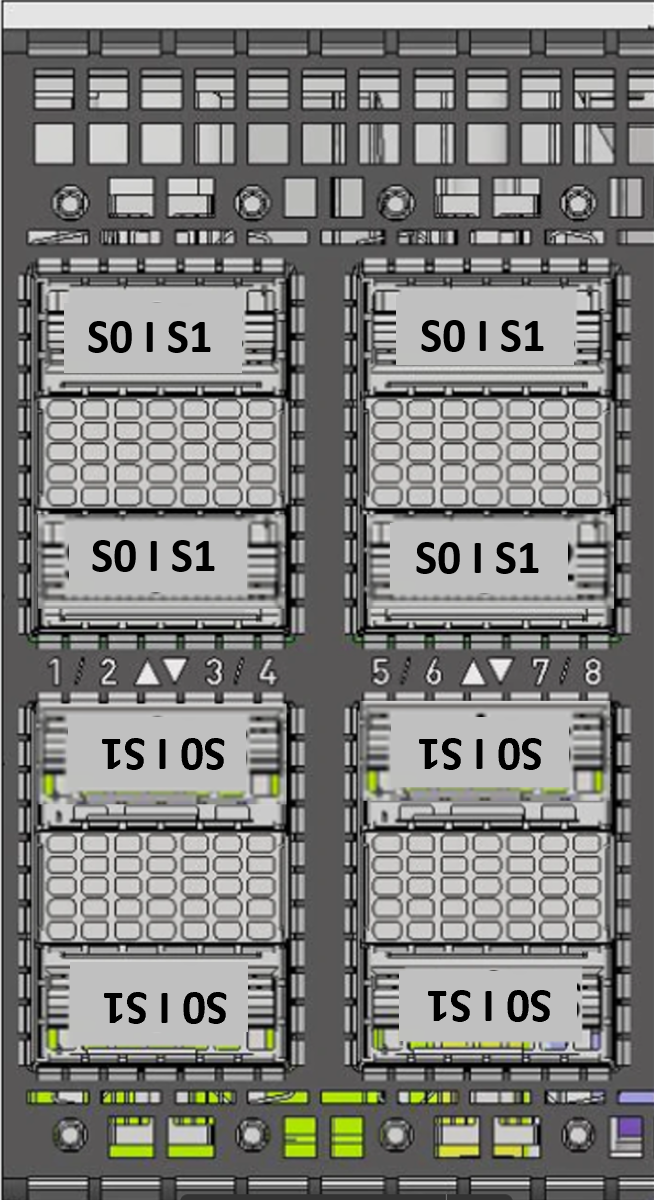
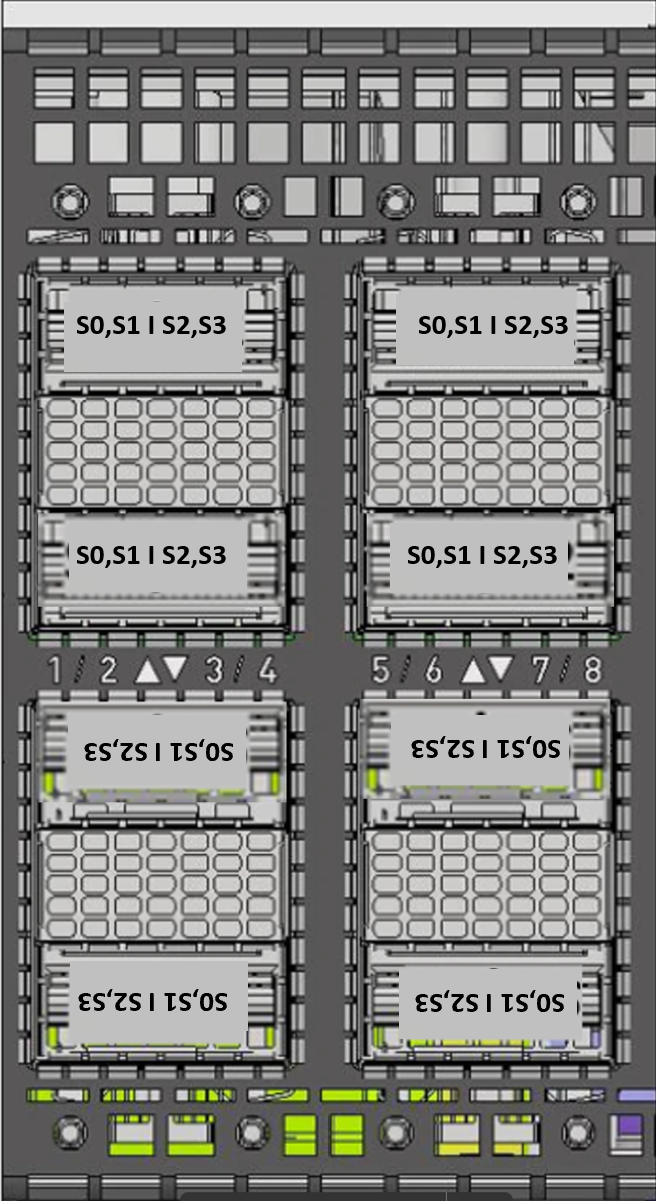
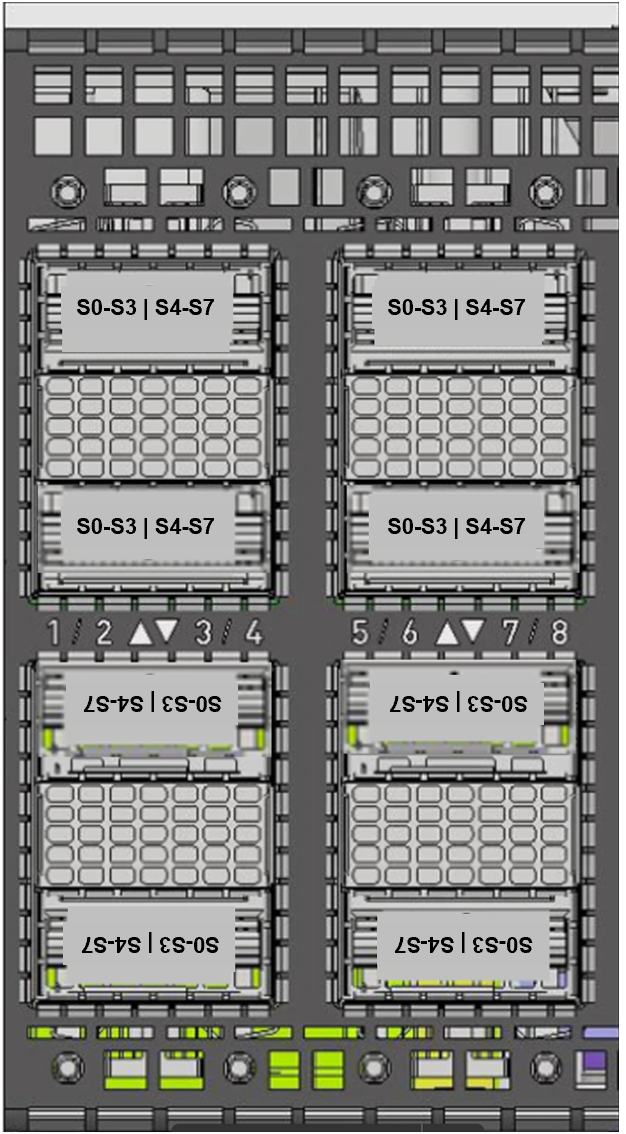
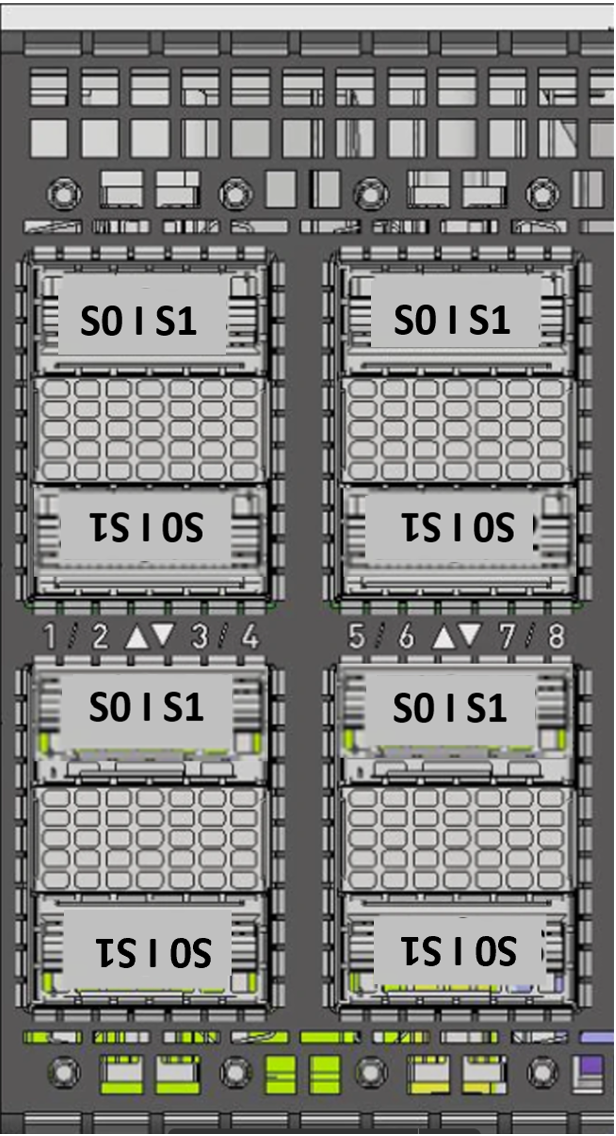
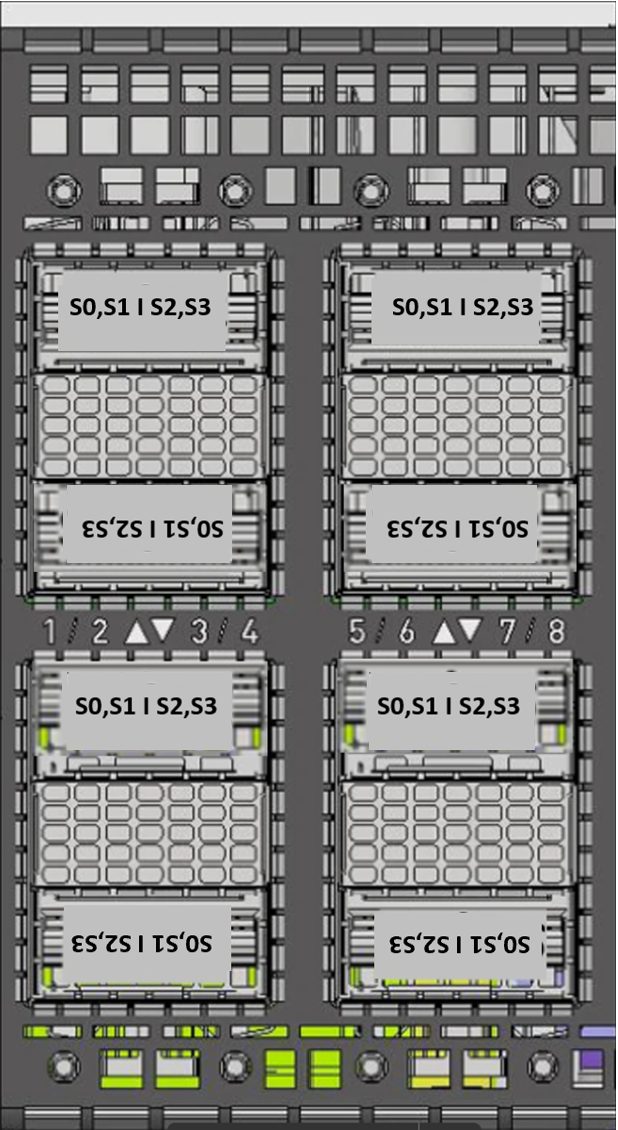
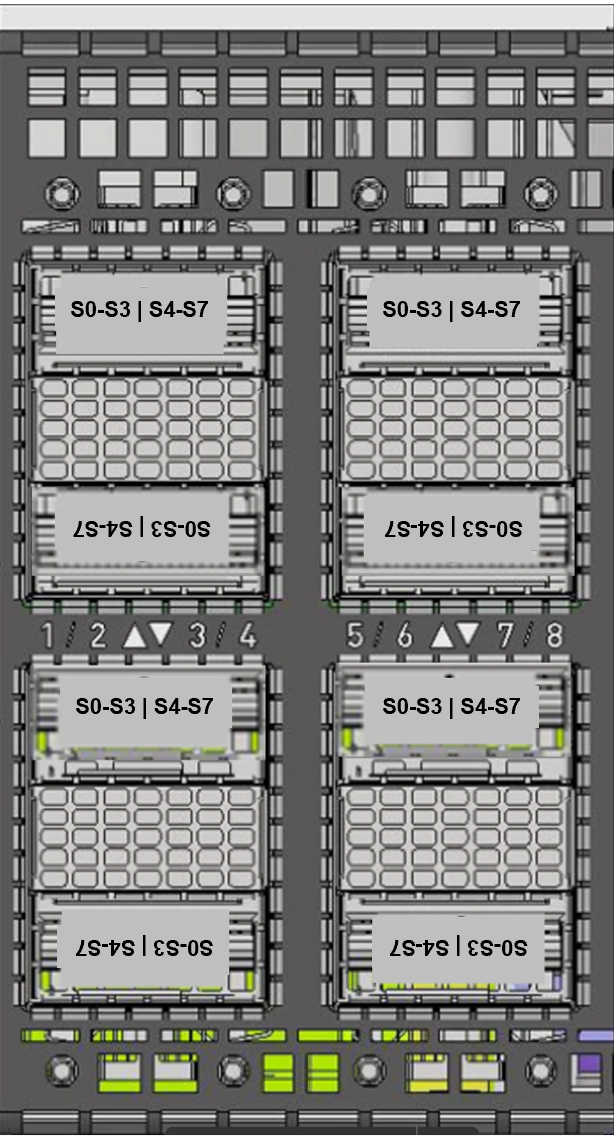
The illustration below shows the first two rows of the system’s OSFP carriers: the image on the left identifies the OSFP cage number as it is presented by the OS; the image on the right identifies the corresponding subinterfaces.
SN6600 Orientation:
|
Connector #
|
Connector #
|
Connector #
|
|---|---|---|
|
|
|
SN6600-LD Orientation:
|
Connector #
|
Connector #
|
Connector #
|
|---|---|---|
|
|
|
|
Port Configuration |
Physical Connector |
Sub-interface |
Examples |
|---|---|---|---|
|
2×800G |
C1 |
S0 |
swp1s0, swp24s0 |
|
C2 |
S1 |
swp1s1, swp64s1 |
|
|
4×400G |
C1 |
S0, S1 |
swp2s0, swp2s1 |
|
C2 |
S2, S3 |
swp8s2, swp8s3 |
|
|
8×200G |
C1 |
S0, S1, S2, S3 |
swp60s0, swp60s1, swp60s2, swp60s3 |
|
C2 |
S4, S5, S6, S7 |
swp55s4, swp55s5, swp55s6, swp55s7 |
For additional Information on NVIDIA Interconnect Solution, please refer to: https://docs.nvidia.com/networking/interconnect/index.html.
Last updated: