

The SN6600-LD and SN6810-LD systems are compatible with NVIDIA MGX v1.2 racks.
|
Kit Part Number |
Description |
|---|---|
|
930-9SKIT-00L0-00F |
Installation kit for standard 2U switches in MGX v1.2 racks |
The following instructions have been prepared and provided with permission from King Slide.
Package Contents

Installation Instructions
|
Description |
Illustration |
|---|---|
|
|
|
|
|
|
|
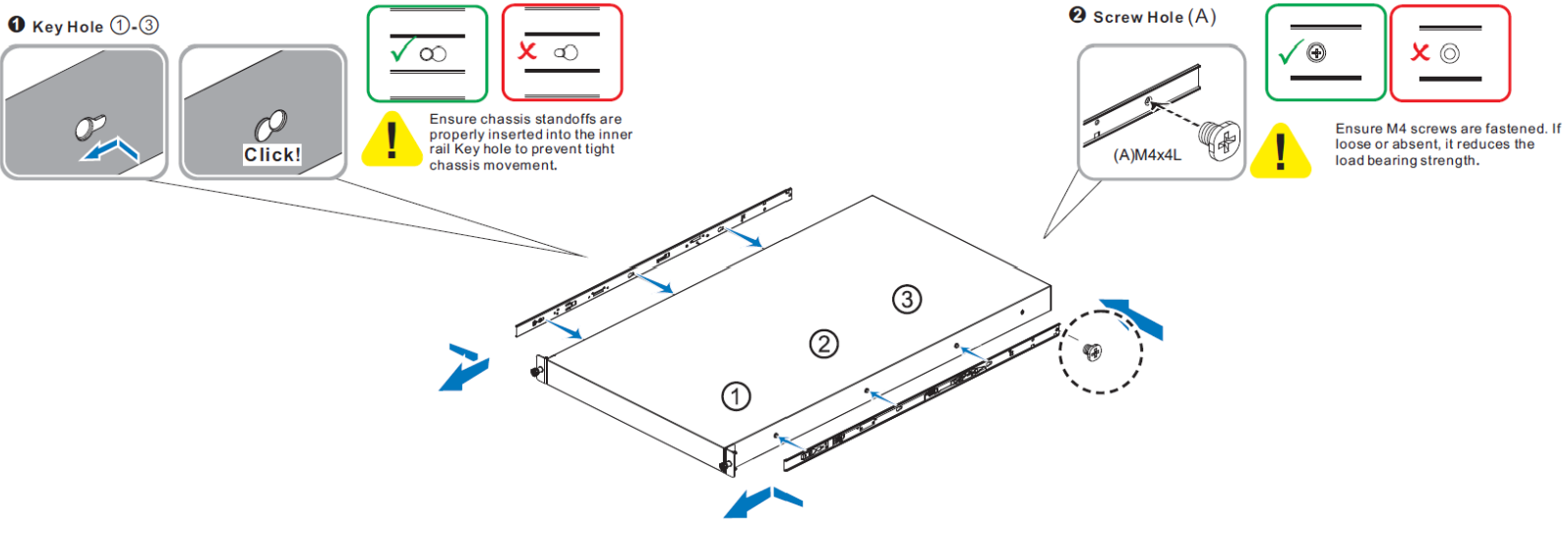
CRITICAL ORIENTATION REQUIREMENT The switch must be mounted in an upright position. Verify the correct orientation before inserting the unit into the rack rails.
|
|
Important Note:
|
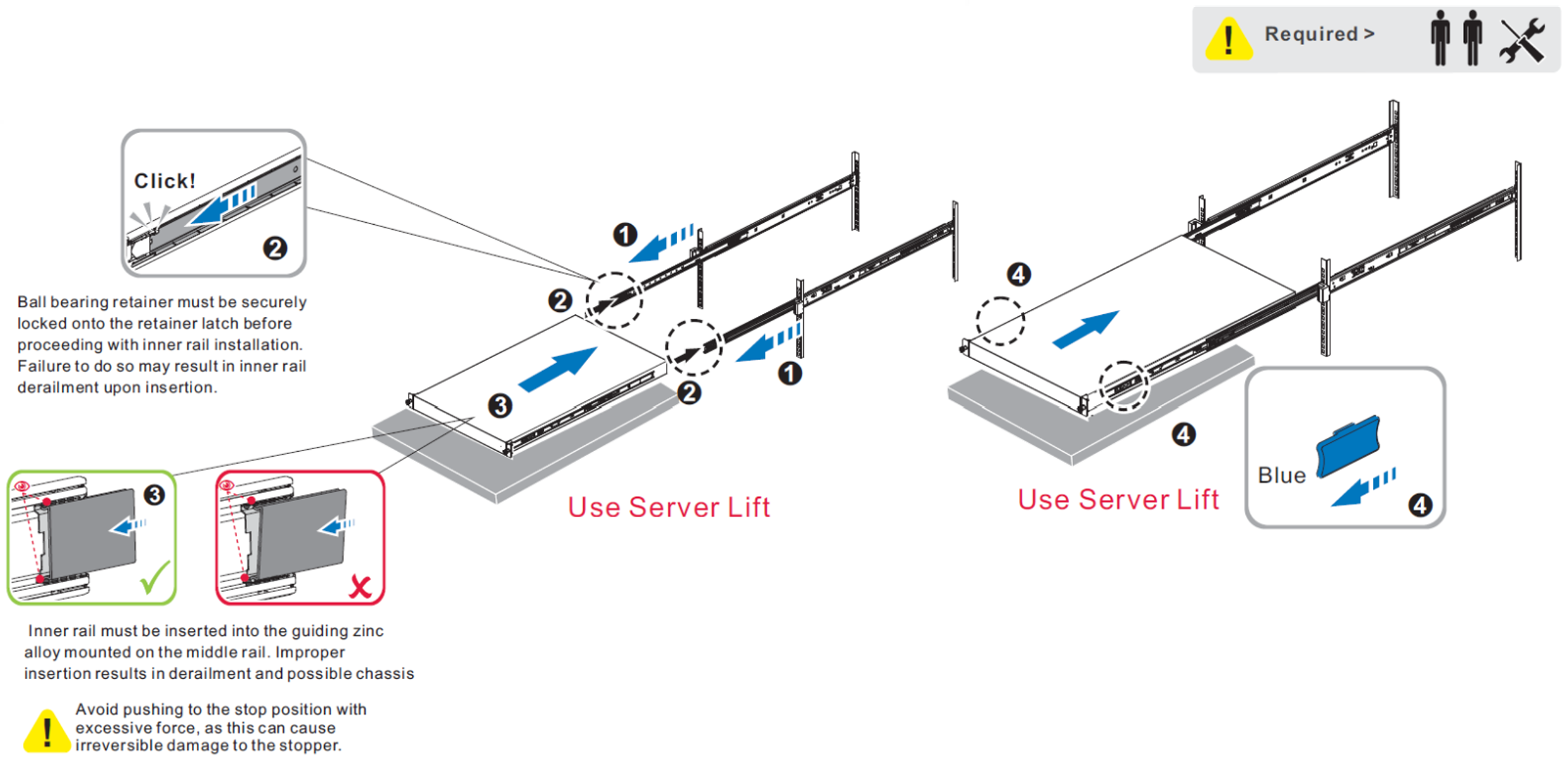
|
Important Note:
|
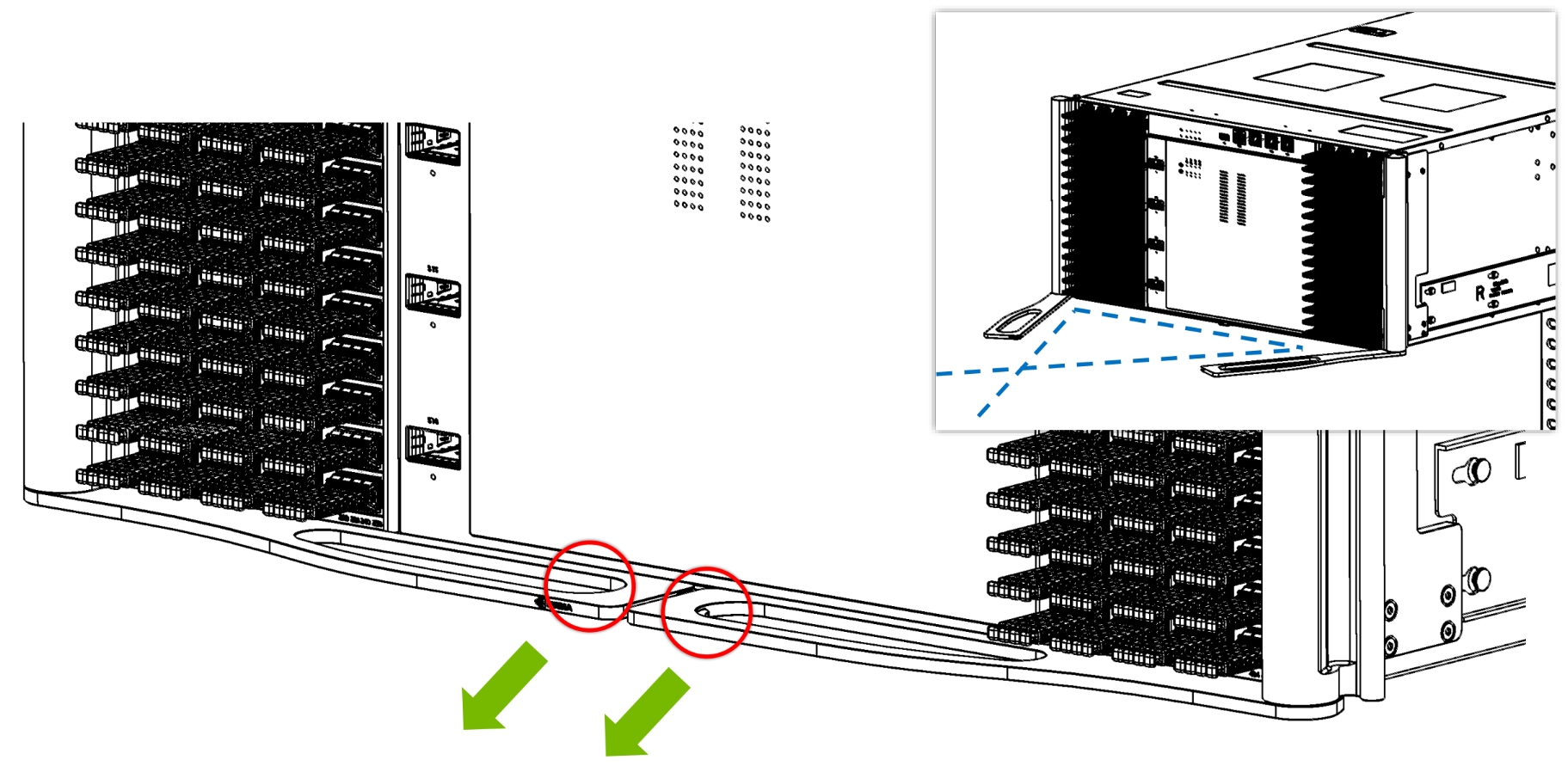
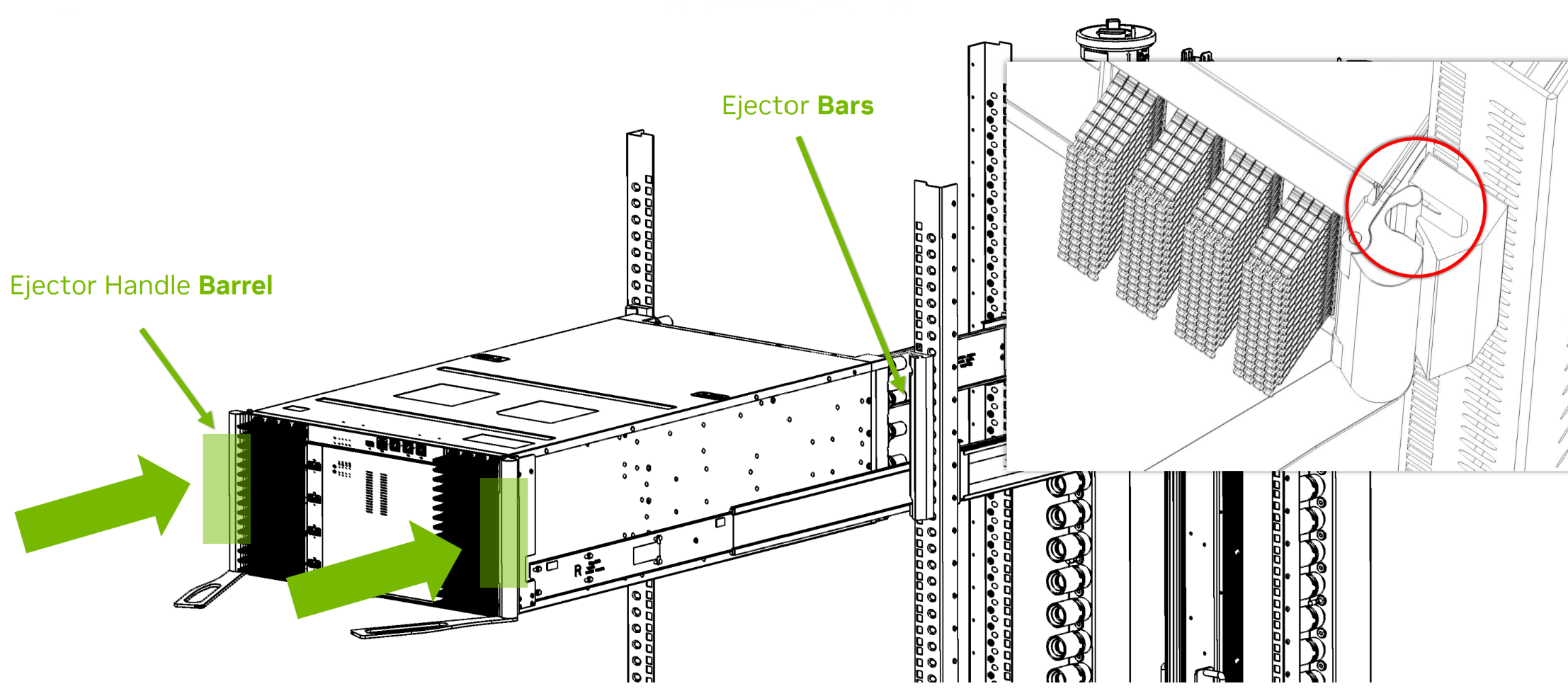
|
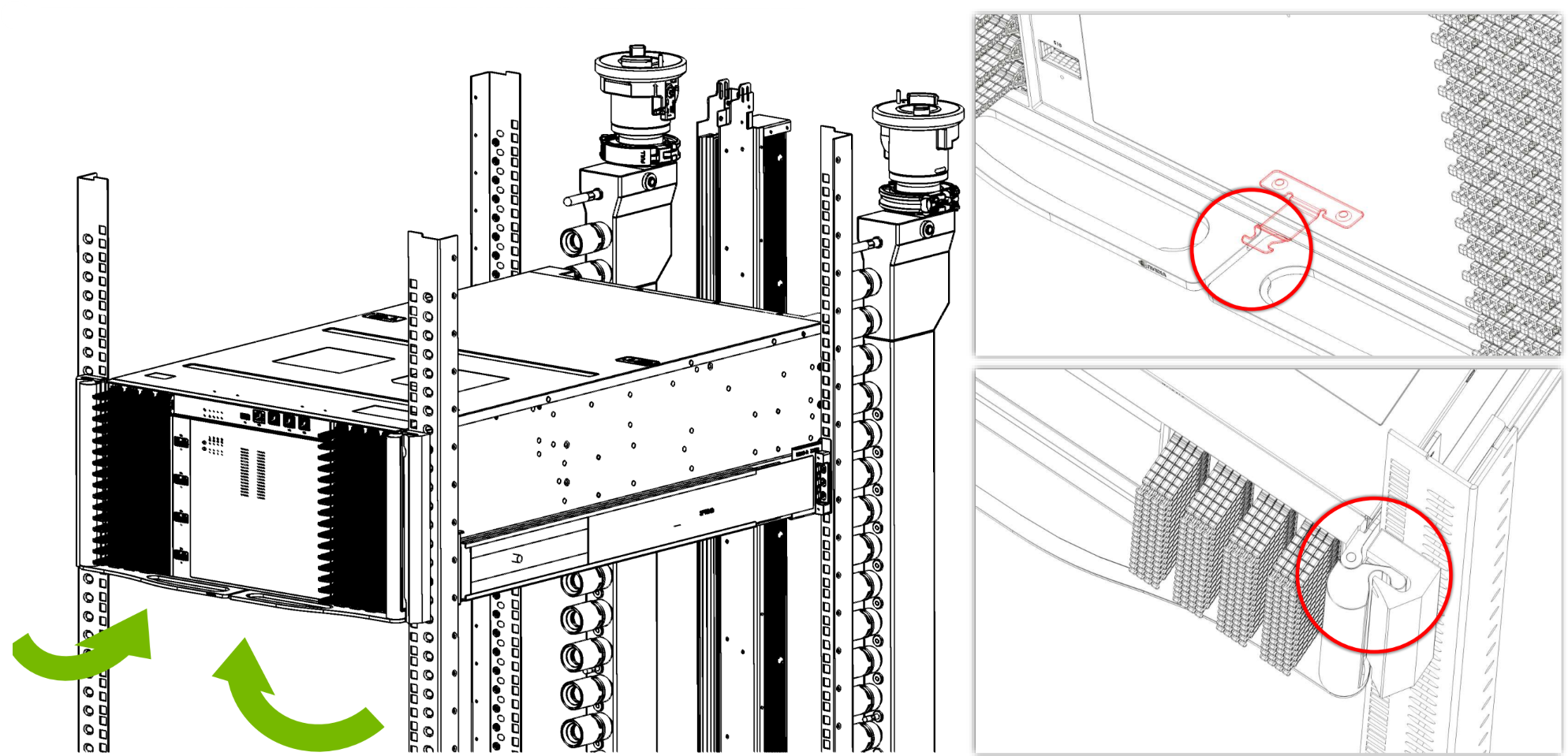
|
Disassembly Instructions
|
Description |
Illustration |
|---|---|
|
Important Note:
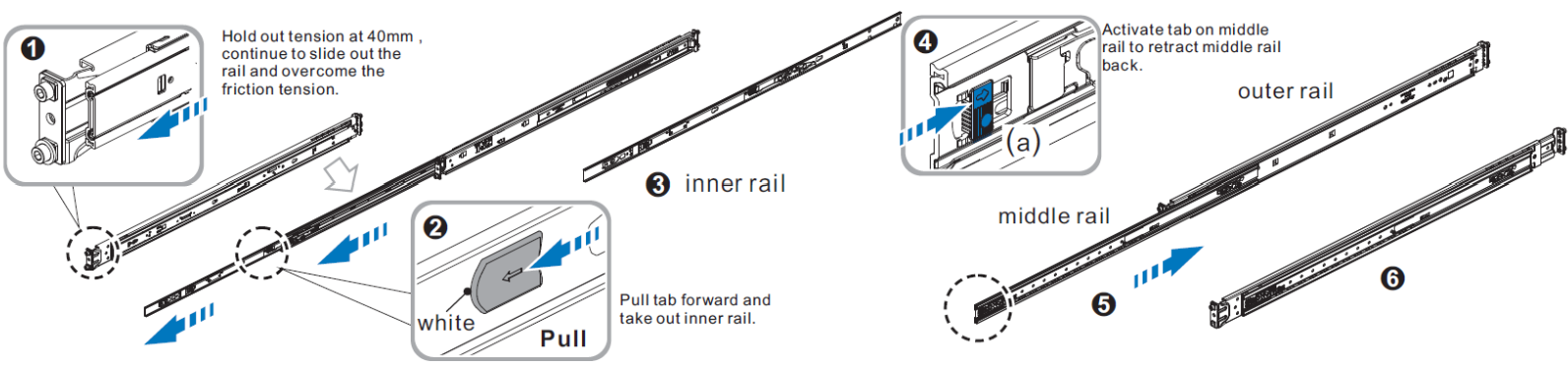
① ② Loosen the shipping screws, then rotate and pull the cantilever handle to unlatch and pull out the chassis. ③ ④ Once fully extended into the locked-out position, pull the disconnect tab forward to remove the chassis.
|
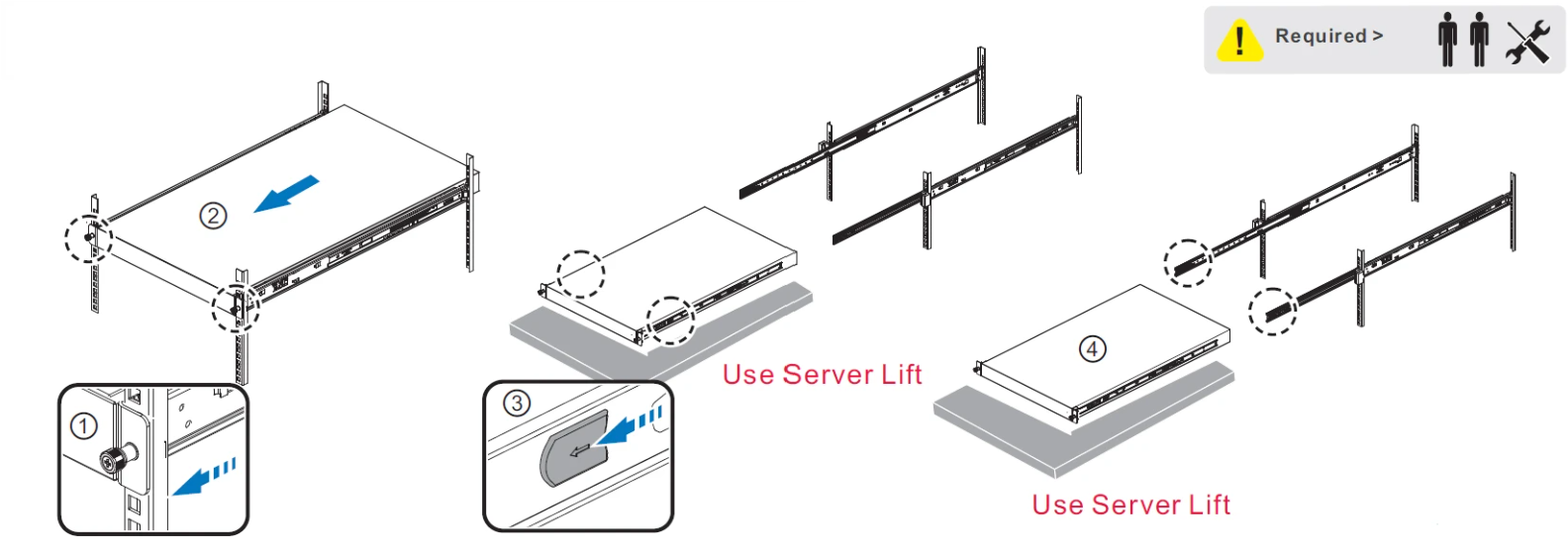
|
|
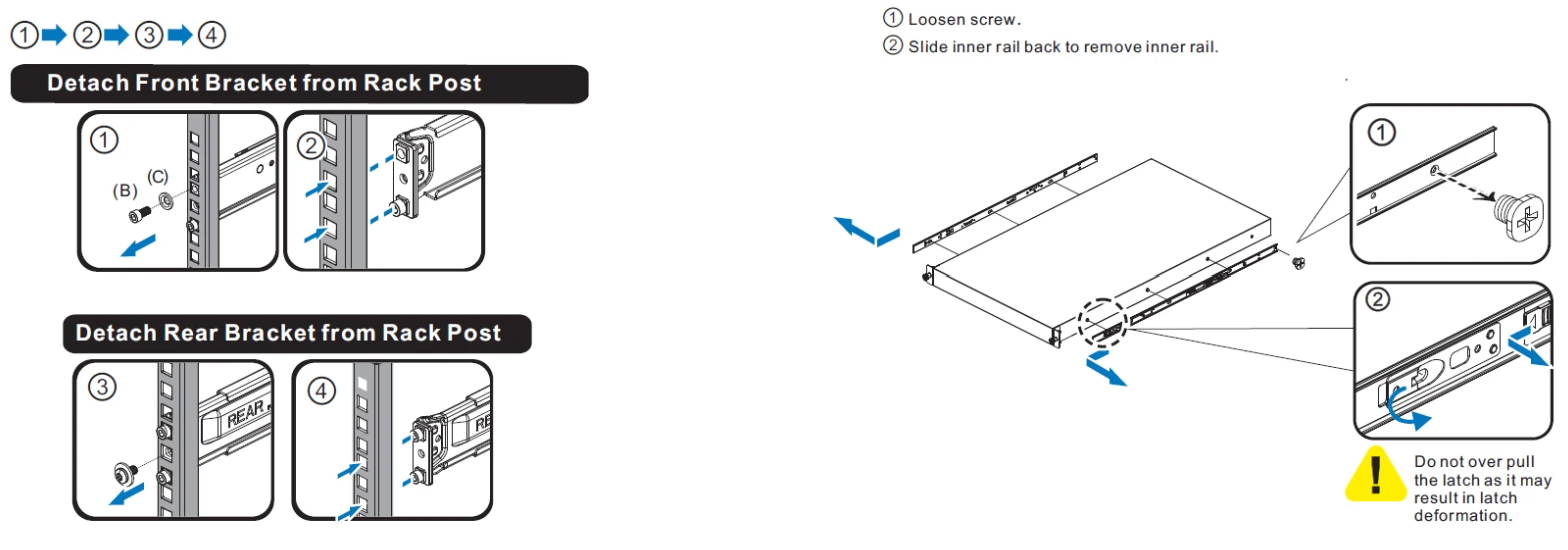
|
Troubleshooting
|
Description |
Illustration |
|---|---|
|
Failure Mode: Chassis falling off or tilting after installation 
|
|
|
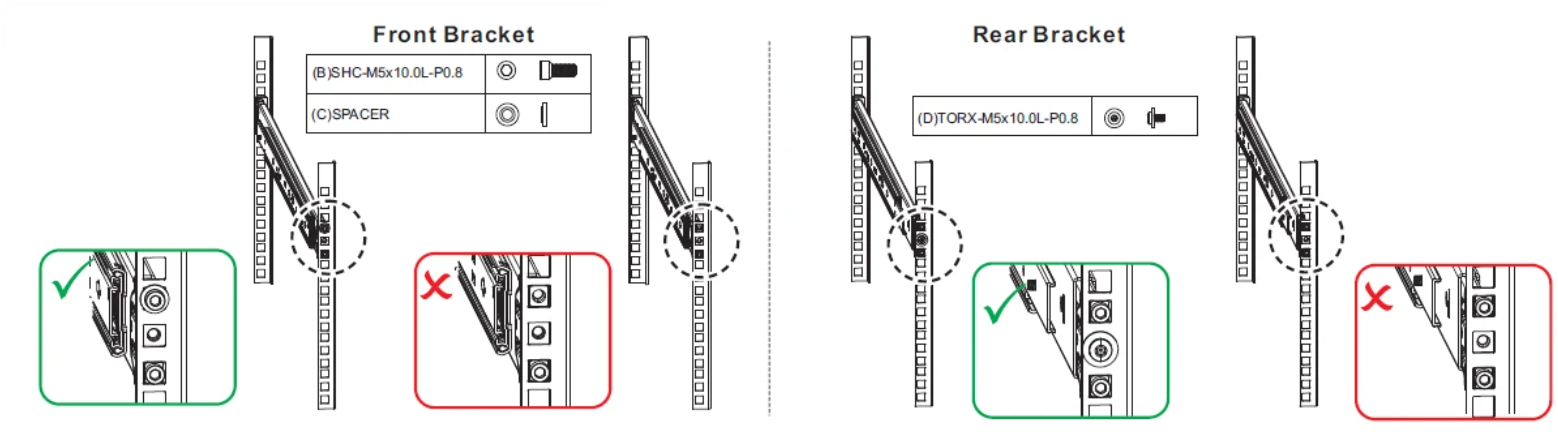
|
|
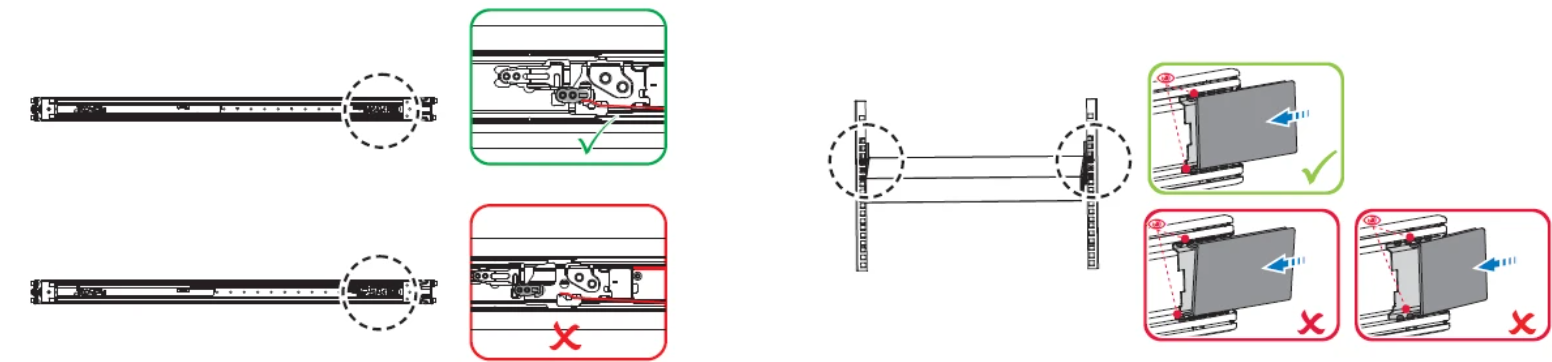
|
|
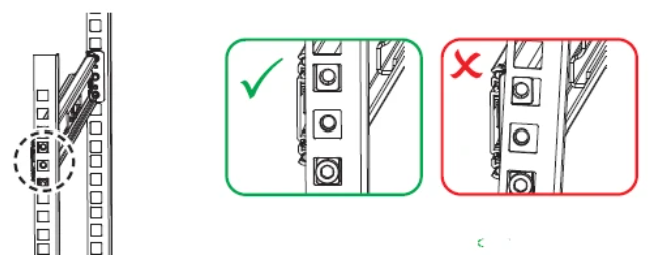
|
|
Failure Mode: Stiff or tight chassis movement |
|
|

|
|
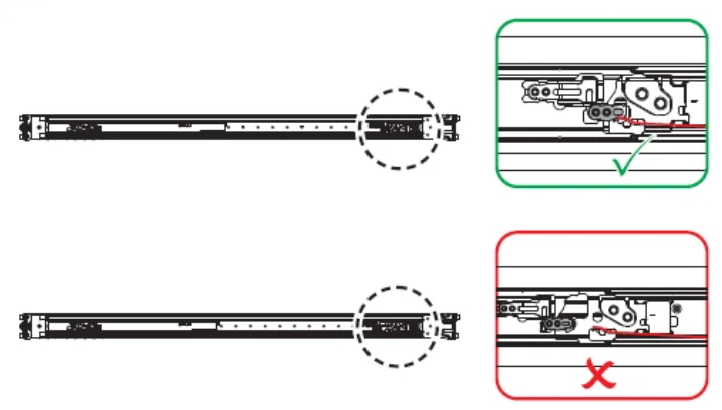
|
|
Failure Mode: Insufficient or abnormal load-bearing strength |
|
|
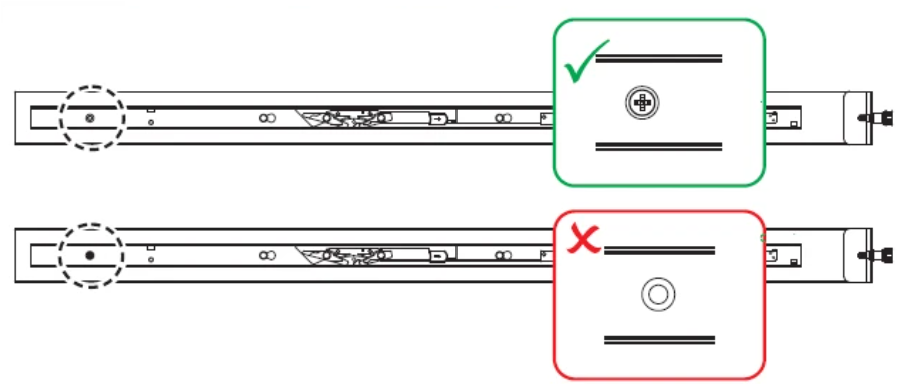
|
|
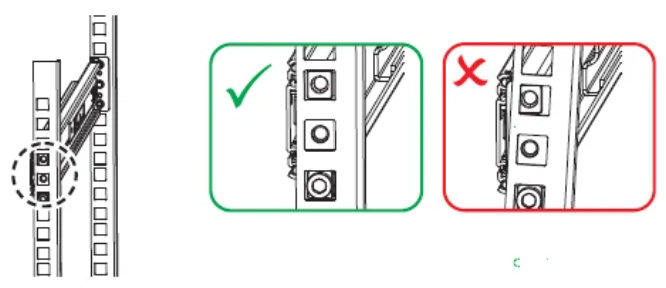
|
Last updated: