

The SN6800-LD system is compatible with NVIDIA MGX v1.2 racks.
|
Kit Part Number |
Rack Size and Rack Depth Range |
|---|---|
|
930-9SRKT-00F0-00C |
Rack mounting kit for NVIDIA SN6800-LD switch in MGX v1.2 rack |
The following instructions have been prepared and provided with permission from King Slide.
Installation Instructions
|
Description |
Illustration |
|---|---|
|

|
|

|
|
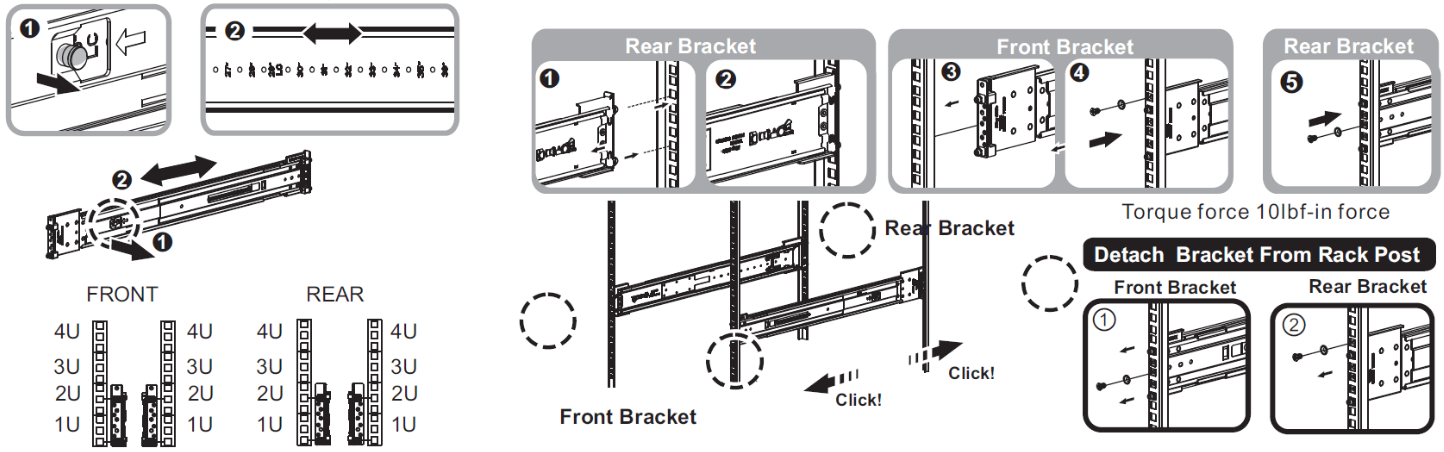
|
|
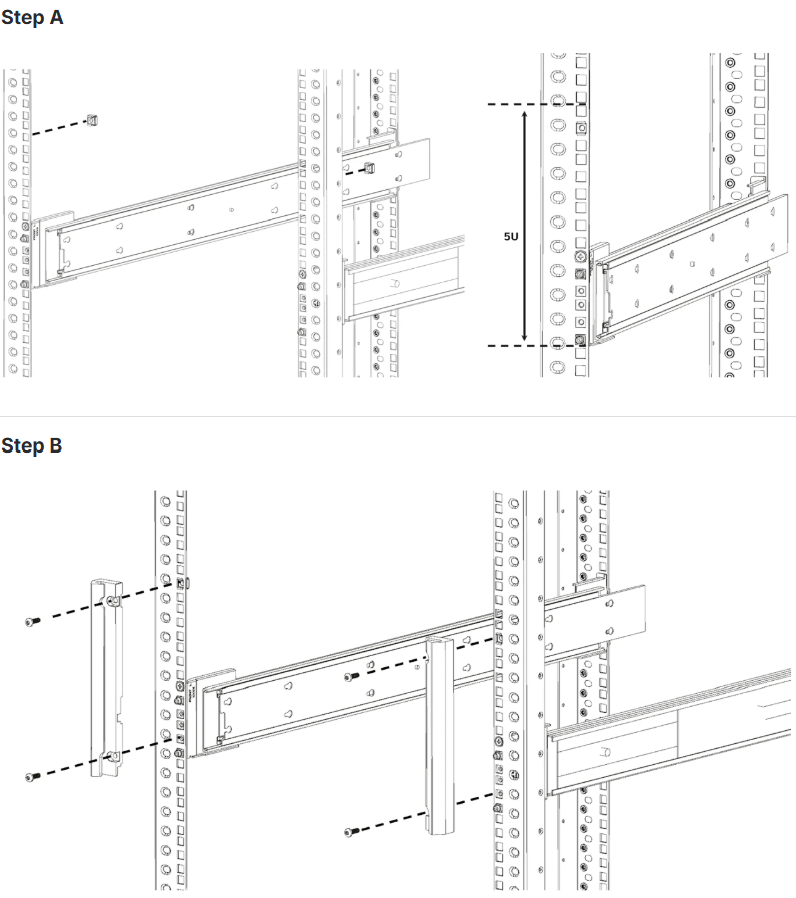
|
|
Make sure the ejector bars do not protrude over the rack posts. |
CRITICAL ORIENTATION REQUIREMENT The switch must be mounted in an upright position. Verify the correct orientation before inserting the unit into the rack rails. 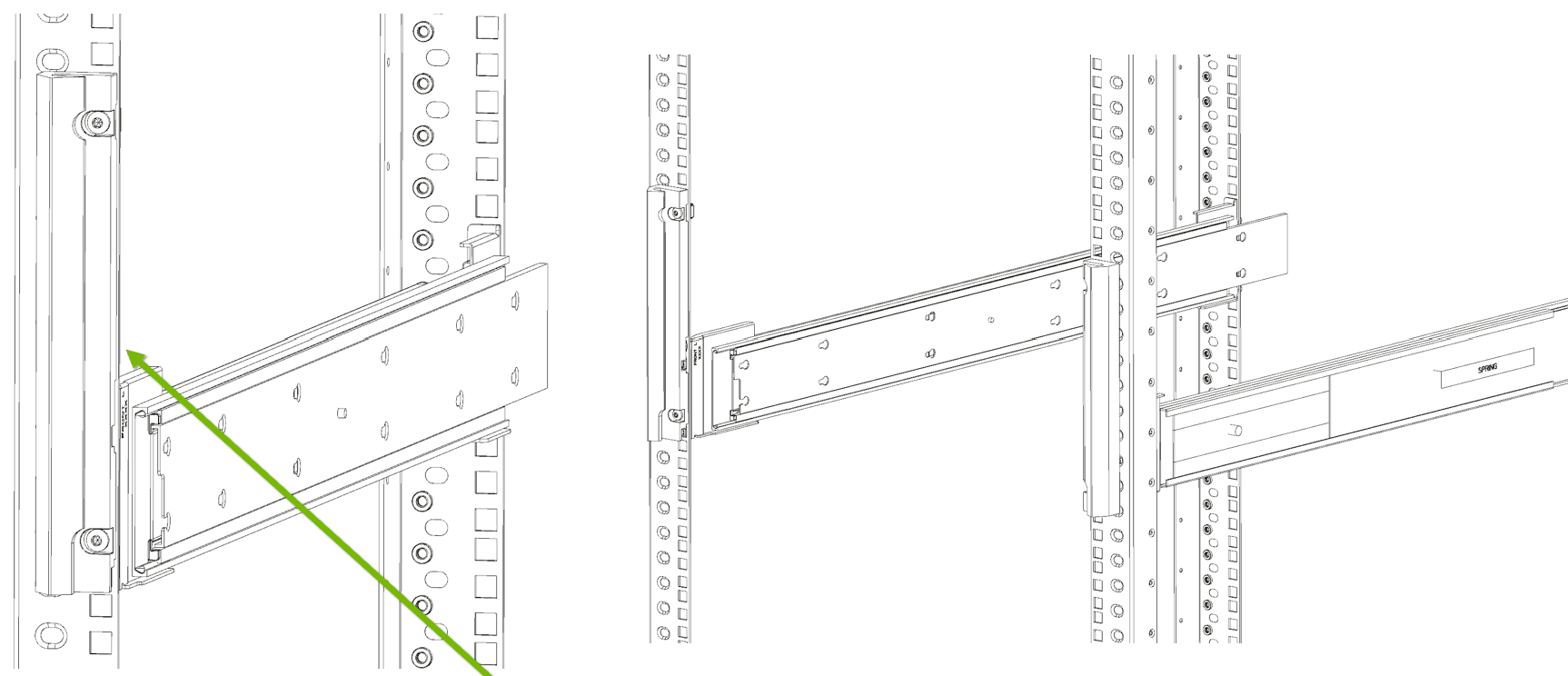
|
Important Note:
|
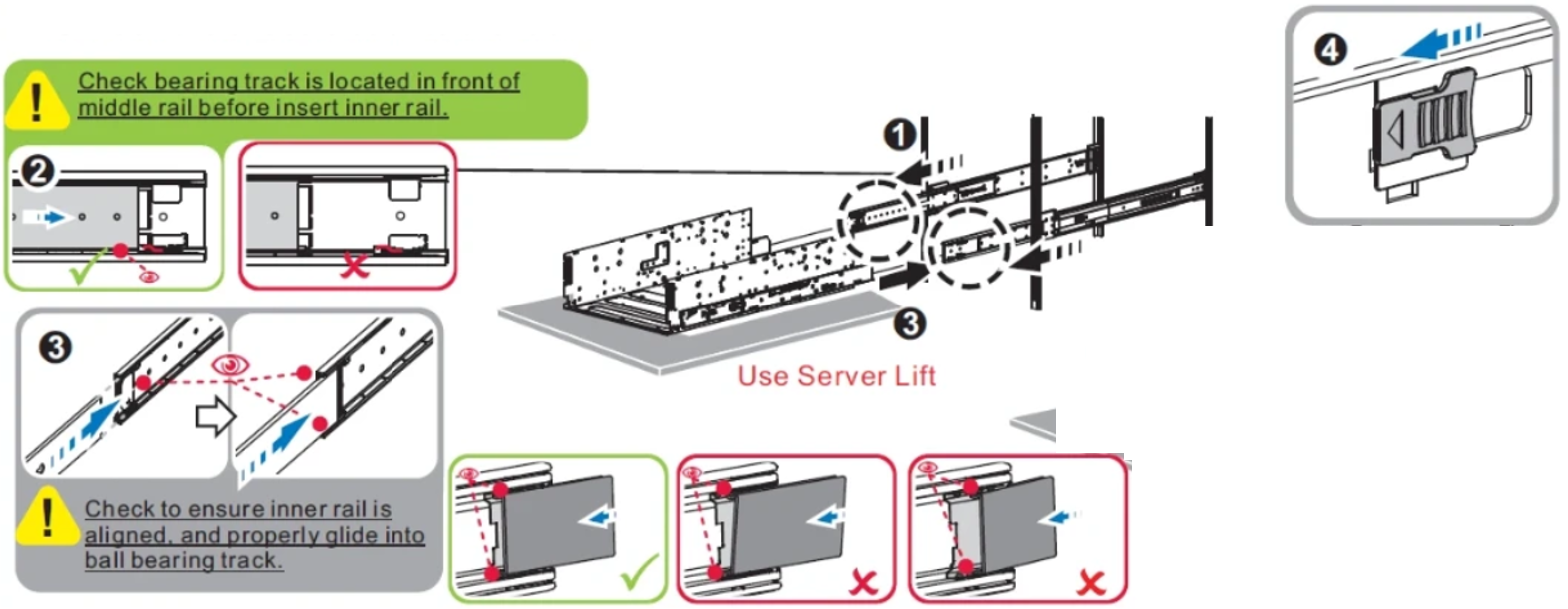
|
Important Note:
|
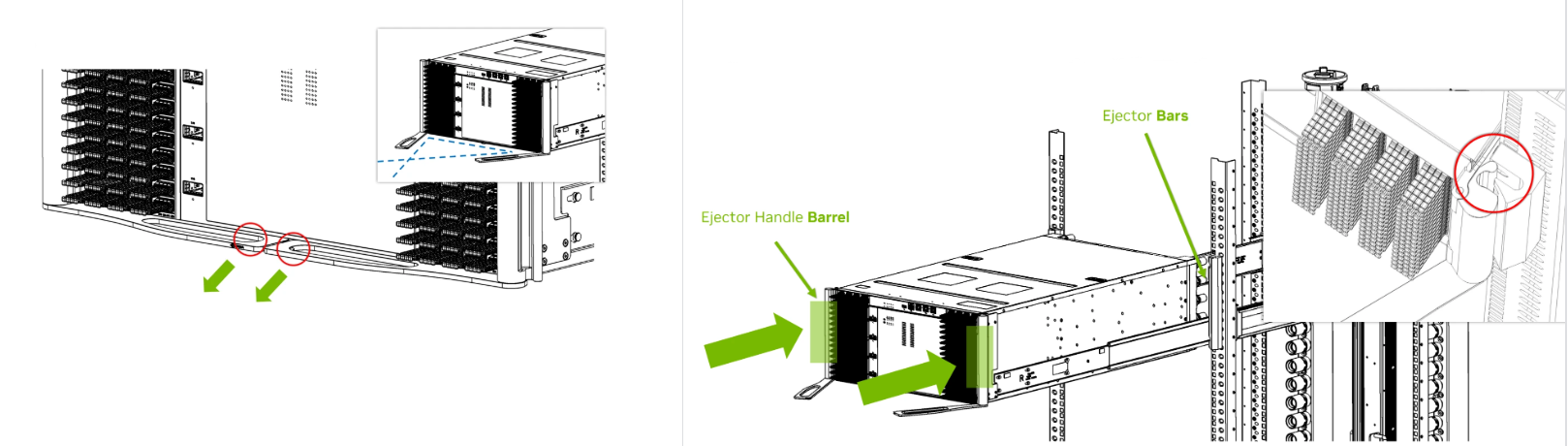
|
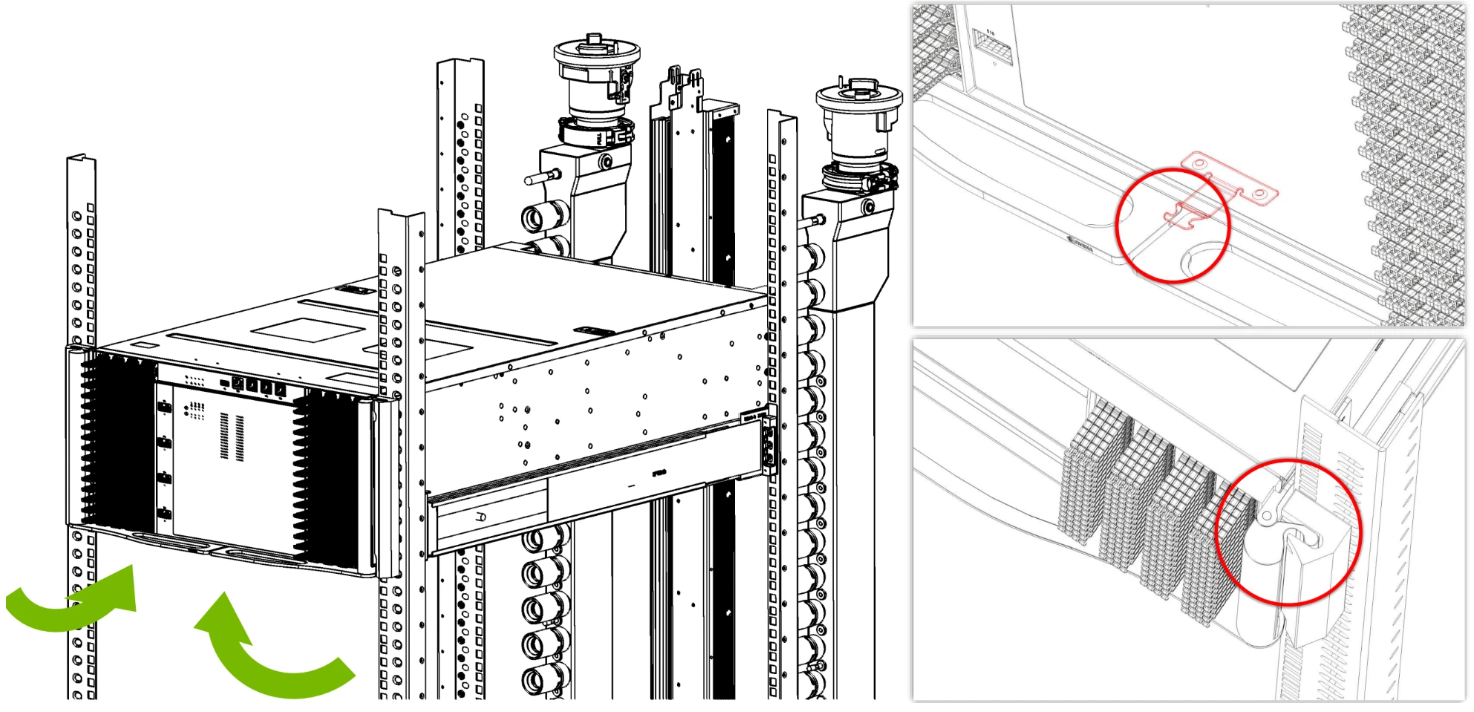
|
Disassembly Instructions
|
Description |
Illustration |
|---|---|
|
Important Note:
Remove the chassis from the rack. |
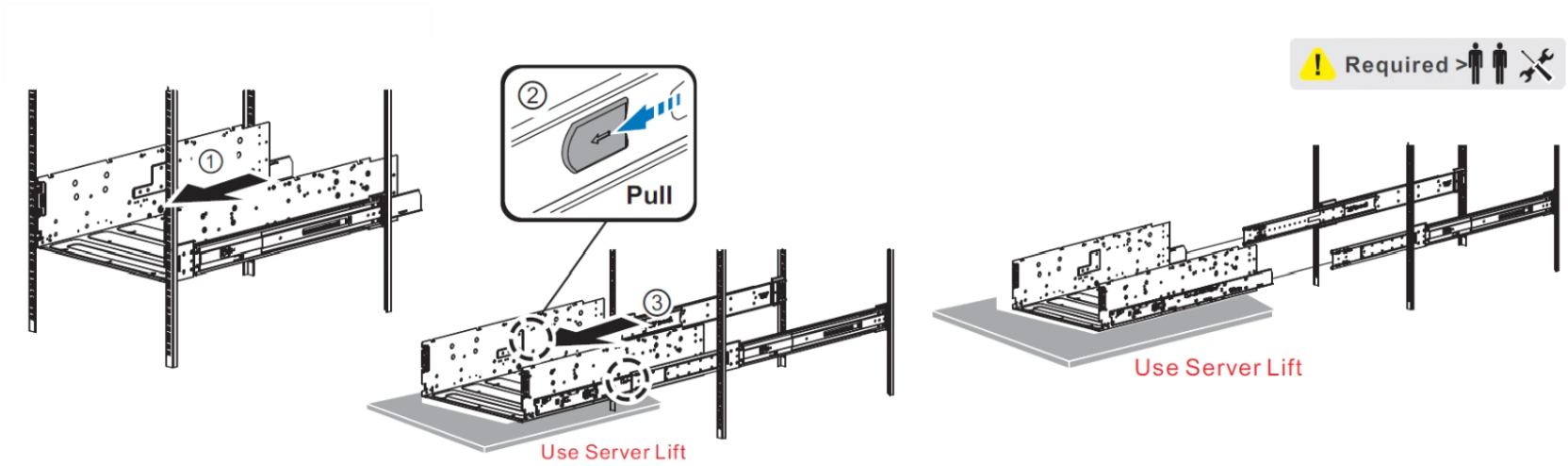
|
Last updated: