

Dashboards and their related Trends, Topology, Incidents, and Anomaly views are stored as JSON import/export sets in the Reference Configuration Package under minerva-configs/dashboards. Dashboards are split into two sets depending on tenant type: dashboard for admin tenants are located at dashboards/minerva-stack-monitoring and dashboards for user tenants are located at dashboards/user-tenant. See Preconfigured Dashboards for more information.
Supported Dashboards
Stack monitoring (default tenant, admin use):
-
MinervaEvents
-
MinervaLag
-
MinervaPerformance
-
Daily Check Dashboard
General purpose (admin and user tenants):
-
MinervaIngestion
-
Telemetry Health
User tenant (notification-enabled views): import from minerva-configs/dashboards/user-tenant
Primary dashboards:
-
AI Cluster Health
-
Job Failure Root Cause Analysis
-
Interface Errors and State
-
Machine Learning Based Insights
-
NVLink Health
-
NVLink Interfaces
-
Traffic and Congestion
Supporting dashboards:
-
Break-Fix Deterministic Signals
-
GPU Summary by GPU
-
GPU Summary by Node
-
Log Insights
-
Performance Dashboard
-
Switch Physical Layer Errors
-
Professor-X
Folder Layout
Stack monitoring
|
File |
Dashboards |
|---|---|
|
Per-dashboard |
MinervaEvents, MinervaLag, MinervaPerformance, Daily Check, MinervaIngestion, Telemetry Health |
|
|
Combined import for all stack monitoring dashboards |
User tenant
|
Folder |
Dashboards |
|---|---|
|
|
AI Cluster Health, Break-Fix Deterministic Signals |
|
|
NVLink Health, NVLink Interfaces |
|
|
Professor-X, Traffic and Congestion, Interface Errors and State, Per Switch Metrics and State |
|
|
Telemetry Health, MinervaIngestion |
|
|
Machine Learning Based Insights, Log Insights |
|
|
Job Failure RCA, Performance Dashboard |
|
|
GPU Summary by Node, GPU Summary by GPU |
|
|
All basic user-tenant dashboards (combined import) |
Import Dashboards
You can import any individual dashboard into whichever tenant you are logged in to. The bulk import automatically adjusts the username and tenant of imported views to the correct configuration.
For a new stack, use the combined JSON files to import the full basic dashboard set for each tenant in a single file.
-
Make the current Reference Configuration Package available on a system that can access the Minerva UI.
-
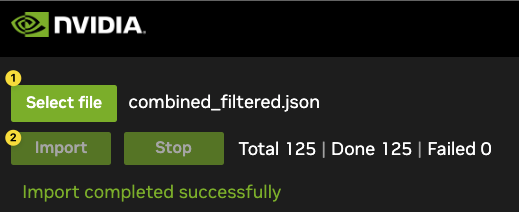
Select Import from the Actions menu in the global settings.
-
Choose the dashboard file or combined set from the Reference Configuration Package.
-
Select Import and check for any errors.
Last updated: