

The AI Cluster Health Dashboard – North-South Dashboard provides visibility into north-south network traffic and fabric health for monitoring data ingress, egress, and storage-facing traffic.
|
Persona |
Primary Use Case |
|---|---|
|
Infrastructure/DC Ops |
Monitor physical-link health indicators, such as port receive errors, to help isolate optics, cabling, or interface-level faults between the cluster and external networks. |
|
System Administrators/SREs |
Track output discards and throughput trends to identify congestion or packet-loss conditions that could affect service reliability or cross-cluster operations. |
|
AI/ML Engineers |
Use ingress and egress throughput views to correlate network behavior with slow dataset staging, model initialization, or large job data movement. |
|
Tenant Admins |
Review aggregate north-south traffic volumes across availability zones or regions to understand usage patterns and support SLA or capacity discussions. |
Dashboard Overview
The AI Cluster Health – North-South Dashboard provides a view of traffic entering and exiting AI infrastructure, along with interface health indicators for external-facing network paths. It aggregates data over the last 24 hours by default, and supports time-range adjustment through the global dashboard filter.
Use it to monitor throughput distribution, detect congestion, and identify link-quality issues affecting north-south traffic flows.
Network Throughput and Performance
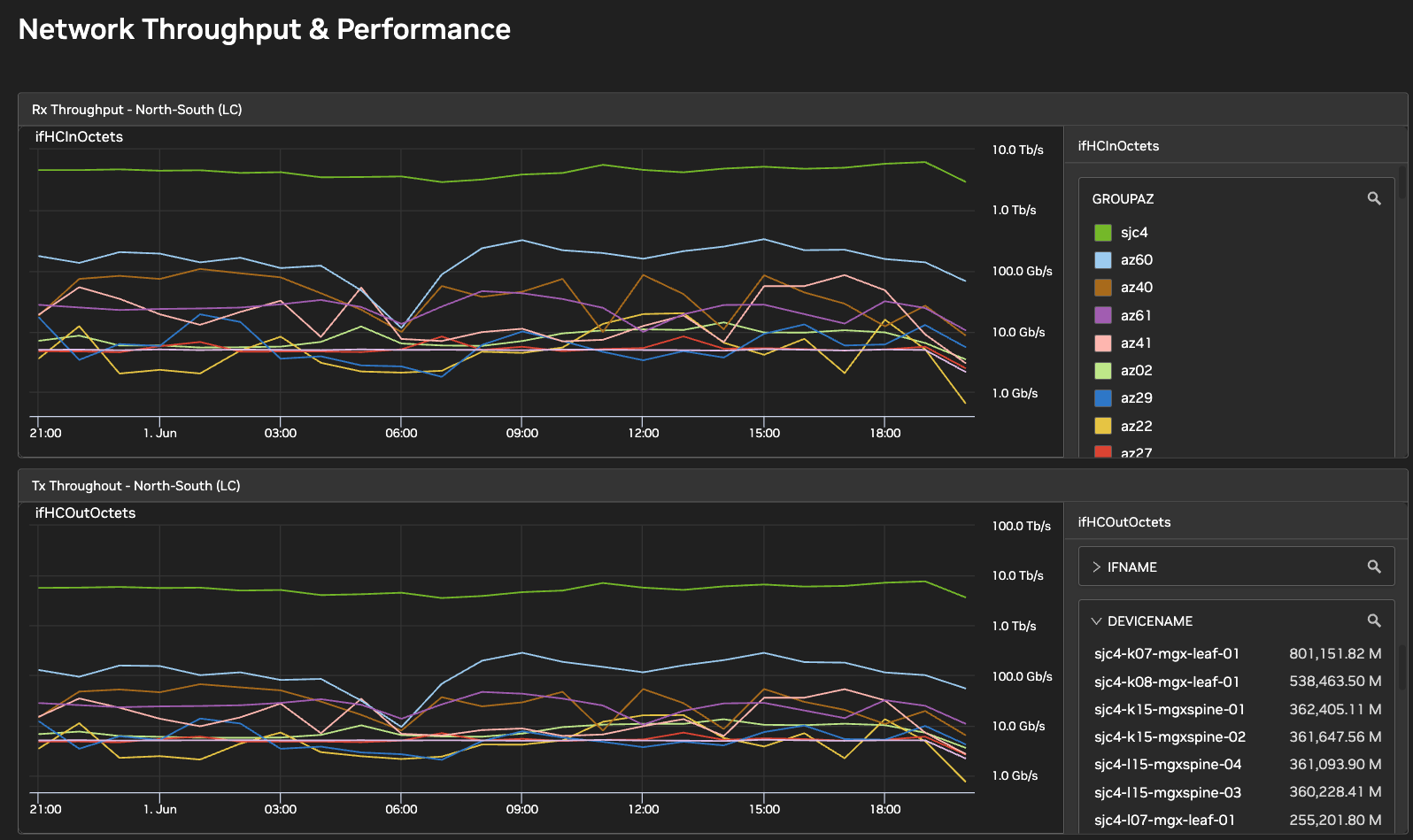
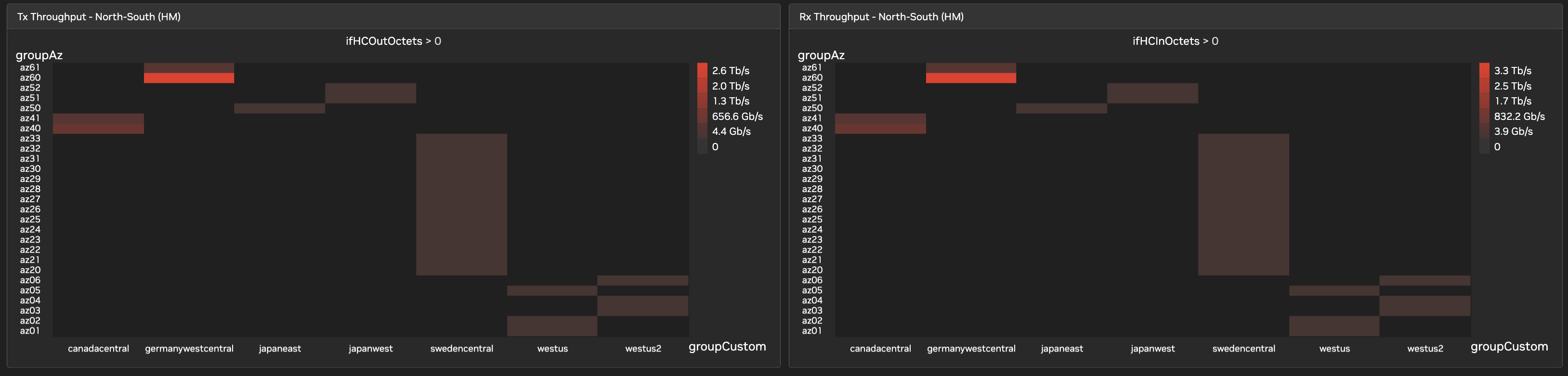
This section presents the volume and direction of traffic crossing the cluster boundary, segmented by interface, device, and location attributes such as ifName, deviceName, and groupAz.
-
Rx Throughput – North-South: Tracks inbound traffic into the cluster using receive-octet counters. It includes line charts for time-series analysis across availability zones (AZs) and heatmaps for regional visibility of ingress traffic.
-
Tx Throughput – North-South: Tracks outbound traffic leaving the cluster using transmit-octet counters. It identifies devices, interfaces, AZs, and regions carrying the highest egress load.
Error Detection and Congestion Indicators
This section presents interface-level indicators used to detect degradation and congestion conditions on north-south network paths.
-
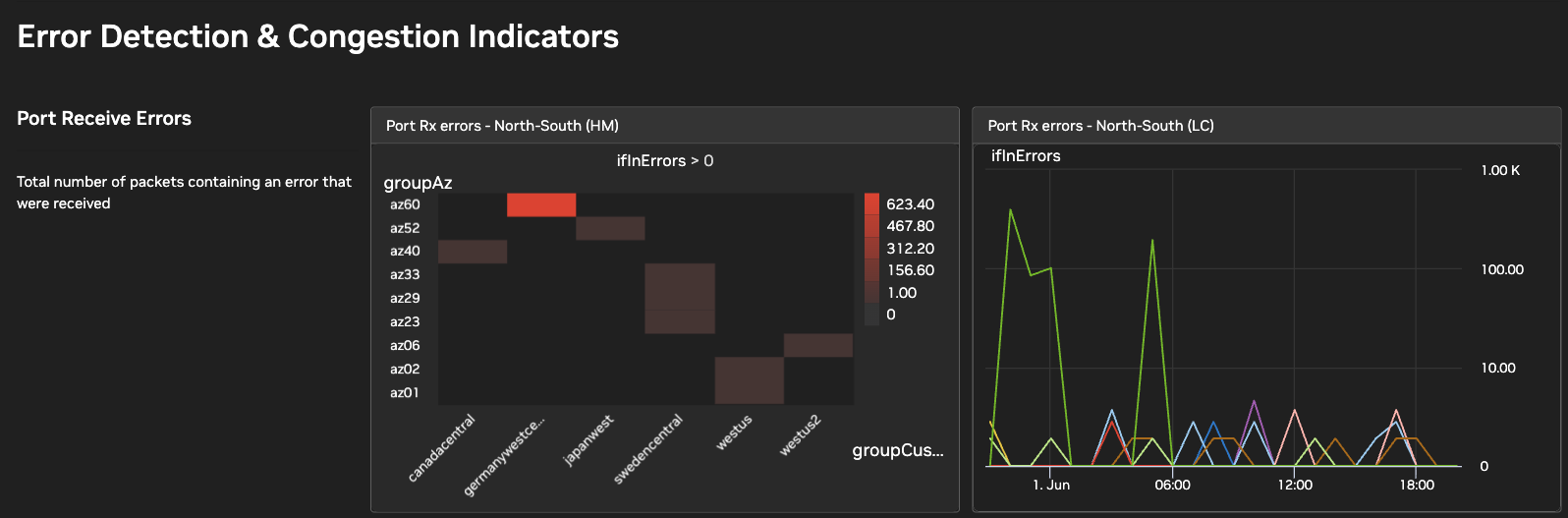
Port Receive Errors: Measures inbound packets received with errors. Use this metric to identify interface conditions associated with physical-link degradation, including optics issues, cabling faults, or transceiver mismatches. The heatmap shows which AZs and regions have the highest error counts. The line chart shows time-series data for the top interfaces by error count.
-
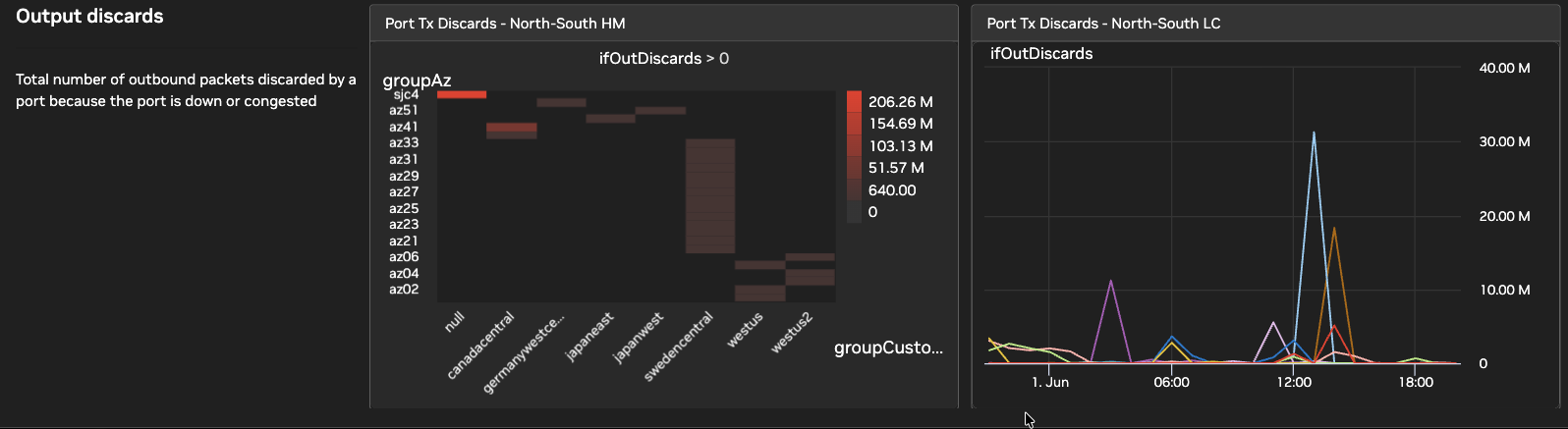
Output Discards: Measures outbound packets discarded by an interface. Use this metric to detect congestion, queue pressure, oversubscription, or other interface-level forwarding stress. The heatmap and line chart show the regions, AZs, and interfaces with the highest discard rates.
Last updated: